
1. Увод
Thank you for choosing the Headwolf HPad3 Ultra 11-inch Android Tablet. This manual provides essential information for setting up, operating, maintaining, and troubleshooting your device. Please read this manual thoroughly before using your tablet to ensure optimal performance and longevity.

Слика: Фронт view of the Headwolf HPad3 Ultra tablet.
2. Садржај пакета
Молимо вас да означите поље за следеће ставке:
- Headwolf HPad3 Ultra Tablet
- 30В адаптер за пуњење
- Кабл за пуњење типа Ц
- Japanese Instruction Manual (for detailed local information)
- Пин СИМ картице

Image: All items included in the package: tablet, charger, cable, manual, and SIM pin.
3. Производ је готовview
Familiarize yourself with the physical features and ports of your Headwolf HPad3 Ultra tablet.
3.1 Физичке карактеристике
- Приказ: 11-inch 2K FHD IPS In-cell display with blue light protection.
- камере: 8MP AI front camera, 20MP telephoto + 5MP wide-angle dual rear cameras.
- Тело: Thin (7.3mm) and light (470g) aluminum alloy metal body.
3.2 Портови и дугмад
The tablet features various ports and buttons for connectivity and control:
- Дугме за напајање: Used to turn the device on/off or wake/sleep the screen.
- Дугмад за јачину звука: Подесите јачину звука.
- Порт за пуњење типа Ц: For charging the device and data transfer.
- Слот за картицу: Supports dual SIM cards and microSD card expansion up to 2TB.
- Дугме за ресетовање: A small pinhole button for resetting the device if unresponsive.
- 3.5 мм аудио прикључак: За повезивање слушалица.

Слика: Са стране view of the tablet highlighting the power button, volume buttons, and Type-C port.
Слика: Леђа view of the tablet, showing the dual camera setup.
4. Подешавање
4.1 Почетно укључивање
- Before first use, ensure the tablet is fully charged using the provided 30W charging adapter and Type-C cable.
- Press and hold the Power Button until the Headwolf logo appears on the screen.
- Пратите упутства на екрану да бисте завршили почетно подешавање, укључујући избор језика, Wi-Fi везу и подешавање Google налога.
4.2 Уметање SIM и MicroSD картица
The tablet supports dual SIM cards and a microSD card for expanded storage.
- Пронађите утор за картицу са стране таблета.
- Use the provided SIM card pin to gently push into the small hole next to the card slot to eject the tray.
- Place your SIM card(s) and/or microSD card into the designated slots on the tray. Ensure they are correctly oriented.
- Пажљиво поново уметните лежиште у таблет.
4.3 Memory Expansion Activation
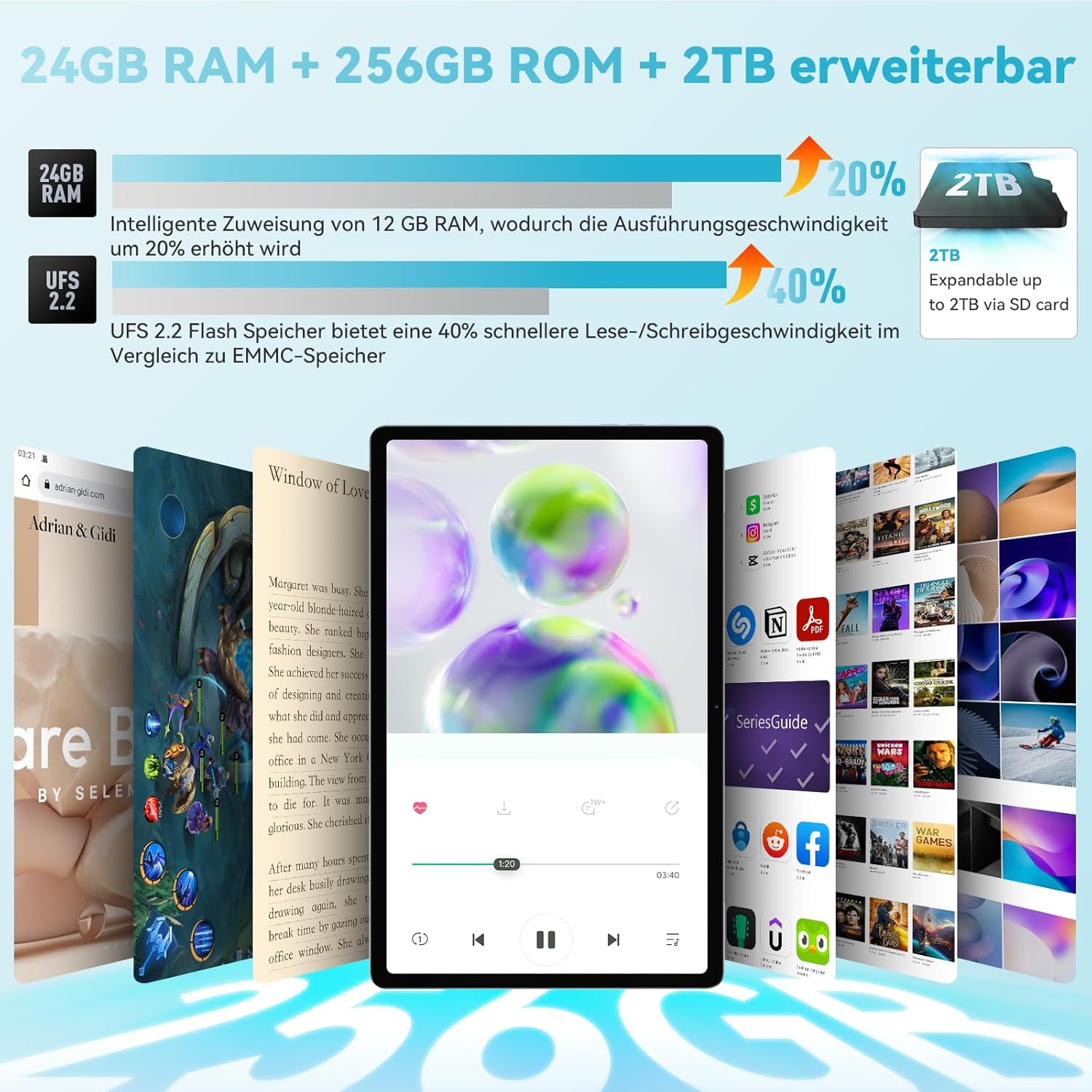
The tablet features intelligent memory expansion, allowing you to allocate 12GB from storage to RAM for improved performance.
- Иди на Подешавања.
- Дођите до Проширење меморије.
- Омогући Проширење меморије.
- Изаберите жељену Memory expansion size (e.g., 12GB).
- Restart the tablet for the changes to take effect.

Image: Visual representation of RAM and ROM expansion capabilities.
5. Упутство за употребу
5.1 Карактеристике екрана
The 11-inch 2K FHD IPS display offers a vibrant visual experience with eye protection features.
- Резолуција: 2000x1200 pixels for clear and sharp images.
- Заштита од плавог светла: TÜV certified to filter blue light, reducing eye strain.
- Осветљеност: 360 Nits for good visibility in various lighting conditions.
- In-cell Full Fit Technology: Enhances touch response and display clarity.
- Размера: 16:10 golden display ratio for an immersive viewинг искуство.
- Viewугао угла: 178 ° ширине viewугао уласка.

Image: Features of the 2K FHD 11-inch display, including blue light protection.

Image: TÜV Rheinland certification for eye protection, demonstrating blue light filtering.
5.2 Перформансе
The HPad3 Ultra is powered by a robust processor and ample memory for smooth operation.
- процесор: MTK G99 Octa-Core CPU (2x A76 large cores + 6x A55 small cores) with a main frequency up to 2.2GHz.
- Оперативни систем: Android 12, offering enhanced privacy, security, and user interface.
- РАМ: 12GB physical RAM, expandable to 24GB (12GB + 12GB virtual RAM).
- Складиштење: 256GB UFS 2.2 flash memory, expandable up to 2TB via microSD card.

Image: Details on the MTK G99 CPU and Android 12 operating system.
5.3 Cameras and Face Recognition
Capture moments with the tablet's versatile camera system and unlock securely with face recognition.
- задње камере: 20MP telephoto lens + 5MP wide-angle lens, supporting 13 shooting modes (e.g., portrait, landscape, night, snow).
- Предња камера: 8MP AI selfie camera.
- Препознавање лица: Supports facial recognition for convenient and secure device unlocking.

Слика: Прекоview of the tablet's 8MP front and 20MP+5MP rear AI cameras.

Image: Illustration of the face recognition function for enhanced security.
5.4 Повезивање
Stay connected with various wireless and cellular options.
- 4Г ЛТЕ: Supports stable call and SMS communication, ideal for travel and business trips.
- Ви-Фи: Dual-band 2.4G/5G Wi-Fi (802.11ac) for fast internet access.
- Блуетоотх: Блутут 5.0 за повезивање бежичних додатака.

Image: Connectivity options including 4G LTE, dual-band WiFi, and Bluetooth 5.0.
5.5 Навигација (GPS)
The tablet includes a comprehensive navigation system.
- 4-in-1 Navigation: Integrated GPS, GLONASS, Beidou, and Galileo systems provide accurate positioning, allowing the tablet to be used as an in-car navigation system.

Image: Tablet displaying a map, illustrating its GPS navigation capabilities.
5.6 Google Kids Space
For families, the tablet offers Google Kids Space with parental controls.
- Образовни садржај: Provides rich educational materials for children, supporting automatic language switching and real-time updates across multiple fields.
- Родитељски надзор: Parents can control the time children spend using the tablet to prevent excessive use.

Image: Google Kids Space interface on the tablet, highlighting educational apps and parental controls.
5.7 Бежична пројекција
Mirror your tablet's screen to a larger display.
- Пресликавање екрана: Wirelessly project the tablet's screen to a TV or other compatible display for a more impactful visual experience.

Image: Tablet screen being wirelessly projected onto a television.
5.8 Screen Splitting
Enhance productivity with the screen splitting feature.
- Више задатака: Supports displaying two applications simultaneously without switching, making operation more convenient.

Image: Tablet screen split into two, showing different applications running side-by-side.
6. Пуњење и батерија
The Headwolf HPad3 Ultra is equipped with a high-capacity battery and fast charging capabilities.
- Капацитет батерије: 8500mAh cobalt acid lithium battery, offering long usage times.
- Брзо пуњење: Supports 30W PD/PE dual high-speed charging protocol via USB Type-C. Achieves 80% charge in approximately 1 hour.
- Трајање употребе: Up to 45 hours of music playback, 12 hours of local video playback, or 7 hours of gaming.

Image: Information on the 8500mAh battery, 30W fast charging, and estimated usage times.
7. Одржавање
To ensure the longevity and optimal performance of your tablet, follow these maintenance guidelines:
- Држите таблет даље од екстремних температура, директне сунчеве светлости и високе влажности.
- Избегавајте испуштање таблета или његово излагање јаким ударцима.
- Очистите екран меком крпом која не оставља влакна. Не користите јаке хемикалије.
- Редовно правите резервне копије података како бисте спречили њихов губитак.
- Редовно ажурирајте софтвер на најновију верзију ради побољшања безбедности и перформанси.
КСНУМКС. Решавање проблема
Ако наиђете на проблеме са таблетом, погледајте следећа уобичајена решења:
8.1 Таблет се не укључује
- Ensure the tablet is sufficiently charged. Connect the original 30W charger and cable, and charge for at least 3 hours before attempting to power on.
- If unresponsive, try pressing and holding the power button for 10-15 seconds to force a restart.
8.2 SD Card Not Readable
- If the SD card is not recognized, try formatting it on a computer. Recommended formats are exFAT or FAT32.
- Ensure the SD card is correctly inserted into the card slot.
8.3 Остала питања
For other issues, please refer to the warranty and support section for contact information.

Image: Customer support illustration with common troubleshooting advice.
9. Спецификације
Detailed technical specifications for the Headwolf HPad3 Ultra tablet:
| Феатуре | Спецификација |
|---|---|
| Бранд | Хеадволф |
| Назив модела | HPad3 Ultra |
| Капацитет меморије | 256 ГБ |
| Величина екрана | 11 инча |
| Display Max Resolution | 1200*2000 |
| Release Year / Model Year | 2023 |
| Садржај гаранције | 12 месеци |
| Употреба производа | Забава |
| Капацитет батерије | 8500 мАх |
| Тип батерије | Литхиум Ион |
| Computer CPU Speed | 2.2 ГХз |
| Опис процесора | Г99 |
| OS | Андроид 12 |
| Тежина производа | 0.47 Grams (470g) |
| Димензије артикла (Д к Ш к В) | 25.8 к 16.2 к 0.7 цм |
| Touchscreen, Voice Recognition, Other Features | Тоуцхсцреен |
| Опис графике | Мали-Г57 |
| Дисплаи Типе | IPS incell |
| Нативе Ресолутион | 2000x1200 пиксела |
| Аспецт Ратио | 16:10 |
| Капацитет интерне меморије | 12 ГБ |
| Хардверски интерфејс | 3.5mm Audio, 802.11 ac/b/g/n, Bluetooth |
| Вирелесс Типе | Ви-Фи |
| Mobile Phone Technology | 4G |
| Број УСБ портова | 1 |
| Communication & Connectivity Interface | Блутут, УСБ, Ви-Фи |
| Стандард бежичне комуникације | 802.11ац |
| Опис камере | Позади |
| Резолуција фото сензора | 8 MP (Front) |
10. Гаранција и подршка
Your Headwolf HPad3 Ultra tablet comes with comprehensive support and warranty.
- гаранција: A 12-month quality warranty is provided from the date of purchase. In case of product defects, free repair or exchange services are available.
- враћа: A 30-day return and refund policy is in effect.
- Dedicated Repair Center: Headwolf operates a dedicated repair center in Tokyo for prompt after-sales service.
- Контактирајте подршку: If you have any questions or issues, please contact us through one of the following methods:
- On the product page, click on the store name "Headwolf official store" and then click "Ask a question" to send an email.
- Via your Amazon account: Go to "Your Orders" -> Select the relevant order -> Click "Contact Seller."