
1. Увод
The Aputure MC PRO is a compact, high-performance RGBWW LED on-camera video light designed for professional and enthusiast filmmakers. Featuring a wide CCT range, full RGB color control, magnetic adsorption, and robust weather resistance, it offers versatile lighting solutions for various creative applications.

Image 1.1: The Aputure MC PRO light with its comprehensive accessory kit.
2. Садржај пакета
Проверите да ли су све ставке наведене у наставку укључене у ваш пакет:
- Aputure MC PRO LED Video Light x 1
- Aputure MC Pro Flat Diffuser x 1
- Aputure MC Pro Dome Diffuser x 1
- Aputure MC Pro 30° Light Control Grid x 1
- Aputure Cold Shoe Ball Head x 1

Слика 2.1: Готовоview of the Aputure MC PRO and its included accessories.
3. Подешавање
3.1 Почетно пуњење
The Aputure MC PRO features a built-in 15.5Wh lithium-ion battery. Before first use, fully charge the device using the provided USB Type-C cable. The light also supports wireless charging for convenience.
3.2 Причвршћивање додатне опреме
The MC PRO utilizes a magnetic accessory mount system. Simply align the Flat Diffuser, Dome Diffuser, or 30° Light Control Grid with the front of the light until it snaps into place magnetically.

Image 3.1: The magnetic accessory mount allows for quick attachment of diffusers and grids.
3.3 Монтирање светла
The Aputure MC PRO can be mounted in several ways:
- Магнетна адсорпција: The light features built-in magnets allowing it to attach to metallic surfaces.
- Кугласта глава са хладном обућом: Use the included Aputure Cold Shoe Ball Head to mount the light onto a camera's cold shoe or other compatible mounts.
- 1/4-20in Screw: The light has a 1/4-20in screw thread for direct mounting onto tripods or light stands.

Image 3.2: The magnetic base and cold shoe mount offer flexible positioning options.
4. Упутство за употребу
4.1 Укључивање/искључивање
Locate the power button on the side of the unit. Press and hold to power the device on or off. The OLED display will illuminate upon activation.
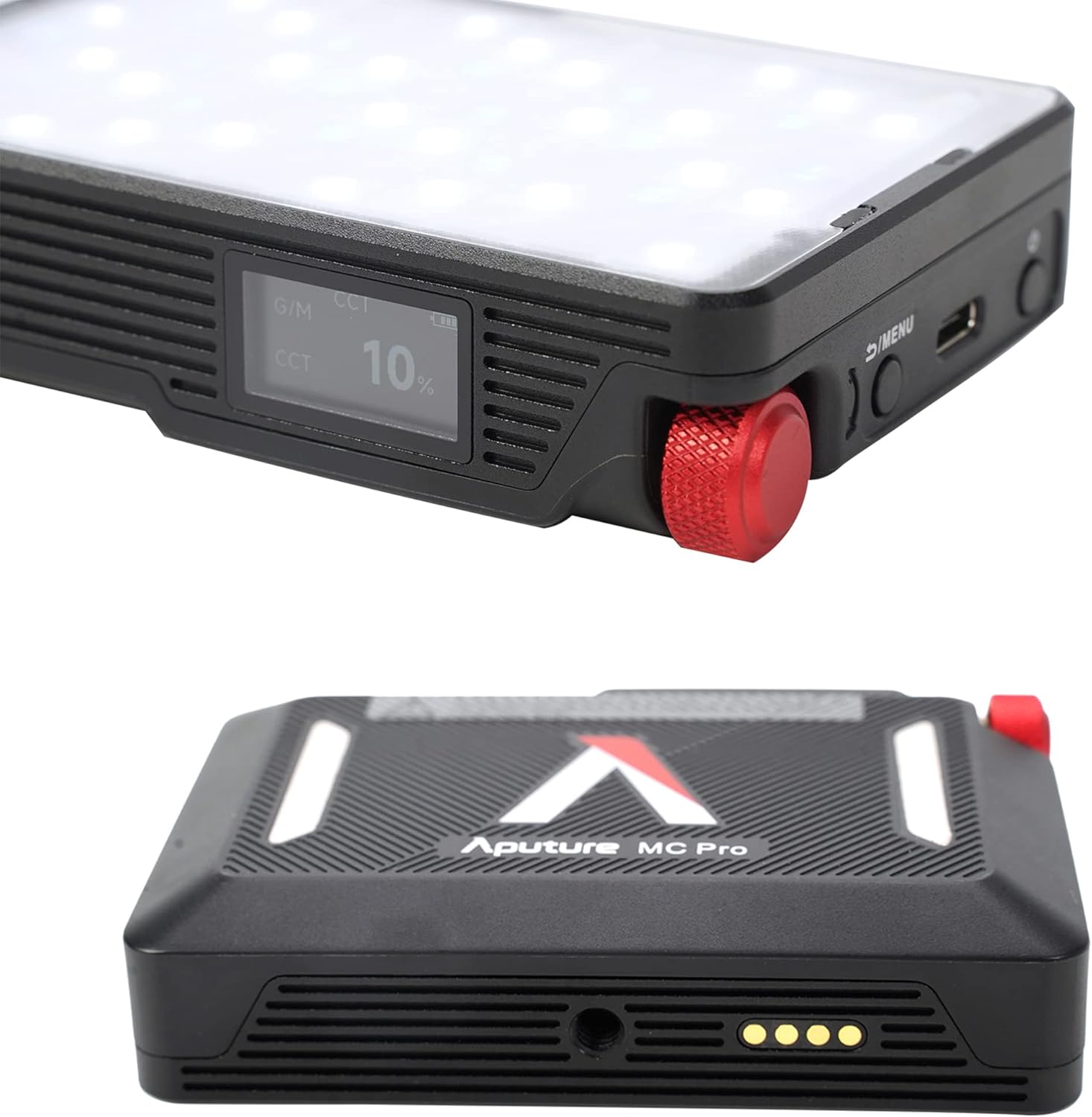
Image 4.1: The OLED display provides real-time information on light settings.
4.2 Adjusting Light Settings
Use the control knob and menu buttons to navigate through the various lighting modes and parameters:
- ЦЦТ режим: Adjust color temperature from 2,000K to 10,000K with green-magenta adjustment.
- ХСИ режим: Control hue, saturation, and intensity for full RGB color.
- ФКС режим: Select from 15 built-in system effects such as Fireworks, Fire, Paparazzi, Faulty Bulb, TV, Pulsing, Cop Car, Lightning, Party Lights, Welding, Color Chase, Candle, Strobe, Explosion, and Club Lights.

Image 4.2: The light offers a range of special effects for creative lighting scenarios.
4.3 App Control (Sidus Link)
The Aputure MC PRO supports Sidus Link Bluetooth App Control, DMX/RDM1, and LumenRadio CRMX for advanced wireless control. Download the Sidus Link app on your smartphone to access comprehensive control over all light functions, including custom FX and color matching.

Image 4.3: The Sidus Link app provides extensive wireless control capabilities.
Видео 4.1: Оверview of the Aputure MC PRO RGBWW LED On-Camera Light, demonstrating its features and compact design.
5. Одржавање
5.1 Чишћење
To clean the Aputure MC PRO, use a soft, dry cloth. Avoid using harsh chemicals or abrasive materials that could damage the finish or the LED panel. Ensure the device is powered off before cleaning.
5.2 Складиштење
Store the light in its included carrying case in a cool, dry place when not in use. Avoid extreme temperatures and direct sunlight.
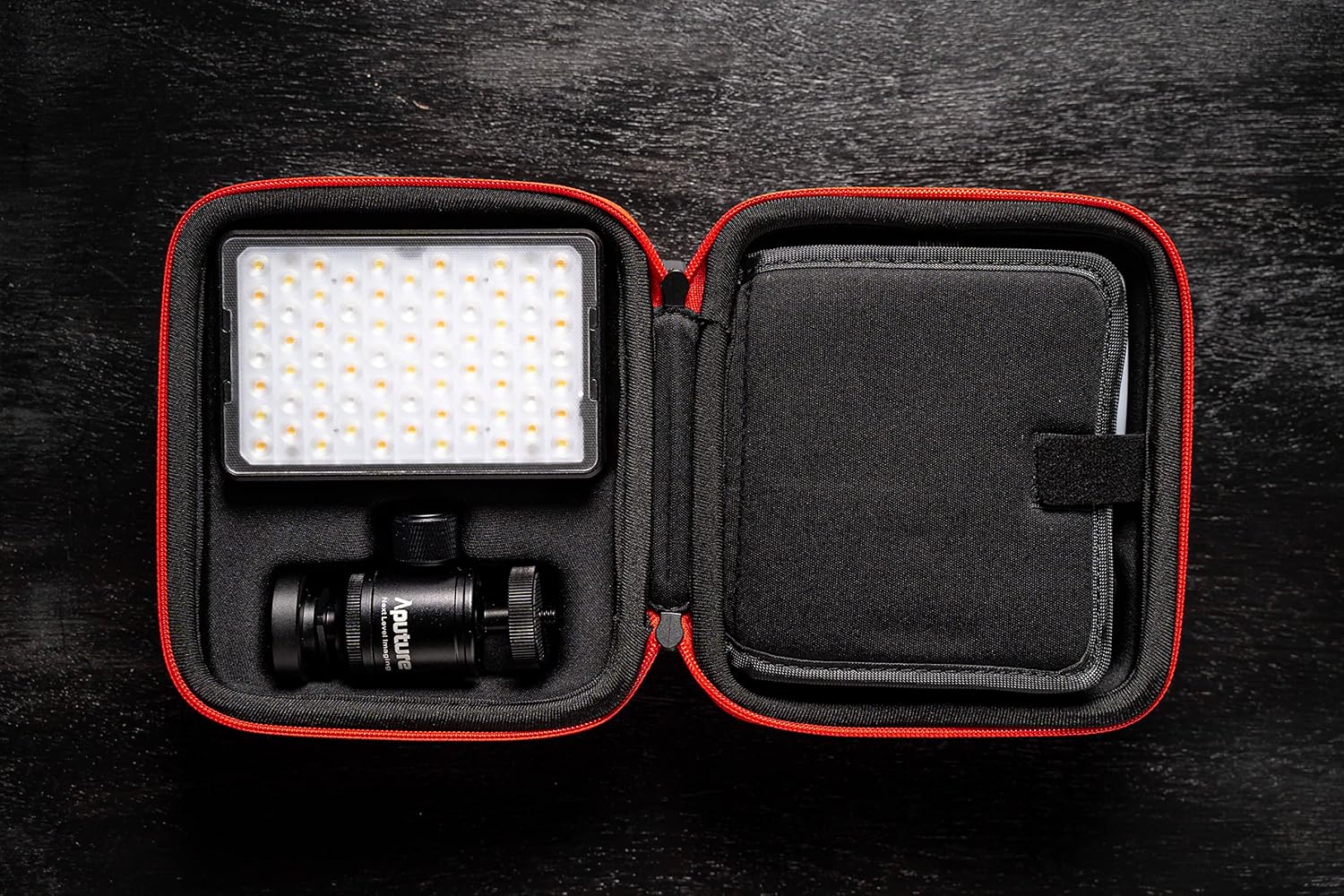
Image 5.1: The compact carrying case protects the light and its accessories during storage and transport.
5.3 Отпорност на временске услове
The Aputure MC PRO is IP65 dust and water-resistant, making it suitable for use in various environmental conditions. While it can withstand splashes and dust, it is not designed for submersion in water.

Image 5.2: The IP65 rating ensures durability in challenging weather conditions.
КСНУМКС. Решавање проблема
- Светло се не укључује: Ensure the battery is charged. Connect the light to a power source using the USB-C cable.
- Проблеми са повезивањем апликације: Ensure Bluetooth is enabled on your device and the light. Restart both the light and the Sidus Link app.
- Неконзистентна светлосна снага: Check for any obstructions on the LED panel or diffusers. Ensure the light is not overheating (though the fan should prevent this).
7. Спецификације
| Феатуре | Валуе |
|---|---|
| Димензије пакета | 6.54 к 6.06 к 3.43 инча |
| Тежина артикла | 2.24 фунти |
| Батерије | Потребна је 1 литијум-јонска батерија (укључена) |
| Трајање батерије | 2 Hours (at max output) |
| Технологија повезивања | Блуетоотх |
| Хардверски интерфејс | УСБ тип Ц |
| Compatible Shoe Mount Type | Цолд Схое |
| ЦЦТ Ранге | 2,000K to 10,000K with Green-Magenta Adjustment |
| ЦРИ/ТЛЦИ | 96+ / 96+ |
| ИП Ратинг | ИП65 Отпоран на прашину и воду |
8. Гаранција и подршка
За информације о гаранцији, техничку подршку или упите у вези са сервисирањем, обратите се званичном Aputure-у. webсајт или контактирајте њихову службу за кориснике. Сачувајте рачун као доказ о куповини за потребе гаранције.