
Lexip JVASWI00101
Lexip PIXMINDS Steelplay Adventure Twinpads User Manual
Comprehensive guide for your gaming experience.
Увод
The Lexip PIXMINDS Steelplay Adventure Twinpads are designed to enhance your gaming experience on compatible systems. These controllers offer precise input and comfortable handling for extended play sessions. This manual provides essential information for setup, operation, maintenance, and troubleshooting.
Садржај пакета
Након отварања паковања, уверите се да су све компоненте присутне:
- Lexip PIXMINDS Steelplay Adventure Twinpads (Left and Right controllers)
- Кориснички приручник (овај документ)
- Required Lithium Ion batteries (pre-installed or included)

Image: The retail packaging for the Lexip PIXMINDS Steelplay Adventure Twinpads, showing the controllers and compatibility information.
Сетуп
The Twinpads are compatible with Nintendo Switch™ and Nintendo Switch™ OLED models. They connect wirelessly via Bluetooth.
1. Charging the Twinpads
The Twinpads come with Lithium Ion batteries. Before first use, ensure they are fully charged. The LED indicators on the controllers will show charging status.
2. Упаривање са вашим уређајем
- Уверите се да је ваша Nintendo Switch конзола укључена и ажурирана на најновији системски софтвер.
- Из менија HOME изаберите „Контролери“ > „Промени хват/редослед“.
- On each Twinpad, press and hold the small pairing button located on the side or back until the player LEDs begin to flash.
- Once the LEDs stop flashing and remain solid, the Twinpad is successfully paired.
- Repeat for the other Twinpad.
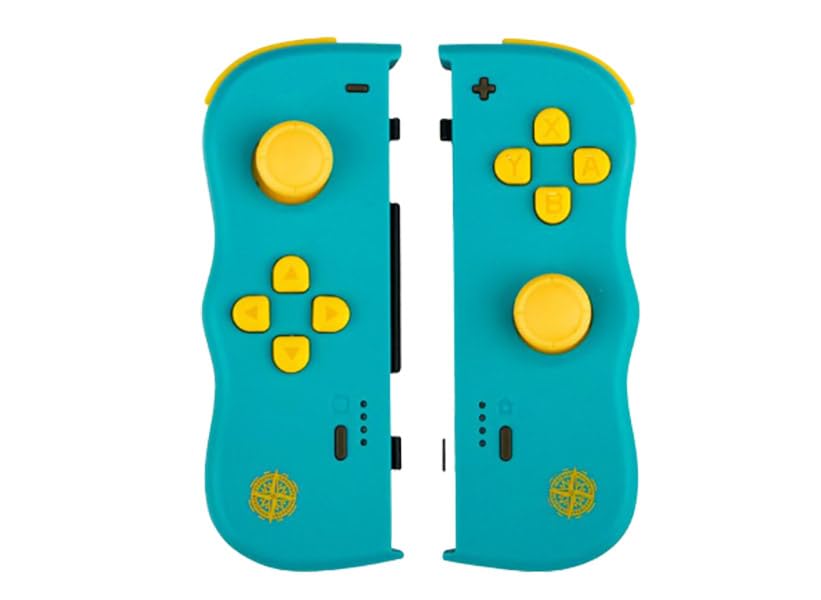
Слика: Фронт view of the Lexip PIXMINDS Steelplay Adventure Twinpads, showing the joysticks, D-pad, and action buttons.
Слика: Са стране view of the Lexip PIXMINDS Steelplay Adventure Twinpads, highlighting the rail for attachment and potential pairing button location.
Слика: Леђа view of the Lexip PIXMINDS Steelplay Adventure Twinpads, showing the ergonomic design and additional buttons.
Упутство за употребу
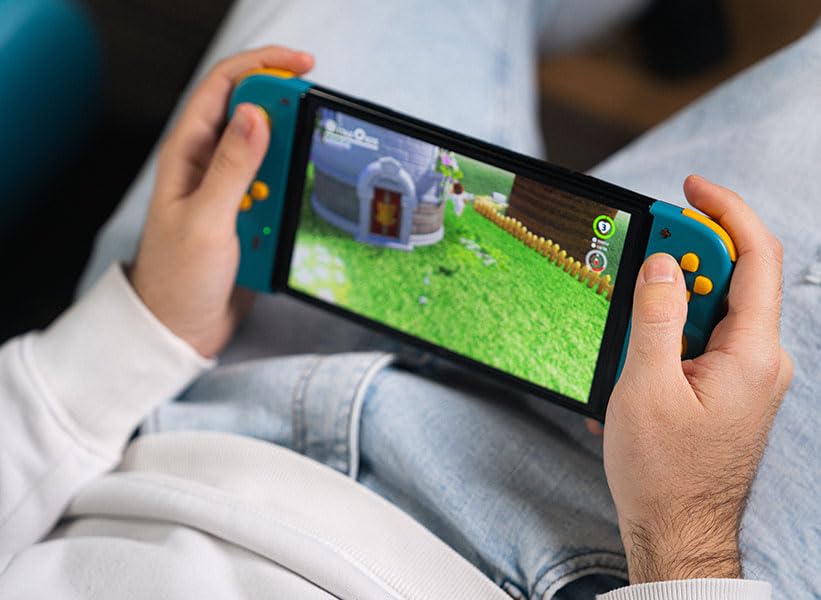
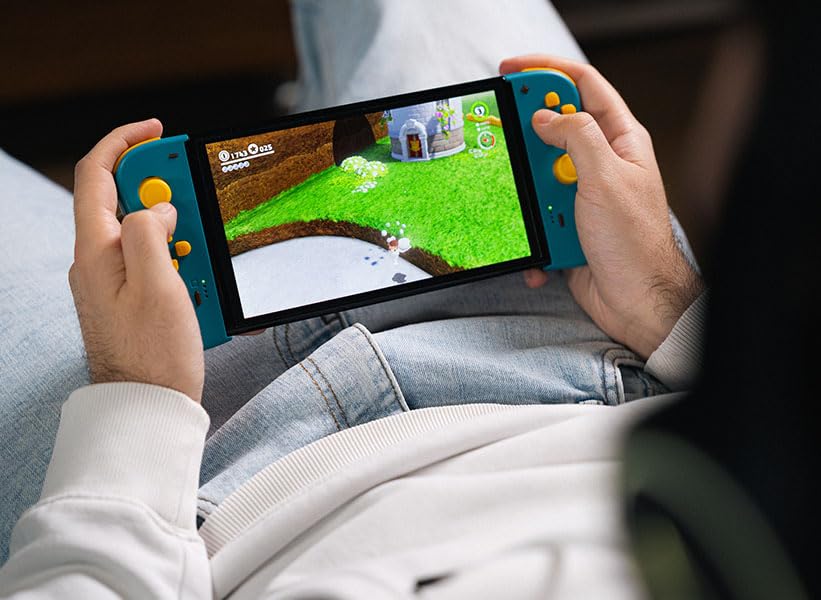
Once paired, the Twinpads function as independent left and right controllers, similar to the original Joy-Con controllers. They can be used for various games that support detached controller play.
Распоред и функције дугмади
- Left Twinpad: Analog Stick, D-pad, Minus (-) Button, Screenshot Button, SL/SR Buttons (on side rail).
- Right Twinpad: Analog Stick, A/B/X/Y Buttons, Plus (+) Button, Home Button, SL/SR Buttons (on side rail).
- Note: Specific button functions may vary depending on the game.
Поновно повезивање
If the Twinpads disconnect or you wish to reconnect them after turning off the console, simply press any button on each Twinpad. They should automatically reconnect to the last paired console.
Одржавање
Proper care will extend the lifespan of your Twinpads.
- Чишћење: Use a soft, dry cloth to wipe the surface of the controllers. For stubborn dirt, slightly dampИсперите крпу водом. Избегавајте употребу јаких хемикалија или абразивних средстава за чишћење.
- Складиштење: Store the Twinpads in a cool, dry place away from direct sunlight and extreme temperatures.
- Одржавање батерије: If storing for an extended period, ensure the batteries are partially charged (around 50%) to maintain battery health. Avoid fully discharging the batteries for long periods.
Решавање проблема
If you encounter issues with your Twinpads, try the following solutions:
- Controllers not pairing:
- Ensure the Twinpads are charged.
- Verify Bluetooth is enabled on your console.
- Try re-pairing the controllers by following the "Pairing with Your Device" steps.
- Move closer to the console to ensure a strong Bluetooth signal.
- Поново покрените конзолу Нинтендо Свитч.
- Кашњење или прекид везе на улазу:
- Ensure there are no obstructions between the controllers and the console.
- Минимизирајте сметње од других бежичних уређаја.
- Проверите нивое батерије и напуните ако је потребно.
- Дугмад не реагују:
- Очистите око дугмади да бисте уклонили остатке.
- Ensure the controllers are properly paired and connected.
- Test the controllers in a different game or the console's controller test menu.
Спецификације
| Феатуре | Детаљ |
|---|---|
| Модел | ЈВАСВИ00101 |
| Бранд | Lexip, PIXMINDS, Steelplay |
| Повезивање | Блуетоотх |
| Компатибилност | Nintendo Switch™, Nintendo Switch™ OLED |
| Тип батерије | 1 литијум-јонска батерија (укључена) |
| Тежина артикла | 5.6 унце (приближно 158.76 грама) |
| Димензије пакета | 6.18 x 4.72 x 1.26 инча (приближно 15.7 x 12 x 3.2 цм) |
| Произвођач | ПИКСМИНДС |
| Датум изласка | 1. јануара 2023. године |
Гаранција и подршка
The Lexip PIXMINDS Steelplay Adventure Twinpads come with a 5 година гаранције, as indicated on the product packaging. To register your product and activate your warranty, please visit the official warranty registration page:
Register Your Product for Warranty
For technical support or further inquiries, please refer to the official Lexip support channels or contact your retailer.
Ask a question about this manual
Ask about setup, troubleshooting, compatibility, parts, safety, or missing instructions. Manuals+ will review the question and use this page’s manual context to help answer it.