
Увод
This manual provides essential information for the safe and effective use of your Paladone Green Xbox Icons Light. Please read these instructions carefully before use and retain them for future reference.

The Paladone Green Xbox Icons Light, featuring the iconic Xbox logo and sphere, illuminated in a vibrant green hue.
Безбедносне информације
- Држати ван домашаја деце: Овај производ није играчка.
- Само у затвореном: Не излажите киши или влази.
- Извор напајања: Use only the provided USB cable or 3x AAA batteries. Do not mix old and new batteries, or different types of batteries.
- Избегавајте екстремне температуре: Do not operate in excessively hot or cold environments.
- Чишћење: Disconnect from power before cleaning. Use a soft, dry cloth. Do not use liquid cleaners.
- одлагање: Dispose of batteries and the product responsibly according to local regulations.
Садржај пакета
Пажљиво распакујте кутију и уверите се да су сви предмети присутни:
- 1 x Paladone Green Xbox Icons Light Unit
- КСНУМКС к УСБ напојни кабл

The product packaging, indicating the Xbox Icons Light and its features.
Сетуп
Your Xbox Icons Light can be powered by either the included USB cable or 3x AAA batteries (not included).
Powering via USB:
- Insert the small end of the USB cable into the USB port on the back of the light unit.
- Insert the large end of the USB cable into a powered USB port (e.g., computer, USB wall adapter, game console).
Powering via Batteries:
- Пронађите одељак за батерије на доњој страни светиљке.
- Отворите поклопац одељка за батерије.
- Уметните 3 x ААА батерије, водећи рачуна о исправном поларитету (+/-).
- Добро затворите поклопац одељка за батерије.

The Xbox Icons Light can be powered using the included USB cable or 3x AAA batteries (not included).
Упутство за употребу
The Xbox Icons Light features a power button, typically located on the base or side of the unit. Press this button to cycle through the available lighting modes.
Да бисте укључили/искључили:
- Притисните дугме за напајање једном да бисте укључили светло.
- Continue pressing the power button to cycle through the lighting modes.
- Press the power button after the last lighting mode to turn the light off.

The Xbox Icons Light offers dynamic phasing and pulsing light modes for varied visual effects.
Режими осветљења
The Paladone Green Xbox Icons Light offers three distinct lighting modes:
- Стандардни режим: The light remains steadily illuminated.
- Shifting Mode: The light transitions between different brightness levels or sections.
- Pulsing Mode: The light gently pulses, creating a dynamic effect.
Press the power button repeatedly to switch between these modes.
Одржавање
Чишћење:
- Пре чишћења уверите се да је светло искључено и искључено из било ког извора напајања.
- Wipe the surface with a soft, dry, lint-free cloth.
- Не користите абразивна средства за чишћење, раствараче или јаке хемикалије, јер могу оштетити завршну обраду.
Замена батерије:
- If using batteries, replace all three AAA batteries when the light dims or stops functioning.
- Follow the instructions in the 'Powering via Batteries' section under 'Setup' for safe battery replacement.
- Always dispose of used batteries according to local environmental guidelines.
Решавање проблема
| Проблем | Могући узрок | Решење |
|---|---|---|
| Светлост се не пали. | No power supply or depleted batteries. | Check USB cable connection or replace AAA batteries. |
| Светло је слабо или трепери. | Ниска снага батерије. | Replace AAA batteries or use USB power. |
| Cannot change lighting modes. | Power issue or button malfunction. | Ensure stable power. If problem persists, contact support. |
Спецификације
| Феатуре | Детаљ |
|---|---|
| Број модела | ПП8961XB |
| Димензије (Д к Ш к В) | 12.45 к 4.92 к 2.91 инча (31.8 к 12.5 цм к 7.4 цм) |
| Тежина артикла | 16 унце (приближно 453 грама) |
| Материјал | Пластика |
| Извор напајања | USB Cable (included) or 3x AAA Batteries (not included) |
| Тип сијалице | ЛЕД |
| Број светла | 1 |
| Волtage | Operates on low voltage DC (5V via USB, 4.5V via AAA batteries). Listed specification: 230 Volts (AC) for power adapter compatibility (adapter not included). |
| Посебне карактеристике | Динамички pHasing and Pulsing Light Modes |
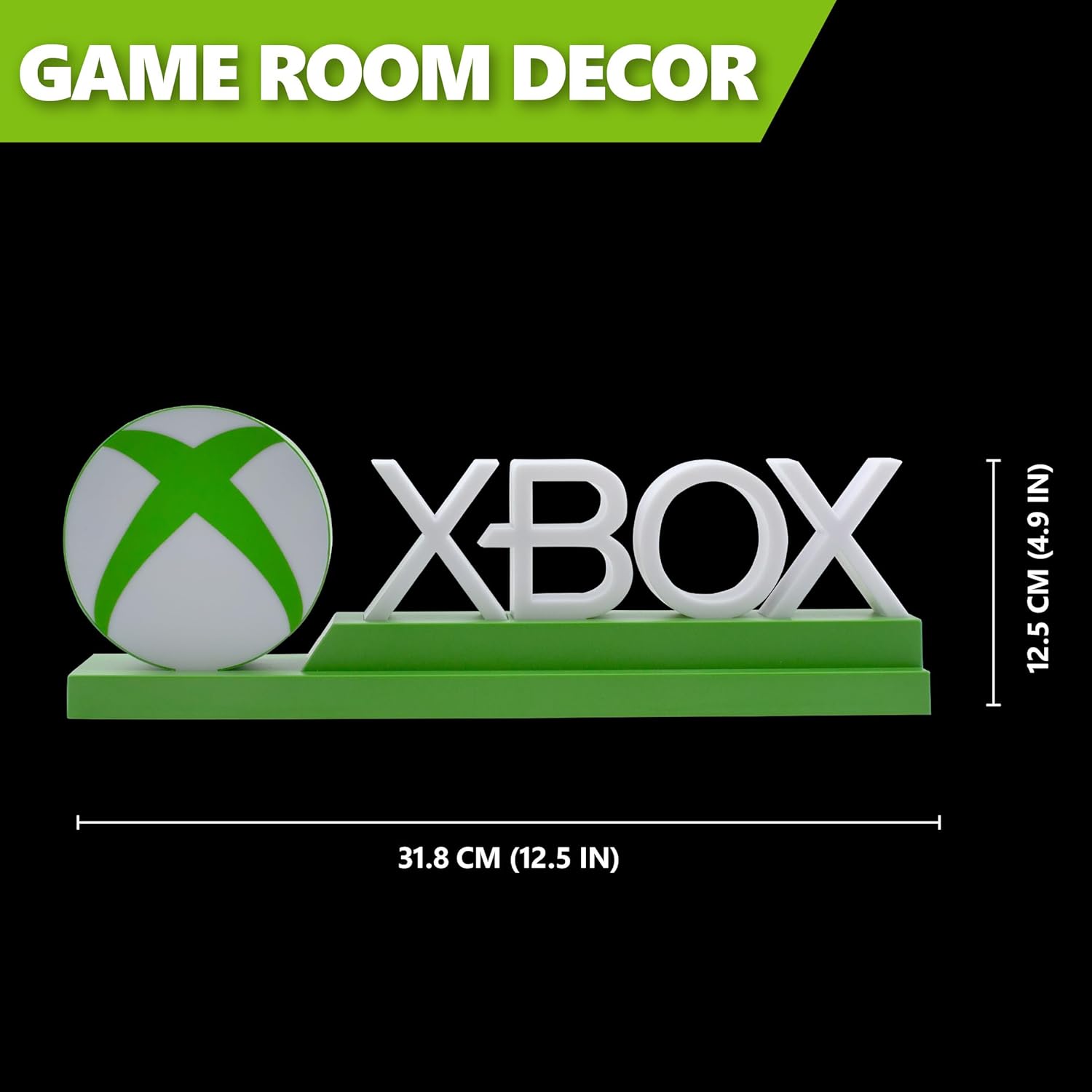
Detailed dimensions of the Xbox Icons Light, measuring 31.8 cm (12.5 inches) in width and 12.5 cm (4.9 inches) in height.
Гаранција и подршка
For warranty information, product support, or to inquire about replacement parts, please refer to the retailer where the product was purchased or visit the official Paladone webсајт. Сачувајте доказ о куповини за потребе гаранције.
Paladone Official Webсајт: ввв.паладоне.цом