
Увод
Thank you for choosing the LC-dolida Bluetooth Headband Headphones. This manual provides detailed instructions on how to set up, operate, and maintain your device. Please read this manual thoroughly before use to ensure optimal performance and longevity of your product.
Садржај пакета
Молимо вас да проверите пакет за следеће ставке:
- LC-dolida Bluetooth Headband Headphones (Model LC001)
- УСБ кабл за пуњење
- Упутство за употребу
Ако неке ставке недостају или су оштећене, обратите се корисничкој подршци.
Производ је завршенview
The LC-dolida Bluetooth Headband Headphones (Model LC001) are designed for versatile use, combining a comfortable headband with integrated audio technology. They are suitable for various activities including sleep, sports, and general audio listening.

Слика: Фронт view of the LC-dolida Bluetooth Headband Headphones, highlighting the control panel.
Кључне карактеристике:
- 3-у-1 дизајн: Functions as a sports headband, sleep mask, and Bluetooth headphones.
- Удобан материјал: Made from highly elastic, breathable, and sweat-wicking fabric.
- Ultra-Thin Speakers: Designed for comfort, especially for side sleepers, with adjustable positioning.
- Блуетоотх 5.2 повезивање: Provides stable connections and clear audio.
- Уграђени микрофон: Омогућава позивање без употребе руку.

Image: Visual representation of the headband's material properties: soft, sweat-absorbing, elastic, and breathable.

Image: Depiction of the headband's comfort for side sleepers, highlighting the super thin speakers and zero pressure design.
Сетуп
1. Почетно пуњење
- Connect the provided USB charging cable to the charging port on the headband.
- Повежите други крај USB кабла са USB адаптером за напајање (није укључен) или USB портом рачунара.
- The LED indicator light will illuminate during charging.
- Потпуно пуњење обично траје 1-2 сата. ЛЕД индикатор ће се променити или искључити када се пуњење заврши.

Image: Visual guide for charging time (2 hours) and approximate playtime (14 hours).
2. Блуетоотх упаривање
- Ensure the headband is fully charged.
- Press and hold the Power button on the control panel until the LED indicator light flashes blue and red, indicating pairing mode.
- На свом уређају (паметном телефону, таблету итд.) омогућите Блутут и потражите доступне уређаје.
- Select "LC-dolida" from the list of devices.
- Једном повезан, ЛЕД индикатор ће обично показивати стално плаво светло или полако трептати плаво.
- Аутоматско поновно повезивање: After the initial pairing, the headband will automatically attempt to connect to the last paired device when powered on, provided the device's Bluetooth is active and within range.
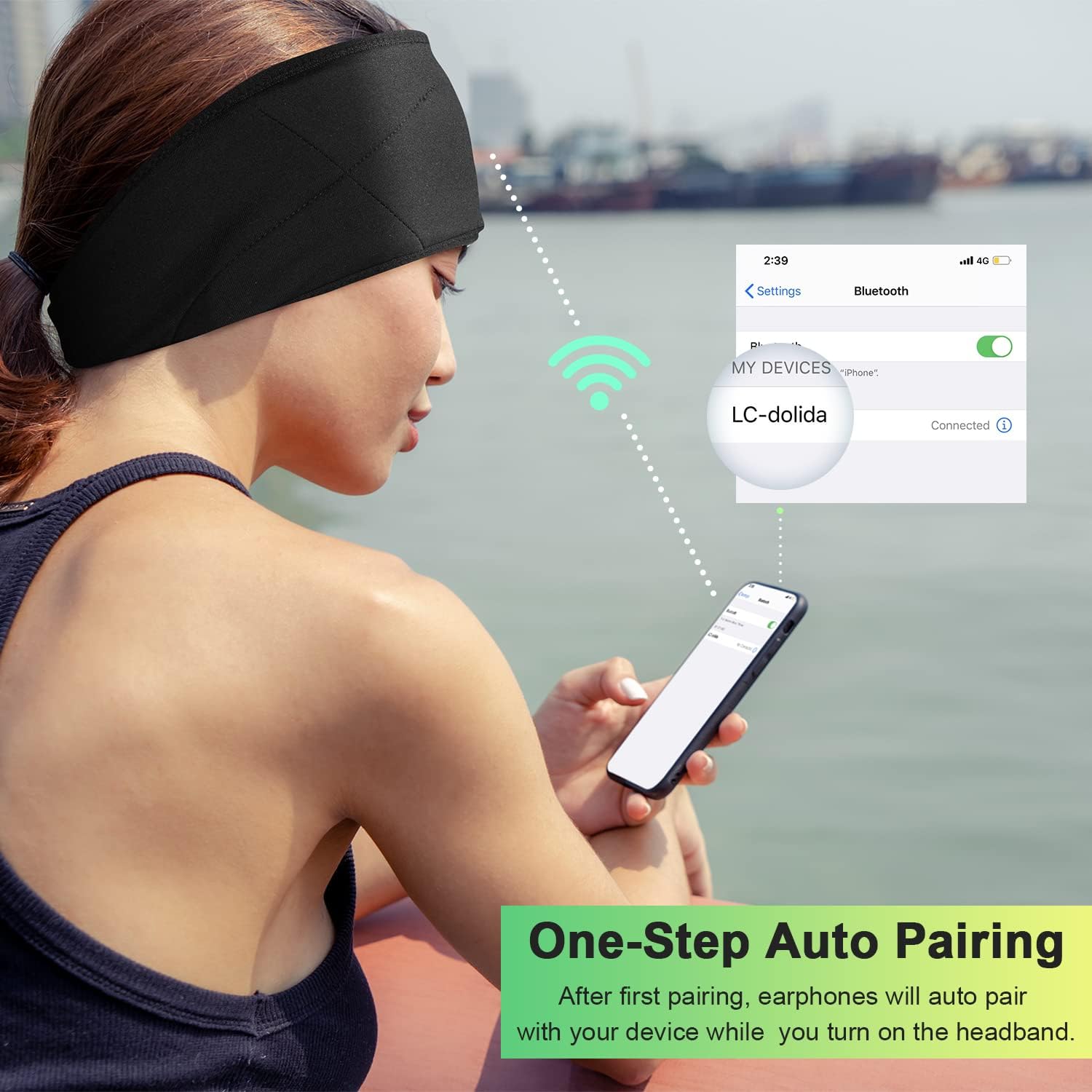
Image: Illustration of the one-step auto pairing process with a smartphone.

Image: Visual confirmation of strong compatibility with various Bluetooth-enabled devices (Android, iOS, Windows).
Упутство за употребу
Функције контролне табле
The control panel on the headband allows you to manage power, music playback, and calls.
- Укључивање/искључивање: Press and hold the Power button (center button) for approximately 3 seconds.
- Пусти/паузирај музику: Притисните дугме за напајање једном.
- Појачавање звука: Притисните дугме „+“.
- Смањивање јачине звука: Притисните дугме „-“.
- Следећа нумера: Press and hold the "+" button for 2 seconds.
- Претходни запис: Press and hold the "-" button for 2 seconds.
- Одговори/заврши позив: Притисните дугме за напајање једном.
- Одбиј позив: Притисните и држите дугме за напајање 2 секунде.
- Поновно бирање последњег броја: Двапут притисните дугме за напајање.

Image: Visual highlighting of the HIFI music and HD stereo sound capabilities.
Подешавање звучника
The ultra-thin speakers inside the headband can be gently moved to align with your ears for optimal sound and comfort. Simply slide them within the fabric casing to find your preferred position.
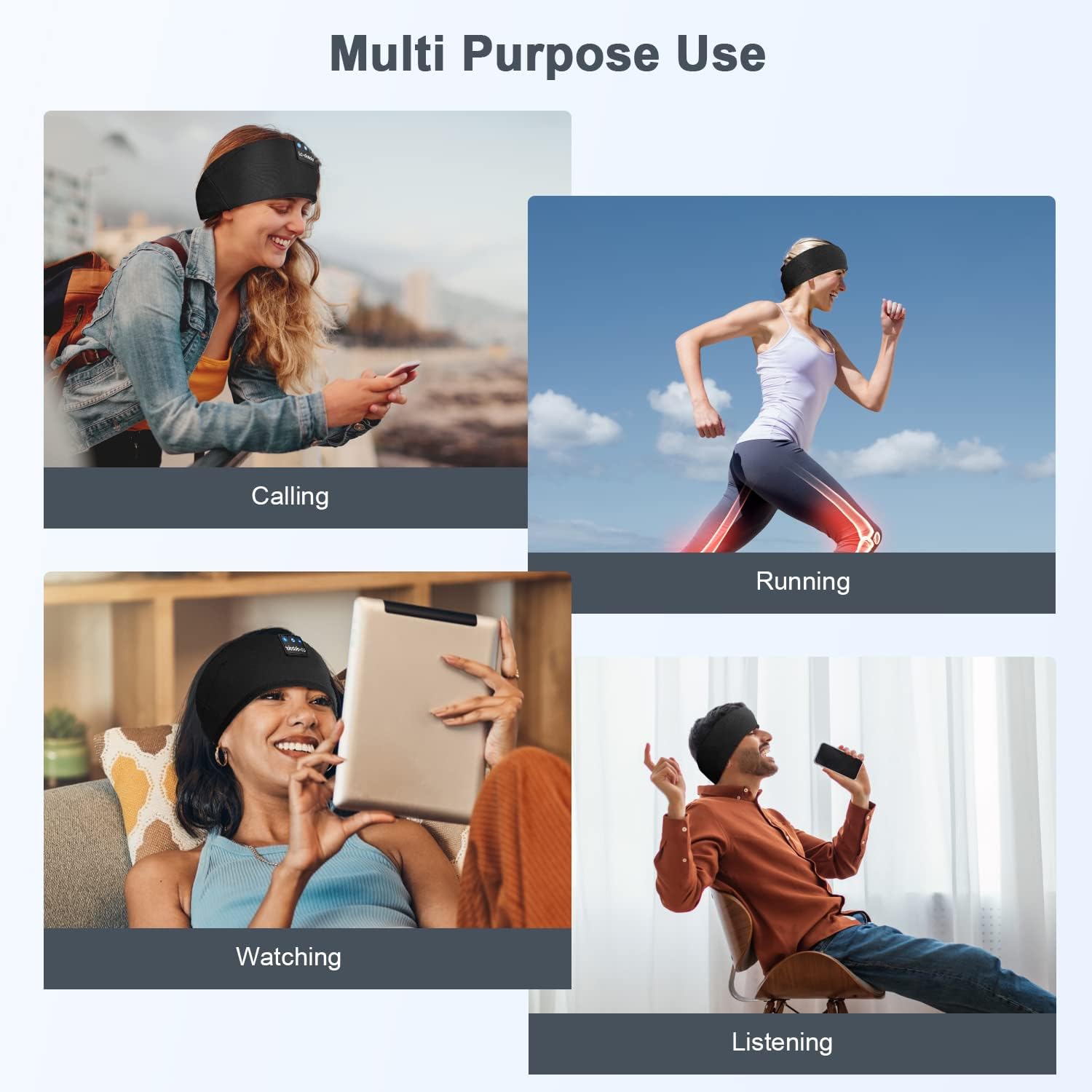
Слика: прamples of multi-purpose use, including hands-free calling, running, watching media, and general listening.
Одржавање
Cleaning the Headband
- Before cleaning, ensure the headband is powered off and disconnected from any charging source.
- Gently remove the electronic module (control panel and speakers) from the fabric headband.
- The fabric headband can be hand-washed with mild soap and cold water. Do not machine wash or tumble dry.
- Allow the fabric headband to air dry completely before reinserting the electronic module.
- Wipe the electronic module with a dry, soft cloth. Do not immerse it in water.
Складиштење
- Store the headband in a cool, dry place away from direct sunlight and extreme temperatures.
- Avoid placing heavy objects on the headband to prevent damage to the speakers or internal components.
Решавање проблема
| Проблем | Могући узрок | Решење |
|---|---|---|
| Headband does not power on. | Ниска батерија. | Charge the headband for 1-2 hours. |
| Упаривање са уређајем није могуће. | Bluetooth is off on your device; headband is not in pairing mode; device is too far. | Ensure Bluetooth is enabled on your device. Put the headband into pairing mode (flashing blue/red LED). Move device closer to the headband. |
| Нема звука или је јачина звука ниска. | Volume too low on headband or device; speakers misaligned; connection issue. | Increase volume on both the headband and your device. Adjust speaker position within the headband. Re-pair the device. |
| Повремена веза. | Device too far; interference; low battery. | Move closer to your device. Avoid strong electromagnetic interference. Charge the headband. |
| Микрофон не ради. | Микрофон блокиран; подешавања уређаја. | Ensure the microphone area is clear. Check your device's audio input settings. |
Ако наиђете на проблеме који нису овде наведени, погледајте одељак Гаранција и подршка за помоћ.
Спецификације
| Назив модела | ЛЦ001 |
| Технологија повезивања | бежични (Блуетоотх) |
| Блуетоотх верзија | 5.2 |
| Блуетоотх домет | 45 стопа |
| Тип аудио драјвера | Динамички возач |
| Фреквенцијски опсег | 20Хз - 20,000Хз |
| Трајање батерије | Up to 13 Hours (Playback) |
| Време пуњења | 1-2 сати |
| Тип контроле | Контрола медија (дугмад) |
| Ниво отпорности на воду | Није водоотпоран |
| Тежина артикла | 2.89 унци |
| Димензије пакета | 7.95 к 3.98 к 0.94 инча |
Напомена: Спецификације се могу променити без најаве.
Гаранција и подршка
Гаранција произвођача
This LC-dolida product comes with a one-year manufacturer's warranty from the date of purchase, covering defects in materials and workmanship under normal use.
Additionally, a 30-day satisfaction guarantee allows for a refund within 30 days of purchase if you are not satisfied with the product.
Корисничка подршка
For any questions, technical assistance, or warranty claims, please contact our after-sales team via email. We aim to provide a satisfactory solution within 6 hours.
Please visit the official LC-dolida webсајт или вашу платформу за куповину за конкретне контакт податке.