
1. Производ је готовview
The TP-Link ER707-M2 is an Omada Multi-Gigabit VPN Router designed for high-performance networking environments. It features dual 2.5 Gigabit WAN ports, a Gigabit SFP WAN/LAN port, and multiple Gigabit RJ45 WAN/LAN ports, providing flexible connectivity and high-bandwidth aggregation. This router integrates seamlessly with the Omada SDN Controller for centralized management and offers robust security features including an SPI Firewall and various VPN protocols.
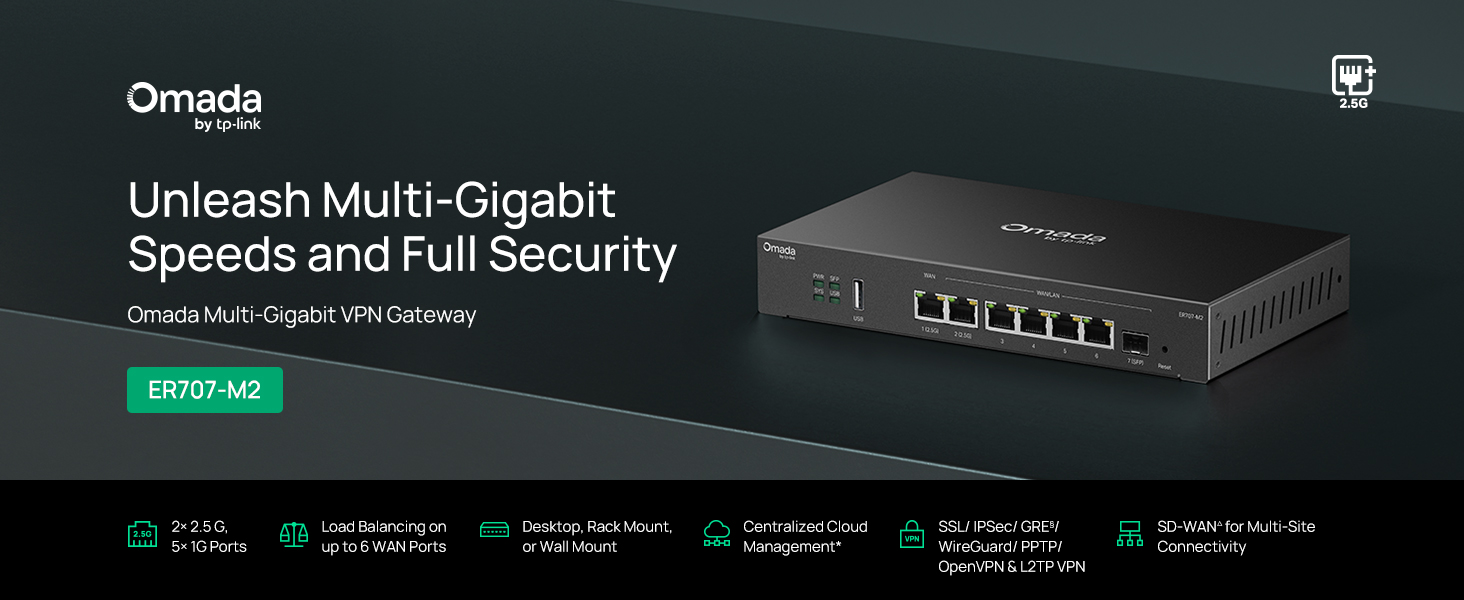
Слика 1: Предња страна view of the ER707-M2 router, highlighting its ports and indicators.
Кључне карактеристике:
- Флексибилна конфигурација порта: Includes 1x 2.5Gigabit WAN Port, 1x 2.5Gigabit WAN/LAN Port, 4x Gigabit WAN/LAN Ports, 1x Gigabit SFP WAN/LAN Port, and 1x USB 2.0 Port.
- Високоперформансни мрежни капацитет: Supports up to 500,000 concurrent sessions and over 1000 clients.
- Приступ облаку: Centralized cloud management via Omada app and web интерфејс.
- Веома безбедан VPN: Подржава до 100 LAN-to-LAN IPsec, 66 OpenVPN, 60 L2TP и 60 PPTP VPN конекција.
- Напредна безбедност: Features SPI Firewall, Policy-based Firewall, Static Routing, Policy Routing, Multi-net DHCP, Guest Portal, and VLAN support.
- Load Balance & Link Backup: Optimizes multi-line broadband efficiency and reliability.
- УСБ 2.0 порт: Supports USB storage and LTE backup with a compatible LTE dongle.
2. Садржај пакета
Проверите да ли ваш пакет садржи следеће ставке:
- TP-Link ER707-M2 Omada Multi-Gigabit VPN Router
- Повер Адаптер
- Водич за брзу инсталацију
If any item is missing or damaged, please contact your reseller or TP-Link support.
3. Подешавање
3.1 Инсталација хардвера
- Прикључак за напајање: Connect the provided power adapter to the router's power input and then to a power outlet.
- WAN веза: Connect your modem or internet service provider's device to one of the WAN ports (e.g., WAN1 2.5G or WAN/LAN2 2.5G) using an Ethernet cable. For fiber connections, use the SFP port with a compatible SFP module.
- ЛАН веза: Connect your local network devices (e.g., computers, switches, Omada Access Points) to the LAN ports (WAN/LAN2-6) using Ethernet cables.
- УСБ уређај (опционо): If using a USB storage device or an LTE dongle for backup, insert it into the USB 2.0 port.
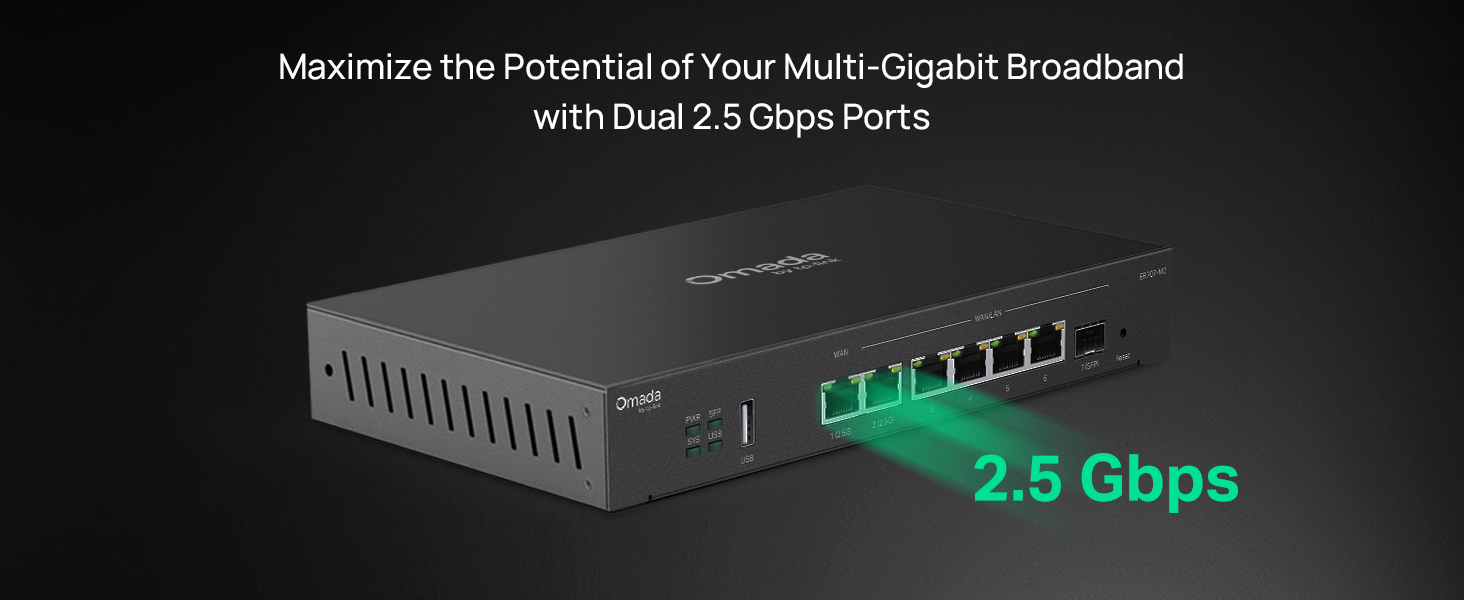
Figure 2: Illustration of the router's 2.5 Gbps ports for high-speed connectivity.
3.2 Почетна конфигурација
The ER707-M2 can be managed via the Omada SDN Controller or through its local web интерфејс.
- Повежите се са рутером: Уверите се да је ваш рачунар повезан на један од ЛАН портова рутера.
- Приступ Web Интерфејс: Отвори а web прегледач и унесите подразумевану ИП адресу (обично
192.168.0.1or192.168.1.1) in the address bar. Refer to the Quick Installation Guide for the exact default IP and login credentials. - Пратите чаробњака за подешавање: The first time you log in, a setup wizard will guide you through basic internet connection settings, changing the default password, and configuring Wi-Fi (if applicable).
- Omada SDN Integration (Optional): For centralized management, adopt the router into your Omada SDN Controller. This allows for remote management and unified control of your network devices.
4. Упутство за употребу
4.1 Конфигурација мреже
The router offers extensive configuration options for your network:
- WAN подешавања: Configure WAN ports for different connection types (Dynamic IP, Static IP, PPPoE).
- ЛАН подешавања: Manage IP addresses, DHCP server, and VLANs for your local network segments.
- Балансирање оптерећења вишеструке WAN мреже: Distribute internet traffic across multiple WAN connections to optimize bandwidth and provide redundancy.
- Резервна копија линка: Configure a secondary WAN connection (e.g., via LTE dongle) to automatically take over if the primary connection fails.
4.2 Функционалност VPN-а
The ER707-M2 supports various VPN protocols for secure remote access and site-to-site connectivity.
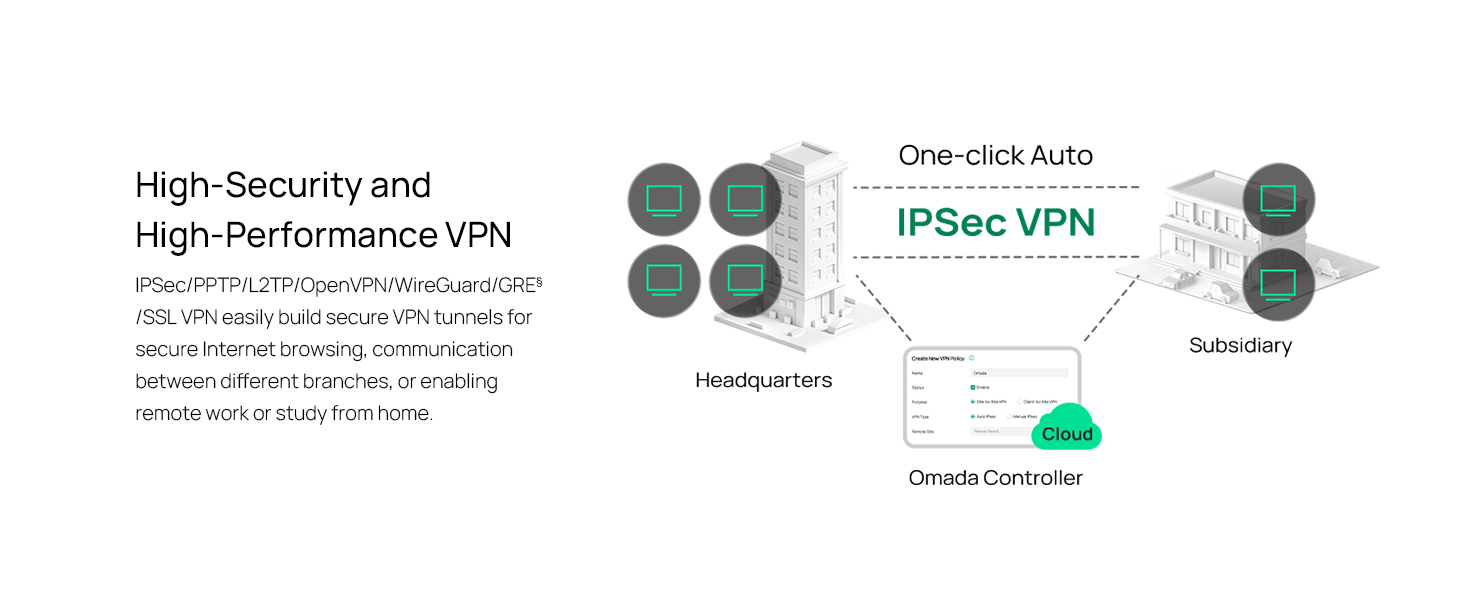
Figure 3: Visual representation of a secure VPN tunnel setup.
- IPsec VPN: Establish secure tunnels between networks (e.g., office to branch office).
- OpenVPN/SSL VPN: Provide secure remote access for individual users.
- PPTP/L2TP VPN: Legacy VPN protocols for various client connections.
4.3 Сигурносне карактеристике
The router includes advanced security measures to protect your network:
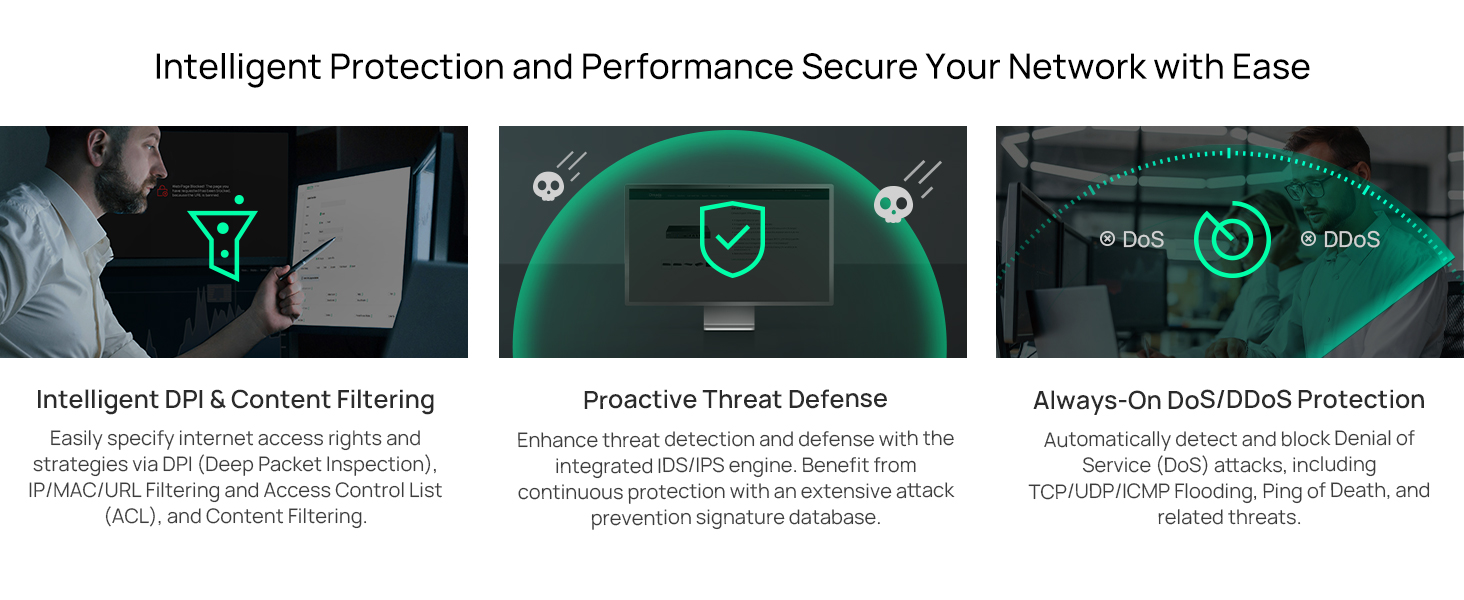
Слика 4: Завршеноview of intelligent protection and performance features.
- СПИ заштитни зид: Stateful Packet Inspection firewall for network protection.
- Policy-based Firewall: Define rules to control network traffic based on specific criteria.
- DoS/DDoS Protection: Defend against Denial of Service and Distributed Denial of Service attacks.
- Листа контроле приступа (АЦЛ): Manage network access for specific devices or users.
4.4 Интеграција Омада СДН-а
The ER707-M2 is part of the Omada Software-Defined Networking (SDN) solution, allowing for centralized management of your entire network.

Figure 5: How the ER707-M2 integrates into an Omada SDN network.
- Централизовано управљање: Manage the router, access points, and switches from a single interface via the Omada Controller (hardware or software).
- Даљински приступ: Access and manage your network from anywhere using the Omada app or cloud portal.
- Seamless Scalability: Easily expand your network by adding more Omada devices.
5. Одржавање
To ensure optimal performance and security of your ER707-M2 router, regular maintenance is recommended:
- Ажурирања фирмвера: Периодично проверавајте званичне информације компаније ТП-Линк. webсајт за најновије верзије фирмвера. Ажурирање фирмвера може побољшати перформансе, додати нове функције и поправити безбедносне рањивости.
- Резервна копија конфигурације: Regularly back up your router's configuration settings. This allows for quick restoration in case of accidental changes or system issues.
- Физички преглед: Ensure the router is placed in a well-ventilated area, free from dust and obstructions. Check cable connections for secure fit.
- Сецурити Реview: Периодично реview your firewall rules, VPN settings, and access control lists to ensure they meet your current security requirements.
КСНУМКС. Решавање проблема
If you encounter issues with your ER707-M2 router, consider the following troubleshooting steps:
- Нема приступа интернету:
- Check all cable connections (WAN, LAN, Power).
- Verify your modem or ISP device is working correctly.
- Confirm WAN settings in the router's web интерфејс је исправан.
- Restart the modem, then the router, and then your connected devices.
- Не могу приступити Web Страница управљања:
- Уверите се да је ваш рачунар повезан са ЛАН портом рутера.
- Verify your computer's IP address is in the same subnet as the router (e.g., if router is 192.168.0.1, computer should be 192.168.0.x).
- Покушајте да обришете кеш меморију прегледача или да користите други прегледач.
- If the issue persists, perform a factory reset (see below).
- Мала брзина мреже:
- Проверите брзину вашег интернет провајдера.
- Ensure all cables are Cat5e or higher for Gigabit/2.5Gig connections.
- Пратите коришћење мреже како бисте идентификовали апликације или уређаје који интензивно користе пропусни опсег.
- Verify duplex settings on connected devices and router ports.
- Фацтори Ресет: If all else fails, you can restore the router to its factory default settings. Locate the Reset button on the router (often a small pinhole button), press and hold it for about 5-10 seconds until the system LED blinks, then release. This will erase all custom configurations.
7. Спецификације
| Феатуре | Детаљ |
|---|---|
| Бранд | ТП-Линк |
| Назив модела | ЕР707-М2 |
| Технологија повезивања | Етхернет |
| Број портова | 6 (1x 2.5G WAN, 1x 2.5G WAN/LAN, 4x Gigabit WAN/LAN, 1x Gigabit SFP WAN/LAN, 1x USB 2.0) |
| Пропусни опсег LAN порта | 10/100/1000/2500 Мбпс |
| Брзина преноса података | 2500 мегабита у секунди |
| Maximum Upstream Data Transfer Rate | 5000 мегабита у секунди |
| Сигурносни протокол | SSL, IPSec, GRE, SSH, IKEv1/v2, PPTP, L2TP, OpenVPN |
| Контролни метод | апликација, Web Интерфејс |
| Оперативни систем | ZyNOS (TP-Link Omada) |
| Тежина артикла | 1.1 килограма |
| Димензије артикла (Д к Ш к В) | 12.9 cm D x 9.5 cm Š x 3.1 cm V |
8. Информације о гаранцији
The TP-Link ER707-M2 Omada Multi-Gigabit VPN Router is backed by an industry-leading Двогодишња гаранција произвођачаОва гаранција покрива недостатке у материјалу и изради при нормалној употреби. Молимо вас да сачувате доказ о куповини за потребе подношења захтева за гаранцију.
9. Подршка
For technical assistance, product information, or warranty inquiries, please contact TP-Link support:
- Телефонска подршка: (866) 225-8139 (Доступно од понедељка до петка, од 6 до 6 часова по пацифичком стандардном времену)
- Производ Webсајт: myproducts.tp-link.com/us
- Подршка путем е-поште: support.USA@tp-link.com