
Elite Aria
Упутство за употребу паметног вентилатора за хлађење Elite Aria
Model: Aria (Part No. 3204003750)
1. Увод
The Elite Aria Smart Cooling Fan is an advanced device designed to enhance your indoor cycling experience by replicating outdoor ride conditions. It features intelligent airflow adjustment based on your workout intensity and data, reaching speeds up to 50 km/h. The Aria fan offers extensive compatibility with various sensors and devices, ensuring a highly immersive and effective training environment.
This manual provides essential information for the safe and efficient operation, setup, and maintenance of your Elite Aria Smart Cooling Fan. Please read it thoroughly before using the product.
2. Безбедносне информације
- Always ensure the fan is placed on a stable, level surface to prevent tipping.
- Keep hands, hair, and loose clothing away from the fan blades during operation.
- Не користите вентилатор са оштећеним каблом за напајање или утикачем.
- Не потапајте вентилатор у воду или га излажите прекомерној влази.
- Искључите вентилатор из утичнице пре чишћења или било каквог одржавања.
- Овај уређај није намењен за употребу од стране особа (укључујући децу) са смањеним физичким, чулним или менталним способностима, или недостатком искуства и знања, осим ако им је дат надзор или упутства о употреби уређаја од стране особе одговорне за њихову безбедност.
3. Садржај пакета
Проверите да ли су све ставке присутне у пакету:
- Elite Aria Smart Fan Unit
- Повер Адаптер
- 2 x Activated Carbon Filters (pre-installed or separate)
- Кориснички приручник (овај документ)
4. Подешавање
4.1 Распакивање и постављање
- Carefully remove the Elite Aria Smart Cooling Fan from its packaging.
- Place the fan on a flat, stable surface in front of your training setup.
- Adjust the fan's angle to optimize airflow. The Aria features 10 adjustable positions, ranging from 0° to 50°, to best cover a cyclist's body shape.
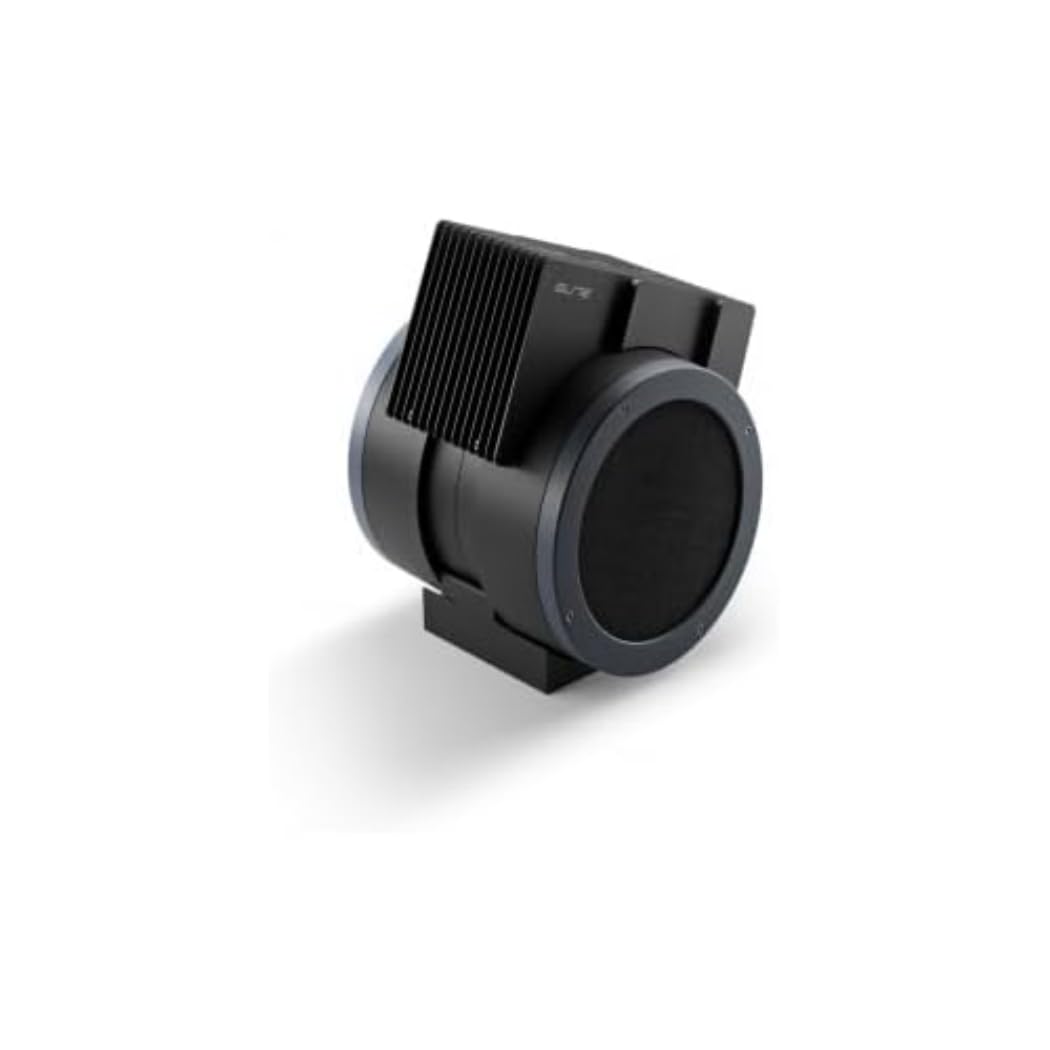
An image showing the Elite Aria Smart Cooling Fan, a black, cylindrical device with a rectangular top section containing cooling fins, designed for indoor cycling training.
4.2 Прикључак за напајање
- Connect the power adapter to the fan's power input port.
- Укључите адаптер за напајање у одговарајућу електричну утичницу.
- The fan will power on in standby mode or manual mode, indicated by the control panel lights.
4.3 Filter Installation (if not pre-installed)
The Aria includes 2 activated carbon filters designed to filter air and remove workout odors. If not pre-installed, follow these steps:
- Locate the filter compartments on the fan (refer to the diagram in the quick start guide if available).
- Insert the activated carbon filters into their respective slots. Ensure they are securely seated.
5. Радни режими
5.1 Ручни режим
The Aria fan can be operated manually using the small keyboard on the unit:
- Дугме за напајање: Press to turn the fan on/off or activate standby mode.
- Подешавање брзине: Use the dedicated buttons to cycle through 4 manual wind intensity levels.
- Режим приправности: Activate standby mode when not actively training.
5.2 Smart Mode (Automatic Adjustment)
The Aria fan's primary feature is its ability to automatically adjust airflow based on your workout data. It communicates wirelessly with various sensors and devices:
- ANT+ FE-C & ANT+ Speed Devices/Sensors: For speed-based airflow.
- ANT+ Power Meters: For power-based airflow.
- ANT+ & BLE Heart Rate Monitors: For heart rate-based airflow.
- ANT+ Body Temperature Sensors: For body temperature-based airflow.
To pair with a device or sensor:
- Ensure your sensor/device is active and within range.
- On the Aria's keyboard, press the button to select the desired data source (speed, power, heart rate, body temperature).
- The fan will automatically search for and connect to compatible sensors. Once connected, airflow will adjust dynamically.
5.3 My E-Training App Control
The Elite Aria fan can also be controlled via the My E-Training app, providing quick access to all main functions and advanced settings:
- Download and install the My E-Training app on your smartphone or tablet.
- Open the app and ensure Bluetooth is enabled on your device.
- Follow the in-app instructions to connect to your Elite Aria fan.
- Through the app, you can select the device/sensor to be connected, adjust wind power percentage, and customize advanced settings to suit your workout needs.
Note: You do not need a subscription to the My E-Training app to access all of Aria's features within the app.
6. Одржавање
6.1 Чишћење
- Увек искључите вентилатор пре чишћења.
- Обришите спољашње површине вентилатора меком,amp тканина. Немојте користити абразивна средства за чишћење или раствараче.
- Уверите се да вода не улази у унутрашње компоненте.
6.2 Activated Carbon Filter Replacement
The activated carbon filters help remove workout odors. They should be replaced periodically depending on usage and air quality.
- Искључите вентилатор из утичнице.
- Locate the filter compartments.
- Carefully remove the spent filters.
- Insert new activated carbon filters, ensuring they fit snugly.
- Dispose of old filters responsibly.
КСНУМКС. Решавање проблема
- Вентилатор се не укључује:
- Проверите да ли је кабл за напајање безбедно прикључен и у вентилатор и у електричну утичницу.
- Уверите се да је електрична утичница функционална.
- No automatic airflow adjustment:
- Ensure your sensors/devices are turned on and within range of the fan.
- Verify that the correct data source (speed, power, HR, temp) is selected on the fan's control panel or via the My E-Training app.
- Check battery levels of your external sensors.
- Try restarting both the fan and your sensors/devices.
- Слаб проток ваздуха:
- In manual mode, increase the speed level.
- In smart mode, ensure your workout intensity data is being correctly transmitted and interpreted.
- Check if the air intake or output is obstructed.
- Consider replacing the activated carbon filters if they are old or heavily used.
8. Спецификације
| Феатуре | Спецификација |
|---|---|
| Бранд Наме | Елите |
| Назив модела | Ариа |
| Парт Нумбер | 3204003750 |
| Материјал | Тхермопластиц |
| Димензије артикла (ДкШкВ) | 12.2 к 11.81 к 14.17 инча |
| Димензије паковања (ДкШкВ) | 17.72 к 17.32 к 14.76 инча |
| Тежина пакета | 6.2 килограма |
| Максимална брзина протока ваздуха | До КСНУМКС км / х |
| Подесиви положаји | 10 (0° to 50°) |
| Повезивање | ANT+ FE-C, ANT+ Speed, ANT+ Power, ANT+ HR, BLE HR, ANT+ Body Temperature |
| Укључене компоненте | Aria Smart Fan, 2 Activated Carbon Filters |
9. Гаранција и подршка
Elite products are manufactured to high standards and are covered by a limited warranty. For specific warranty terms and conditions, please refer to the warranty card included with your product or visit the official Elite webсајту.
For technical support, troubleshooting assistance, or to inquire about replacement parts (such as activated carbon filters), please contact Elite customer service through their official webсајт или контакт информације које су наведене у паковању вашег производа.
Онлине ресурси:
Ask a question about this manual
Ask about setup, troubleshooting, compatibility, parts, safety, or missing instructions. Manuals+ will review the question and use this page’s manual context to help answer it.