
RedThunder K84
RedThunder K84 Wireless Keyboard and Mouse Combo User Manual
Модел: К84
1. Увод
Thank you for choosing the RedThunder K84 Wireless Keyboard and Mouse Combo. This high-performance 2.4G wireless set is designed to provide a seamless and responsive experience for both work and gaming. Featuring a compact 75% layout keyboard with rainbow backlighting and a lightweight honeycomb optical mouse, this combo offers comfort, durability, and convenience. This manual provides detailed instructions for setup, operation, maintenance, and troubleshooting to ensure optimal performance of your device.

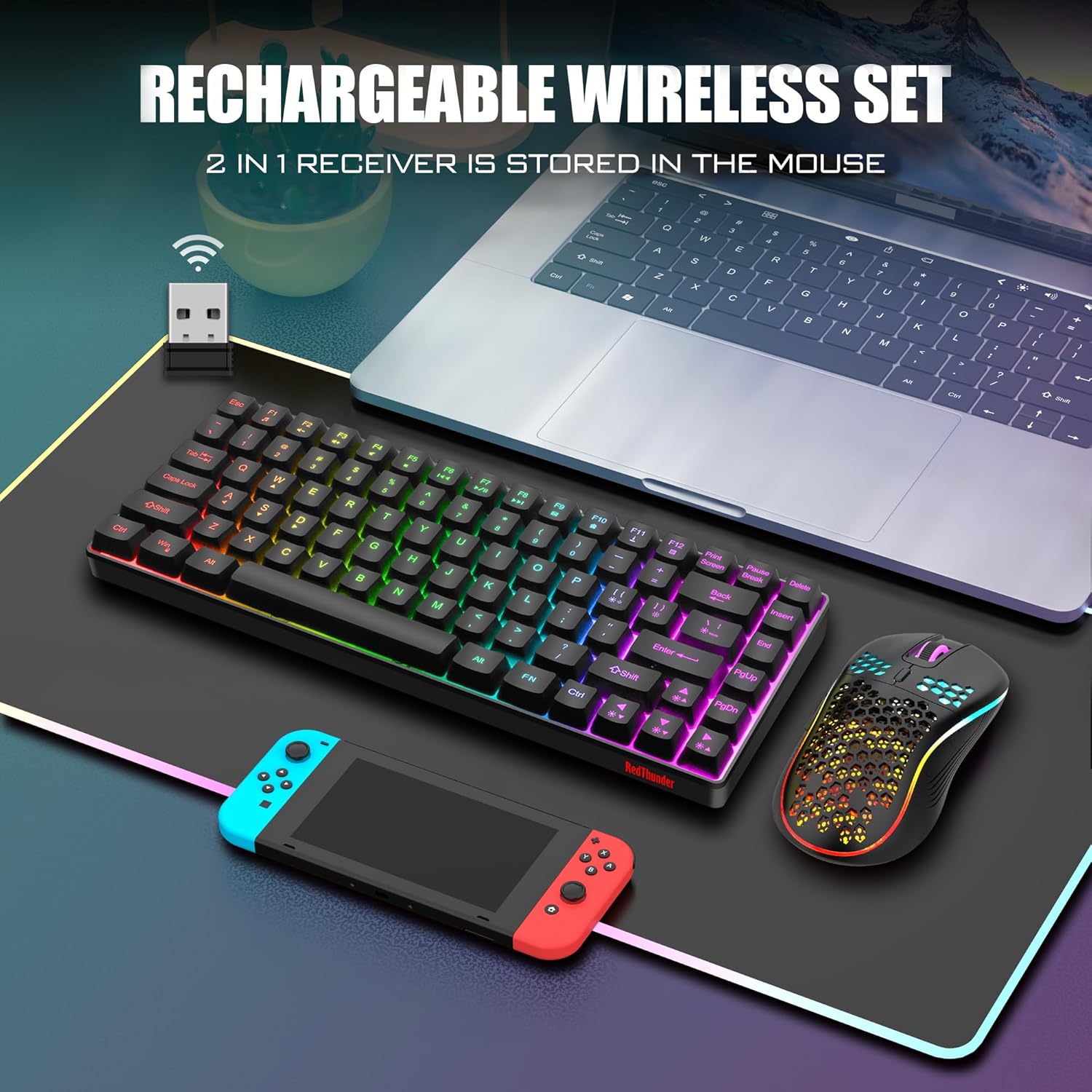
The RedThunder K84 Wireless Keyboard and Mouse Combo, showcasing the compact keyboard, honeycomb mouse, and the shared USB receiver.
2. Садржај пакета
Молимо вас да проверите да ли су све ставке присутне у вашем пакету:
- Бежична тастатура RedThunder K84
- RedThunder Wireless Mouse
- USB Receiver (shared for both keyboard and mouse)
- УСБ-Ц кабл за пуњење
3. Водич за подешавање
3.1 Почетно пуњење
Before first use, it is recommended to fully charge both the keyboard and mouse. The keyboard is equipped with an 1850 mAh battery, and the mouse with a 500 mAh battery. Use the provided USB-C charging cable to connect the devices to a computer's USB port or a compatible USB charger. A full charge typically takes approximately 8 hours for initial use.

The USB-C charging port on the keyboard, indicating where to connect the charging cable.
3.2 Повезивање USB пријемника
The keyboard and mouse share a single USB receiver for wireless connectivity. The receiver is typically stored in a compartment on the bottom of the mouse or keyboard (location may vary by unit). Remove the USB receiver and plug it into an available USB port on your computer or gaming console.
The shared USB receiver, which connects both the keyboard and mouse to your device.
3.3 Укључивање
Once the USB receiver is connected, turn on the keyboard and mouse using their respective power switches. The devices are designed for plug-and-play functionality and should automatically pair with the receiver. If pairing issues occur, refer to the Troubleshooting section.
4. Упутство за употребу
4.1 Функције тастатуре
The K84 keyboard features an 84-key compact layout, retaining essential media and arrow keys. It includes various backlight modes and brightness levels.
- Backlight Mode Switching: Притисните ФН + М to cycle through 3 groups of rainbow backlight effects (3 static modes, 1 dynamic breathing mode).
- Подешавање осветљености позадинског осветљења: Притисните ФН + Страница горе to increase brightness, ФН + Паге Довн да смањите осветљеност (3 нивоа).
- Breathing Rate Adjustment: Притисните ФН + +/- to adjust the breathing speed (4 rates).
- Укључивање/искључивање позадинског осветљења: Притисните ФН + Сцролл Лоцк to toggle the backlight on or off.

Illustration of the keyboard's backlight control keys and their functions.
4.2 Функције миша
The honeycomb optical mouse features a lightweight design and adjustable DPI settings.
- ДПИ подешавање: Press the DPI button located on top of the mouse to cycle through 1200, 2400, and 3200 DPI settings.
- Светлосни ефекат: The mouse has a built-in 7-color cyclic gradual lighting effect.

Close-up of the RedThunder mouse, highlighting the DPI adjustment button.
4.3 Режим уштеде енергије
Both the keyboard and mouse are equipped with smart energy-saving functions. If there is no operation within 2 minutes, they will automatically enter sleep mode to conserve battery. Press any key on the keyboard or move/click the mouse to wake them up.
5. Одржавање
5.1 Чишћење
To maintain the appearance and functionality of your keyboard and mouse:
- Користите меку, суву крпу да обришете површине.
- За тврдокорну прљавштину, благо дampОбришите крпу водом или благим раствором за чишћење. Избегавајте јаке хемикалије.
- Use compressed air to remove dust and debris from between the keyboard keys and mouse crevices.
5.2 Одржавање батерије
Да бисте продужили век трајања батерије:
- Избегавајте често потпуно пражњење батерија.
- Чувајте уређаје на хладном и сувом месту када се не користе дуже време.
- Charge the devices regularly, even if not used daily, to maintain battery health.
КСНУМКС. Решавање проблема
If you encounter issues with your RedThunder K84 combo, please refer to the following common solutions:
| Проблем | Могући узрок | Решење |
|---|---|---|
| Тастатура/миш не реагује | Low battery; USB receiver disconnected; Pairing lost. | Charge devices fully. Ensure USB receiver is securely plugged in. Turn devices off and on. If connection is lost, try re-pairing by turning off both devices, unplugging the receiver, plugging it back in, then turning on the mouse and keyboard. |
| Позадинско осветљење не ради | Позадинско осветљење искључено; Батерија је празна. | Притисните ФН + Сцролл Лоцк to toggle backlight. Charge the keyboard. |
| Курсор миша је неправилан или не реагује | Прљав оптички сензор; Неодговарајућа површина; Слаба батерија. | Clean the optical sensor on the bottom of the mouse. Use on a clean, non-reflective surface. Charge the mouse. |
| Mouse scroll wheel stutters or doesn't work | Debris in scroll wheel mechanism; Software issue. | Try cleaning around the scroll wheel with compressed air. Restart your computer. If the issue persists, contact customer support. |
| Кратко трајање батерије | Frequent use of backlight; Aging battery. | Reduce backlight brightness or turn it off when not needed. Ensure full charges. If battery life significantly degrades over time, it may indicate battery wear. |
7. Спецификације
| Феатуре | Детаљ |
|---|---|
| Број модела | К84 |
| Технологија повезивања | 2.4G бежични (USB пријемник) |
| Распоред тастатуре | 75% (84 Keys) TKL |
| Позадинско осветљење тастатуре | Rainbow Backlit (3 static, 1 dynamic breathing mode) |
| ДПИ миша | 1200 / 2400 / 3200 ДПИ |
| Капацитет батерије тастатуре | 1850 mAh (Rechargeable Lithium Ion) |
| Капацитет батерије миша | 500 mAh (Rechargeable Lithium Ion) |
| Животни век тастера тастатуре | 10,000,000 притисака на тастере |
| Материјал | акрилонитрил бутадиен стирен (АБС) |
| Компатибилни уређаји | Играчка конзола, лаптоп, рачунар |
| Тежина артикла | 1.43 фунти |
| Димензије пакета | 15.63 к 6.18 к 1.81 инча |
8. Гаранција и подршка
RedThunder products are designed for durability and performance. For any issues not covered in this manual or for warranty inquiries, please contact RedThunder customer support. You can often find contact information on the product packaging or the official RedThunder webсајту.
Званично корисничко упутство у PDF формату је такође доступно за преузимање: Преузмите кориснички приручник (PDF)
Note: No official product videos with creator type 'Seller' were available in the provided data to embed in this manual.
Повезани документи - К84
 |
RedThunder K84 Wireless Keyboard and Mouse Combo User Manual User manual for the RedThunder K84 wireless keyboard and M84 mouse combo. Learn about setup, features like 75% compact layout and honeycomb mouse, troubleshooting, and safety guidelines. |
 |
EU Declaration of Conformity - K84 Wireless Keyboard and M84 Mouse Official EU Declaration of Conformity for Shenzhen RedThunder's K84 Wireless Keyboard and M84 Mouse, detailing compliance with relevant Union harmonization legislation. |
 |
ДУСТСИЛВЕР К84 механичка тастатура упутство за употребу This manual provides detailed information on the DUSTSILVER K84 Mechanical Keyboard, including its brand concept, product specifications, lighting effects, signal indicators, FN key combinations, and performance parameters. Learn how to customize lighting, switch between Windows and macOS systems, and understand the keyboard's features. |
 |
Упутство за употребу за бежичну тастатуру ЕДЈО К84 Comprehensive user manual for the EDJO K84 Wireless Keyboard, detailing specifications, function keys, connectivity options, operating instructions, warranty information, and FCC compliance. |
 |
Билтен дигиталног клуба Märklin: Свеобухватни водич за Централну станицу 2 (CS2) Истражите дигитални систем за управљање возом Märklin Central Station 2 (CS2) помоћу овог детаљног водича из билтена Märklin Digital Club-а, који покрива распакивање, подешавање, функције екрана, уређивање распореда и ажурирања софтвера. |
Ask a question about this manual
Ask about setup, troubleshooting, compatibility, parts, safety, or missing instructions. Manuals+ will review the question and use this page’s manual context to help answer it.