
Увод
Thank you for choosing JVC Marshmallow True Wireless Bluetooth 5.3 Earbuds. These earbuds are designed for comfort and convenience, featuring soft memory foam earpieces, Bluetooth 5.3 connectivity, and IPX4 water resistance. This manual provides essential information for setting up, operating, and maintaining your earbuds.
Шта је у кутији
- JVC Marshmallow True Wireless Earbuds
- Футрола за бежично пуњење
- УСБ кабл за пуњење
- Memory Foam Earpieces (multiple sizes)
- Silicone Earpieces (multiple sizes)
Сетуп
1. Пуњење слушалица и футроле
Before first use, fully charge the earbuds and charging case. Connect the provided USB charging cable to the charging port on the back of the case and to a power source. The indicator lights on the case will show the charging status. Once fully charged, the lights will remain solid or turn off.

Image: JVC Marshmallow Earbuds in their charging case, illustrating the charging process.
2. Earpiece Selection and Fit
The earbuds come with both memory foam and silicone earpieces in various sizes. Choose the size that provides a snug, comfortable fit and optimal sound isolation. Gently insert the earbud into your ear canal and twist slightly to secure it.

Слика: Крупни план view of JVC Marshmallow earbuds highlighting the soft and elastic ear tips for a comfortable fit.

Image: A selection of memory foam and silicone earpieces in different sizes, included with the earbuds for personalized comfort.
3. Блуетоотх упаривање
- Отворите кућиште за пуњење. Слушалице ће аутоматски ући у режим упаривања.
- На свом уређају (паметном телефону, таблету итд.) омогућите Блутут и потражите доступне уређаје.
- Select "JVC HAA18TB" from the list to connect.
- Једном упарене, слушалице ће се аутоматски повезати са вашим уређајем када их извадите из футроле.
Упутство за употребу
1. Touch Sensor Controls
The earbuds feature intuitive touch sensor controls for various functions:
- Пусти/паузирај: Један додир на обе слушалице.
- Следећа нумера: Двапут додирните десну слушалицу.
- Претходни запис: Двапут додирните леву слушалицу.
- Појачавање звука: Трипут додирните десну слушалицу.
- Смањивање јачине звука: Трипут додирните леву слушалицу.
- Одговори/заврши позив: Један додир на обе слушалице.
- Одбиј позив: Притисните и држите било коју слушалицу.
- Активирање гласовног помоћника: Press and hold on either earbud (when not on a call).

Image: An earbud with a glowing circle on its surface, demonstrating the convenient touch sensor controls.
2. Режими звука
The earbuds offer three distinct sound modes to customize your listening experience:
- нормално: Balanced audio for everyday listening.
- Обриши: Enhanced vocals and treble for podcasts and spoken content.
- бас: Amplified low frequencies for a richer, deeper sound.
To switch between sound modes, press and hold the touch sensor on the left earbud for approximately 1 second.

Image: Visual representation of the three sound modes (Normal, Clear, Bass) available on the JVC Marshmallow earbuds.
3. Режим мале латенције
Activate Low Latency Mode for a delay-free audio experience, ideal for gaming and video playback. This mode minimizes audio lag, ensuring synchronization between visuals and sound.

Image: JVC Marshmallow earbuds demonstrating Low Latency Mode, suitable for gaming and video content.
Одржавање
1. Чишћење
Regularly clean your earbuds and charging case to ensure optimal performance and hygiene. Use a soft, dry cloth to wipe the surfaces. For earpieces, remove them and gently clean with a damp крпом, водећи рачуна да се потпуно осуше пре поновног причвршћивања.
2. Отпорност на воду (IPX4)
The earbuds are IPX4 water-resistant, meaning they are protected against splashing water from any direction. This makes them suitable for workouts and light rain. However, they are not designed for submersion in water. Ensure the earbuds are dry before placing them back in the charging case.
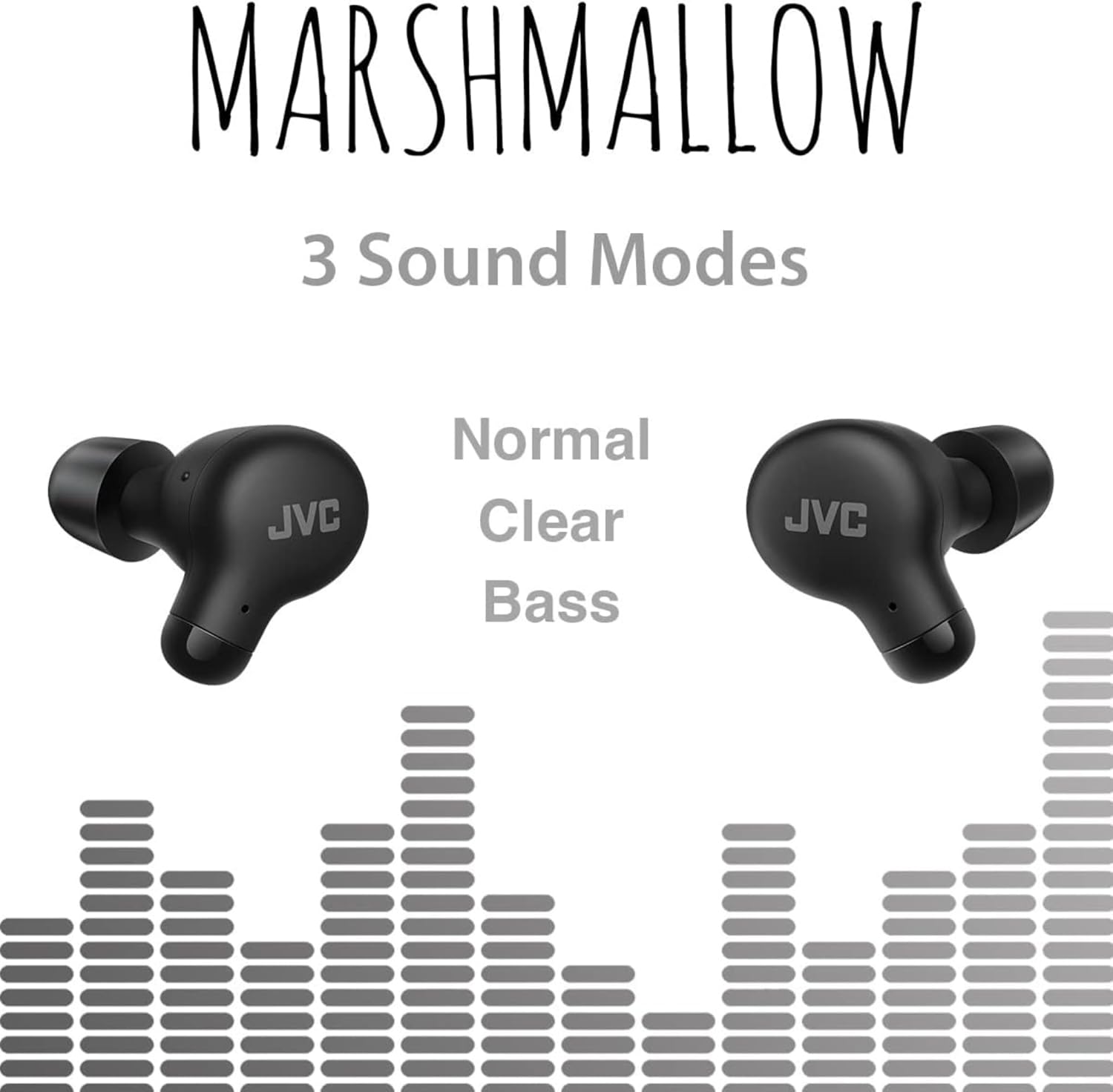
Image: A person wearing JVC Marshmallow earbuds during a workout, highlighting their IPX4 water-resistant design.
Решавање проблема
- Слушалице се не упарују: Уверите се да су обе слушалице у кућишту за пуњење, а затим отворите поклопац да бисте покренули режим упаривања. Проверите подешавања Bluetooth-а на уређају и покушајте поново да се повежете.
- Нема звука из једне слушалице: Place both earbuds back in the case, close the lid, and then reopen. This often resets the connection.
- Ниска јачина звука или лош квалитет звука: Ensure earpieces are clean and properly fitted. Adjust sound modes (Normal, Clear, Bass) to your preference.
- Проблеми са пуњењем: Verify the charging cable is securely connected to both the case and power source. Clean the charging contacts on the earbuds and inside the case.
Спецификације
| Бранд | ЈВЦ |
| Број модела | ХАА18ТБ |
| Технологија повезивања | Блуетоотх 5.3 |
| Постављање уха | Ин Еар |
| Ниво отпорности на воду | ИПКС4 (отпоран на воду) |
| Просечан век трајања батерије | 28 сати (са кућиштем за пуњење) |
| Време пуњења батерије | 2 сата |
| Контролни метод | Додир, глас |
| Тежина артикла | 1.44 унци |
| УПЦ | 046838501890 |
Гаранција и подршка
Your JVC Marshmallow True Wireless Earbuds come with a 1-year warranty covering parts and labor. For technical support, warranty claims, or further assistance, please visit the official JVC website or contact JVC customer service.
Video: Official JVC Marshmallow True Wireless Earbuds (HAA18T) product overview, демонстрирајући кључне карактеристике и употребу.