
Увод
This manual provides essential information for the setup, operation, maintenance, and troubleshooting of your TuTu Smart TV TUS24HF1A. This 24-inch (60 cm) Android TV features integrated WiFi, Bluetooth, Google Assistant, and Chromecast, offering a comprehensive entertainment experience. Please read these instructions carefully before using your television.
1. Подешавање
1.1 Распакивање
Пажљиво извадите телевизор и сву додатну опрему из амбалаже. Сачувајте материјал за паковање за будуће потребе транспорта или сервисирања.
1.2 Причвршћивање постоља или монтажа на зид
Инсталација постоља за сто:
- Поставите телевизор екраном надоле на меку, равну површину како бисте спречили огреботине.
- Align the TV stands with the corresponding slots on the bottom of the TV.
- Причврстите постоља помоћу приложених шрафова. Уверите се да су чврсто причвршћени.
Wall Mounting (VESA 100 x 100 mm):
If you intend to wall mount your TV, ensure you use a VESA-compatible wall mount (100 x 100 mm) and follow the instructions provided with the wall mount kit. Remove the table stands if they are already attached.

Image: The TuTu Smart TV TUS24HF1A displayed on its included table stand, showing the front view телевизије.
1.3 Повезивање екстерних уређаја
Your TuTu Smart TV TUS24HF1A offers various connection ports:
- HDMI (x3): За повезивање уређаја високе дефиниције као што су Блу-реј плејери, играчке конзоле или сет-топ боксови.
- УСБ (к2): За повезивање УСБ уређаја за складиштење података ради репродукције медија files or for service updates.
- RF (x2): За повезивање антене или кабловског ТВ сигнала.
- RJ45 (Етернет): За жичану интернет везу.
- COAX Out: За дигитални аудио излаз.
- Мини ИПбПр: For analog component video input.
- CVBS/Audio In: For analog composite video and audio input.
- EARPHONE Out: За повезивање слушалица.
- CI/CI+ Slot: For Conditional Access Modules (CAM) for encrypted channels.

Image: A diagram illustrating the various input and output interfaces available on the TuTu Smart TV, including RF, USB, Mini YPbPr, COAX Out, RJ45, CI/CI+, HDMI, CVBS/Audio In, and Earphone Out.
1.4 Повезивање са напајањем и почетно подешавање
- Прикључите кабл за напајање на телевизор, а затим на утичницу.
- Притисните дугме за напајање на даљинском управљачу или на самом телевизору да бисте га укључили.
- Follow the on-screen instructions to complete the initial setup, including language selection, network connection (WiFi or Ethernet), and channel scanning.
2. Управљање телевизором
2.1 Даљински управљач прекоview
Familiarize yourself with the remote control buttons. Key functions include power, volume, channel selection, input source, navigation (up/down/left/right, OK), home, back, and dedicated app buttons.
2.2 Интерфејс за Андроид ТВ
Your TuTu Smart TV runs on Android TV, providing access to a wide range of applications and services. The home screen displays recommended content, installed apps, and settings.

Image: The Android TV home screen displaying a selection of popular streaming applications such as Netflix, YouTube, Prime Video, Disney+, and others.
2.3 Коришћење Google асистента
The integrated Google Assistant allows you to control your TV using voice commands. Press the Google Assistant button on your remote and speak into the microphone.
- "Hey Google, play a movie."
- "Hey Google, play a song."
- "Hey Google, turn up the volume."
- „Отвори Нетфликс.“

Image: A visual representation of using Google Assistant with the TV remote, showing example voice commands and the TV responding.
2.4 Апликације за стримовање
Access popular streaming services like YouTube, Netflix, Prime Video, Disney+, and more directly from your TV. Download additional applications from the Google Play Store.
2.5 Уграђен Цхромецаст
Use Chromecast to cast content from your mobile device (smartphone, tablet) or computer to your TV. Ensure your mobile device and TV are connected to the same Wi-Fi network. Look for the Cast icon in compatible apps on your mobile device.
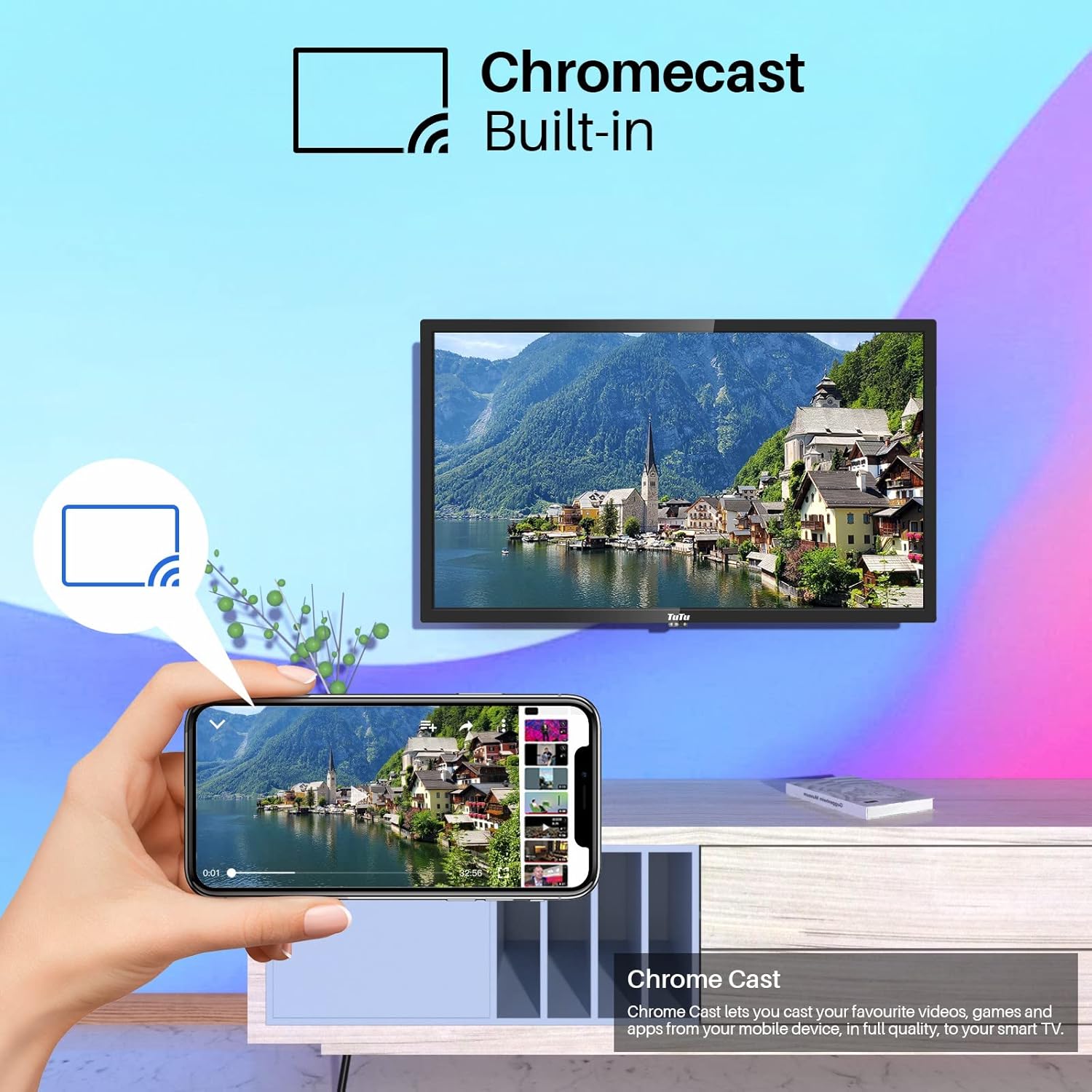
Image: A smartphone screen casting content to the TuTu Smart TV, illustrating the Chromecast built-in functionality.
2.6 Карактеристике квалитета слике
The TuTu Smart TV TUS24HF1A incorporates several technologies for enhanced image quality:
- Директна ЛЕД диода: Provides uniform backlighting for consistent brightness and contrast.
- 3Д смањење шума: Reduces visual noise in the picture for a clearer image.
- Компензација покрета: Improves the smoothness of fast-moving scenes.
- Precision Color: Utilizes a premium LED screen to produce rich and realistic colors.

Image: A diagram illustrating the effects of multi-technical image enhancement, including Direct LED, 3D Noise Reduction, and Motion Compensation, leading to a clearer final view.

Image: The TuTu TV screen showcasing vibrant and precise colors, highlighting the display's ability to produce rich tones and realistic images.
2.7 Виде View Угао
The TV is designed with a wide viewing angle, ensuring consistent picture quality from various positions in the room.

Image: A family watching the TuTu TV from a wide angle on a sofa, demonstrating the wide view angle feature.
3. Одржавање
3.1 Чишћење телевизора
- Увек искључите телевизор из струје пре чишћења.
- Use a soft, dry, lint-free cloth to wipe the screen and TV body.
- За тврдокорне трагове на екрану, лагано дampОперите крпу водом или специјализованим средством за чишћење екрана. Не прскајте течност директно на екран.
- Избегавајте употребу абразивних средстава за чишћење, воскова или растварача јер могу оштетити површину телевизора.
3.2 Ажурирања софтвера
Ваш Android TV може периодично да добија ажурирања софтвера. Уверите се да је ваш TV повезан на интернет да бисте добијали ова ажурирања, која могу побољшати перформансе и додати нове функције. Обично можете да проверите ажурирања у менију подешавања телевизора.
КСНУМКС. Решавање проблема
If you encounter issues with your TuTu Smart TV, refer to the following common solutions:
4.1 Нема напајања
- Проверите да ли је кабл за напајање безбедно прикључен и у телевизор и у утичницу.
- Проверите да ли је утичница функционална тако што ћете је тестирати са другим уређајем.
- Притисните дугме за напајање на самом телевизору, не само на даљинском управљачу, да бисте искључили проблем са даљинским управљачем.
4.2 Нема слике ни звука
- Проверите да ли је изабран исправан улазни извор (нпр. HDMI 1, TV).
- Check all cable connections (HDMI, antenna, etc.) to ensure they are secure.
- Подесите јачину звука и уверите се да телевизор није искључен.
- If using an external device, check its power and connections.
4.3 Даљински управљач не реагује
- Замените батерије у даљинском управљачу.
- Уверите се да нема препрека између даљинског управљача и ИР сензора телевизора.
- Усмерите даљински управљач директно ка телевизору.
4.4 Проблеми са мрежном везом
- Check if your Wi-Fi router is powered on and functioning correctly.
- Рестартујте рутер и модем.
- Идите у мрежна подешавања телевизора и покушајте поново да се повежете са Wi-Fi мрежом.
- Ако користите жичану везу, уверите се да је Етернет кабл безбедно повезан.
4.5 App Not Working
- Ensure your TV has an active internet connection.
- Покушајте да затворите и поново отворите апликацију.
- Clear the app's cache and data in the TV's settings (Settings > Apps > [App Name] > Clear cache/Clear data).
- Деинсталирајте и поново инсталирајте апликацију.
5. Спецификације
| Феатуре | Спецификација |
|---|---|
| Бранд | TuTu |
| Број модела | TUS24HF1A |
| Величина екрана | 24 инча (60 цм) |
| Оперативни систем | Андроид |
| Дисплаи Тецхнологи | ЛЕД |
| Резолуција | 720п |
| Аспецт Ратио | 16:9 |
| Технологија повезивања | WiFi, Bluetooth, HDMI, USB |
| Везе | 3x HDMI, 2x USB, WiFi, Bluetooth+EDR, WLAN, 2x RF, 1x Mini YPbPr, 1x COAX Out, 1x RJ45, 1x CI/CI+, 1x CVBS/Audio In, 1x EARPHONE Out |
| Подржане Интернет услуге | Youtube, Netflix, Prime Video, DAZN, Disney+, Google Play Store |
| Димензије производа | 55P x 37lx 12V centimetara |
| Тип монтаже | VESA 100 x 100 mm / Table Stand |
| Произвођач | INNO TECHNOLOGY BV |
6. Гаранција и подршка
6.1 Информације о гаранцији
Your TuTu Smart TV TUS24HF1A comes with a двогодишња гаранција од датума куповине. Ова гаранција покрива производне недостатке и кварове при нормалној употреби. Молимо вас да сачувате доказ о куповини за потребе подношења захтева за гаранцију.
The warranty does not cover damage caused by misuse, accidents, unauthorized repairs, or normal wear and tear.
6.2 Корисничка подршка
For technical assistance, troubleshooting beyond this manual, or warranty claims, please contact TuTu customer support. Refer to the contact information provided with your product packaging or visit the official TuTu webсајт за детаље подршке.