
iJoy DHP2431
iJoy Disney Nightmare Before Christmas Sally Dress Bluetooth Headphones User Manual
Model: DHP2431 | Brand: iJoy
Увод

слика: The iJoy Disney Nightmare Before Christmas Sally Dress Bluetooth Headphones, showcasing their unique design.
Thank you for choosing the iJoy Disney Nightmare Before Christmas Sally Dress Bluetooth Headphones. These wireless over-ear headphones are designed to provide a rich audio experience with a unique Sally Dress design. They feature a built-in microphone for hands-free calling, a foldable design for portability, and versatile connectivity options. This manual will guide you through the setup, operation, and maintenance of your new headphones.
Сетуп
1. Пуњење слушалица
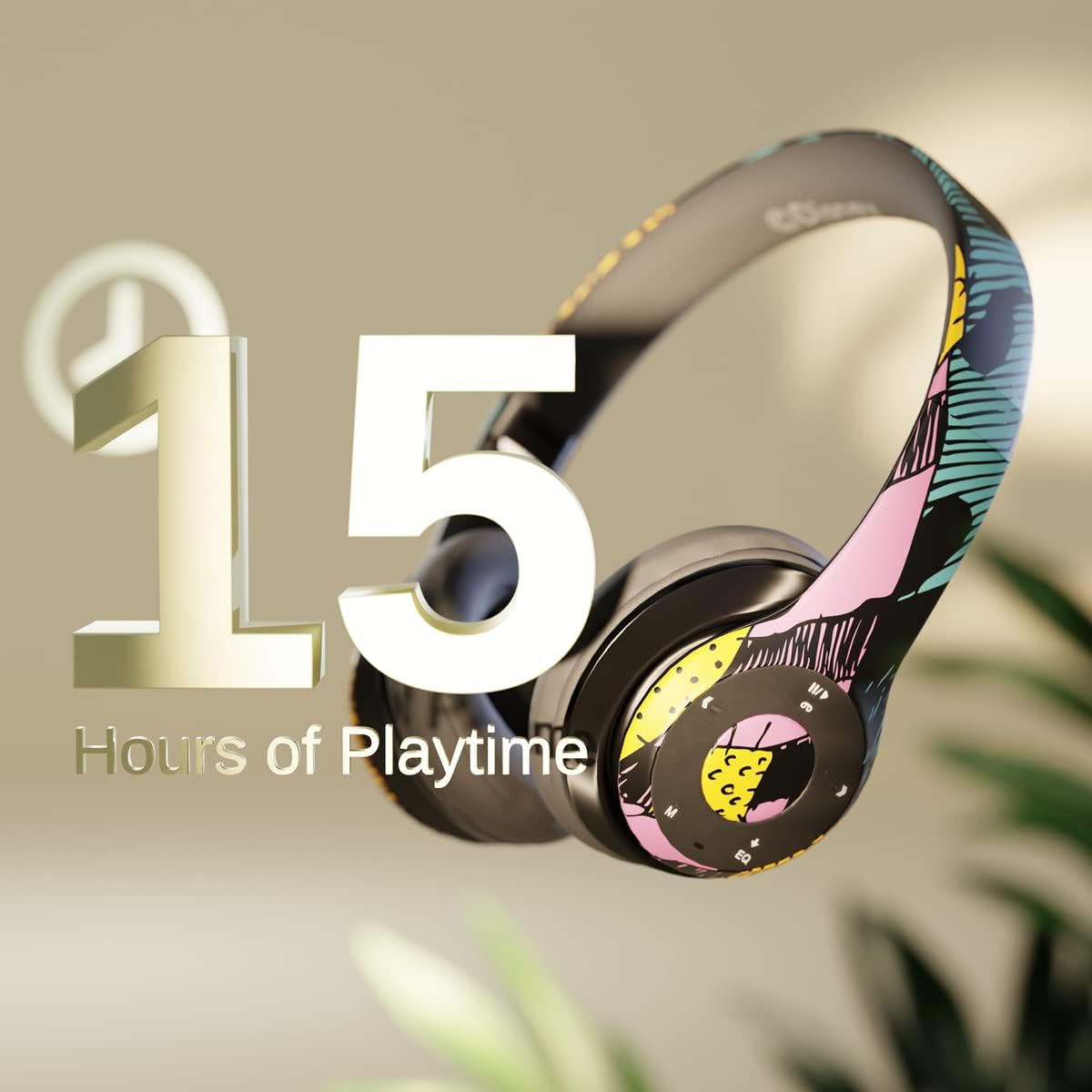
слика: Graphic indicating 15 hours of playtime for the headphones, highlighting battery endurance.
Before first use, fully charge your headphones. Connect the provided charging cable to the charging port on the headphones and a USB power source. The LED indicator will show charging status and turn off when fully charged. A full charge provides approximately 15 hours of battery life.
2. Блуетоотх упаривање

слика: The headphones with a graphic illustrating universal compatibility with both Apple and Android devices.
- Уверите се да су слушалице искључене.
- Притисните и држите дугме за напајање док ЛЕД индикатор не почне да трепери плаво и црвено, што указује на режим упаривања.
- On your Bluetooth-enabled device (smartphone, tablet, computer), go to Bluetooth settings and search for available devices.
- Select "iJoy DHP2431" (or similar name) from the list.
- Када се повеже, ЛЕД индикатор ће полако трептати плаво.
3. Using the Auxiliary Cable
For a wired connection, plug one end of the 3.5mm auxiliary cable into the headphone's audio jack and the other end into your audio device. This allows for continued listening even if the battery is depleted.
4. Репродукција са микро СД картице
Insert a Micro SD card with your favorite music into the designated slot on the headphones. The headphones will automatically switch to Micro SD card playback mode. Use the control buttons to manage your music.
Упутство за употребу
Укључивање/искључивање
- За укључивање: Притисните и држите дугме за напајање док се ЛЕД индикатор не упали.
- За искључивање: Притисните и држите дугме за напајање док се ЛЕД индикатор не искључи.
5-Button Control System
The headphones feature a convenient 5-button control system located on the ear cup for easy management of audio and calls.

слика: Детаљно view of the 5-button control panel on the headphone ear cup, indicating functions for volume, track navigation, equalizer, and call management.
- Play/Pause/Answer/Hang-up: Press the center button to play or pause music, or to answer/end a phone call.
- Јачина звука / следећа нумера: Press the '+' button to increase volume. Hold the '+' button to skip to the next track.
- Утишавање/претходна песма: Press the '-' button to decrease volume. Hold the '-' button to go to the previous track.
- Екуализер: Press the 'EQ' button to cycle through different equalizer presets.
- Бирач режима: Press the 'M' button to switch between Bluetooth, Micro SD card, and FM Radio modes.
Хандс-фрее позивање
With the built-in microphone, you can make and receive calls directly through your headphones when connected via Bluetooth to your smartphone. Use the center button to answer or end calls.
Уграђени радио пријемник
Switch to FM Radio mode using the 'M' button. The headphones will automatically scan and tune into available radio stations. Use the track navigation buttons to change stations.
Склопиви дизајн

слика: The headphones are shown in their folded configuration, highlighting their compact and portable design for easy storage and transport.
The headphones feature a foldable design, allowing for easy storage and portability. Simply fold the ear cups inwards towards the headband to reduce their size for travel or storage in a backpack.
Noise Canceling Design

слика: Експлодирао view of the headphone's ear cup, illustrating the internal speaker components and the connection point for the auxiliary cable, emphasizing the noise-canceling technology.
The over-ear cup design helps to isolate audio, providing a more immersive listening experience by reducing external noise interference.
Одржавање
- Чишћење: Користите меку, суву крпу за чишћење слушалица. Не користите абразивна средства за чишћење или раствараче.
- Складиштење: When not in use, store the headphones in a cool, dry place. Utilize the foldable design for compact storage.
- Одржавање батерије: Да бисте продужили век трајања батерије, избегавајте често потпуно пражњење слушалица. Редовно их пуните, чак и ако их не користите стално.
- Отпорност на воду: Ове слушалице нису водоотпорне. Избегавајте излагање течностима.
Решавање проблема
- Нема напајања: Уверите се да су слушалице потпуно напуњене. Прикључите их на извор напајања и проверите индикатор пуњења.
- Не могу да упарим преко Bluetooth-а:
- Уверите се да су слушалице у режиму упаривања (ЛЕД диода трепери плаво и црвено).
- Make sure Bluetooth is enabled on your device and it's within range (typically 10 meters).
- Заборавите уређај са Блутут листе телефона и покушајте поново да га упарите.
- Поново покрените и слушалице и уређај.
- Нема звука:
- Проверите ниво јачине звука и на слушалицама и на повезаном уређају.
- Ensure the headphones are properly connected via Bluetooth or auxiliary cable.
- If using an SD card, ensure the audio fileс су у компатибилном формату.
- Лош квалитет звука:
- Приближите се свом Bluetooth уређају да бисте избегли сметње.
- Проверите извор звука да ли има проблема са квалитетом.
- Ensure the ear cups are properly positioned over your ears for optimal sound isolation.
Спецификације
| Назив модела | ДХП2431 |
| Технологија повезивања | бежични (Блуетоотх) |
| Бежична комуникациона технологија | Блуетоотх |
| Укључене компоненте | Headphones, Charging Cable, Auxiliary Cable |
| Узраст (опис) | Adult (suitable for kids) |
| Материјал | Plastic, Metal, Fabric, Memory Foam |
| Препоручена употреба за производ | Музика, Позивање |
| Компатибилни уређаји | Блуетоотх уређаји |
| Тип контроле | Volume Control, Track Navigation, Equalizer, Mode Selector |
| Цабле Феатуре | Retractable, Without Cable (for wireless use) |
| Тежина артикла | 0.26 килограма (9.1 унци) |
| Ниво отпорности на воду | Није водоотпоран |
| Стиле | Sally Dress |
| Контролни метод | Дугме |
| Број ставки | 1 |
| Трајање батерије | 15 сата |
| Тип аудио драјвера | Динамички возач |
| Облик слушалице | Преко уха |
| Хардверски интерфејс | 3.5 мм аудио |
| УПЦ | 842700197150 |
| Посебна карактеристика | Built-in Radio Receiver, Foldable and Adjustable headband, Micro SD Card Plug-in, Microphone Included |
| Произвођач | иЈои |
| Димензије пакета | 6.57 к 6.1 к 3.19 инча |
| Батерије | Потребна је 1 литијум-полимерска батерија (укључена) |
Гаранција
iJoy provides a 6-month exchange warranty for these headphones. If your headset breaks or is damaged for any reason within this period, iJoy will provide you with a free replacement.
Подршка
For further assistance, troubleshooting, or warranty claims, please contact iJoy customer support. You can often find contact information on the product packaging or by visiting the official iJoy webсајту.
Видео снимци производа
iJoy Disney Nightmare Before Christmas Headphones Overview
видео: Званична видео презентација производаasing the iJoy Disney Nightmare Before Christmas Headphones, highlighting their design and features.