
1. Увод
This manual provides instructions for the ALLIMITY remote control, designed for seamless operation with Xbox One, Xbox One S, and Xbox One X series consoles. This remote requires no complex setup or programming; simply install the batteries, and it is ready for use.
2. Садржај пакета
- 1 x ALLIMITY Remote Control
Note: 2 x AAA Alkaline Batteries are not included and must be purchased separately.
3. Подешавање
3.1 Инсталација батерије
The remote control operates on two (2) AAA alkaline batteries. Follow these steps to install them:
- Пронађите поклопац одељка за батерије на задњој страни даљинског управљача.
- Померите поклопац надоле или притисните резу (ако постоји) да бисте отворили одељак.
- Уметните две ААА батерије, водећи рачуна да позитивни (+) и негативни (-) терминали буду правилно поравнати са ознакама унутар одељка.
- Вратите поклопац одељка за батерију, померајући га назад на место док не кликне чврсто.

Image: Back of the remote control with the battery compartment open for AAA battery insertion.
4. Упутство за употребу
4.1 Основни рад
Once the batteries are correctly installed, the remote control is ready for immediate use. No additional pairing or programming is required.
- Point the remote control directly towards your Xbox console or the device's infrared receiver.
- Press the desired buttons for navigation, media playback, or system control functions.
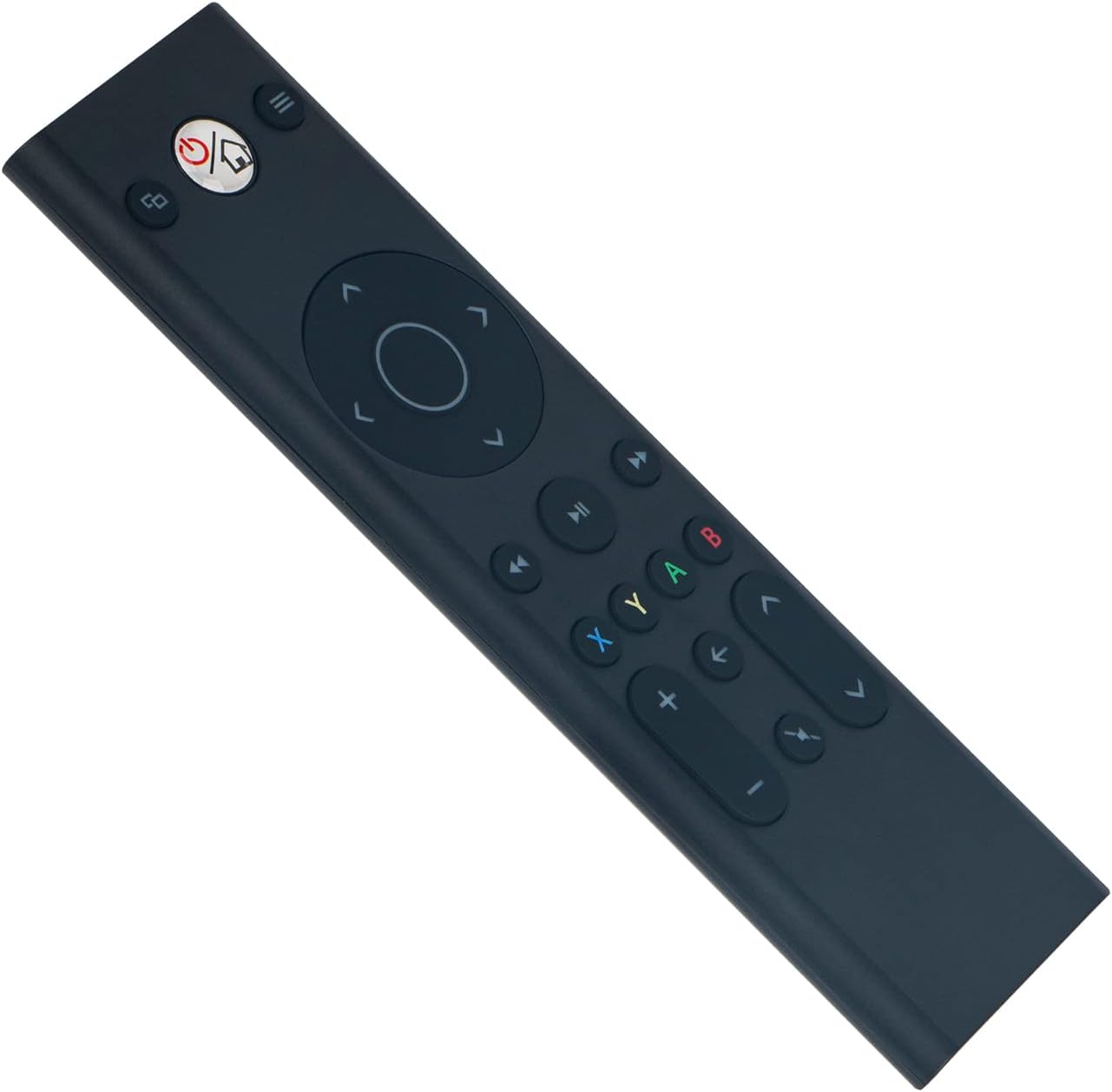
Слика: Фронт view of the ALLIMITY remote control, illustrating button layout.
4.2 Компатибилност
This remote control is fully compatible with the following Microsoft Xbox console models:
- Ксбок Оне
- Ксбок Оне С
- Ксбок Оне Кс
5. Одржавање
- Чишћење: Use a soft, dry cloth to clean the remote control. Do not use liquid cleaners, abrasive materials, or solvents, as these may damage the surface or internal components.
- Складиштење: Store the remote in a cool, dry place, away from direct sunlight, extreme temperatures, and high humidity.
- Одржавање батерије: If the remote will not be used for an extended period (e.g., one month or more), remove the batteries to prevent potential leakage and damage to the device.
КСНУМКС. Решавање проблема
6.1 Даљински управљач не реагује
- Проверите батерије: Ensure the batteries are inserted with the correct polarity (+/-). Replace old batteries with fresh AAA alkaline batteries.
- Опструкција: Verify there are no objects blocking the line of sight between the remote control and the Xbox console's infrared (IR) receiver.
- Опсег: Ensure you are within the maximum operating range of 33 feet (10 meters) from the console.
6.2 Повремени рад
- Ниво батерије: Low battery power can cause inconsistent performance. Replace batteries if necessary.
- сметње: Strong light sources, such as direct sunlight or certain types of fluorescent lighting, can interfere with the remote's infrared signal. Try operating the remote in a different lighting environment.
7. Спецификације
| Бранд | АЛЛИМИТИ |
| Број модела | YK33-MB1356-BK3-RC |
| Технологија повезивања | Инфрацрвени |
| Повер Суппли | 2 x AAA алкалне батерије (нису укључене) |
| Maximum Number of Supported Devices | 1 |
| Тип контролера | Контрола дугмета |
| Количина дугмета | 21 |
| Максимални домет | 33 стопа (10 метара) |
| Тежина артикла | 55 грама |
| Посебна карактеристика | Програмирање није потребно |
| Компатибилни уређаји | Xbox One, Xbox One S, Xbox One X series |
8. Гаранција и подршка
For product support, warranty information, or any inquiries regarding your ALLIMITY remote control, please contact the retailer from whom you purchased the product or refer to the manufacturer's official support channels. Please retain your proof of purchase for warranty claims.