
1. Готовоview
The PGYTECH Camera Shoulder Strap is designed for photographers using DSLR and SLR cameras, offering a secure, comfortable, and highly adjustable carrying solution. This manual provides detailed instructions for setup, operation, and maintenance to ensure optimal performance and safety of your equipment.
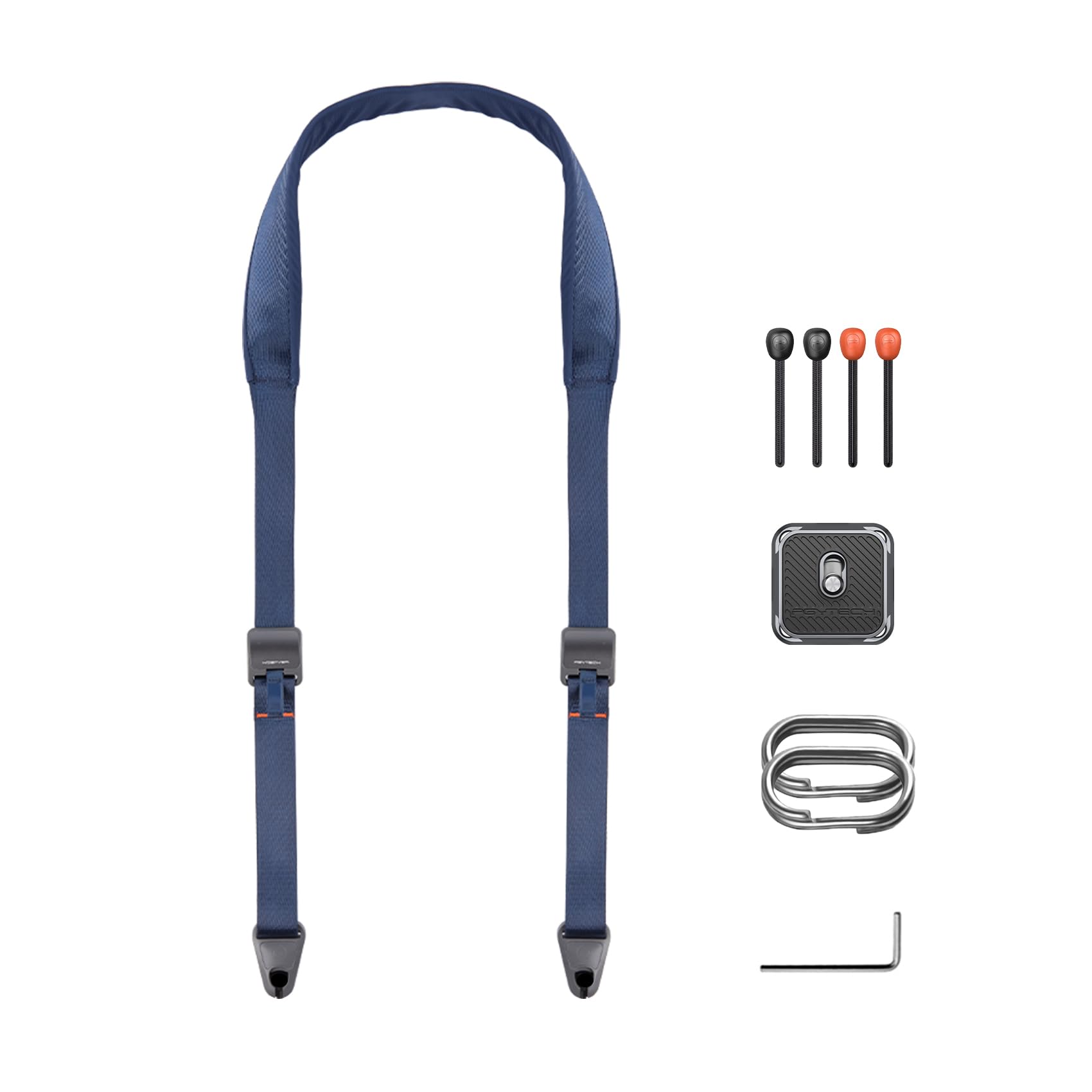
Figure 1: PGYTECH Camera Shoulder Strap (Dark Blue)
2. Кључне карактеристике
- Original Quick Connector: Features a dead-center locking mechanism to prevent accidental camera detachment. The quick bead can be installed and removed with one hand by pressing the upper part of the connector.
- Strong Load-bearing Capacity: Constructed from UHMWPE material, which is 10 times stronger than steel wire, capable of supporting loads up to 90 KG (198 lbs).
- Replace Warning System: The lanyard features a three-layer structure. Visible wear on the outer layers indicates when it's time to replace the lanyard, ensuring continued gear safety.
- Quick Adjusters: Equipped with adjusters at both ends, allowing for rapid length modification to suit various carrying preferences and body shapes.
- Hands-free Storage: The left and right quick connectors can be fixed to each other, preventing the strap from dangling when the camera is detached.
- Integrated Arca-type QR Plate: Includes a PGYTECH Arca-type quick release plate for direct attachment to your camera's tripod mount, offering additional secure connection points.
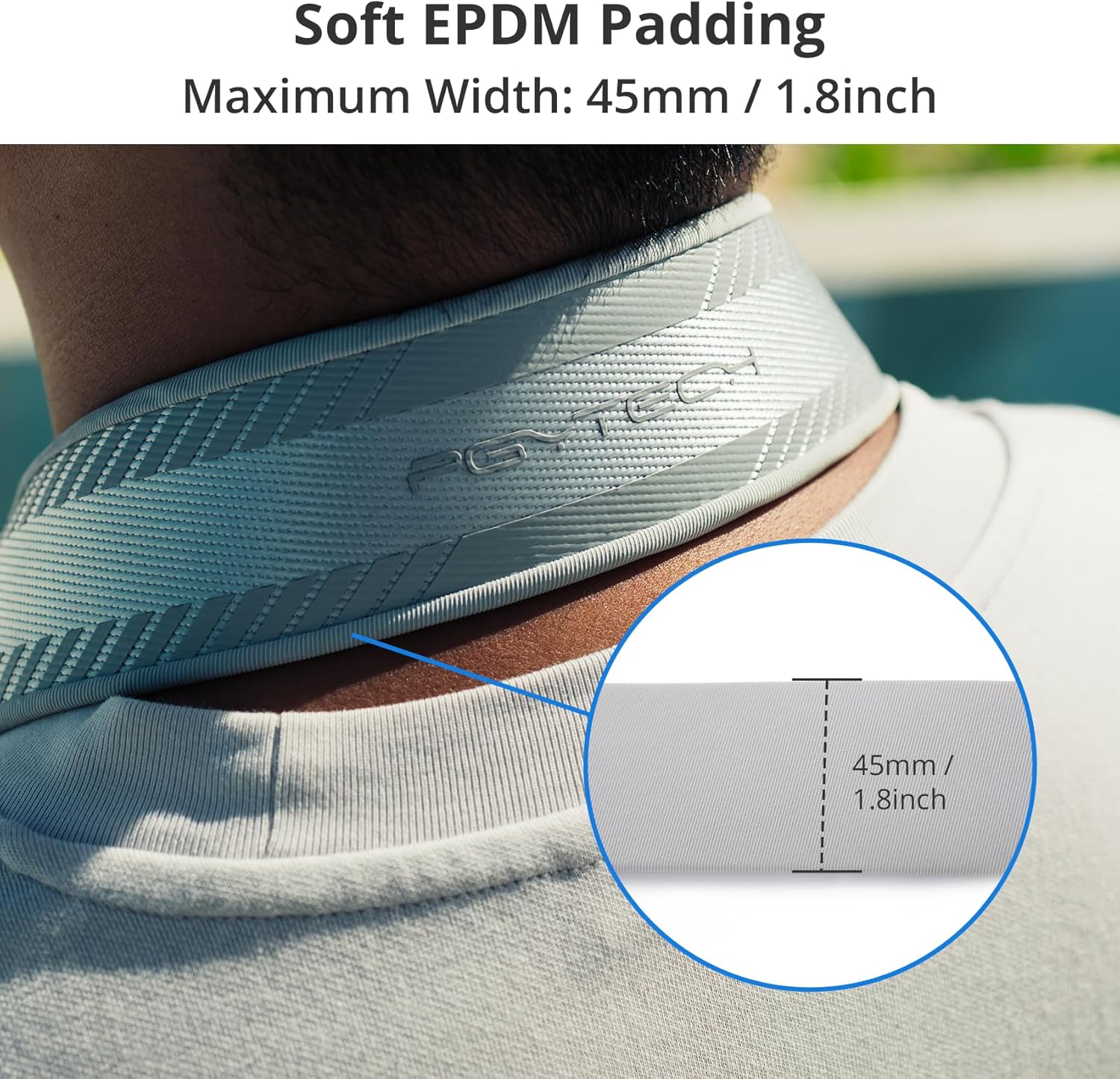
Figure 2: Detail of the Quick Connector

Figure 3: Load-bearing and Replace Warning Layers

Figure 4: Arca-type Quick Release Plate in Use
3. Подешавање
3.1 Attaching Quick Release Beads
- Пронађите држаче за каиш на телу фотоапарата.
- Thread the thin loop of the quick release bead through the camera lug.
- Pass the larger bead end through the loop you just created and pull tight to secure. Ensure the bead is fully seated and the loop is taut.
- Repeat for the second quick release bead on the other camera lug.
3.2 Attaching the Arca-type QR Plate (Optional)
- Locate the 1/4"-20 tripod screw mount on the bottom of your camera.
- Align the PGYTECH Arca-type QR plate with the screw mount.
- Use the provided hex wrench to tighten the screw on the QR plate into the camera's tripod mount until secure. Do not overtighten.
- The QR plate provides an additional attachment point for the quick release beads, allowing for different carrying configurations.
3.3 Connecting the Strap
- Hold one end of the shoulder strap. Press the upper part of the quick connector.
- Insert the quick release bead (attached to your camera or QR plate) into the quick connector until it clicks securely into place.
- Gently tug on the camera to ensure the connection is firm before use.
- Repeat for the other end of the strap.
Video 1: Demonstrating the quick connector attachment and detachment.
4. Упутство за употребу
4.1 Adjusting Strap Length
The strap features quick adjusters on both ends. To adjust the length, simply pull on the strap webbing through the buckle to shorten or lengthen as desired. This allows for quick changes to suit different carrying positions or preferences.

Figure 5: Strap Length Adjustment Range
4.2 Стилови ношења
The PGYTECH Camera Shoulder Strap can be worn in multiple ways for comfort and accessibility:
- Нараменица: Worn over one shoulder, allowing the camera to rest at your side.
- Каиш за попречно тело: Worn across the body, distributing weight evenly and keeping the camera secure against your hip or back.
- Трака за врат: Worn around the neck, providing quick access to the camera. The soft EPDM padding enhances comfort for extended use.

Figure 6: Versatile Wearing Options
4.3 Одвајање камере
To quickly detach your camera, simply press the upper part of the quick connector and pull the quick bead out. This allows for rapid removal of the camera when needed, such as for tripod mounting or storage.
4.4 Hands-free Strap Storage
When the camera is detached, the two quick connectors on the strap can be clipped together. This creates a closed loop, preventing the strap from dangling and making it easier to manage while walking or moving without the camera attached.
5. Одржавање
To ensure the longevity and safety of your PGYTECH Camera Shoulder Strap, follow these maintenance guidelines:
- Редовно прегледајте: Periodically check the quick release beads and the strap webbing for any signs of wear, fraying, or damage.
- Replace Warning: The lanyard features a three-layer structure. If the outer layer shows significant wear, revealing the inner layers, it is time to replace the quick release beads to maintain maximum load-bearing capacity and safety.
- Чишћење: Очистите каиш огласомamp cloth and mild soap if necessary. Avoid harsh chemicals or abrasive materials that could damage the fabric or components. Allow to air dry completely.
- Складиштење: Чувајте каиш на чистом и сувом месту, даље од директне сунчеве светлости и екстремних температура када се не користи.
КСНУМКС. Решавање проблема
This section addresses common concerns. If you encounter issues not listed here, please refer to the Warranty & Support section for assistance.
- Strap feels loose or slips: Ensure the quick adjusters are properly tightened. The anti-slip EPDM padding should provide a secure grip on your shoulder.
- Difficulty attaching/detaching quick connectors: Ensure the quick release bead is correctly aligned with the connector and that the button is fully pressed. Avoid forcing the connection.
- Visible wear on lanyard: Refer to the 'Replace Warning' in the Maintenance section. Replace the quick release beads immediately if the inner layers are visible.
7. Спецификације
| Атрибут | Детаљ |
|---|---|
| Бранд Наме | ПГИТЕЦХ |
| Број модела | П-ЦБ-121 |
| Тежина артикла | 139 грама |
| Врста материјала | Polyester, EPDM, fiber-reinforced nylon |
| Фастенер Типе | Магнетиц |
| Боја | Тамно плава |
| Величина | Стандард |
| Најдужа дужина | 142 цм / 55.9 инча |
| Најкраћа дужина | 100 цм / 39.3 инча |
| Maximum Width (Padding) | 45 мм / 1.8 инча |
| Носивост | Up to 90 KG / 198 lbs |
8. Гаранција и подршка
For warranty information and customer support, please refer to the official PGYTECH webсајт или контактирајте продавца. Сачувајте доказ о куповини за евентуалне рекламације.