
Производ је завршенview
The Buffbee Sound Machine & Alarm Clock 2-in-1 is a versatile device designed to enhance sleep and provide reliable timekeeping. It combines a high-quality sound machine with an adjustable alarm clock, offering a comprehensive solution for your bedside needs.

Фронт view of the Buffbee Sound Machine & Alarm Clock, displaying the current time and its subtle bottom colored light.
Кључне карактеристике
- 2 у 1: Sound machine and alarm clock, all in one. Get a good night's rest while still getting up on time. Its high-quality 5W speaker help block disruptive environmental noises.
- Adjustable Clock Face Brightness: Allowing you to adjust the clock face from way too bright to completely dark and anywhere in between.
- 18 Soothing Sounds to Help You Sleep: Get a peaceful sleep with 5 white noises, 3 fan sounds and 10 nature sounds including ocean, lullaby, waves, rain, thunderstorm, brook, croaking, bird chirping, summer night, and campватра.
- Sleep Timer & Precise Volume Control: Let noise maker run continuously or set a timer from 15 to 120 minutes. And you can choose from 30 levels of volume for precise control.
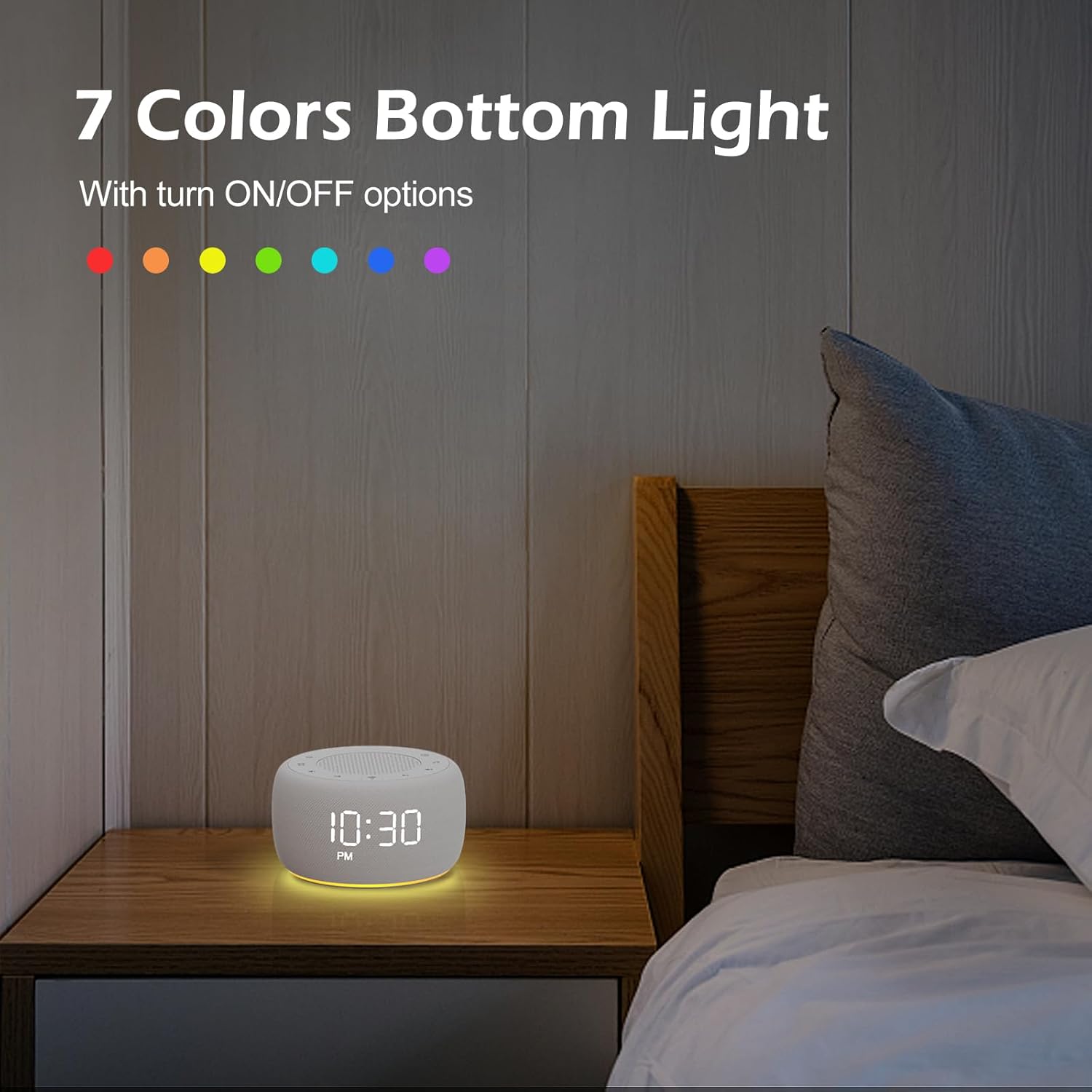
- Bottom Colored Light: Creating a relaxing ambience with calming glow. 7-color options to choose from or you can turn it off.

This image illustrates the dual functionality of the Buffbee device, serving as both a sound machine with 18 soothing sounds and an alarm clock with 5 alarm sounds.
Водич за подешавање
Почетно укључивање
Connect the provided power adapter to the DC input port on the back of the device. Plug the adapter into a standard electrical outlet. The clock display will illuminate.
Детаљно view of the device's top control panel and the rear adapter input, indicating where to connect the power supply.
Подешавање времена
Locate the "Time" button (often represented by a clock icon) on the top panel. Press and hold this button to enter time setting mode. Use the volume up/down buttons or track skip buttons to adjust the hours and minutes. Press the "Time" button again to confirm and exit.
Постављање аларма
Press and hold the "Alarm" button (bell icon) to enter alarm setting mode. Adjust the alarm time using the appropriate navigation buttons. Select your desired alarm sound from the available options. Press the "Alarm" button again to save the setting. The alarm will automatically reset for the next day unless manually turned off.
Упутство за употребу
Adjusting Clock Face Brightness
The clock face brightness can be adjusted from 0% (completely dark) to 100% (full brightness). Use the dedicated dimmer control (often a dial or specific button) to set your preferred display intensity.
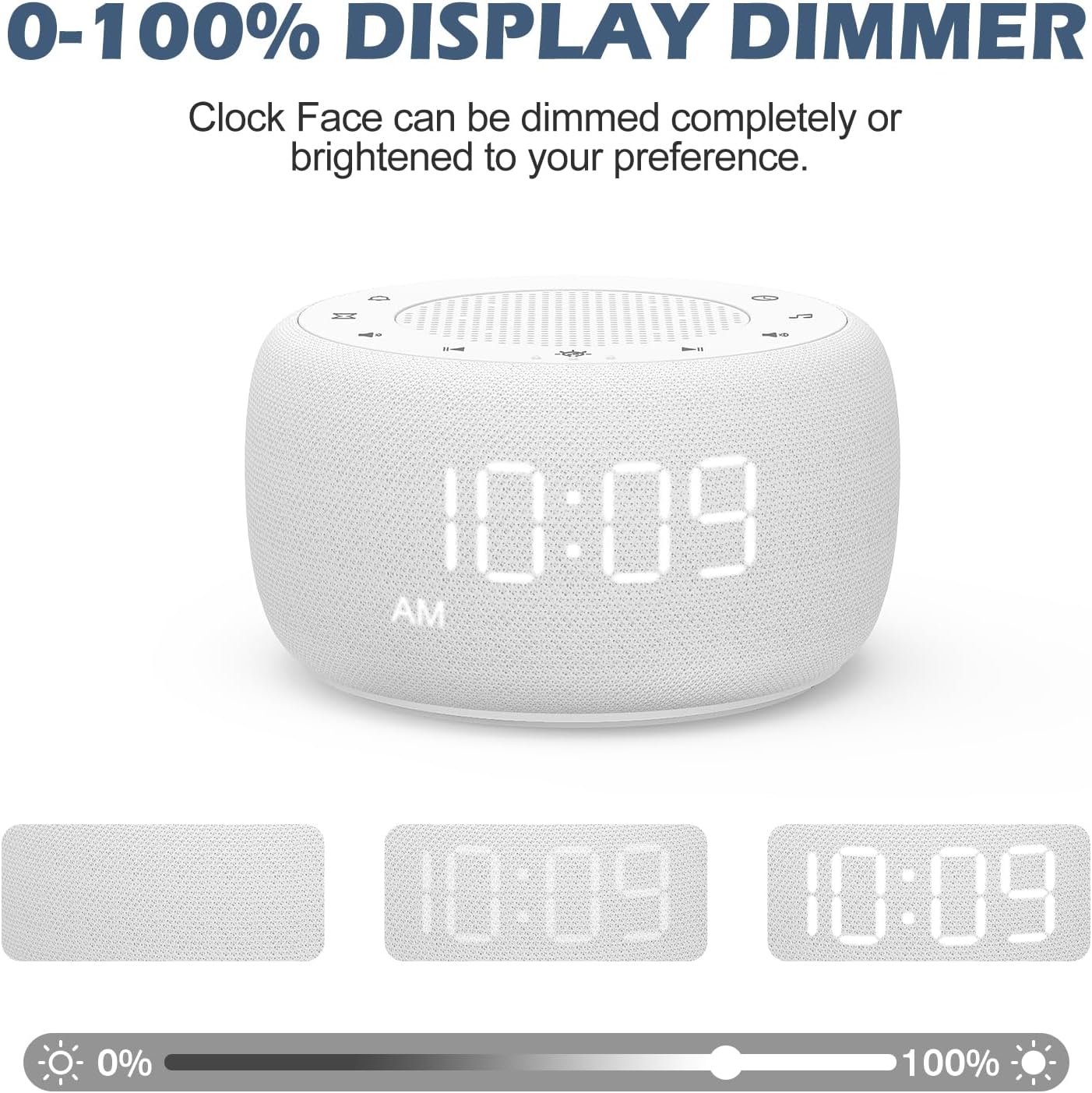
This image demonstrates the adjustable clock face brightness, allowing users to customize the display intensity for optimal comfort.
Using the Sound Machine
Press the "Sound Machine" button (music note icon) to activate the sound machine. Cycle through the 18 available soothing sounds, including white noises, fan sounds, and nature sounds, using the track skip buttons.

An illustration of the diverse sound library, featuring 18 options such as various white noises, fan sounds, and natural soundscapes like ocean waves and bird chirping.
Контрола јачине звука
The device offers 30 levels of precise volume control for the sound machine. Use the volume up (+) and volume down (-) buttons to adjust the audio output to your desired level.

This image highlights the controls for setting the auto-off timer (15, 30, 60, 90, 120 minutes, or continuous play) and the precise 30-level volume adjustment.
Слееп Тимер
To set a sleep timer, press the "Timer" button (hourglass icon). You can choose from preset durations of 15, 30, 60, 90, or 120 minutes, or allow the sound to play continuously. The sound will automatically turn off after the selected duration.
Bottom Colored Light
The device features a bottom colored light with 7 color options. Press the "Light" button (sun icon) to cycle through the colors or to turn the light off. This feature creates a relaxing ambiance.

The device is shown on a nightstand in a darkened room, demonstrating the effect of its 7-color bottom light feature, which can be turned on or off.
Одржавање
Чишћење
To clean the device, gently wipe the exterior with a soft, dry cloth. Do not use liquid cleaners or abrasive materials, as they may damage the surface or internal components.
Складиштење
Када се уређај не користи дуже време, чувајте га на хладном и сувом месту, даље од директне сунчеве светлости и екстремних температура.
Решавање проблема
No Power / Display Off
- Уверите се да је адаптер за напајање безбедно повезан и са уређајем и са исправном електричном утичницом.
- Проверите да ли је утичница функционална тако што ћете укључити други уређај.
- Verify that the clock face brightness is not set to 0%.
No Sound from Sound Machine
- Check the volume level and increase it if necessary.
- Ensure the sound machine is activated.
- If a sleep timer is set, verify it has not expired.
Аларм се не оглашава
- Confirm the alarm time is correctly set.
- Ensure the alarm is enabled (check for the bell icon on the display).
- Verify the alarm volume is not set to zero.
Спецификације производа
| Феатуре | Детаљ |
|---|---|
| Димензије производа | 3.9 к 1.5 к 2.3 инча; 11.68 унци |
| Број модела ставке | БК11 |
| Произвођач | БУФФБЕЕ |
| Боја | Бела |
| Материјал | Пластика, акрилонитрил бутадиен стирен (АБС) |
| Извор напајања | Adapter (for primary operation), Battery (for backup) |
| Опције звука | 18 (5 white noises, 3 fan sounds, 10 nature sounds) |
| Волуме Левелс | 30 |
| Слееп Тимер | 15, 30, 60, 90, 120 minutes, or continuous |
| Осветљеност сата | 0-100% dimmable |
| Боттом Лигхт | 7 colors, with ON/OFF option |
Гаранција и подршка
This product comes with a standard manufacturer's warranty. For detailed warranty information, product support, or technical assistance, please contact BUFFBEE customer service through their official webсајт или продавца где је производ купљен. Молимо вас да сачувате доказ о куповини за потребе гаранције.