
1. Увод
Thank you for choosing the GenMachine Mini PC. This compact yet powerful computer is designed to deliver exceptional performance for a variety of tasks, including gaming, office productivity, and creative design. Equipped with an AMD Ryzen 7 3750H processor, ample memory, and fast storage, it offers a seamless computing experience. This manual provides essential information for setting up, operating, maintaining, and troubleshooting your new Mini PC.
2. Шта је у кутији
Please verify that all items are present and in good condition upon unboxing.
- 1 x GenMachine Mini PC
- 1 к ХДМИ кабл
- 1 к адаптер за напајање
- 1 x Упутство за употребу (овај документ)
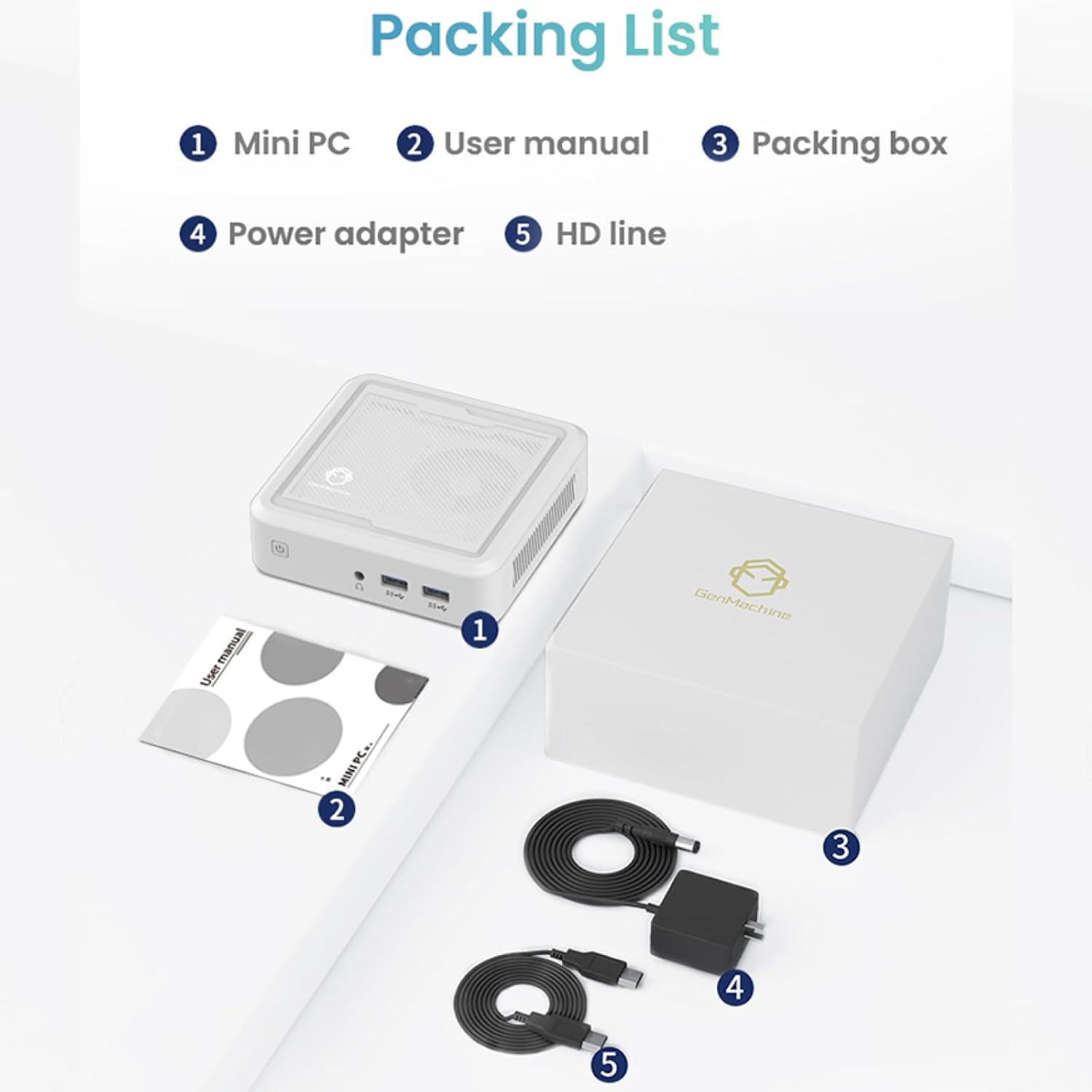
Figure 2.1: Packaging contents of the GenMachine Mini PC.
3. Карактеристике производа
The GenMachine Mini PC is engineered with features to enhance your computing experience:
- Моћне перформансе: Equipped with an AMD Ryzen 7 3750H processor, delivering speeds up to 4.0GHz with 4 cores and 8 threads for demanding tasks.
- AmpМеморија и складиштење: Features 8GB of DDR4 RAM and a 256GB SSD with M.2 NVMe support for seamless multitasking and quick file приступ.
- Свестрано повезивање: Advanced WiFi 6 and Bluetooth 5.2 capabilities ensure high-speed internet and smooth device pairing.
- Компактан дизајн: A sleek, small form factor that fits easily into any workspace or gaming setup.
- Multiple Display Options: HDMI and DisplayPort outputs support dual 4K displays for expanded productivity and immersive visuals.

Слика 3.1: Предња страна view of the GenMachine Mini PC.
3.1 Rich Interface for Easy Connection
The Mini PC offers a comprehensive set of ports to meet various connectivity needs:
- УСБ 3.0 к 4
- ХДМИ к 1
- DisplayPort (DP) x 1
- LAN (Ethernet) x 1
- 3.5mm Audio Jack x 1
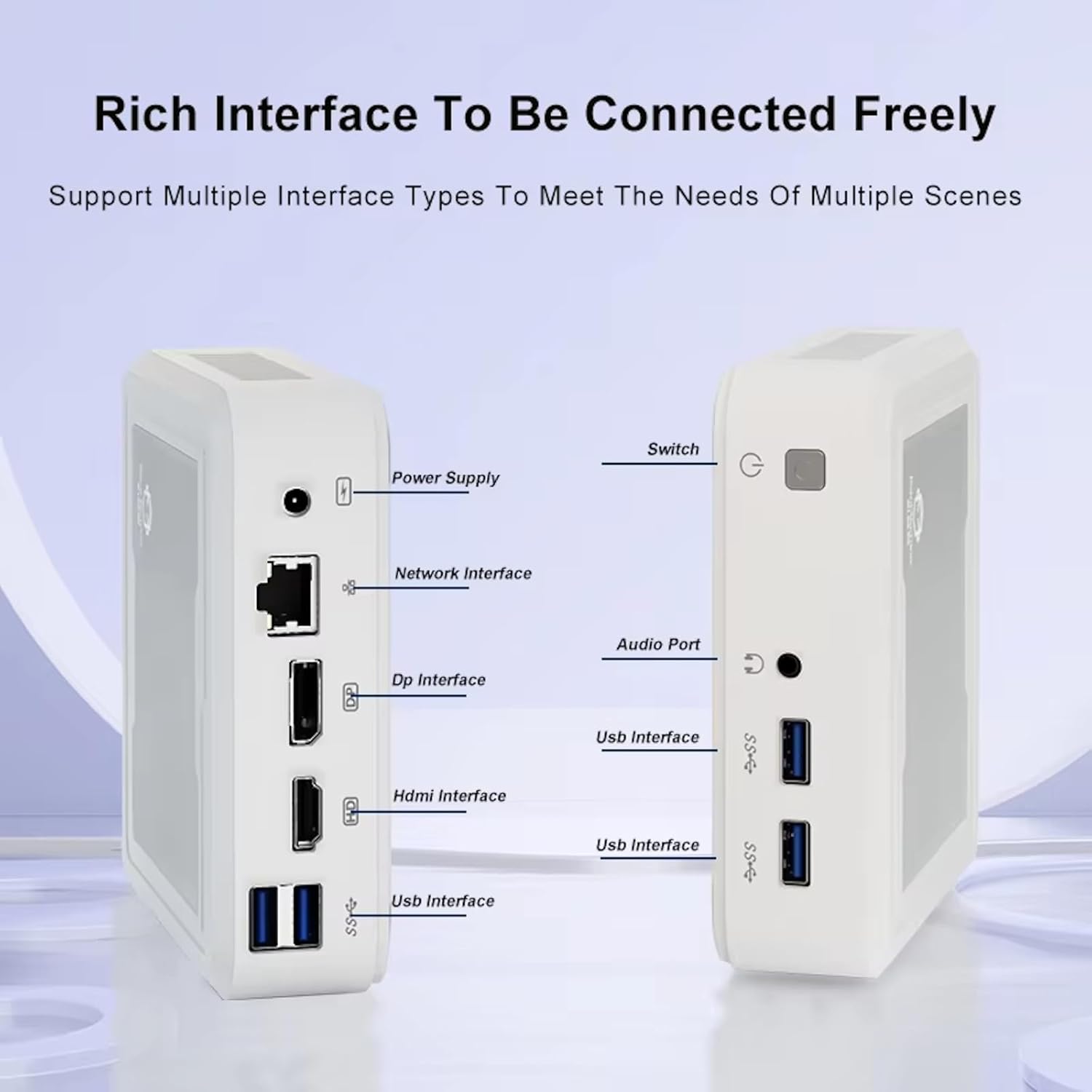
Figure 3.2: Available ports on the GenMachine Mini PC.
3.2 Dual Monitor Support
Enhance your productivity or gaming experience by connecting up to two 4K displays simultaneously using the HDMI and DisplayPort outputs.

Figure 3.3: Dual 4K display setup with the GenMachine Mini PC.
Video 3.1: Demonstration of the GenMachine Mini PC supporting two monitors simultaneously.
3.3 Energy Efficiency and Quiet Operation
Designed for low noise operation, the Mini PC maintains a quiet environment, making it suitable for various settings.

Figure 3.4: Noise level comparison of the GenMachine Mini PC.
3.4 Compact and Durable Design
The Mini PC features an ultra-durable, lightweight metal casing, making it space-saving and robust for any work environment.
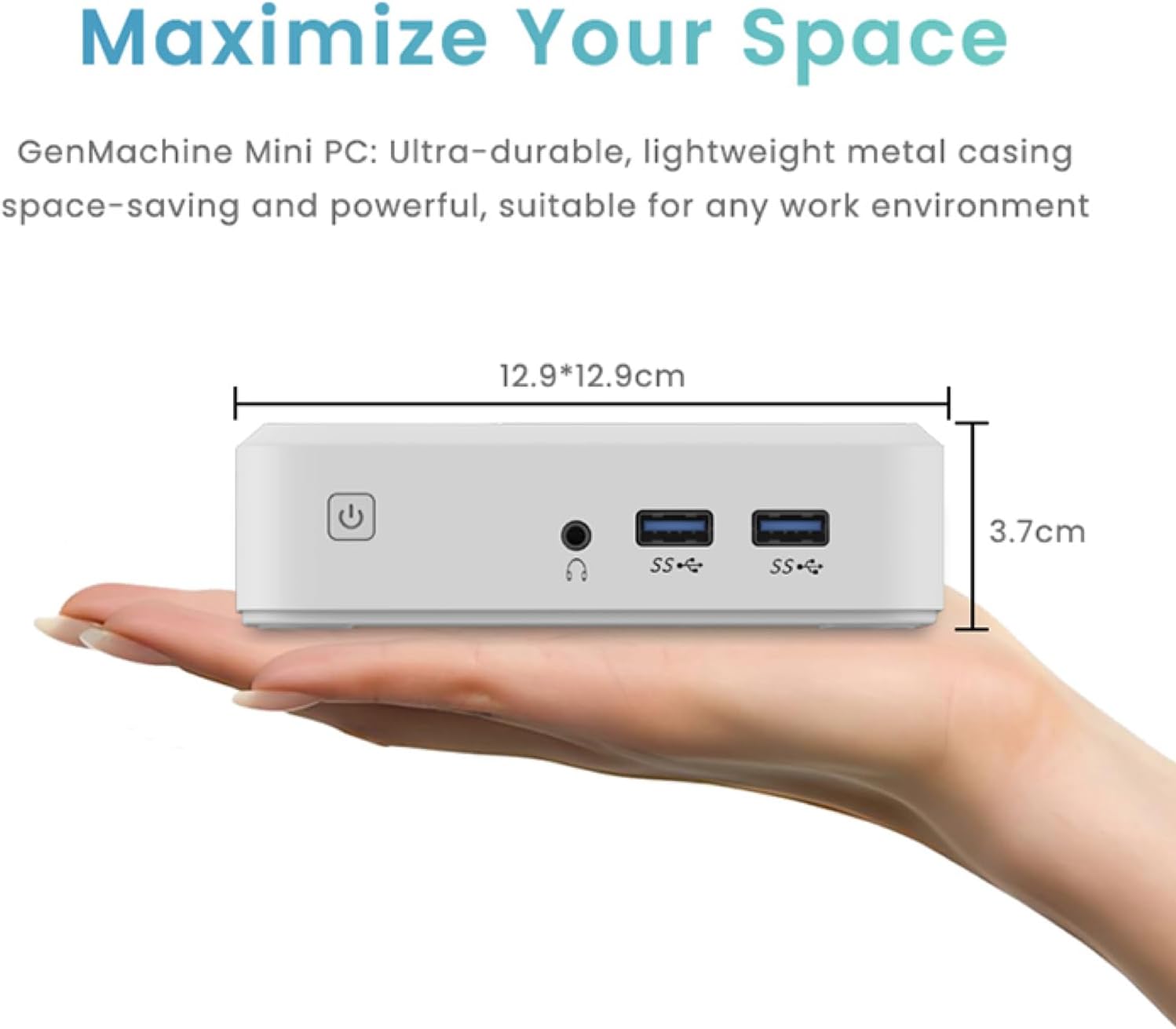
Figure 3.5: Compact size of the GenMachine Mini PC.
Видео 3.2: Крајview of the GenMachine Mini PC's features and compact design.
4. Водич за подешавање
Follow these steps to set up your GenMachine Mini PC:
- Unpack the Mini PC: Пажљиво уклоните све компоненте из паковања.
- Повежите се са екраном: Use the provided HDMI cable to connect the Mini PC to your monitor or TV. If using a DisplayPort monitor, use a compatible DP cable (not included).
- Повежите периферне уређаје: Plug in your keyboard, mouse, and any other USB devices into the available USB 3.0 ports.
- Повежите се са мрежом (опционо): For a wired internet connection, connect an Ethernet cable to the LAN port. For wireless, ensure your WiFi network is available during initial setup.
- Прикључите напајање: Plug the power adapter into the DC-in port on the Mini PC, then plug the adapter into a power outlet.
- Укључено: Press the power button on the front of the Mini PC. The system should boot up.
5. Упутство за употребу
5.1 Initial Boot and Operating System Setup
Upon first power-on, the Mini PC will guide you through the operating system setup process. Follow the on-screen prompts to configure language, region, user accounts, and network settings.
5.2 Управљање напајањем
- Укључено: Притисните дугме за напајање једном.
- Искључи: Access the power options through the operating system's start menu and select 'Shut down'.
- Поново покрени: Access the power options through the operating system's start menu and select 'Restart'.
- Режим спавања: Access the power options through the operating system's start menu and select 'Sleep'.
5.3 Повезивање са Wi-Fi и Bluetooth мрежом
To connect to a wireless network or Bluetooth device, use the respective settings within your operating system. The Mini PC supports WiFi 6 and Bluetooth 5.2 for fast and reliable connections.
6. Одржавање
Regular maintenance helps ensure the longevity and optimal performance of your Mini PC:
- Чишћење: Use a soft, dry cloth to clean the exterior. For dust in vents, use compressed air. Ensure the device is powered off and unplugged before cleaning.
- вентилација: Ensure the Mini PC is placed in a well-ventilated area. Do not block the air vents.
- Ажурирања софтвера: Regularly update your operating system, drivers, and applications to ensure security and performance.
- Резервна копија података: Периодично правите резервне копије важних података на екстерни диск или складиште у облаку.
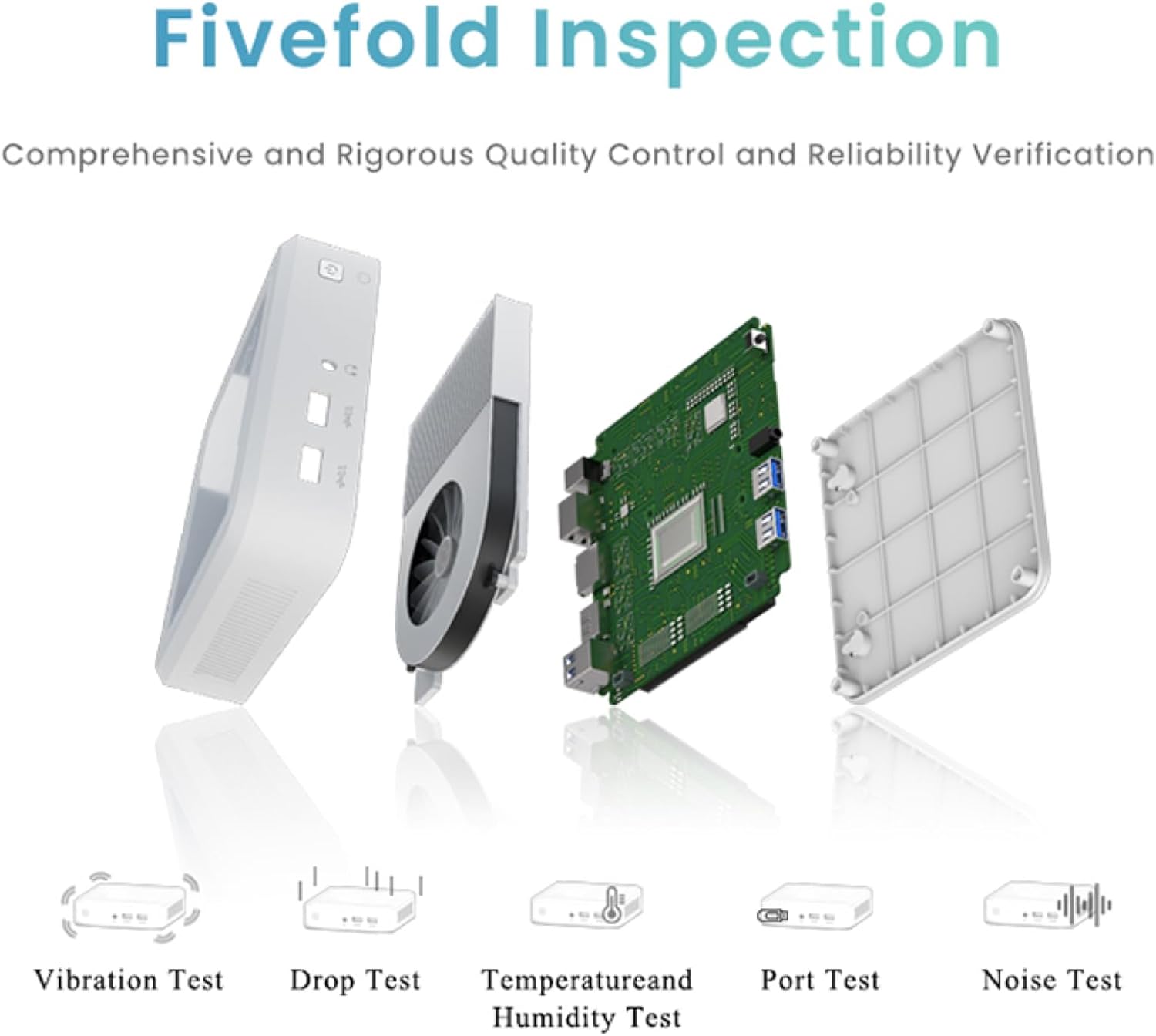
Figure 6.1: GenMachine's Fivefold Inspection process for quality control.
КСНУМКС. Решавање проблема
If you encounter issues with your Mini PC, refer to the following common problems and solutions:
- Нема напајања:
- Уверите се да је адаптер за напајање безбедно повезан и са Мини рачунаром и са исправном утичницом.
- Покушајте са другом утичницом.
- Без приказа:
- Verify that the HDMI or DisplayPort cable is securely connected to both the Mini PC and the monitor.
- Уверите се да је монитор укључен и подешен на исправан улазни извор.
- Пробајте други кабл за дисплеј или монитор ако је могуће.
- System Freezes or Unresponsive:
- Perform a hard reset by holding the power button for 5-10 seconds until the device powers off, then restart.
- Ensure the operating system and drivers are up to date.
- Check for overheating; ensure proper ventilation.
- Run a system diagnostic or memory test if the issue persists.
- Нема интернет везе:
- За жично повезивање, проверите статус етернет кабла и рутера.
- For Wi-Fi, ensure Wi-Fi is enabled in the operating system and you are connected to the correct network with the correct password.
- Рестартујте рутер/модем.
8. Спецификације
| Феатуре | Спецификација |
|---|---|
| Процесор | AMD Ryzen 7 3750H (4 cores, 8 threads, up to 4.0GHz) |
| РАМ | 8ГБ ДДР4 |
| Складиштење | 256GB SSD (with M.2 NVMe support) |
| Грапхицс Цопроцессор | АМД Радеон Вега 10 графика |
| Максимална резолуција екрана | 3840 к 2160 пиксела (4К) |
| Вирелесс Типе | 802.11ac (WiFi 6), Bluetooth 5.2 |
| УСБ портови | 4 к УСБ 3.0 |
| Видео излази | ХДМИ, ДисплаиПорт |
| Оперативни систем | OS (Pre-installed) |
| Тежина артикла | 2.1 фунти |
| Димензије производа | 4.9 к 4.9 к 1.4 инча |
| Боја | Црно |
9. Гаранција и подршка
For warranty information and technical support, please refer to the warranty card included with your product or visit the official GenMachine webсајт. Сачувајте рачун као доказ о куповини за потребе гаранције.
If you require further assistance, please contact GenMachine customer support through the channels provided on their official webсајту.