
SAFFUN Wireless for Switch/PC Gray
SAFFUN 2.4 GHz Wireless N64 Style USB Controller Instruction Manual
Model: Wireless for Switch/PC Gray
Производ је завршенview
The SAFFUN 2.4 GHz Wireless USB Controller is designed to provide a classic N64-style gaming experience across multiple platforms. This rechargeable controller offers plug-and-play compatibility with Nintendo Switch, Windows PC, Mac, Linux, Raspberry Pi, and Retropie systems. It features a familiar button layout, a 3D analog stick, and built-in rumble functionality for immersive gameplay.

Figure 1: SAFFUN Wireless N64 Style Controller and USB Receiver.
Садржај пакета
- 1 x SAFFUN 2.4 GHz Wireless N64 Style Controller (Gray)
- 1 x 2.4 GHz USB Receiver
- 1 к УСБ кабл за пуњење
- 1 x Replacement Joystick
- 1 x Упутство за употребу (овај документ)
Компатибилност
This controller is compatible with a wide range of devices and operating systems, including:
- Nintendo Switch / Switch Online
- Виндовс ПЦ
- Аппле Мац
- Линук
- Распберри Пи
- Retropie
- Android Tablet (OTG required)
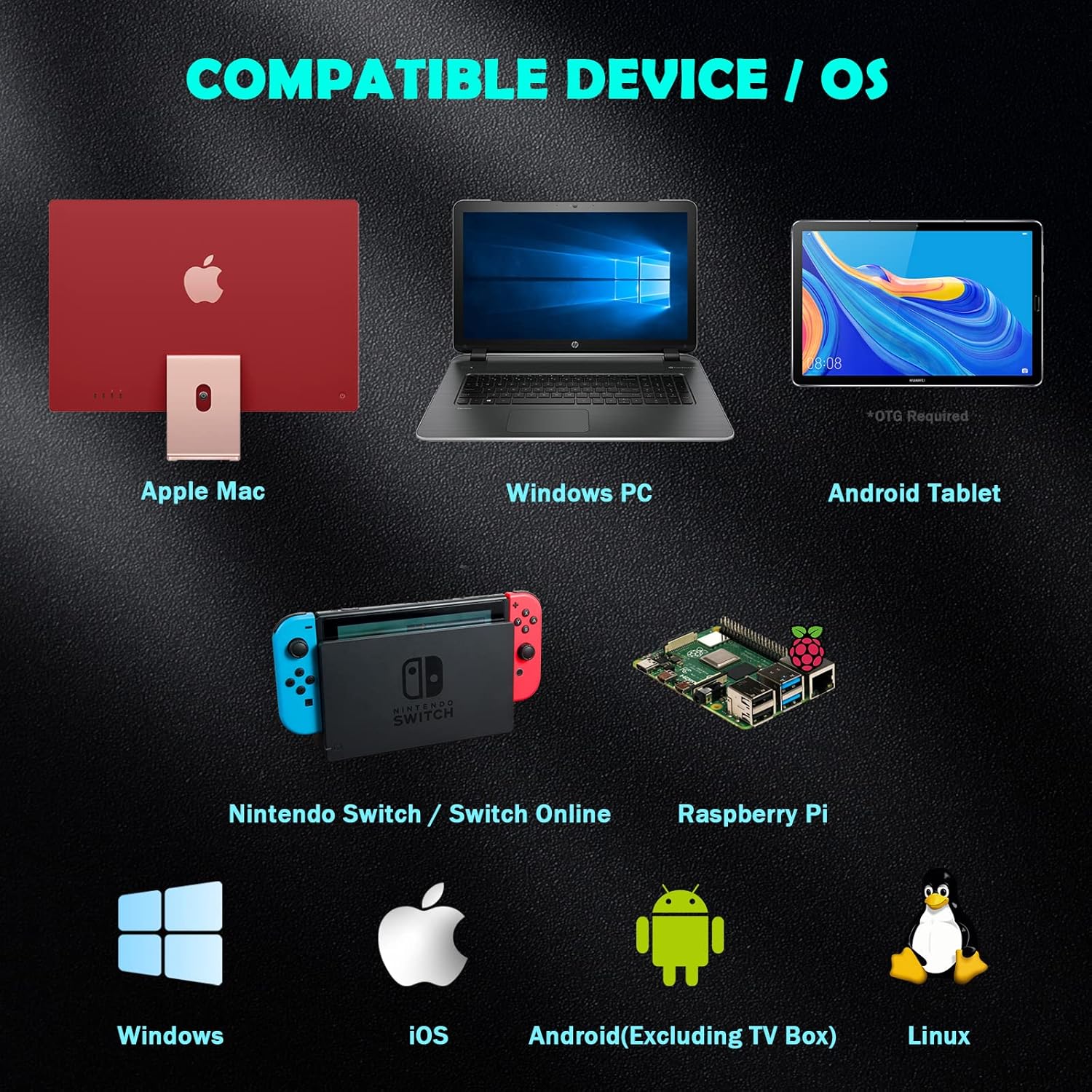
Figure 2: Compatible Devices and Operating Systems.
Распоред контролера

Figure 3: Controller Button and Port Layout.
The controller features a classic N64 layout with modern additions:
- 3D Analog Stick: For precise movement control.
- A, B, C Buttons: Standard N64 face buttons.
- Старт дугме: Red button in the center.
- Д-Пад: Подлога за усмерење.
- L, R, Z/ZL Buttons: Дугмад за раме и окидач.
- Хоме дугме: For system menu access (e.g., Nintendo Switch).
- Изаберите дугме: Додатно дугме за функције.
- ЛЕД индикатор: Shows connection status and charging.
- Порт типа Ц: За пуњење контролера.
- Дугме за ресетовање: Small button on the top for re-syncing.
- УСБ пријемник: Plugs into your device for wireless connection.
Подешавање и упаривање
Упаривање са Нинтендо Свитчем
Follow these steps to pair your SAFFUN wireless controller with your Nintendo Switch console:
- Enable Pro Controller Wired Communication:
Using your original Switch controller, navigate to System Settings > Controllers and Sensors > Pro Controller Wired Communication. Ensure this option is set to "ON". This allows the Switch to communicate with the USB receiver.
- Plug in the USB Receiver:
Insert the 2.4 GHz USB receiver into an available USB port on your Nintendo Switch dock. The LED on the receiver will begin flashing.
- Activate Receiver Sync Mode:
Press and hold the "SYNC" button on the USB receiver until its LED begins fast-blinking. This indicates it's ready to pair.
- Ресетујте контролер:
Locate the small "Reset" button on the top of the controller (near the Type C port) and press it. The LED indicator on the controller will start flashing.
- Повежите контролер:
Press the "Start" button on the controller. Wait for the LED on the controller to stay lit, indicating a successful connection. The controller is now connected and ready for use.
Video 1: Simple steps to pair and use the controller on a Switch. This video demonstrates the pairing process for the SAFFUN N64 style controller with a Nintendo Switch console, including enabling wired communication, plugging in the receiver, and syncing the controller.
Pairing with PC/Mac/Linux/Raspberry Pi
For other compatible devices, the pairing process is generally simpler:
- Plug in the USB Receiver:
Insert the 2.4 GHz USB receiver into an available USB port on your computer or device. The LED on the receiver will begin flashing.
- Ресетујте контролер:
Press the "Reset" button on the top of the controller. The controller's LED will flash.
- Повежите контролер:
Press the "Start" button on the controller. The LED on the controller should become solid, indicating a successful connection. Your device should recognize the controller as a standard USB gamepad.
Упутство за употребу
Основне контроле
The controller functions as a standard gamepad. Refer to your game's control settings for specific button mappings. The 3D analog stick provides proportional control, while the D-pad offers digital input.
Special Modes (Nintendo Switch NSO)
For optimal experience with Nintendo Switch Online N64 games, the controller supports an "All Star Mode" which maps the C-buttons to their original N64 functionalities, including rumble pak support.
- Activating "All Star Mode": Press and hold the "Start" and "A" buttons simultaneously for 3 to 5 seconds. LED 2 and LED 4 on the controller will light up to confirm activation. This mode persists even after turning off the controller or console.

Figure 4: Controller in use with Nintendo Switch Online.
Rumble Functionality
The controller includes a built-in immersive rumble motor. Rumble support is available in compatible games, eliminating the need for a separate Rumble Pak.

Figure 5: Built-in Rumble Motor for immersive feedback.
Пуњење и век трајања батерије
The controller is equipped with a rechargeable Li-Polymer battery (Model/Type reference: 602535, Ratings: 3.7VDC, 1.85Wh (500mAh)).
- Време пуњења: Отприлике 2.5 сати.
- Време играња: До 10 сата уз потпуно пуњење.
- Време приправности: До 1000 сата.
- Индикатор пуњења: ЛЕД индикатор ће показати статус пуњења.
Функција аутоматског искључивања
To conserve battery, the controller will automatically turn off after approximately 2-5 minutes of inactivity. To wake up and reconnect, press the "Start" button twice.

Figure 6: Battery Capacity and Charging Details.
Одржавање
- Keep the controller and receiver dry. Avoid exposure to moisture or extreme temperatures.
- Очистите контролер меком, сувом крпом. Не користите јаке хемикалије или абразивне материјале.
- Store the controller in a safe place to prevent physical damage.
- When not in use for extended periods, ensure the controller is fully charged before storage to maintain battery health.
Решавање проблема
| Проблем | Могући узрок | Решење |
|---|---|---|
| Controller does not connect/LED not solid. | Low battery, receiver not properly inserted, not in sync mode, "Pro Controller Wired Communication" off (for Switch). | Charge the controller. Ensure receiver is fully inserted. Press SYNC button on receiver until fast-blinking. Press Reset button on controller, then Start. For Switch, verify "Pro Controller Wired Communication" is ON in system settings. |
| Buttons/joystick not responding correctly. | Interference, software glitch, incorrect mode (for Switch NSO). | Move closer to the receiver. Try resetting the controller and receiver. For Switch NSO, ensure "All Star Mode" is activated (hold Start + A for 3-5 seconds). If issues persist, try on another device to isolate the problem. |
| Контролер се често искључује. | Low battery, excessive distance from receiver, interference. | Recharge the controller. Reduce distance between controller and receiver. Minimize other 2.4 GHz wireless devices nearby. |
| Rumble not working. | Game does not support rumble, rumble disabled in game/system settings, controller not in correct mode. | Verify the game supports rumble. Check in-game or system settings for rumble options. For Switch NSO, ensure "All Star Mode" is active. |
Спецификације
- Модел: Wireless for Switch/PC Gray
- Повезивање: 2.4 GHz Wireless USB
- батерија: Rechargeable Li-Polymer (3.7VDC, 1.85Wh, 500mAh)
- Време пуњења: Прибл. 2.5 сата
- Време играња: До 10 сати
- Време приправности: До 1000 сати
- Тежина: 10.9 унце (приближно 309 грама)
- Димензије пакета: 6.38 к 6.18 к 3.23 инча
- Произвођач: САФФУН
Гаранција и подршка
For warranty information and technical support, please refer to the contact details provided with your purchase or visit the official SAFFUN webсајт. Сачувајте доказ о куповини за евентуалне рекламације по гаранцији.