
1. Увод
Thank you for choosing the RisoPhy Mechanical Gaming Keyboard. This manual provides detailed instructions for setting up, operating, and maintaining your new keyboard. Please read this manual thoroughly before use to ensure optimal performance and longevity of your device.
2. Производ је готовview
2.1 Кључне карактеристике
- Responsive Blue Switches: Offers tactile feedback and an audible click for precise and quick key presses.
- Rainbow Backlit RGB: Features 9 different backlight modes, 5 levels of light speed, and 5 brightness levels for customizable illumination.
- 104-Key Full-Size Layout: Includes a numeric keypad and dedicated function keys for comprehensive functionality.
- 100% против духова: Обезбеђује да су сви истовремени притисци тастера тачно регистровани.
- 12 Multimedia Shortcuts: Quick access to media controls, volume, and other functions via Fn key combinations.
- Ергономски дизајн: Scientific stair-up keycap design and adjustable rear kickstands reduce hand fatigue.
- Дизајн отпоран на проливање: Equipped with 4 hydrophobic holes to quickly drain accidental spills.
- Издржљива конструкција: Ultra-durable double injection ABS engineered keycaps for long-lasting use.
2.2 Садржај пакета
- RisoPhy Mechanical Gaming Keyboard (Pink)
- USB Cable (Integrated)
- Кеицап Пуллер
- Упутство за употребу
2.3 Распоред тастатуре
The RisoPhy Mechanical Gaming Keyboard features a standard 104-key layout, including a full numeric keypad and a row of function keys (F1-F12) that can be combined with the Fn key for multimedia shortcuts.

Слика 1: Одозго надоле view of the RisoPhy Mechanical Gaming Keyboard, showcasing its full 104-key layout and pink color with RGB backlighting.
3. Подешавање
Setting up your RisoPhy Mechanical Gaming Keyboard is a simple plug-and-play process.
- Распакујте тастатуру: Пажљиво извадите тастатуру и сву додатну опрему из паковања.
- Повежите се са својим уређајем: Locate an available USB-A port on your computer (PC, Mac) or gaming console (Xbox). Insert the USB connector of the keyboard into the port.
- Инсталација драјвера: The keyboard is plug-and-play and does not require additional driver installation for basic functionality. Your operating system will automatically detect and configure the device.
- Прилагодите ергономију: Flip out the two strong foldable rear kickstands located on the underside of the keyboard to adjust the typing angle for improved comfort.
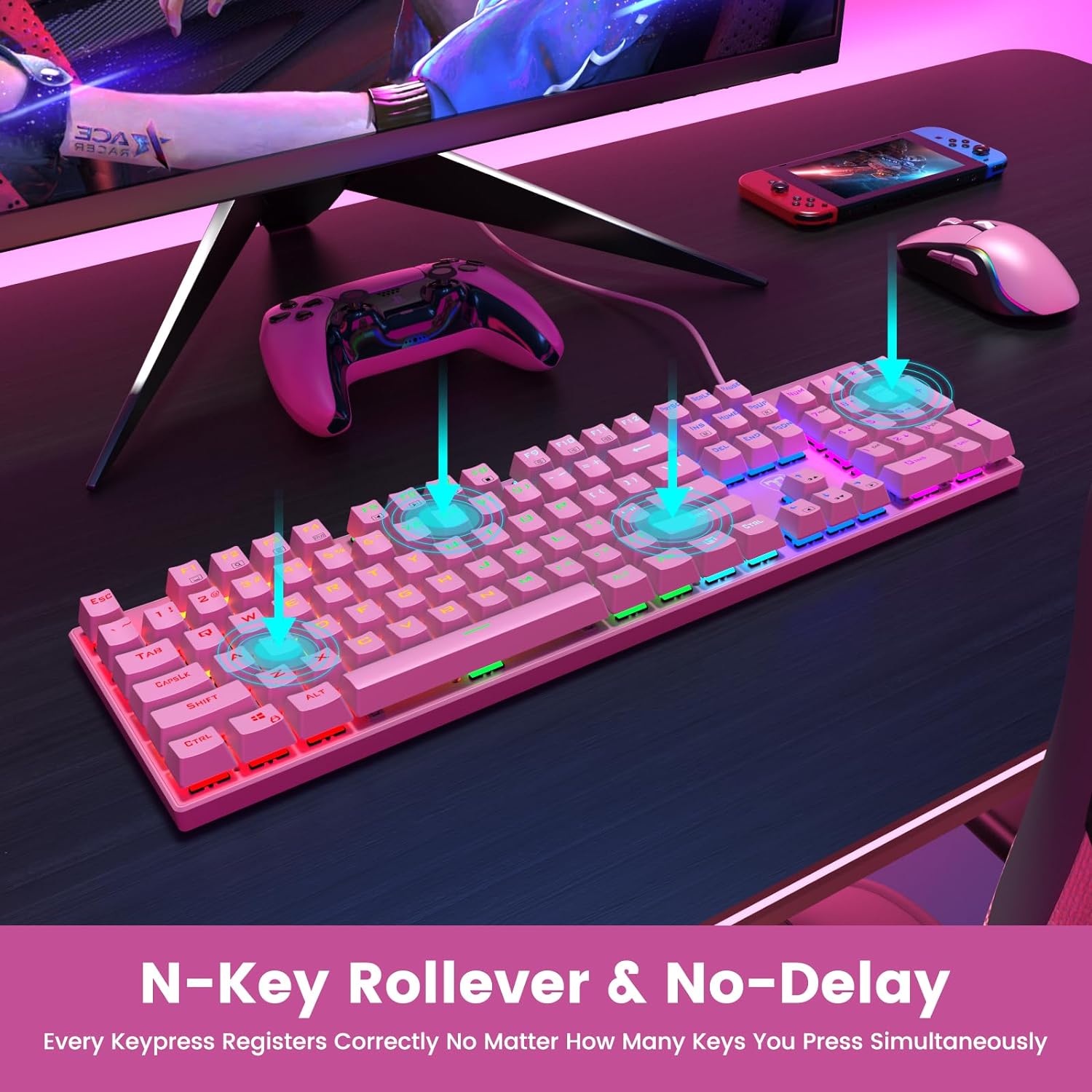
Figure 2: The underside of the RisoPhy keyboard, highlighting the adjustable rear feet that allow users to set a comfortable typing angle.
4. Упутство за употребу
4.1 Основни рад
The RisoPhy keyboard functions as a standard 104-key keyboard. Simply type as you normally would. The blue mechanical switches provide a distinct tactile and audible feedback with each keypress.
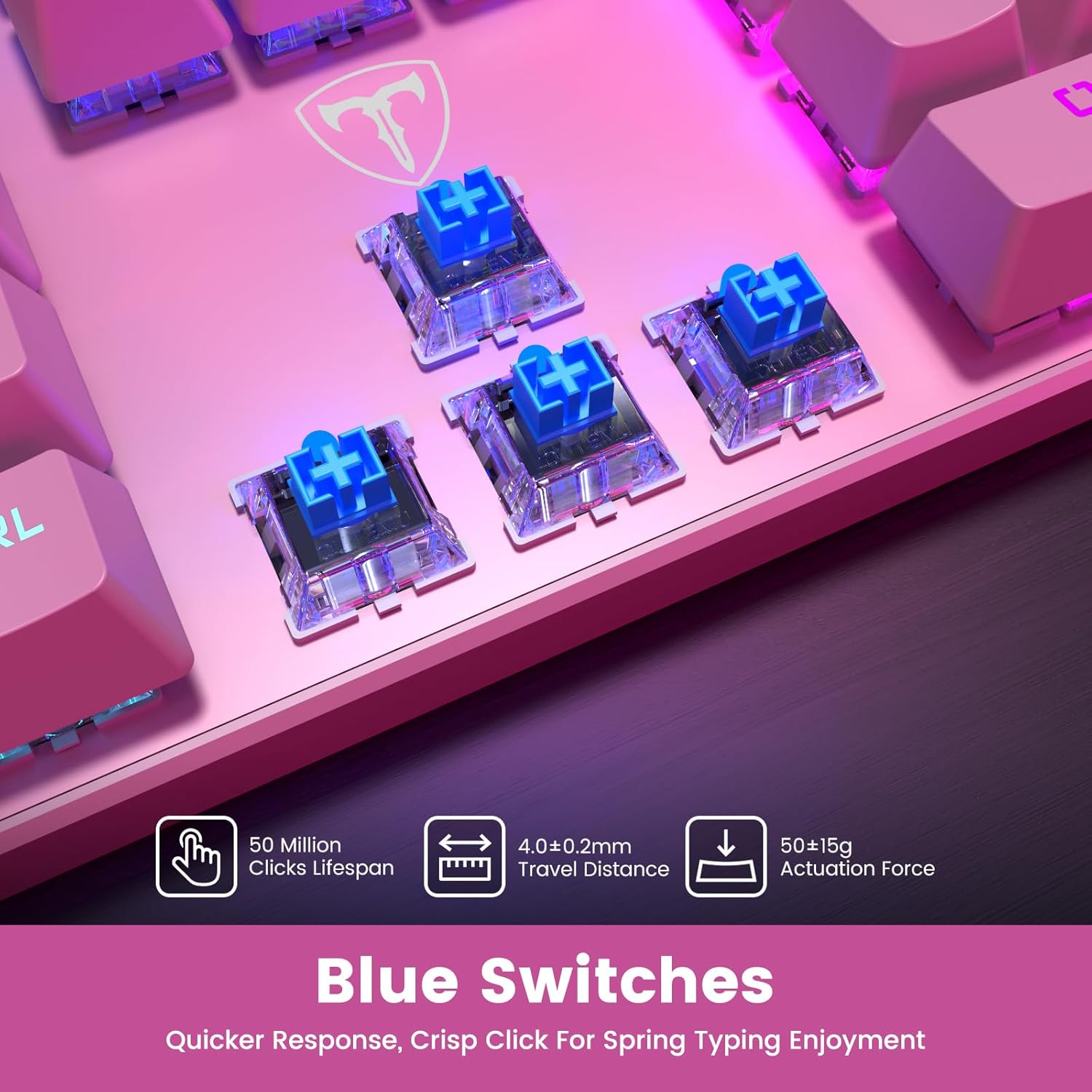
Слика 3: Крупни план view of the blue mechanical switches beneath the keycaps, illustrating their design for responsive and clicky feedback.
4.2 Контрола позадинског осветљења
Your RisoPhy keyboard features vibrant rainbow backlighting with multiple customization options:
- Промена режима позадинског осветљења: Use the dedicated backlight mode key (often indicated by a sun or light icon, usually near the arrow keys or F-row) to cycle through 9 different lighting effects.
- Подешавање осветљености: Притисните Fn + ПгУп за повећање осветљености и Fn + ПгДн да смањите осветљеност (5 нивоа).
- Подешавање брзине светлости: Притисните Fn + +/- (on the numeric keypad) to adjust the speed of dynamic lighting effects (5 levels).
- Укључивање/искључивање позадинског осветљења: Use the dedicated ON/OFF switch if available, or a specific Fn combination (refer to keyboard markings).

Figure 4: The keyboard illuminated with its rainbow RGB backlighting, demonstrating various lighting modes and brightness levels.
4.3 Multimedia and Shortcut Keys
The keyboard includes 12 multimedia shortcut combinations accessible by pressing the Fn key simultaneously with the corresponding F-key (F1-F12).
| Комбинација | Функција |
|---|---|
| Фн + Ф1 | Мој рачунар |
| Фн + Ф2 | Pretraga |
| Фн + Ф3 | Калкулатор |
| Фн + Ф4 | Мултимедиа Плаиер |
| Фн + Ф5 | Превиоус Трацк |
| Фн + Ф6 | Нект Трацк |
| Фн + Ф7 | Пусти/Паузирај |
| Фн + Ф8 | Стани |
| Фн + Ф9 | Муте |
| Фн + Ф10 | Смањите јачину звука |
| Фн + Ф11 | Повећајте јачину звука |
| Фн + Победа | Win Lock (disables Windows key during gaming) |
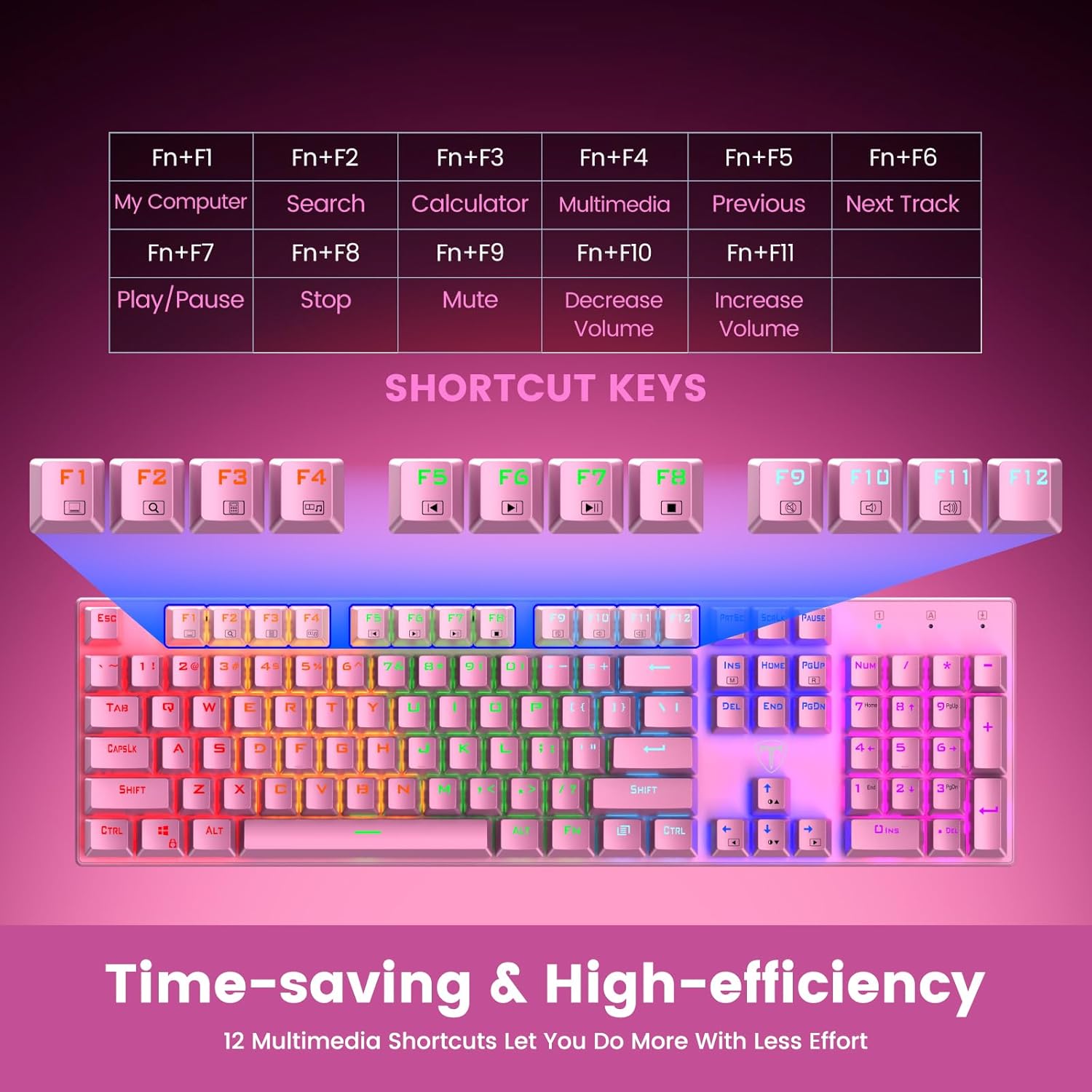
Figure 5: Visual representation of the Fn key combinations for various multimedia and system shortcuts.
4.4 Заштита од духова
The 100% anti-ghosting feature ensures that every keypress is registered accurately, even when multiple keys are pressed simultaneously. This is crucial for fast-paced gaming and rapid typing.
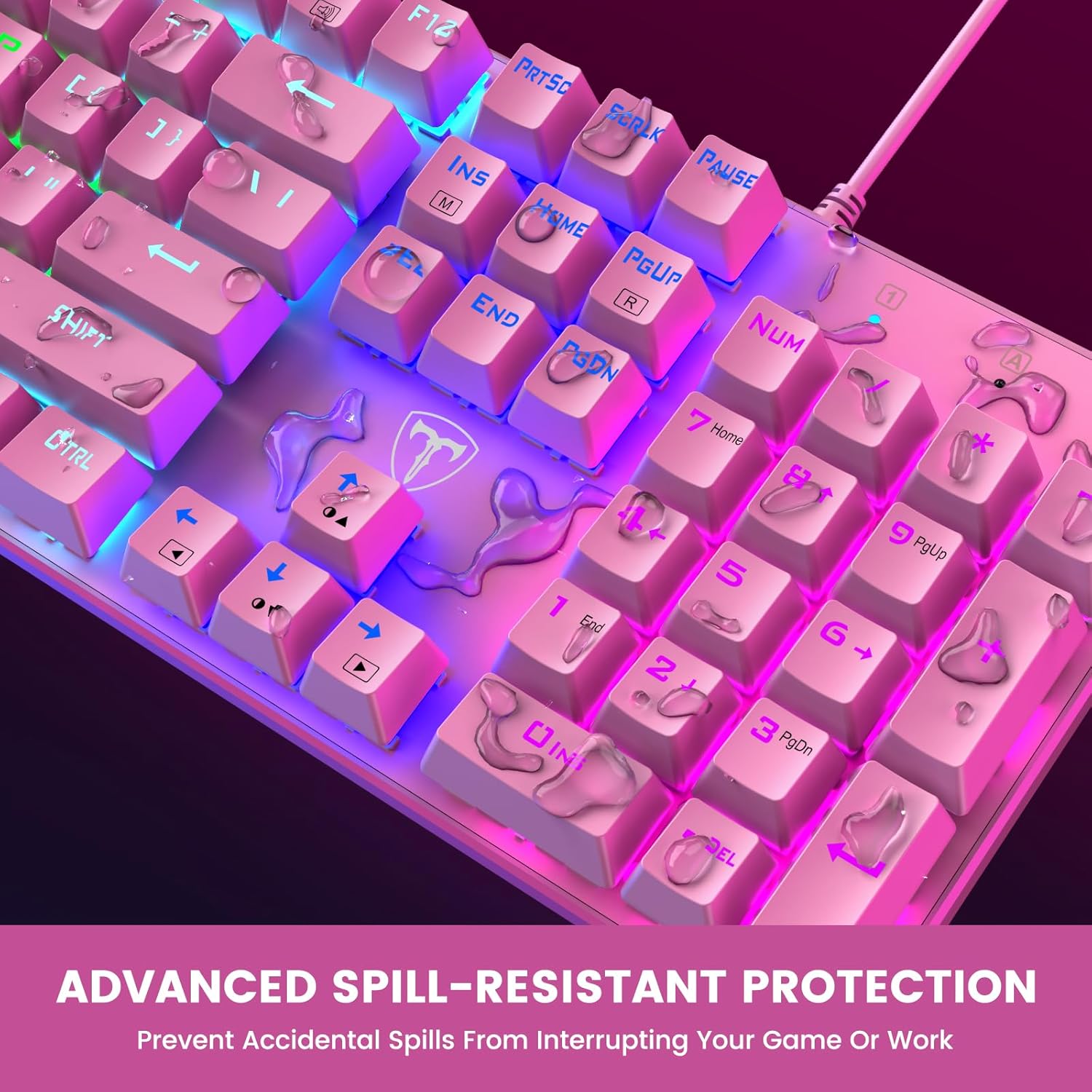
Figure 6: An illustration demonstrating the N-Key Rollover capability, ensuring all key presses are registered without delay.
5. Одржавање
5.1 Чишћење тастатуре
Да бисте одржали перформансе и изглед ваше тастатуре, препоручује се редовно чишћење:
- Прекини везу: Always disconnect the keyboard from your device before cleaning.
- Уклањање прашине: Користите лименку компримованог ваздуха да бисте одували прашину и остатке између тастера.
- Чишћење површине: Обришите тастере и површину тастатуре меком, благо длакомamp, крпа која не оставља влакна. Избегавајте јаке хемикалије или абразивне материјале.
- Уклањање капице тастера (опционо): For deeper cleaning, use the included keycap puller to carefully remove individual keycaps. Gently pull straight up on the keycap. Clean the switch and keycap, then firmly press the keycap back into place until it clicks.

Figure 7: An illustration highlighting the long-lasting and non-fading properties of the double-shot detachable keycaps.
5.2 Spill Resistance
The RisoPhy keyboard is designed with 4 hydrophobic holes to help drain accidental liquid spills. In case of a spill:
- Immediately Disconnect: Искључите тастатуру из уређаја.
- Drain Liquid: Turn the keyboard upside down to allow liquid to drain through the designated holes.
- Темељно осушите: Wipe the surface dry with a cloth and allow the keyboard to air dry completely for several hours (or overnight) before reconnecting.
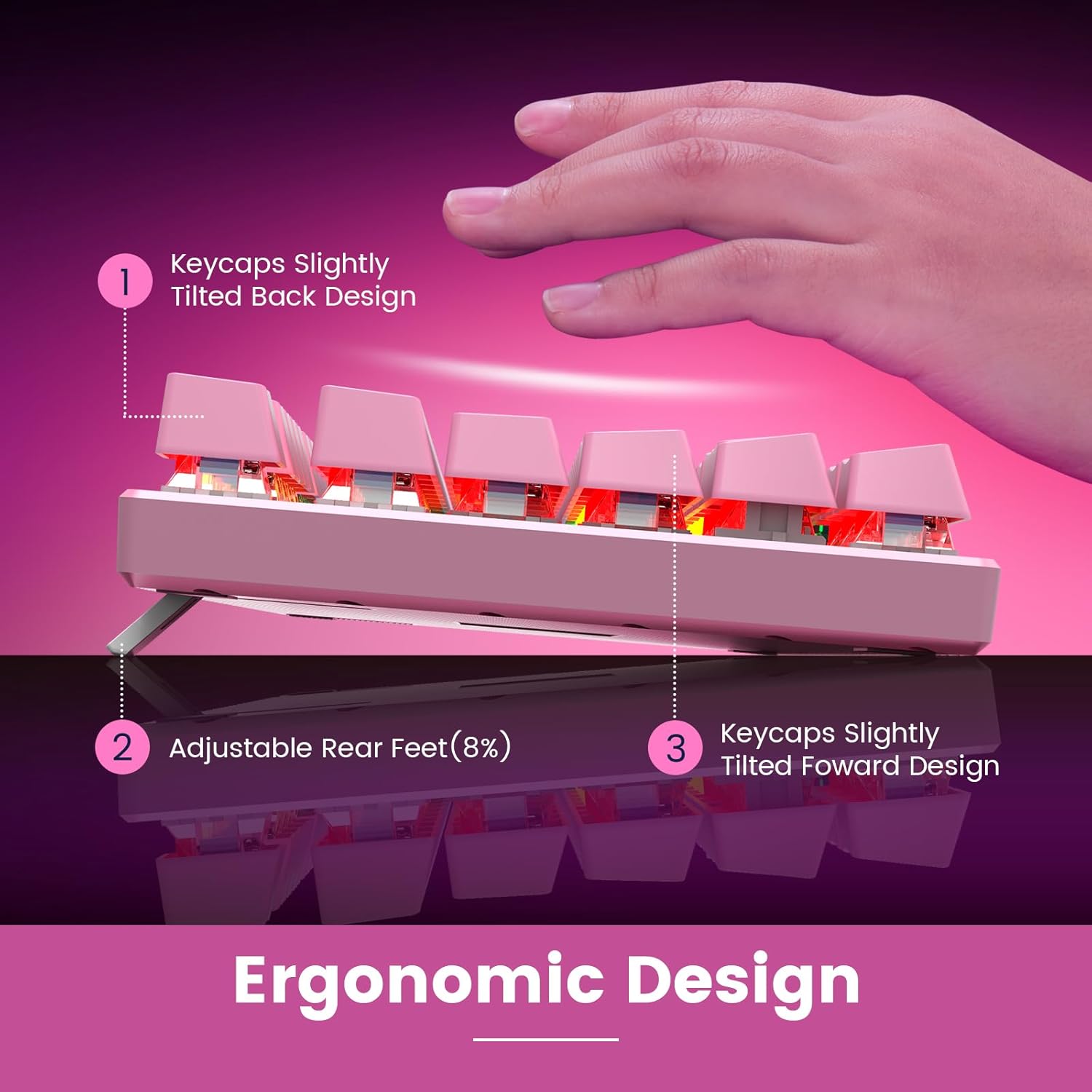
Figure 8: An image depicting water droplets on the keyboard surface, demonstrating its advanced spill-resistant design.
КСНУМКС. Решавање проблема
If you encounter issues with your RisoPhy Mechanical Gaming Keyboard, please refer to the following common solutions:
| Проблем | Решење |
|---|---|
| Тастатура не реагује |
|
| Позадинско осветљење не ради или трепери |
|
| Тастери су лепљиви или не реагују |
|
| Мултимедијални тастери не раде |
|
7. Спецификације
- Модел: B0C5CV369L
- Бренд: РисоПхи
- Тип кључа: Механички плави прекидачи
- Број кључева: 104
- Повезивање: УСБ-А жичани
- Позадинско осветљење: Rainbow RGB (9 modes, 5 brightness, 5 speed levels)
- Материјал поклопца: Double Injection ABS
- Анти-Гхостинг: 100% (N-Key Rollover)
- Отпорност на просипање: Yes, with drainage holes
- Компатибилни уређаји: PC, Mac, Xbox, Gaming Consoles
- Димензије: 17.48 к 6.38 к 1.81 инча (приближно)
- Тежина артикла: 1.92 фунте (приближно)
8. Гаранција и подршка
RisoPhy is committed to providing high-quality products and excellent customer service.
- гаранција: Овај производ долази са 2-годишњом гаранцијом. Молимо вас да сачувате доказ о куповини за потребе подношења захтева за гаранцију.
- Корисничка подршка: For any questions, technical assistance, or warranty inquiries, please contact RisoPhy customer service.
- Контакт методе:
- Click on the seller's name on the product page and send messages.
- Click on the store name in your order history and click to send messages.

Figure 9: Information regarding RisoPhy's customer support and warranty details.