
1. Увод
Хвала вам на куповиниasing the FunFlix RD-882 Portable Projector. This manual provides essential information for setting up, operating, and maintaining your projector to ensure optimal performance and longevity. Please read this manual thoroughly before use and retain it for future reference.
2. Безбедносна упутства
- Не гледајте директно у сочиво пројектора када је укљученоamp је укључено. Интензивно светло може изазвати оштећење ока.
- Обезбедите одговарајућу вентилацију око пројектора. Не блокирајте вентилационе отворе.
- Држите пројектор даље од воде, влаге и екстремних температура.
- Користите само адаптер за напајање који се испоручује са пројектором.
- Не покушавајте сами да поправите пројектор. Све сервисирање препустите квалификованом особљу.
- Unplug the projector during lightning storms or when unused for long periods.
3. Садржај пакета
Проверите да ли су све ставке присутне у вашем пакету:
- FunFlix RD-882 Portable Projector
- Даљински управљач (батерије нису укључене)
- Повер Цабле
- ХДМИ кабл
- АВ кабл
- Упутство за употребу

Слика 3.1: Укључена додатна опрема
4. Производ је готовview
4.1 Фронт View
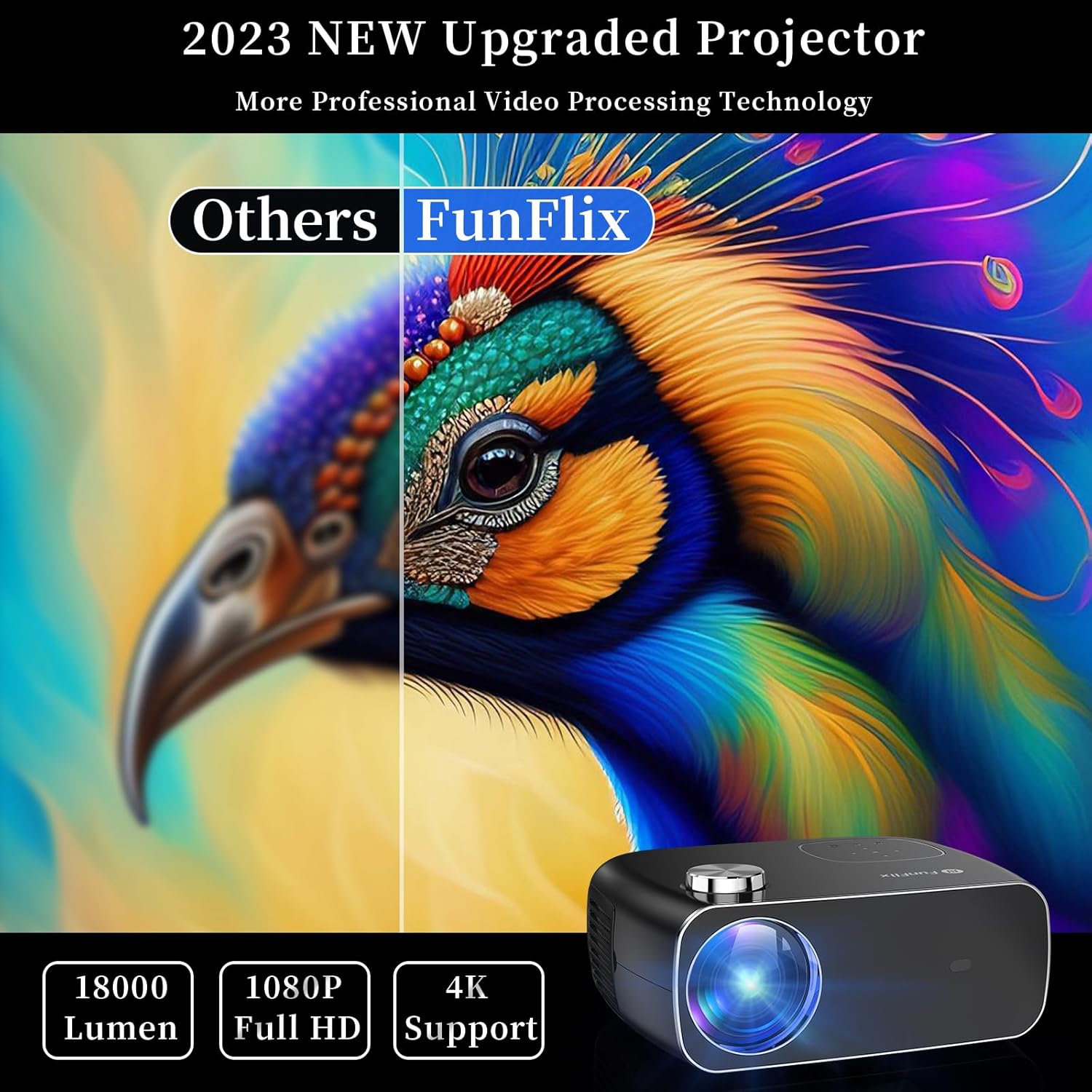
Слика 4.1: Предња страна View оф Пројецтор
The front of the projector features the projection lens and an infrared receiver for the remote control.
4.2 Реар View и луке

Слика 4.2: Задња страна View with Input Ports
The rear panel provides connectivity options:
- HDMI портови (x2): Connect to devices like laptops, gaming consoles, or streaming sticks.
- USB портови (x2): Connect USB drives for media playback or power external devices.
- AV порт: Connect to older devices using the included AV cable.
- Аудио излаз: Повежите екстерне звучнике или слушалице.
- Улазна снага: Повежите адаптер за напајање.
5. Подешавање
5.1 Постављање
Place the projector on a stable, flat surface. Ensure there is enough space around the projector for proper ventilation. The projection distance and screen size can vary. The projector supports projection sizes from 50 to 300 inches.

Figure 5.1: Projector Placement and Projection
5.2 Прикључак за напајање
Connect the power cable to the projector's power input port and then plug it into a power outlet.
5.3 Фокус и корекција трапезоидног изобличења
After powering on the projector, adjust the focus ring on the top of the projector until the image is clear. Use the keystone correction feature to adjust the image shape if it appears trapezoidal. The projector supports both manual focus and digital keystone correction.

Figure 5.2: Keystone Correction and Zoom Function
Video 5.1: Demonstrates projector features including power-on, bulb life, display sizes, precise intelligent focusing, native 1080P resolution, zoom function, 5G WiFi support, wireless projection for iOS/Android, wired HDMI connection, built-in speaker, 15-degree gradient correction, Bluetooth connection, and high color reproduction.
6. Оперативни
6.1 Укључивање/искључивање
Press the power button on the projector or the remote control to turn the projector on or off.
6.2 Улазни извори
Select the desired input source from the main menu using the remote control or the buttons on the projector.
- ДВИ: Connect your device via an HDMI cable.
- УСБ: Уметните УСБ диск да бисте репродуковали медије files.
- АВ: Connect older devices using the AV cable.
6.3 Бежично повезивање
The FunFlix RD-882 supports 5G WiFi and Bluetooth 5.2 for enhanced connectivity.
6.3.1 5G WiFi Connection
To connect to a 5G WiFi network:
- Navigate to the 'Settings' menu on the projector.
- Select 'Network Settings' or 'WiFi'.
- Choose your 5G WiFi network from the list and enter the password.

Figure 6.1: 5G WiFi Wireless Connection
6.3.2 Bluetooth 5.2 веза
To connect to Bluetooth audio devices:
- Go to the 'Settings' menu.
- Изаберите „Подешавања Bluetooth-а“.
- Омогућите Блуетоотх и потражите доступне уређаје.
- Select your Bluetooth speaker or headphones to pair.

Слика 6.2: Bluetooth 5.2 веза
6.4 Пресликавање екрана
The projector supports screen mirroring from iOS and Android devices. Ensure your device and the projector are connected to the same WiFi network.
- За иОС уређаје: Use the 'Screen Mirroring' or 'AirPlay' function on your iPhone/iPad and select the projector from the list of available devices.
- За Андроид уређаје: Use the 'Cast', 'Smart View', or 'Wireless Display' function on your Android phone/tablet and select the projector.
6.5 Подешавање подешавања
Access the projector's menu to adjust various settings:
- Подешавања слике: Подесите осветљеност, контраст, боју и оштрину.
- Подешавања звука: Adjust volume, sound mode, and balance.
- Режим пројекције: Select front, rear, ceiling front, or ceiling rear projection.
7. Одржавање
7.1 Чишћење сочива
Use a soft, lint-free cloth or lens cleaning paper to gently wipe the lens. Avoid using abrasive cleaners or excessive force, which can scratch the lens.
7.2 Cleaning Air Filters/Vents
Regularly check and clean the air filters and vents to prevent dust buildup, which can affect cooling and performance. Use a soft brush or a vacuum cleaner with a brush attachment to remove dust.
7.3 Складиштење
When not in use, store the projector in a cool, dry place, away from direct sunlight and extreme temperatures. Use the original packaging or a protective case to prevent dust and damage.
КСНУМКС. Решавање проблема
| Проблем | Могући узрок | Решење |
|---|---|---|
| Нема слике на екрану | Power not connected, incorrect input source, device not connected. | Check power cable, select correct input source, ensure source device is on and connected. |
| Слика је мутна | Focus not adjusted, projector too far/close. | Adjust the focus ring. Ensure projector is within optimal projection distance. |
| Слика је трапезоидног облика | Keystone not corrected. | Adjust keystone correction in the settings menu. |
| Нема звука | Volume too low, incorrect audio output, source device muted. | Increase projector volume, check audio output settings, unmute source device. |
| Даљински управљач не ради | Batteries low/dead, IR sensor blocked. | Replace batteries, ensure no obstructions between remote and projector. |
9. Спецификације
- Бренд: ФунФлик
- Број модела: РД-882
- Тежина артикла: 4.75 фунти
- Димензије производа: 9.57 к 7.87 к 3.98 инча
- Максимална резолуција екрана: 1920 x 1080 (Native 1080P)
- Повезивање: 5G WiFi, Bluetooth 5.2, HDMI (x2), USB (x2), AV
- Препоручена употреба: Gaming, Home Theater, Outdoor Projection
- Фактор форме: Портабле
- Тип монтаже: Таблетоп Моунт
10. Гаранција и подршка
For warranty information and technical support, please refer to the contact details provided on the FunFlix official website or your purchase documentation. Do not attempt to open or repair the device yourself, as this may void your warranty.