
edaiser P129 magic keyboard - Oxford Gray
edaiser Wireless Magic Keyboard Case
Упутство за употребу
Model: P129 Oxford Gray
Производ је завршенview
The edaiser Wireless Magic Keyboard Case is designed to enhance your Apple iPad experience, transforming it into a versatile workstation. It features a multi-touch trackpad, RGB backlit keys, and a durable magnetic design, offering both protection and functionality.
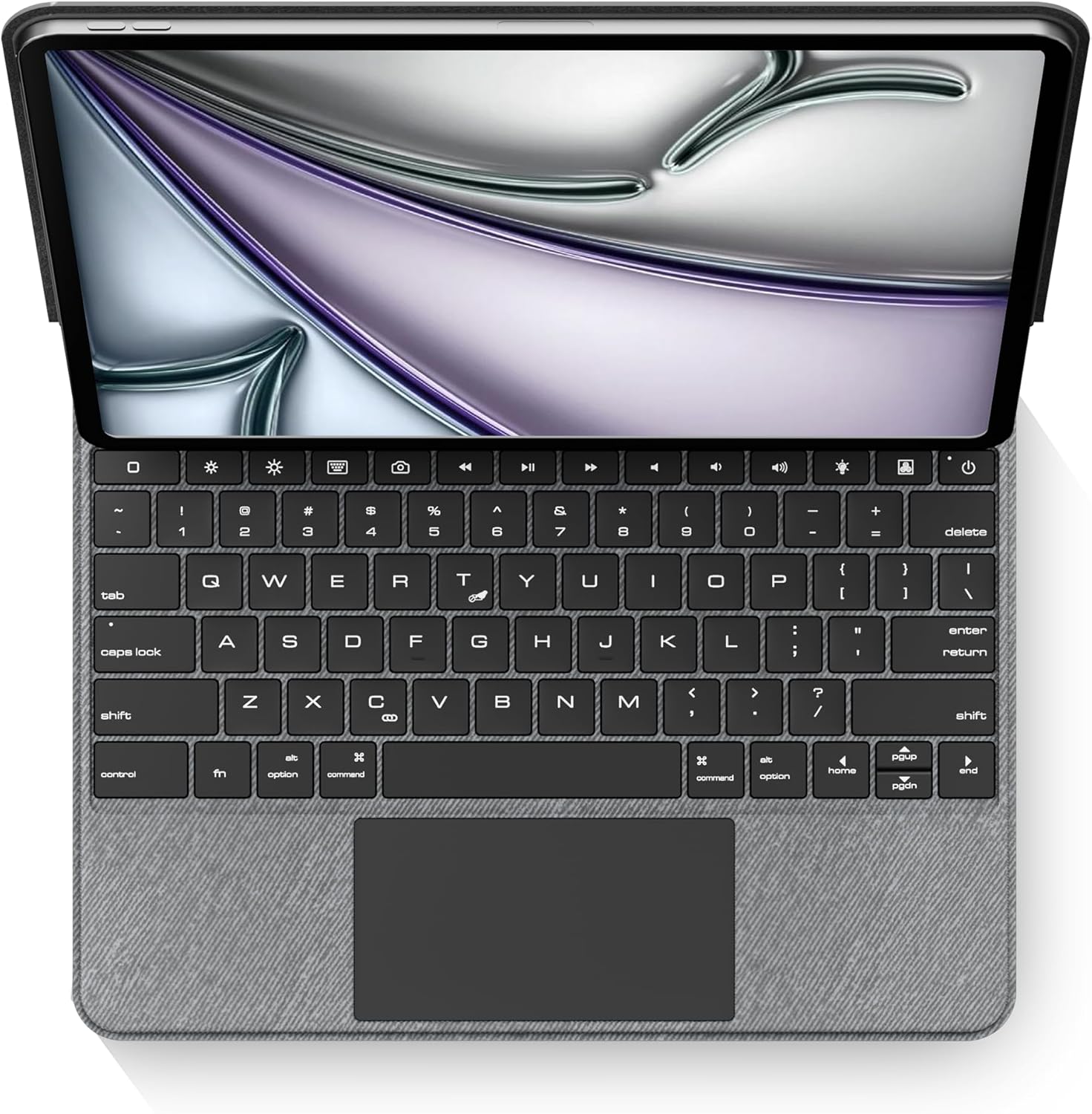
Слика: Одозго надоле view of the edaiser keyboard case with an iPad, showing the full keyboard and trackpad.
Компатибилност
This keyboard case is compatible with the following Apple iPad models:

Image: A table detailing compatible iPad generations and their model numbers, ensuring correct device fit.
| иПад Генератион | Број(ови) модела |
|---|---|
| iPad Air 13-инчни (M2) 2024 | А2898, А2899, А2900 |
| iPad Pro 12.9-inch 6th Gen 2022 | А2436, А2764, А2437, А2766 |
| iPad Pro 12.9-inch 5th Gen 2021 | А2378, А2379, А2461, А2462 |
| iPad Pro 12.9-inch 4th Gen 2020 | А2229, А2069, А2232, А2233 |
| iPad Pro 12.9-inch 3rd Gen 2018 | А1876, А2014, А1895, А1983 |
Садржај пакета
Молимо вас да проверите да ли су све ставке присутне у пакету:
- 1 x edaiser Wireless Magic P129 Oxford Gray Keyboard Case
- 1 к кабл за пуњење од типа Ц до типа Ц
- 1 к Упутство за употребу

Image: Visual representation of the items included in the product packaging.
Водич за подешавање
Insert iPad:
Gently align your compatible iPad with the case and press it into place. Ensure the iPad is securely seated within the protective frame of the case.
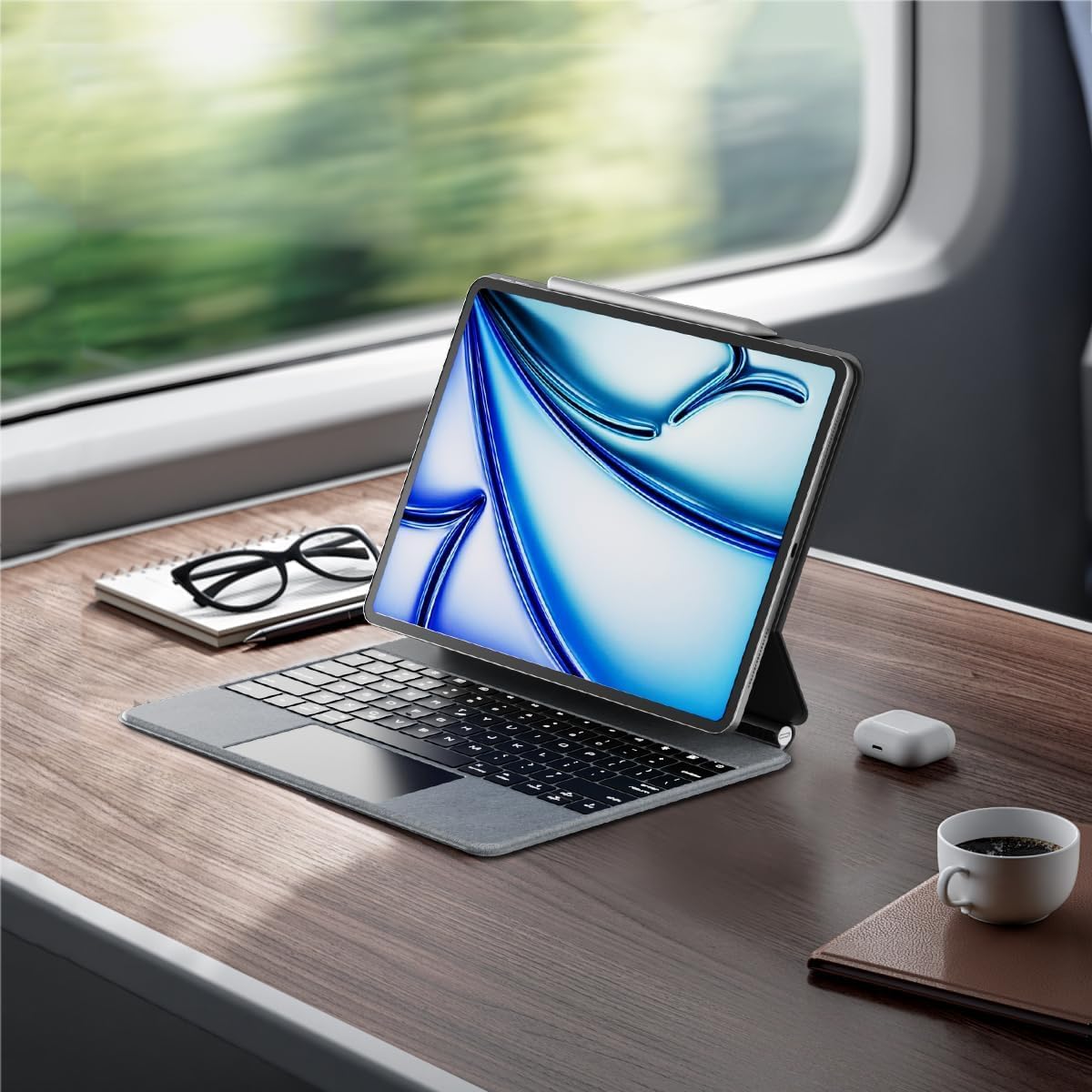
Image: An iPad inserted into the keyboard case, demonstrating the secure fit.
Пуњење тастатуре:
Before first use, fully charge the keyboard. Connect the provided Type-C to Type-C charging cable to the keyboard's charging port and a compatible power adapter (not included). The charging indicator light will show charging status.
Укључено:
Locate the power button on the keyboard. Press and hold the power button for 3-5 seconds to turn on the keyboard. The power indicator light will illuminate.

Image: A detailed diagram highlighting the keyboard's function keys, including the power button (labeled 9).
Блуетоотх упаривање:
- На вашем iPad-у идите на Подешавања > Блуетоотх.
- Уверите се да је Bluetooth укључен On.
- На тастатури притисните Блуетоотх кључ за упаривање (often indicated by a Bluetooth symbol or a specific function key combination, refer to keyboard diagram if available). The Bluetooth indicator light will flash, indicating it's in pairing mode.
- On your iPad, select "edaiser Keyboard" or a similar name from the list of available devices.
- Follow any on-screen prompts to complete the pairing process. The indicator light on the keyboard will stop flashing once successfully paired.
Упутство за употребу
Подесиво Viewинг Англе
The keyboard case features a 125°-130° adjustable angle, allowing you to find the optimal viewing position for typing, watching, or drawing. Simply adjust the iPad's position relative to the keyboard base.

Слика: Сајд професионалацfile of the keyboard case demonstrating its adjustable viewугао уласка.
Функције тастатуре
The keyboard includes various function keys for quick access to iPad features:
- Home Key (1): Returns to the iPad home screen.
- Screen Brightness (2): Adjusts iPad screen brightness up or down.
- Onscreen Keyboard (3): Shows or hides the virtual onscreen keyboard.
- Screen Capture Key (4): Captures a screenshot of the iPad display.
- Multimedia Keys (5): Controls media playback (back, play/pause, forward).
- Volume Controls (6): Mutes, increases, or decreases iPad volume.
- Backlight Brightness (7): Adjusts the backlight brightness (3 levels).
- Backlight Color (8): Switches between 7 different backlight colors.
- Power Sources (9): Hold for 3-5 seconds to power on/off the keyboard.
Image: A visual guide to the keyboard's function keys and their respective operations.
Мулти-тач тракпед
The integrated multi-touch trackpad supports various iPadOS gestures for seamless navigation:
- Додир једним прстом: Click/select.
- Померање са два прста: Померајте се горе/доле или лево/десно.
- Превлачење нагоре са три прста: Go to home screen.
- Превлачење са три прста лево/десно: Пребацивање између отворених апликација.
- Стисните прсте за зумирање: Увећајте/умањите садржај.
- Refer to iPadOS documentation for a complete list of supported gestures.

Image: A person using the multi-touch trackpad to navigate their iPad, illustrating its functionality.
Одржавање
- Чишћење: Користите меку крпу која не оставља длачицеampened with water to clean the exterior of the case and keys. Avoid harsh chemicals or abrasive materials.
- Складиштење: Када се не користи дуже време, чувајте футролу за тастатуру на хладном и сувом месту.
- Одржавање батерије: To prolong battery life, avoid fully discharging the keyboard frequently. Charge it regularly, even if not in constant use. The battery is built-in and not user-replaceable.
Решавање проблема
Тастатура се не повезује преко Bluetooth-а:
- Уверите се да је тастатура укључена и потпуно напуњена.
- Проверите да ли је Bluetooth омогућен на вашем iPad-у.
- Forget the device in iPad's Bluetooth settings and attempt to re-pair.
- Поново покрените и iPad и тастатуру.
Позадинско осветљење не ради или је слабо:
- Press the backlight brightness key (7) to cycle through brightness levels.
- Уверите се да је батерија тастатуре довољно напуњена.
Трекпед не реагује:
- Уверите се да је тастатура повезана путем Блутут-а.
- Check iPadOS settings for trackpad functionality.
- Поново покрените тастатуру и iPad.
Тастери не реагују:
- Проверите Bluetooth везу.
- Ensure the keyboard is not in sleep mode (press any key to wake).
- Проверите ниво батерије.
Спецификације
- Модел: P129 magic keyboard - Oxford Gray
- Повезивање: Блуетоотх
- Материјал: Premium PU Leather exterior, metal hinge
- Димензије: 11.3 к 9.13 к 0.73 инча
- Тежина артикла: 2.83 фунти
- батерија: 1 Lithium Ion battery (built-in)
- Working Time (typing, backlight off): До 180 сати
- Време приправности: До 90 дана
- Позадинско осветљење: RGB, 7 боја, 3 нивоа осветљености
- Трекпед: Multi-touch compatible
- Подесиви угао: 125°-130°
Гаранција и подршка
The edaiser Wireless Magic Keyboard Case is designed for long-lasting use and performance. For any product inquiries, technical support, or warranty claims, please refer to the contact information provided on the product packaging or visit the official edaiser webсајту.
Please note that the battery is installed in the product and cannot be disassembled or sold separately.
Ask a question about this manual
Ask about setup, troubleshooting, compatibility, parts, safety, or missing instructions. Manuals+ will review the question and use this page’s manual context to help answer it.