
1. Увод
The KKnoon TOOLTOP ET618 is a versatile handheld portable cable tester designed for network and electrical professionals. It integrates multiple functions including cable tracing, cable length measurement, Power over Ethernet (PoE) testing, and a full-featured digital multimeter. This manual provides detailed instructions for the safe and effective use of your ET618 device.
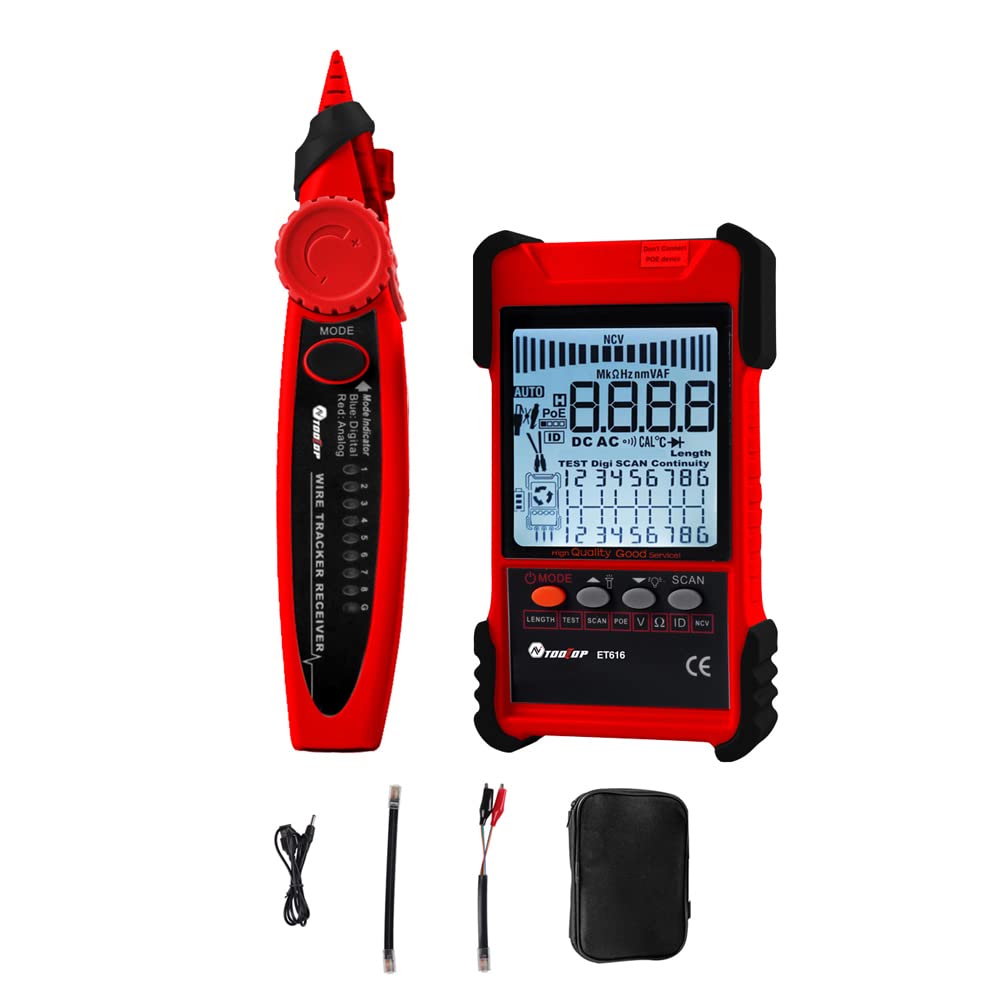
Figure 1: KKnoon TOOLTOP ET618 Handheld Portable Cable Tester (Main Unit and Receiver)
2. Безбедносне информације
Молимо вас да прочитате и разумете сва безбедносна упозорења и упутства за употребу пре употребе овог производа. Непоштовање ових упутстава може довести до струјног удара, пожара или озбиљних повреда.
- Не користите уређај ако изгледа оштећено или не ради исправно.
- Увек се уверите да је уређај искључен пре повезивања или искључивања каблова.
- Не излажите уређај влази или екстремним температурама.
- Use only the specified charging cable and accessories.
- Do not attempt to open or repair the device; refer all servicing to qualified personnel.
- Be cautious when working with live circuits, especially during multimeter functions.
3. Садржај пакета
Проверите да ли су све ставке наведене у наставку укључене у ваш пакет:
- 1 x ET618 Host (Main Unit)
- 1 к пријемник
- 1 x Упутство за употребу (овај документ)
- 1 x Clip Line
- КСНУМКС к Мрежни кабл
- 1 x Recharging Line (USB cable)
- 1 к торба за складиштење
- 1 x Temperature Probes
- 1 x Multimeter Probes
4. Производ је готовview
The ET618 combines a cable tester and a digital multimeter into one compact device. It features an LCD display for clear readings and a built-in flashlight for use in low-light conditions.

Figure 2: ET618 Main Unit and Receiver with Dual Flashlight
Кључне карактеристике:
- Тражење каблова: Quickly locate target cables in bundles.
- Cable Length Test: Measure the length of various metal cables up to 500 meters.
- ПоЕ тест: Check cable mapping polarity and voltage of PoE network switches.
- Multimeter Functions: Measure DC/AC voltage, DC/AC current, resistance, continuity, diode, and temperature.
- ЛЦД екран: Large screen for clear data visualization.
- Лампа: Integrated light for improved visibility in dark environments.
- Подесива осетљивост: Digital tracing sensitivity can be adjusted.
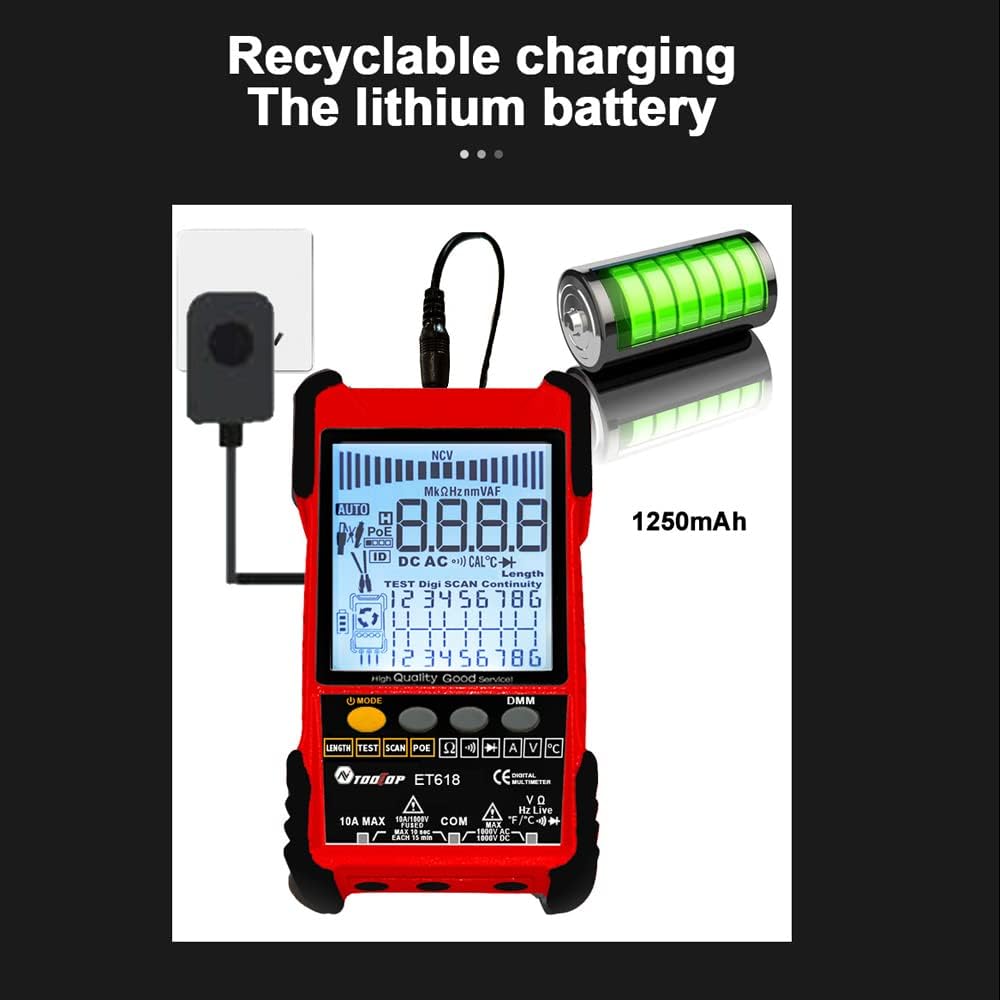
Figure 3: Product Differentiation (ET616 vs. ET618)
The ET618 model includes all features of the ET616, plus a comprehensive multimeter function and an extended cable length measurement range of up to 500 meters.
5. Подешавање
5.1 Пуњење батерије
The ET618 main unit is powered by a rechargeable lithium battery. Before first use, fully charge the device.
- Connect the provided recharging line (USB cable) to the charging port on the ET618 main unit.
- Повежите други крај USB кабла са стандардним USB адаптером за напајање (није укључен) или USB портом рачунара.
- The charging indicator on the device will show the charging status. Once fully charged, disconnect the cable.

Figure 4: Charging the ET618 Lithium Battery
5.2 Укључивање/искључивање
Press and hold the power button on the main unit to turn the device on or off. The LCD display will illuminate upon power-on.
6. Упутство за употребу
6.1 Cable Tracing Function
This function helps locate a specific cable among many, useful for telephone systems, computer networks, and BNC cables.
- Connect the cable to be traced to the appropriate port on the ET618 main unit (e.g., RJ45 for network cables).
- Select the "Trace" mode on the main unit.
- Use the receiver to scan the cables. The receiver will emit an audible tone or visual indication when it detects the signal from the target cable.
- Adjust the sensitivity on the receiver for precise tracing.
6.2 Cable Length Test
Measure the length of various metal cables with at least two cores, including network cables, telephone lines, and BNC cables.
- Ensure the cable is disconnected from any active network or power source.
- Connect one end of the cable to the main unit's appropriate port.
- Select the "Length" test mode. The device will display the measured cable length on the LCD.
6.3 POE Test
Test Power over Ethernet (PoE) network switches to check cable mapping polarity and voltage.
- Connect the network cable from the PoE switch to the main unit's RJ45 port.
- Select the "POE" test mode.
- The LCD will display information regarding PoE voltage and cable mapping.
6.4 Multimeter Function (ET618 Only)
The ET618 includes a full-featured multimeter for various electrical measurements. Use the provided multimeter probes for these tests.
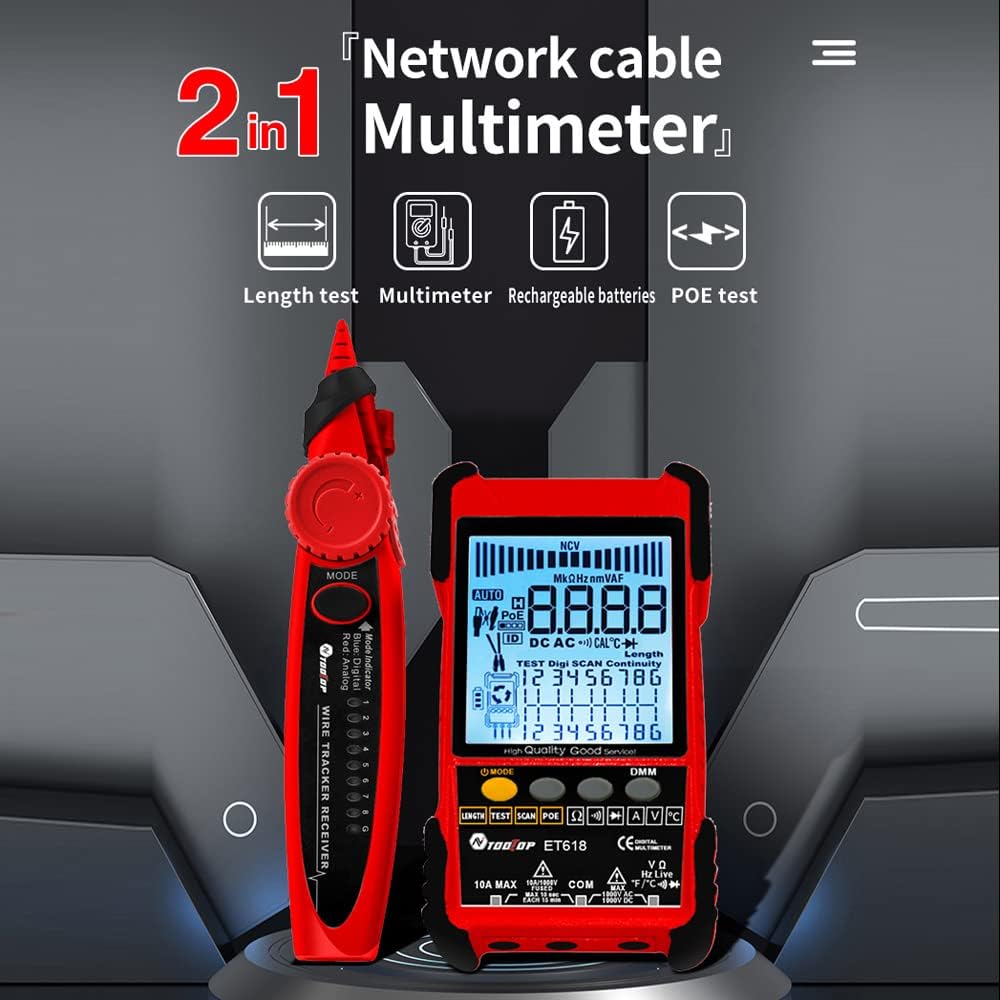
Figure 5: ET618 Multimeter Functions in Use
- ДЦ Волtagе Мерење: Connect probes to the circuit, select DCV mode.
- АЦ Волtagе Мерење: Connect probes to the circuit, select ACV mode.
- Мерење једносмерне струје: Connect probes in series with the circuit, select DCA mode.
- Мерење наизменичне струје: Connect probes in series with the circuit, select ACA mode.
- Мерење отпора: Connect probes across the component, select Ω mode.
- Тест континуитета: Connect probes across the circuit; a beep indicates continuity.
- Тест диода: Connect probes across the diode; the forward voltagе дроп ће се приказати.
- Мерење температуре: Connect the temperature probe to the device and place the sensor at the measurement point.
Always ensure the correct function is selected and probes are connected properly to avoid damage to the device or circuit.
6.5 Коришћење лампе
The ET618 main unit and receiver are equipped with flashlights. Press the dedicated flashlight button (if available) or refer to the device interface for activation in low-light conditions.
7. Одржавање
7.1 Чишћење
Обришите уређај меком, сувом крпом. Не користите абразивна средства за чишћење или раствараче. Уверите се да течности не уђу у уређај.
7.2 Одржавање батерије
To prolong battery life, avoid fully discharging the battery frequently. If storing the device for an extended period, charge it to approximately 50% and recharge every few months.
КСНУМКС. Решавање проблема
- Уређај се не укључује: Ensure the battery is charged. Connect the recharging line and try again.
- Нетачна очитавања: Check cable connections. Ensure the correct mode is selected for the measurement. For multimeter functions, verify probe connections and component integrity.
- No signal during cable tracing: Ensure the main unit is in trace mode and the cable is properly connected. Adjust receiver sensitivity.
- LCD display is dim: Батерија је можда празна. Напуните уређај.
9. Спецификације
The following table outlines the technical specifications for the ET618 model:

Слика 6: Техничке спецификацијеview
| Феатуре | ET618 Specification |
|---|---|
| Аналогно праћење | Да |
| Континуитет | Да |
| Праћење прекидача (са ПоЕ) | Функцијом мултиметра |
| Цабле Маппинг | Да |
| Индикатори прекидача трепере | Да |
| Дигитално праћење без шума | Дигитал / Вибратион |
| Волtagе Тестирање | Функцијом мултиметра |
| ПоЕ Волtagе Мерење | Волtagе / Поларитет |
| Мапирање удаљених ИД-ова | Опционо |
| Аналогуе Барграпх | Да |
| Main Body Flashlight | Да |
| Multimeter Input Jack Indicator | Да |
| ЛЦД екран | Да |
| Бела лампа | Да |
| Analogue Tracing Sound Adjustable | Да |
| Индикатор слабе батерије | Да |
| White Backlight | Да |
| Показатељ уштеде енергије | Да |
| 3km Analogue Tracing Signal Selectable | Да |
| Multimeter Functions (ET618 Only) | |
| ДЦ Волtage | 400mV~1000V ±(0.8%+3) |
| АЦ Волtage | 4V~400V ±(1.5%+5) |
| ДЦ Цуррент | 1.0A~10.0A ±(1.2%+4) |
| АЦ Цуррент | 1.0A~10.0A ±(2.0%+5) |
| Отпор | 200 Ω~20 MΩ ±(2%+6) |
| Континуитет | < 50 Ω buzzer beeps |
| Диоде | Да |
| Температура (К-тип) | -20~1000°C / -4~1832°F ±(2.0%+15) |
| Мера дужине мрежног кабла | 500М |
| Мера дужине БНЦ кабла | Да |
| Тест кратког мрежног кабла / отвореног кола | Да |
| Main Body Power | Пуњива литијумска батерија од 1250 мАх |
| Snaga prijemnika | 9В Батерија |
10. Гаранција и подршка
This product comes with a standard manufacturer's warranty. For specific warranty terms, technical support, or service inquiries, please refer to the contact information provided with your purchase or visit the official KKnoon webсајту.