
Бик 3997
Taurus Lento Cuina Digital Slow Cooker User Manual
Model: 3997 | Brand: Taurus
1. Увод
Thank you for choosing the Taurus Lento Cuina Digital Slow Cooker. This appliance is designed to simplify your cooking process, allowing you to prepare delicious, slow-cooked meals with minimal effort. Featuring a generous 6.5L capacity, digital controls, and a durable stainless steel body, it is perfect for family-sized meals. Please read this manual thoroughly before first use to ensure safe and optimal operation.

Image: The Taurus Lento Cuina Digital Slow Cooker alongside a cooked chicken, illustrating its capacity for large meals.
2. Важна безбедносна упутства
Увек се придржавајте основних мера предострожности приликом коришћења електричних уређаја како бисте смањили ризик од пожара, струјног удара и/или повреда особа, укључујући следеће:
- Прочитајте сва упутства пре употребе спорог шпорета.
- Не додирујте вруће површине. Користите ручке или дугмад.
- Да бисте се заштитили од струјног удара, немојте потапати основну јединицу, кабл или утикач у воду или другу течност.
- Неопходан је пажљив надзор када било који уређај користе деца или у близини деце.
- Искључите из утичнице када није у употреби и пре чишћења. Оставите да се охладе пре стављања или скидања делова.
- Немојте користити ниједан уређај са оштећеним каблом или утикачем, или након што уређај поквари или је на било који начин оштећен.
- Употреба додатака које није препоручио произвођач уређаја може изазвати повреде.
- Не користите на отвореном.
- Не дозволите да кабл виси преко ивице стола или пулта, нити да додирује вруће површине.
- Не стављајте на или близу врућег гасног или електричног горионика, или у загрејану рерну.
- Морате бити изузетно опрезни када померате уређај који садржи врело уље или друге вруће течности.
- Увек прво прикључите утикач на уређај, а затим укључите кабл у зидну утичницу. Да бисте га искључили, окрените било коју контролу на „искључено“, а затим извуците утикач из зидне утичнице.
- Немојте користити уређај за другу употребу осим за предвиђену.
- Избегавајте нагле промене температуре, као што је додавање охлађене хране у загрејану посуду.
- The ceramic pot is designed for use with this appliance only. It must not be used on a gas or electric stovetop or in a heated oven.
3. Компоненте производа
Familiarize yourself with the parts of your Taurus Lento Cuina Digital Slow Cooker:
- Toughened Glass Lid: Омогућава вам да пратите напредак кувања без потребе заasinг топлоте.
- Removable Ceramic Pot: The main cooking vessel, easy to clean and serve from.
- Кућиште од нерђајућег челика: The outer body of the slow cooker, containing the heating element and control panel.
- Дигитална контролна табла: Features a 4-digit LED display, Mode, Timer, Up, Down, and On/Off buttons.
- ручке: За безбедан транспорт јединице.
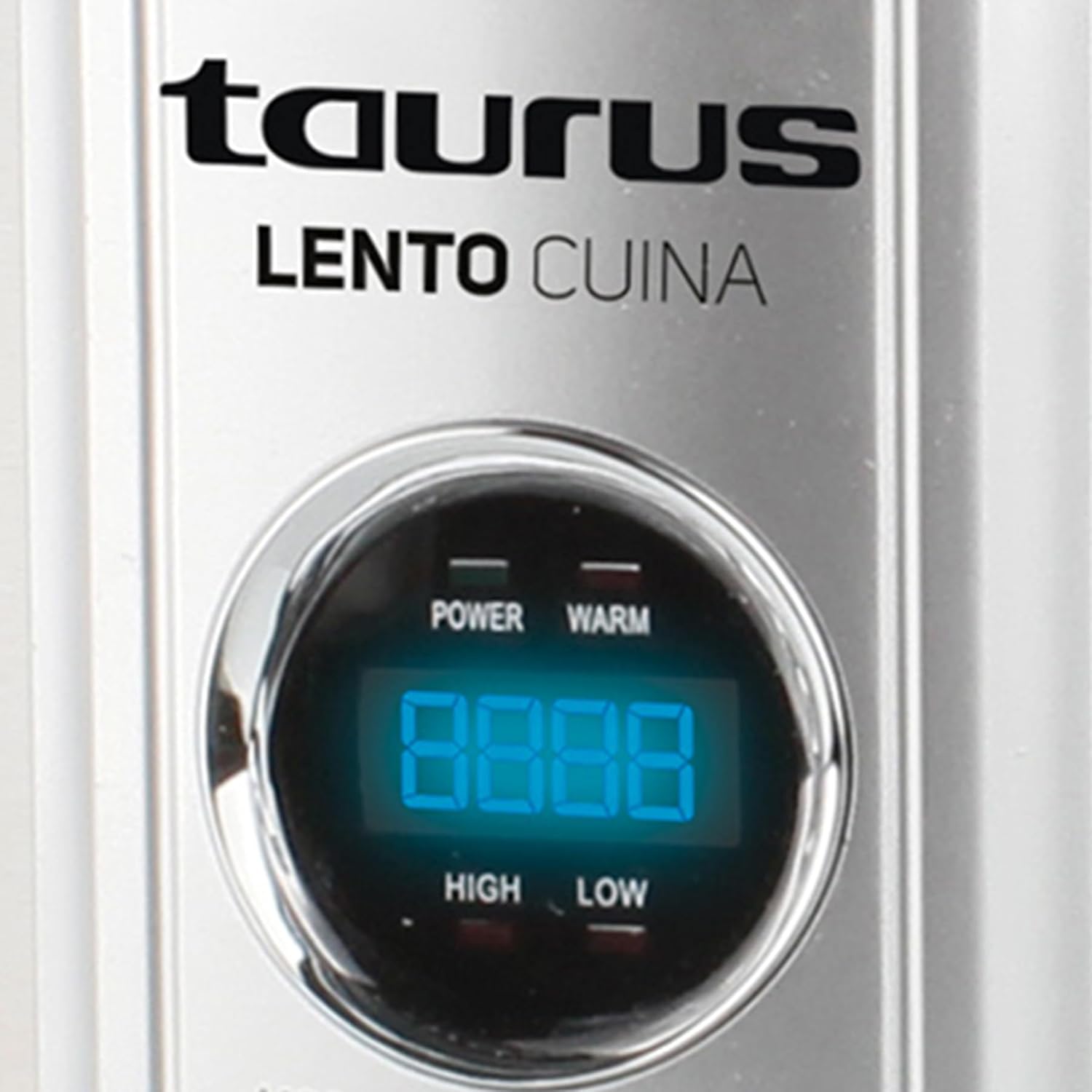
Слика: Детаљан предњи део view of the Taurus Lento Cuina Digital Slow Cooker, highlighting the digital control panel and stainless steel finish.

Image: The Taurus Lento Cuina Digital Slow Cooker with its removable ceramic pot placed next to it, demonstrating ease of cleaning and serving.
4. Подешавање и прва употреба
Before using your slow cooker for the first time:
- Распакујте спори шпорет и уклоните сав материјал за паковање.
- Wash the ceramic pot and glass lid in warm, soapy water. Rinse thoroughly and dry completely.
- Wipe the exterior of the stainless steel housing with a damp тканина. Не урањајте базну јединицу у воду.
- Place the ceramic pot into the stainless steel housing.
- Поставите спори шпорет на равну, стабилну, површину отпорну на топлоту, даље од зидова или ормарића како бисте омогућили правилну вентилацију.
- Ensure the power cord is not tangled and is placed where it will not be tripped over.
5. Упутство за употребу
The Taurus Lento Cuina Digital Slow Cooker offers simple digital controls for precise cooking.
5.1 Контролна табла прекоview

Слика: Крупни план view of the digital control panel, showing the LED display and buttons for Mode, Timer, Up, Down, and On/Off.
- ЛЕД дисплеј: Shows cooking time and temperature settings.
- Дугме МОДЕ: Cycles through cooking modes (High, Low, Keep Warm).
- Дугме ТАЈМЕР: Activates the timer setting function.
- Дугмад ГОРЕ / ДОЉЕ: Подесите време кувања.
- Дугме за укључивање/искључивање: Укључује или искључује јединицу.
5.2 Процес кувања
- Prepare your ingredients and place them into the ceramic pot.
- Place the ceramic pot into the stainless steel housing and cover with the glass lid.
- Plug the slow cooker into a grounded electrical outlet. The LED display will illuminate.
- Притисните тастер ОН/ОФФ дугме за укључивање јединице.
- Притисните тастер МОДЕ button to select your desired cooking setting:
- ВИСОКО: За брже кување, обично 2-4 сата.
- НИЗАК: For slower cooking, typically 6-8 hours.
- ОДРЖАТИ ТОПЛО: Automatically activates after cooking is complete, or can be selected manually to keep food at serving temperature.
- Притисните тастер ТИМЕР button. The display will flash. Use the UP и ДОВН buttons to set the desired cooking time in hours. The timer can be set for up to 20 hours.
- Once the time is set, the display will stop flashing, and the cooking process will begin. The timer will count down.
- When the cooking time expires, the slow cooker will automatically switch to the "KEEP WARM" setting.
- Да бисте искључили спори шпорет у било ком тренутку, притисните дугме ОН/ОФФ button. Unplug the unit from the wall outlet after use.

Image: A hand pressing the ON/OFF button on the slow cooker's control panel, demonstrating the ease of operation.

Image: The Taurus Lento Cuina Digital Slow Cooker with a meal cooking inside, visible through the clear glass lid.
6. Одржавање и чишћење
Proper cleaning and maintenance will extend the life of your slow cooker.
- Always unplug the slow cooker from the power outlet and allow it to cool completely before cleaning.
- Керамичка посуда и стаклени поклопац: These parts are dishwasher safe or can be washed by hand with warm, soapy water. Avoid abrasive cleaners or scouring pads that may scratch the surface. Rinse thoroughly and dry.
- Кућиште од нерђајућег челика: Обришите спољашњост меком, дamp cloth. Do not use abrasive cleaners or immerse the base unit in water or any other liquid.
- For stubborn food residue on the ceramic pot, fill it with warm, soapy water and let it soak for a few hours before cleaning.
- Уверите се да су сви делови потпуно суви пре складиштења.
КСНУМКС. Решавање проблема
Ако наиђете на проблеме са спорим шпоретом, погледајте следеће уобичајене проблеме и решења:
| Проблем | Могући узрок | Решење |
|---|---|---|
| Споро штедњак се не укључује. | Not plugged in; power outlet not working; unit not switched on. | Ensure plug is securely in a working outlet. Press the ON/OFF button. Check household circuit breaker. |
| Храна се не кува како треба. | Incorrect heat setting; lid not sealed properly; insufficient cooking time. | Verify correct heat setting (HIGH/LOW). Ensure lid is seated firmly. Adjust cooking time as needed for recipe. Avoid lifting lid frequently. |
| Храна гори на дну. | Too little liquid; cooking on HIGH for too long. | Add more liquid to the recipe. Consider using the LOW setting for longer cooking times. |
| Lid does not fit tightly. | Food obstruction; lid not aligned correctly. | Ensure no food is preventing the lid from seating properly. Realign the lid. |
8. Спецификације
Technical details for the Taurus Lento Cuina Digital Slow Cooker:
- Број модела: 3997
- Капацитет: 6.5 литара
- Снага/Ватtage: 320 вати
- Материјал: Stainless Steel (housing), Ceramic (pot)
- Боја: Сребро
- Метод контроле: Додир (дигитални)
- Посебне карактеристике: Timer, Digital Controls, High/Low/Keep Warm Functions
- Тежина артикла: 6.5 кг
- Димензије производа: 39.8Д к 37.3Ш к 26В центиметара
9. Гаранција и подршка
Your Taurus Lento Cuina Digital Slow Cooker comes with a standard 1-year retail warranty, with an additional 1-year extended warranty. For warranty claims, technical support, or spare parts information, please contact Taurus customer service. Refer to the contact information provided with your purchase documentation or visit the official Taurus webсајту.
Note: Spare part information is not available or provided directly in this manual.
Ask a question about this manual
Ask about setup, troubleshooting, compatibility, parts, safety, or missing instructions. Manuals+ will review the question and use this page’s manual context to help answer it.