
1. Увод
Thank you for choosing the V-TAC VT-1001 Portable Power Station. This device is a versatile and rechargeable power source designed to provide reliable electricity for various applications, from outdoor adventures to emergency backup. It features a 1000W output and a 22.4V, 46.9Ah LiFePO4 battery for long-lasting performance. Please read this manual thoroughly before operating the power station to ensure safe and efficient use.
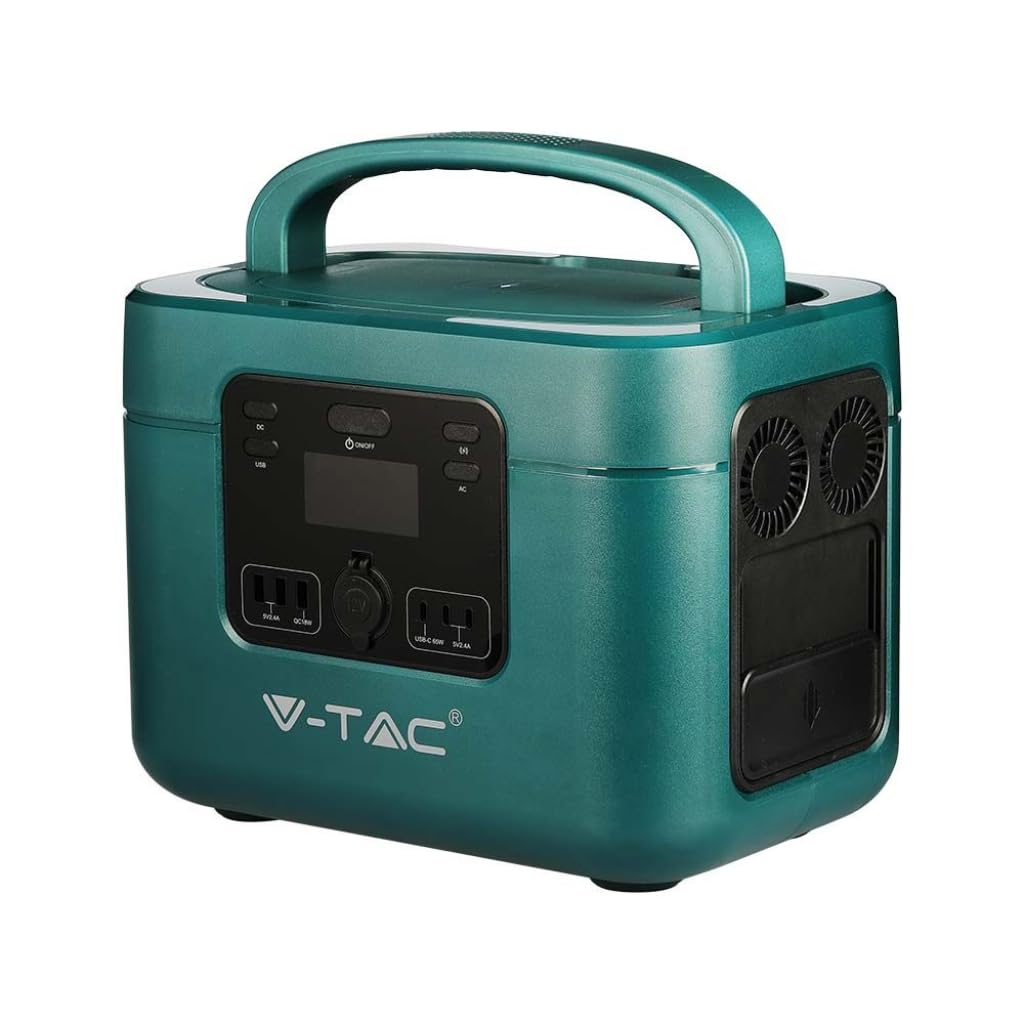
Image: The V-TAC VT-1001 Portable Power Station, a compact and robust power solution.
2. Безбедносна упутства
Придржавајте се следећих мера безбедности како бисте спречили повреде или оштећење уређаја:
- Не растављајте, не поправљајте или модификујте уређај. Неправилно склапање може изазвати пожар или струјни удар.
- Не стављајте уређај близу ватре или га излажите топлоти. Држати даље од директне сунчеве светлости.
- Не пуните, користите или складиштите уређај у купатилу или простору изложеном води или влази.
- Use only the provided charger or approved charging methods.
- Не користите уређај ако је оштећен или је испуштен.
- Чувати ван домашаја деце и кућних љубимаца.
- Обезбедите одговарајућу вентилацију током употребе и пуњења. Не покривајте уређај.
- Avoid extreme temperatures. Store and operate the unit within the recommended temperature range.
3. Производ је готовview
Familiarize yourself with the various components and interfaces of your power station.
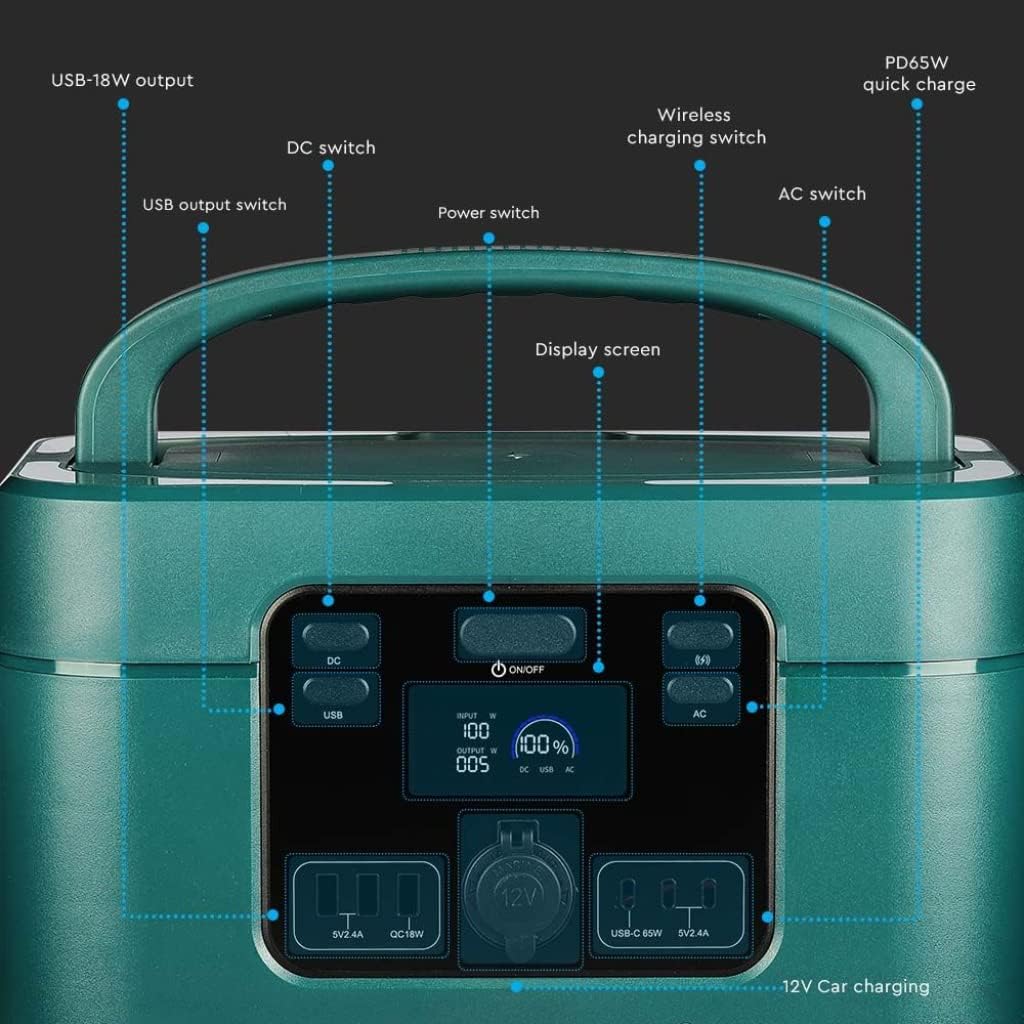
Image: Detailed diagram of the front control panel and output ports.
Карактеристике предњег панела:
- ДЦ прекидач: Activates/deactivates DC output ports.
- USB излазни прекидач: Controls the USB-A and USB-C output ports.
- Прекидач за напајање (УКЉУЧЕНО/ИСКЉУЧЕНО): Main power button for the unit.
- Екран: Shows input/output wattagе, процент батеријеtagе, и индикатори статуса.
- Wireless Charging Switch: Enables/disables the wireless charging pad.
- Прекидач за наизменичну струју: Activates/deactivates AC output sockets.
- USB-18W Output: Standard USB-A port.
- PD65W Quick Charge: USB-C port for fast charging compatible devices.
- 12V Car Charging Port: Standard car accessory socket.

Image: Detailed diagram of the rear input ports and lighting feature.
Карактеристике задњег панела:
- Осветљење: Интегрисани извор светлости.
- Сигурносни прекидач: Additional safety mechanism.
- DC Charging 60 Interface: Input port for DC charging, compatible with solar panels.
- AC Fast Charging Input: Port for charging the power station via AC wall outlet.

Image: Diagram showing the side panel with cooling outlet and AC outputs.
Карактеристике бочне плоче:
- Излаз за хлађење: Обезбеђује правилно одвођење топлоте током рада.
- Скидљиви поклопац: Covers and protects the AC output sockets.
- 220В излаз: Standard AC power sockets for appliances.
4. Подешавање
Пре прве употребе, препоручује се да потпуно напуните батерију.
- Распакивање: Пажљиво извадите електрану и сву додатну опрему из паковања.
- Почетна наплата: Connect the power station to a wall outlet using the provided AC charging cable. The display screen will indicate the charging status. Charge until the battery indicator shows 100%.
5. Упутство за употребу
The V-TAC VT-1001 offers multiple output options for various devices.
Општа операција:
- Укључивање/искључивање: Притисните и држите Прекидач за напајање (ON/OFF) on the front panel to turn the unit on or off. The display screen will illuminate.
- Екран: The LED display provides real-time information on input/output power (W) and battery charge level (%).

Image: Close-up of the wide LED display, showing input, output, and battery percentage.
Коришћење излазних портова:
- AC Output (220V): Притисните тастер АЦ прекидач to enable the AC outlets. Plug in your appliances (e.g., laptops, power tools, mini coolers) into the 220V sockets located under the removable lid on the side. Ensure the total wattagе не прелази 1000В.
- DC Output (12V Car Port): Притисните тастер ДЦ Свитцх to enable the 12V car charging port. Connect your 12V devices.
- USB Output (USB-A, USB-C): Притисните тастер УСБ излазни прекидач to activate the USB ports. Connect your USB-powered devices to the USB-18W or PD65W Quick Charge ports.
- Бежично пуњење: Притисните тастер Wireless Charging Switch. Place your compatible device (e.g., smartphone) on the wireless charging pad located on top of the unit.
- Осветљење: Use the dedicated button on the rear panel to activate the integrated light.

Image: The power station simultaneously charging a laptop, mobile phone, and drone.
6. Пуњење електране
The VT-1001 can be recharged using multiple methods:
АЦ зидно пуњење:
Connect the provided AC charging cable to the AC Fast Charging Input port on the rear panel and then to a standard wall outlet. The unit will begin charging automatically.
Пуњење соларног панела:
Connect a compatible solar panel (not included) to the DC Charging 60 Interface port on the rear panel. Ensure the solar panel is positioned to receive maximum sunlight. The power station features MPPT technology for efficient solar charging.
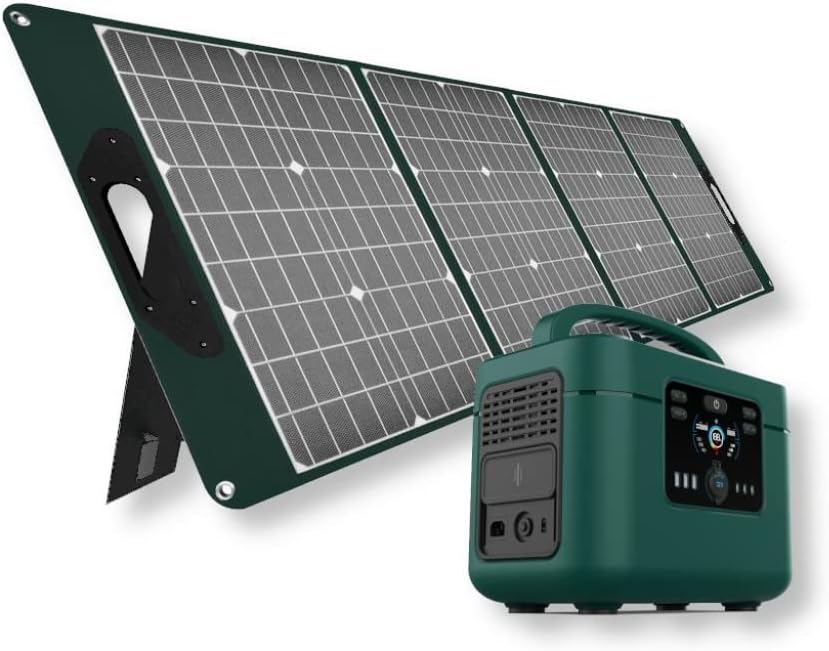
Image: The V-TAC VT-1001 Power Station connected to a portable solar panel for charging.
Пуњење аутомобила:
Use a compatible car charger (not included) to connect the power station to your vehicle's 12V accessory outlet. This method is suitable for charging on the go.
7. Одржавање
Правилно одржавање осигурава дуготрајност и перформансе ваше електране.
- Чишћење: Обришите уређај сувом, меком крпом. Не користите абразивна средства за чишћење нити потапајте уређај у воду.
- Складиштење: Чувајте батерију на хладном и сувом месту, даље од директне сунчеве светлости и екстремних температура. За дуготрајно складиштење, пуните уређај на приближно 50-80% свака 3-6 месеци како бисте одржали здравље батерије.
- Одржавање батерије: The integrated LiFePO4 battery is designed for durability and safety. The Intelligent BMS (Battery Management System) optimizes battery life and efficiency.
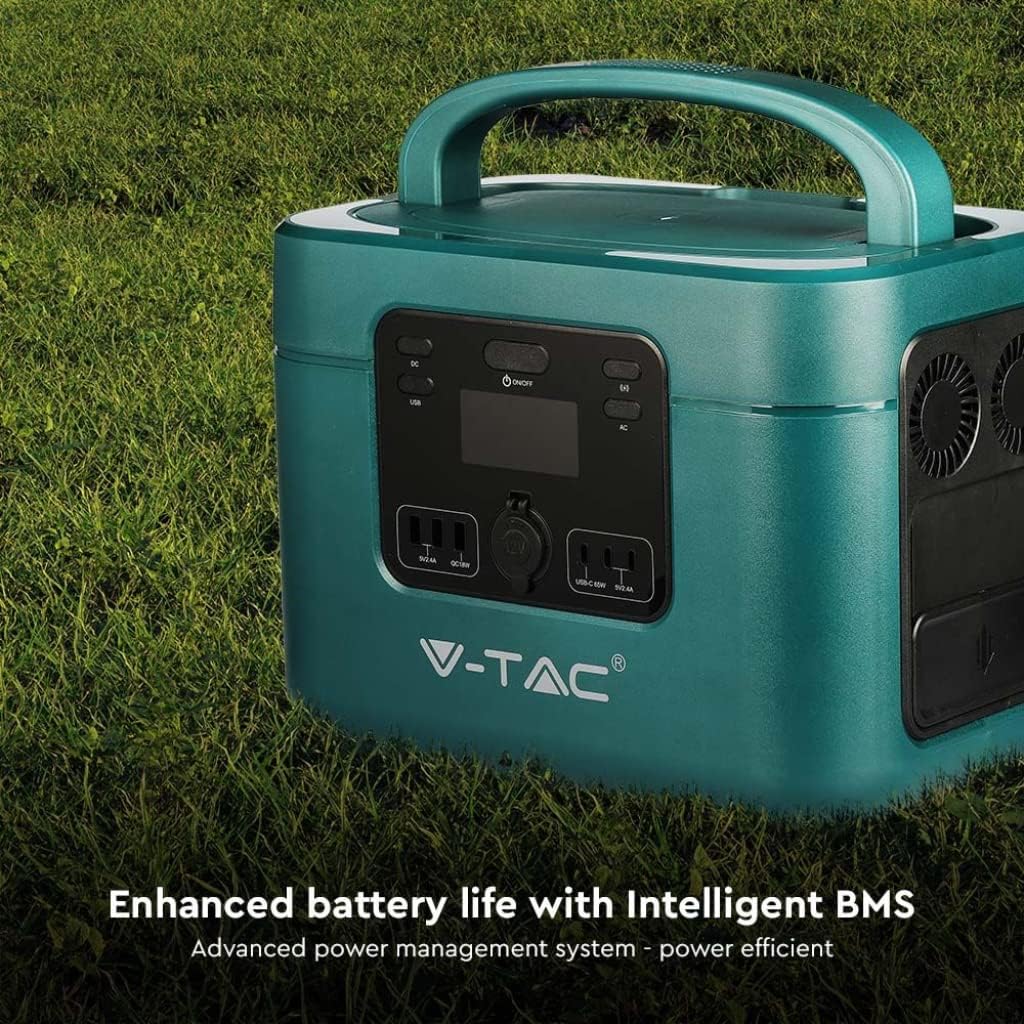
Image: The V-TAC VT-1001 highlighting its Intelligent BMS for enhanced battery life.
КСНУМКС. Решавање проблема
If you encounter issues with your power station, refer to the following common solutions:
- Јединица се не укључује: Ensure the battery is charged. If not, connect it to an AC outlet for charging.
- Нема излаза из портова: Verify that the respective output switch (AC, DC, USB, Wireless) is turned on. Check if the device you are trying to power is within the power station's wattagе лимитс.
- Пуњење се не покреће: Ensure all charging cables are securely connected. For solar charging, confirm the solar panel is receiving adequate sunlight.
- Заштита од преоптерећења: If the unit shuts down, it may be due to an overload. Disconnect some devices and restart the power station.
For persistent issues, contact V-TAC customer support.
9. Спецификације
| Феатуре | Спецификација |
|---|---|
| Број модела | 11443 |
| Бранд | В-ТАЦ |
| Називна излазна снага | 1000В |
| Тип батерије | ЛиФеПО4 |
| Капацитет батерије | 22.4В, 46.9Ах |
| Материјал | Акрилонитрил бутадиен стирен |
| Тежина | 15 килограма |
| АЦ Оутпут | 220V (specific region voltage) |
| ДЦ Инпут | 60 Interface (Solar Compatible) |
| УСБ излаз | USB-A (18W), USB-C (PD65W) |
| Бежично пуњење | Да |
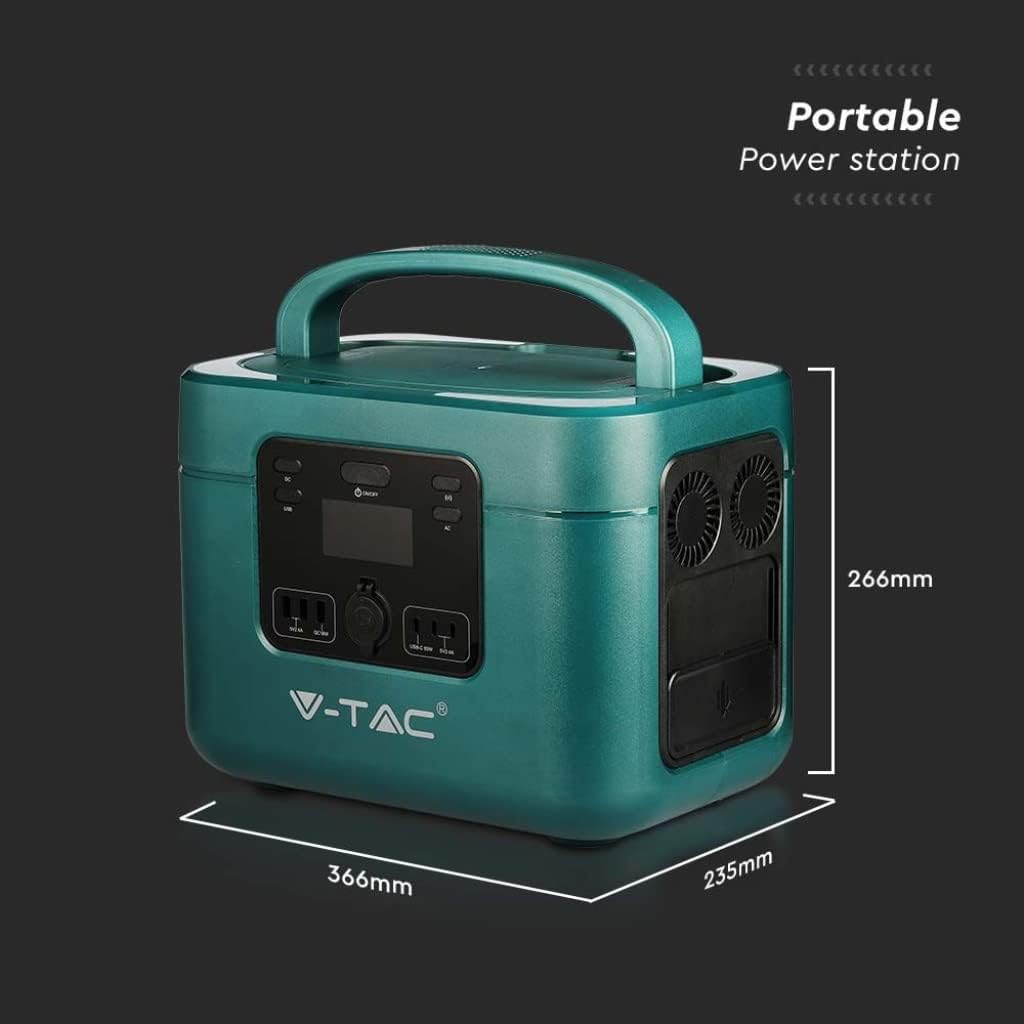
Image: Dimensions of the V-TAC VT-1001 Power Station: 366mm (length) x 235mm (width) x 266mm (height).
10. Гаранција и подршка
For warranty information and customer support, please refer to the warranty card included with your product or visit the official V-TAC webсајт. Сачувајте рачун као доказ о куповини.