
1. Увод
This manual provides instructions for the proper use and maintenance of the Frigga M1E Single Use Temperature Data Logger with External Probe. This device is designed for accurate temperature monitoring in various applications, particularly within cold chain logistics, medicine storage, and food refrigeration. It records temperature data and generates PDF and CSV reports without requiring special software.
2. Производ је готовview
The Frigga M1E data logger is a compact, single-use device equipped with an external probe for precise temperature measurement. It features an LCD screen for real-time data display and buttons for operation.

Слика 2.1: Frigga M1E Single Use Data Logger with its key components labeled, including the USB Cover, USB Connector, LED Indicator, LCD Screen, Stop Button, Start Button, Bar Code Label, and External Sensor.
Кључне компоненте:
- УСБ поклопац: Protects the USB connector.
- УСБ конектор: Used for connecting to a computer to retrieve data.
- ЛЕД индикатор: Provides visual feedback on device status (e.g., alarm, recording).
- ЛЦД екран: Displays current temperature, alarm status, and other operational information.
- Стоп дугме: Initiates the stop recording process.
- Старт дугме: Initiates the start recording process.
- Bar Code Label: Contains device identification information.
- Спољни сензор: Provides accurate temperature readings.
3. Подешавање
The Frigga M1E data logger is designed for immediate use. No prior setup or charging is required as it comes with a pre-installed, long-lasting CR2450 battery.
- Распакујте уређај: Carefully remove the data logger from its packaging.
- Екстерна сонда: Ensure the external temperature probe is securely connected to the device. The probe is essential for accurate temperature measurement.
- Пласман: Position the data logger and its external probe in the environment where temperature monitoring is required. Ensure the probe is placed to accurately reflect the temperature of the monitored items.
4. Упутство за употребу
4.1 Starting the Data Logger
To begin temperature recording:
- Long press the "СТАРТ" button for 5 seconds until the Blue LED blinks. The device will display "8888" then the current temperature, indicating it has started recording.
- Напомена: This device is for single-use. Once activated, it cannot be turned off, and the maximum recording time is 100 days.

Слика 4.1: Visual guide for starting and stopping the Frigga M1E data logger, illustrating the button presses and LED feedback.
4.2 Stopping the Data Logger
To stop temperature recording:
- Long press the "СТОП" button for 5 seconds until the Red LED blinks, then release it within 40 seconds. The device will display "StoP" indicating recording has ceased.
4.3 Work Status Indicators
The LCD screen provides various status indicators:

Слика 4.2: Display modes of the Frigga M1E data logger, including Sleep Mode, Start Delay, Recording Mode, Generating Report, and Stop Mode.
- Режим спавања: "8888" displayed before starting.
- Одлагање почетка: Indicates a programmed delay before recording begins.
- Режим снимања: Displays current temperature and "REC" icon.
- Generating Report: "PdF" displayed when connected to a computer and generating a report.
- Режим заустављања: "StoP" displayed after recording has been manually stopped.
4.4 Retrieving Data Reports
After recording is complete, you can easily retrieve the data:
- Remove the USB cover.
- Plug the data logger into a standard USB port on any computer.
- The device will automatically generate a PDF and CSV report. These files will appear as a removable drive.
- Open the PDF report to view a summary, temperature graph, and detailed data table. The CSV file provides raw data for further analysis.

Слика 4.3: Illustration of the Frigga M1E's plug-and-play functionality for generating PDF and CSV reports directly from the device when connected to a computer.
Видео 4.1: This video demonstrates the physical components of the Frigga M1E data logger, how to initiate recording by pressing the START button, how to stop recording using the STOP button, and the process of plugging the device into a computer to automatically generate and access PDF and CSV data reports.
5. Карактеристике
The Frigga M1E data logger offers several features designed for reliable temperature monitoring:
- Accurate Temperature Data: Advanced internal sensor provides a measuring range of -40°F ~ 176°F (-40°C ~ 80°C), with an accuracy range of ±0.5℃ (-20℃ to +40℃) and ±1℃ for other ranges.
- Large Data Memory: Stores up to 14400 readings, ensuring comprehensive data collection over extended periods.
- Auto Generated CSV & PDF Report: Directly generates reports upon USB connection, eliminating the need for software or driver installation.
- ЛЕД индикатор аларма: Alerts users if the temperature exceeds pre-set thresholds, crucial for maintaining temperature stability.
- No Charging Required & Long-lasting Battery Life: Equipped with a CR2450 battery for extended operation without recharging.
- Екстерна температурна сонда: Allows for remote temperature monitoring in hard-to-reach or specific locations.
- ИП65 водоотпорна класа: Provides protection against dust and water splashes.
- Прекидач јединице температуре: Allows selection between Celsius and Fahrenheit (current version supports Celsius only).
- Event Mark: Ability to mark specific events during the recording period.
- Zero Data Loss: Designed to ensure data integrity throughout the monitoring process.
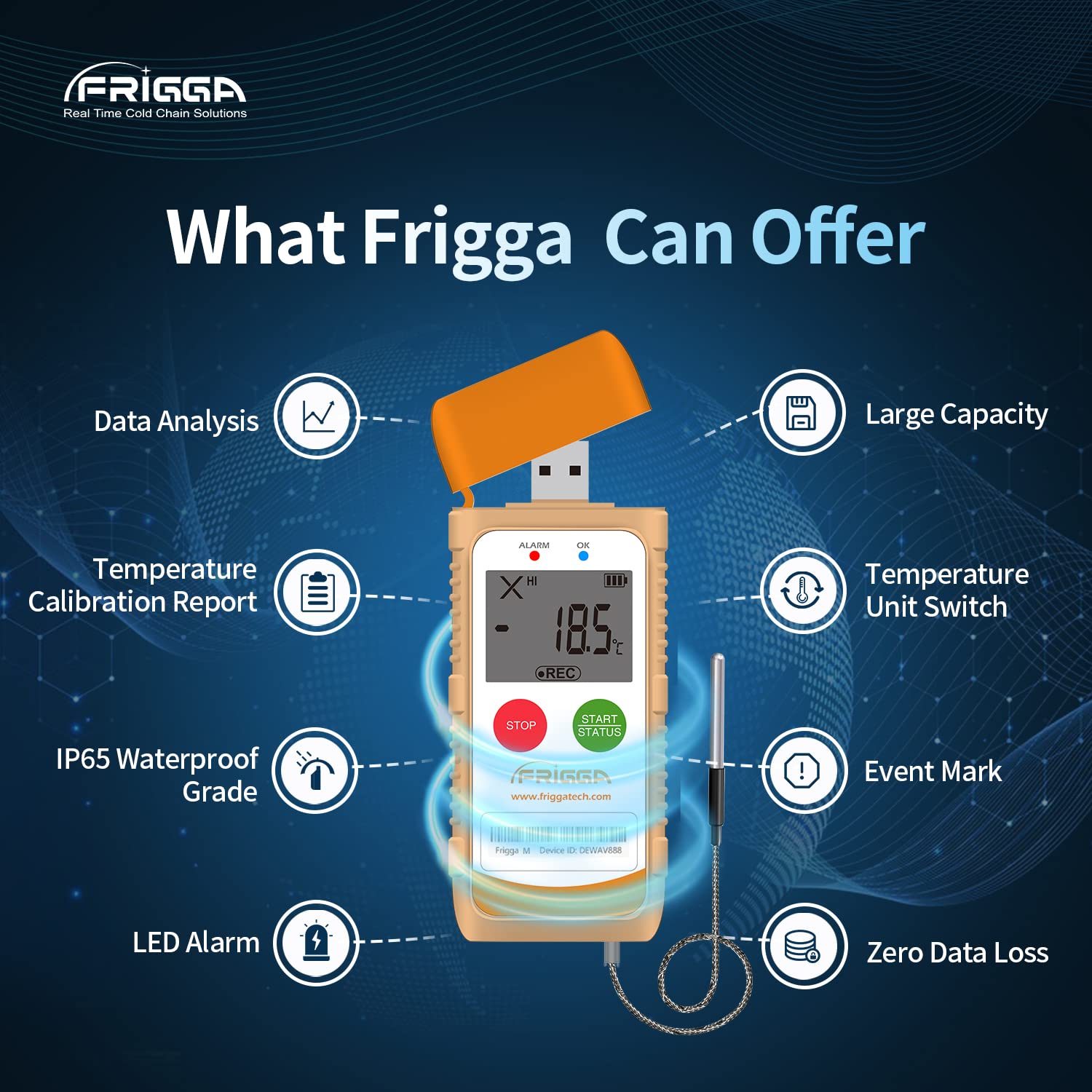
Слика 5.1: Ан оверview of the Frigga M1E's capabilities, including data analysis, temperature calibration report, IP65 waterproof rating, LED alarm, temperature unit switch, event mark, and zero data loss.
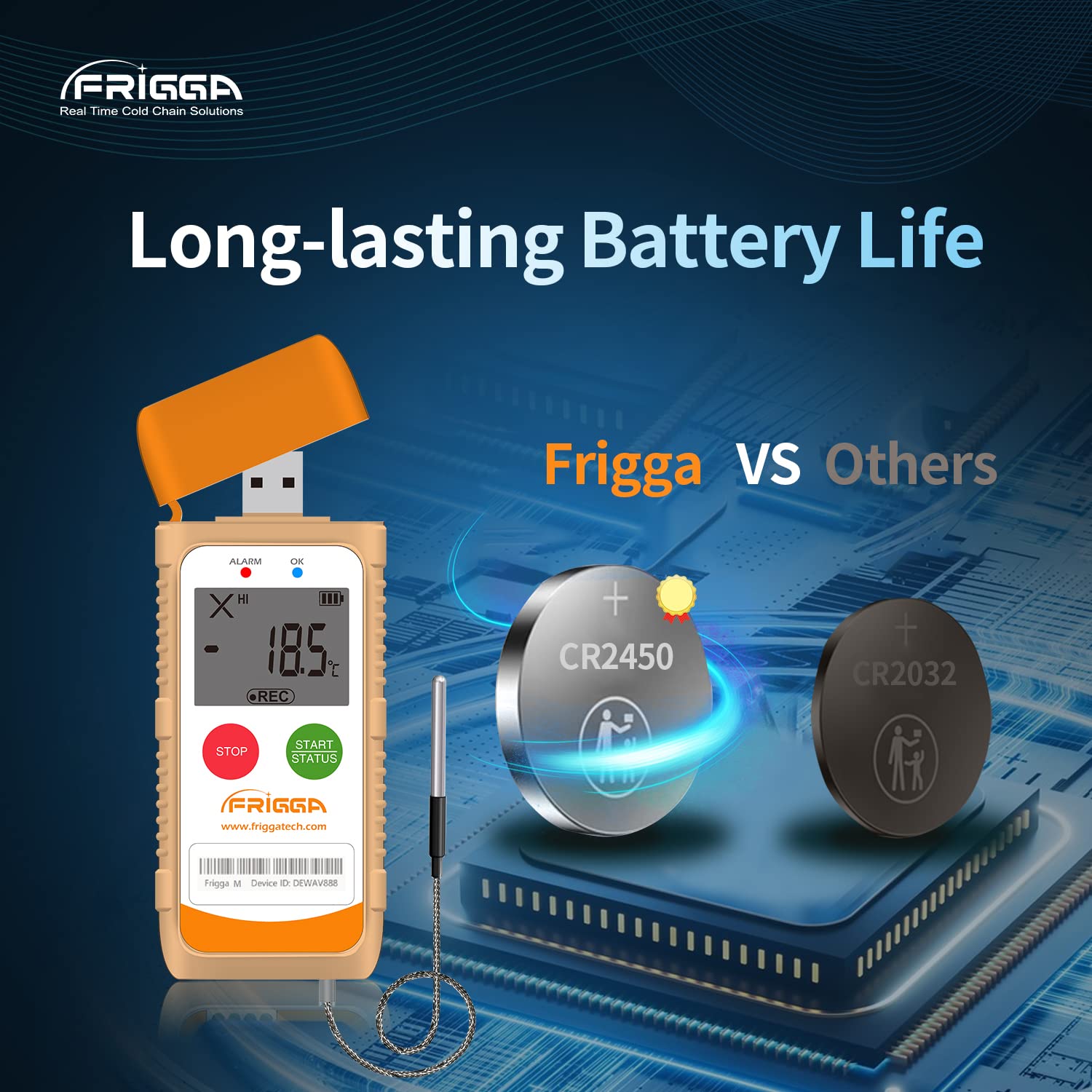
Слика 5.2: This image highlights the long-lasting battery life of the Frigga M1E, featuring a CR2450 battery.
6. Спецификације

Слика 6.1: Detailed product parameters for the Frigga M1E, including measurement range, accuracy range, and memory capacity.
| Параметар | Детаљ |
|---|---|
| Назив модела | М1Е |
| Меасуремент Ранге | -40°Ц до 80°Ц (-40°Ф до 176°Ф) |
| Домет прецизности | ±0.5℃ (-20℃ to +40℃); ±1℃ for other ranges |
| Капацитет меморије | 14400 читања |
| Поновна употреба | Једнократна употреба |
| Извор напајања | 1 Lithium Ion CR2450 battery (included) |
| Технологија повезивања | УСБ |
| Дисплаи Типе | ЛЦД |
| Посебне карактеристике | Alarm, Fast Reading System, High Accuracy, External Probe |
| Спољашњи материјал | Пластика |
| Упутства за одржавање производа | Обрисати |
| Тежина артикла | 11.2 унци |
| Дужина ставке | 4 инча |
| Унутрашња/спољна употреба | Индоор |
7. Одржавање
The Frigga M1E is a single-use device and requires minimal maintenance. Follow these guidelines:
- Чишћење: Wipe the device clean with a dry or slightly damp тканина. Немојте користити јаке хемикалије или абразивна средства за чишћење.
- Складиштење: Store the device in a cool, dry place away from direct sunlight and extreme temperatures before activation.
- батерија: The device is equipped with a non-replaceable CR2450 battery designed to last for the entire 100-day recording period. No charging is required.
- одлагање: As a single-use device, dispose of the data logger responsibly according to local electronic waste regulations after use.
КСНУМКС. Решавање проблема
If you encounter issues with your Frigga M1E data logger, consider the following:
- Device Not Starting: Ensure the "START" button is pressed and held for the required 5 seconds until the Blue LED blinks. If the device has been previously activated, it cannot be restarted.
- No Data Report Generated:
- Verify the data logger is securely plugged into a functional USB port on your computer.
- Ensure the recording was properly stopped by long-pressing the "STOP" button until the Red LED blinks.
- Проверите свој рачунар file explorer for a new removable drive.
- Нетачна очитавања:
- Ensure the external probe is correctly connected and positioned to accurately measure the desired temperature.
- Verify the device is operating within its specified measurement range.
- LED Alarm Not Functioning: Check that the device is actively recording and that the temperature has indeed exceeded the pre-set alarm thresholds.
For further assistance, please contact Frigga customer support.
9. Гаранција и подршка
Frigga products are manufactured to high-quality standards. For specific warranty information, please refer to the documentation included with your purchase or visit the official Frigga website. For technical support, troubleshooting assistance, or any inquiries regarding your Frigga M1E data logger, please contact Frigga customer service through their official channels.
Више информација и контакт податке можете пронаћи на Frigga Brand Store on Amazon или произвођачев webсајту.