
MARK ADLER Xeno 4.1
MARK ADLER Xeno 4.1 Electric Height-Adjustable Desk Frame
Model: Xeno 4.1 | Brand: MARK ADLER
Увод
This manual provides essential instructions for the assembly, operation, and maintenance of your MARK ADLER Xeno 4.1 Electric Height-Adjustable Desk Frame. Please read this manual thoroughly before use to ensure safe and efficient operation.
The MARK ADLER Xeno 4.1 desk frame offers a flexible workspace solution, allowing you to switch between sitting and standing positions. Its robust construction and intuitive controls are designed for comfort and stability in various work environments.
Безбедносне информације
- Уверите се да су све компоненте добро причвршћене пре употребе.
- Немојте прекорачити максималну носивост од 70 кг (154 лбс).
- Држите децу и кућне љубимце даље од стола током подешавања висине.
- Избегавајте директно стављање течности на контролну таблу или компоненте мотора.
- Искључите напајање пре чишћења или било каквог одржавања.
- Користите само приложени адаптер за напајање и компоненте.
- If any unusual noise or malfunction occurs, immediately stop operation and disconnect power.
Садржај пакета
Verify that all parts are present before beginning assembly. Refer to the included assembly guide for a detailed list of components.
- Electric Height-Adjustable Desk Frame components
- Control Panel with Memory Function
- Повер Адаптер
- Водич кроз скупштину
- Necessary Screws and Tools (Screwdriver recommended for assembly)
Подешавање и монтажа
Follow these general steps for assembling your MARK ADLER Xeno 4.1 desk frame. A detailed assembly guide is included with your product.
- Распакујте компоненте: Пажљиво извадите све делове из паковања и положите их на чисту, равну површину.
- Саставите ноге и стопала: Attach the desk legs to the feet using the provided screws. Ensure they are stable and level.
- Повежите пречку: Attach the adjustable crossbar between the two leg assemblies. Adjust the width to match your desired tabletop size (90 to 160 cm).
- Инсталирајте мотор и контролну кутију: Secure the motor and control box to the frame according to the assembly guide.
- Прикључите контролну таблу: Mount the LED control panel in an accessible location on the frame.
- Ожичење: Connect all cables from the motor, control panel, and power adapter to the control box. Ensure all connections are secure.
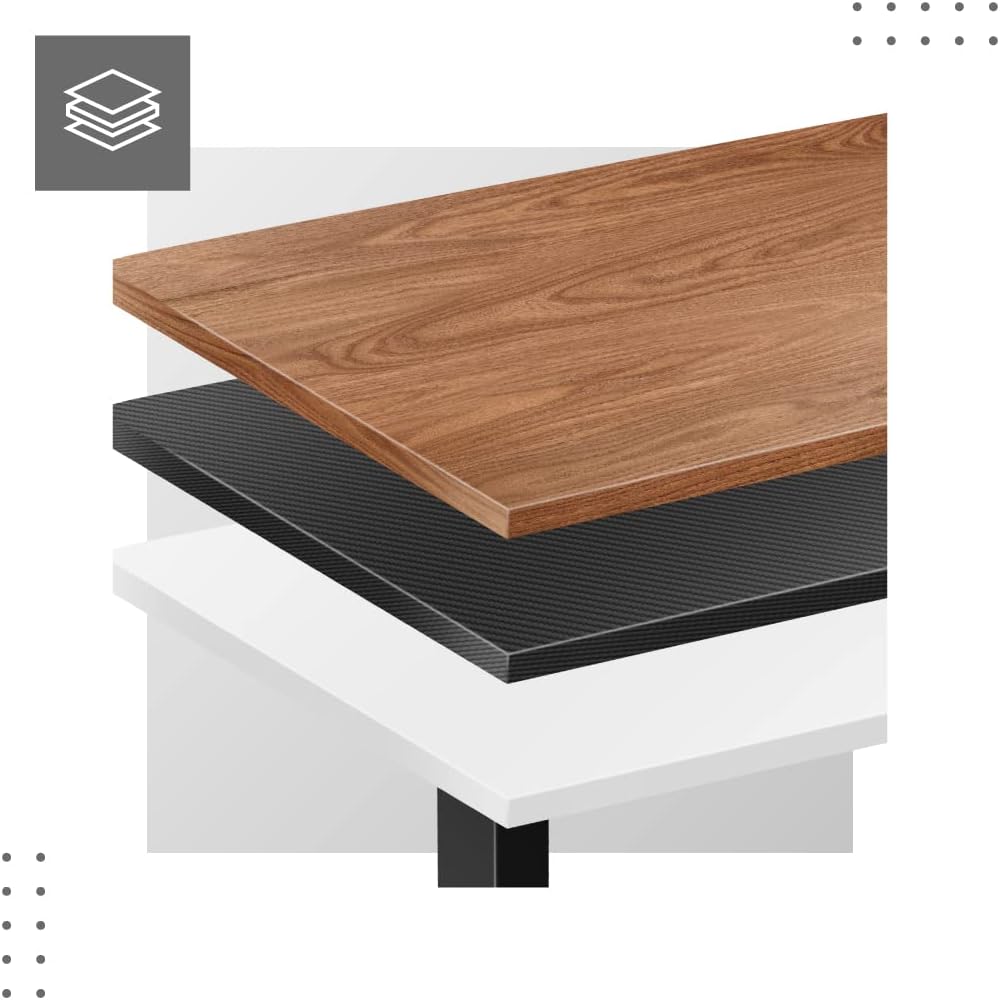
- Attach Tabletop (Not Included): Place your tabletop (90-160 cm width recommended) onto the assembled frame and secure it using appropriate screws (not included with frame).
- Прво појачање: Plug the power adapter into a wall outlet. The desk is now ready for calibration.
Dimensions and Compatibility:

Упутство за употребу
The MARK ADLER Xeno 4.1 features an intuitive LED control panel for easy height adjustment and memory functions.


Basic Height Adjustment
- Користите Горе (▲) дугме са стрелицом да бисте подигли сто на жељену висину стајања.
- Користите Доле (▼) дугме са стрелицом да бисте спустили сто на жељену висину седења.
- The current height will be displayed on the LED screen.
Подешавање пресета меморије
The desk allows you to save up to three preferred height settings.
- Подесите сто на жељену висину помоћу дугмади горе/доле.
- Притисните тастер "S" (Save) button. The display will show "S-".
- Within 3 seconds, press one of the memory buttons ("1", "2", или "3"). The current height is now saved to that preset.
Recalling Memory Presets
- Simply press the desired memory button ("1", "2", или "3"). Сто ће се аутоматски померити на сачувану висину.
Initial Calibration / Reset
If the desk does not operate correctly or displays an error code, a reset may be required.
- Притисните и држите Доле (▼) button until the desk reaches its lowest position and then slightly rises. Release the button.
- If the issue persists, disconnect the power for 10 seconds, then reconnect and attempt the reset procedure again.
Одржавање
- Чишћење: Wipe the desk frame with a soft, damp cloth. Avoid abrasive cleaners or solvents. Ensure the control panel and electrical components remain dry.
- Управљање кабловима: Regularly check and organize cables to prevent tangles or damage, especially during height adjustments.
- Провера причвршћивача: Периодично проверавајте све завртње и вијке да бисте били сигурни да су затегнути. По потреби их поново затегните.
- подмазивање: The electric lifting mechanism is generally maintenance-free. Do not attempt to lubricate internal components unless specifically instructed by the manufacturer.
Решавање проблема
| Проблем | Могући узрок | Решење |
|---|---|---|
| Радни сто се не помера. | Power cable disconnected; Overload; Motor overheating; Control panel issue. | Check power connection. Reduce load. Allow motor to cool down. Perform a reset (see Operating Instructions). |
| Uneven movement or desk tilting. | Uneven load distribution; Loose fasteners. | Distribute weight evenly on the tabletop. Check and tighten all assembly screws. |
| Error code displayed on control panel. | System malfunction; Overload; Sensor issue. | Perform a reset (see Operating Instructions). If the error persists, contact customer support. |
| Предефинисана подешавања меморије не раде. | Presets not saved correctly. | Re-save your desired height presets (see Operating Instructions). |
Спецификације
| Феатуре | Детаљ |
|---|---|
| Назив модела | Xeno 4.1 Black |
| Бранд | МАРК АДЛЕР |
| Опсег подешавања висине | 72 цм - 118 цм (28.3 инча - 46.5 инча) |
| Width Adjustment Range | 84 цм - 129 цм (33.1 инча - 50.8 инча) |
| Препоручена ширина стола | 90 цм - 160 цм (35.4 инча - 63 инча) |
| Максимални капацитет оптерећења | 70 кг (154 лбс) |
| Материјал оквира | Метал |
| Боја | Црно |
| Цонтрол Панел | LED with 3 Memory Presets |
| Тип мотора | Electric, Smooth Operation |
| Обавезна монтажа | Да |
| Препоручене алатке | Шрафцигер |
| Тежина артикла | 17 кг (37.5 лбс) |
| Произвођач | Meester Group sp. z o.o. |
Гаранција и подршка
For warranty information and customer support, please refer to the official MARK ADLER webсајт или контактирајте продавца. Сачувајте рачун као доказ о куповини за евентуалне рекламације по гаранцији.
Произвођач: Meester Group sp. z o.o.
ASIN: B0C66DP9NT
За додатну помоћ, посетите страница производа на Амазону or contact MARK ADLER customer service.
Ask a question about this manual
Ask about setup, troubleshooting, compatibility, parts, safety, or missing instructions. Manuals+ will review the question and use this page’s manual context to help answer it.