
1. Увод
Хвала вам на куповиниasing the Akozon Portable DV Camcorder. This manual provides essential information for the safe and effective operation of your device. Please read it thoroughly before use and retain it for future reference.
This camcorder is designed for capturing video and still images, featuring a 1080P video resolution, 16MP photo capability, a 2.7-inch rotating TFT screen, and 16x digital zoom. It is suitable for various recording scenarios, including family events, travel, and personal vlogging.
2. Производ је готовview
2.1 Кључне карактеристике
- Видео резолуција: 1080P (1920x1080), HD (1280x720), 640x480
- Резолуција слике: 16MP (4608x3456), 12MP, 5MP, 1MP, VGA
- Приказ: 2.7-inch TFT rotating screen
- Зумирање: 16к дигитални зум
- Складиштење: Подржава Micro SD картицу до 32GB (није укључена)
- Повезивање: USB port for PC connection and charging
- Посебне карактеристике: Selfie fill light, self-timer (2s/10s), built-in speakers, HD output, recording while charging
2.2 Садржај пакета
- Akozon Portable DV Camcorder
- Литијумска батерија (1020мАх)
- УСБ кабл
- Врист Страп
- Кориснички приручник (овај документ)
2.3 Camcorder Components

Figure 2.3.1: Akozon Portable DV Camcorder with included battery and USB cable. This image shows the camcorder, a rechargeable battery, and a USB charging cable, providing a complete view производа и његове основне додатне опреме.
- Video Lens: Main lens for capturing images and videos.
- 2.7-inch TFT Rotating Screen: За viewing, playback, and menu navigation. Can be rotated for selfie mode.
- Selfie Fill Light: Provides additional illumination for close-up shots and selfies.
- Дугме за напајање: To turn the camcorder on or off.
- Record/Shutter Button: To start/stop video recording or take a photo.
- Контроле зумирања: For digital zoom in/out.
- Дугме менија: To access settings and options.
- Дугмад за навигацију: For moving through menus and selections.
- УСБ порт: За пуњење и повезивање са рачунаром.
- Одељак за батерије: Садржи пуњиву литијумску батерију.
- Утор за микро СД картицу: За уметање меморијске картице.

Слика 2.3.2: Крупни план view of the Akozon DV Camcorder's video lens. This image highlights the camcorder's lens, showing details like "VIDEO LENS" and "Aperture 5.0".
3. Подешавање
3.1 Инсталација батерије
- Locate the battery compartment cover on the camcorder.
- Отворите поклопац.
- Insert the provided 1020mAh lithium battery, ensuring the correct polarity (+/-) as indicated inside the compartment.
- Добро затворите поклопац одељка за батерије.
3.2 Инсталација меморијске картице
The camcorder requires a Micro SD card (up to 32GB, not included) to store videos and photos.
- Locate the Micro SD card slot, usually near the battery compartment or on the side.
- Insert the Micro SD card with the gold contacts facing down (or as indicated by a diagram near the slot) until it clicks into place.
- To remove, gently push the card in until it clicks again, then release, and it will spring out.
Напомена: Ensure the camcorder is powered off before inserting or removing the memory card.
3.3 Почетно пуњење
Before first use, fully charge the camcorder battery.
- Connect the small end of the USB cable to the camcorder's USB port.
- Повежите већи крај USB кабла са USB адаптером за напајање (није укључен) или USB портом рачунара.
- Индикаторска лампица пуњења ће се упалити. Искључиће се или променити боју када се пуњење заврши.
Напомена: The camcorder supports recording while charging.
4. Упутство за употребу
4.1 Укључивање/искључивање
- За укључивање: Притисните и држите дугме за напајање док се екран не осветли.
- За искључивање: Притисните и држите дугме за напајање док се екран не искључи.
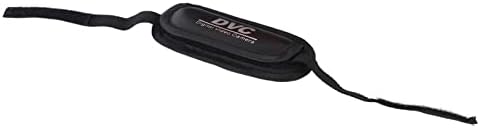
Figure 4.1.1: Akozon DV Camcorder screen displaying the 'Digital Camcorder' startup message. This image shows the camcorder's screen powered on, displaying the initial "Digital Camcorder" text.
4.2 Снимање видео записа
- Ensure the camcorder is in video recording mode (check the icon on the screen). If not, use the Mode button (if available) or menu to switch.
- Frame your subject using the rotating TFT screen.
- Press the Record/Shutter button once to start recording. A red indicator or recording timer will appear on the screen.
- Press the Record/Shutter button again to stop recording. The video file биће сачувана на Мицро СД картици.
4.3 Фотографисање
- Ensure the camcorder is in photo capture mode.
- Frame your subject.
- Press the Record/Shutter button once to take a photo. The image will be saved to the Micro SD card.
4.4 Selfie Mode and Fill Light
The rotating screen allows for easy selfie capture. The front-facing fill light can be used for additional illumination.
- Rotate the TFT screen 180 degrees towards yourself.
- To activate the fill light, navigate to the menu settings or use a dedicated button (if available).
- Utilize the self-timer function (2 seconds or 10 seconds) for hands-free photo or video capture. Access this setting via the menu.

Figure 4.4.1: Akozon Portable DV Camcorder with rotating screen displaying a selfie. This image shows the camcorder's screen rotated, capturing a group selfie, demonstrating its selfie capability.
4.5 Репродукција
- Enter Playback mode via the Mode button or menu.
- Use the navigation buttons to browse through your recorded videos and photos.
- Press the Record/Shutter button (or a dedicated Play button) to view a selected file.
4.6 Connecting to a Computer (PC Mode)
You can connect the camcorder to a computer to transfer files or use it as a PC camera.
- Уверите се да је камкордер укључен.
- Connect the camcorder to your computer using the provided USB cable.
- The camcorder screen may display options like "Mass Storage" (for file transfer) or "PC Camera". Select the desired mode using the navigation buttons and confirm.
- If "Mass Storage" is selected, the camcorder will appear as a removable drive on your computer, allowing you to copy files.
- If "PC Camera" is selected, the camcorder can be used as a webcam with compatible software.
5. Одржавање
- Чишћење: Use a soft, dry cloth to clean the camcorder body. For the lens, use a specialized lens cleaning cloth and solution. Avoid harsh chemicals.
- Складиштење: Store the camcorder in a cool, dry place away from direct sunlight and extreme temperatures. Remove the battery if storing for extended periods.
- Одржавање батерије: Do not expose the battery to high temperatures or disassemble it. Recharge the battery regularly, even if not in use, to maintain its lifespan.
- меморијска картица: Periodically back up your files from the Micro SD card to a computer or other storage device.
КСНУМКС. Решавање проблема
| Проблем | Могући узрок | Решење |
|---|---|---|
| Камкордер се не укључује. | Батерија је испражњена или неправилно инсталирана. | Потпуно напуните батерију. Уверите се да је батерија уметнута са исправним поларитетом. |
| Не могу да снимам видео/фотографишем. | No Micro SD card inserted, card full, or card error. | Insert a Micro SD card. Delete unnecessary files or replace the card. Format the card (this will erase all data). |
| Computer does not recognize camcorder via USB. | Incorrect USB mode selected, faulty cable, or driver issue. | Ensure "Mass Storage" or "PC Camera" mode is selected on the camcorder. Try a different USB port or cable. Restart both camcorder and computer. |
| Лош квалитет слике/видеа. | Недовољно осветљење, прљаво сочиво или нетачна подешавања. | Ensure adequate lighting. Clean the lens. Check resolution settings in the menu. |
7. Спецификације
| Феатуре | Спецификација |
|---|---|
| Број модела | Akozon3v6tcg2u7b-12 |
| Бранд | Акозон |
| Технологија сензора слике | ЦМОС |
| Резолуција снимања видео записа | 1080p (FHD), HD, 640x480 |
| Effective Capture Resolution | 16 мегапиксела |
| Тип флеш меморије | Micro SD (supports up to 32GB) |
| Формат видео снимања | АВИ |
| Формат слике | ЈПЕГ |
| Величина екрана | 2.7 Inches (TFT rotating screen) |
| Дигитални зум | 16к |
| Технологија повезивања | УСБ |
| Посебне карактеристике | Selfie fill light, Rotating screen |
| Батерија | 1020mAh Lithium Battery (included) |
| Самоокидач | 2 секунде, 10 секунди |
| ТВ ОУТ | NTSC 30fps, PAL 25fps |
| Димензије производа | 12.5 к 10.5 к 7.2 цм; 210 грама |
| Земља порекла | Кина |
8. Гаранција и подршка
For warranty information and technical support, please refer to the documentation provided at the time of purchase or contact your retailer. You may also visit the official Akozon webсајт за даљу помоћ.
Молимо вас да сачувате доказ о куповини за евентуалне рекламације у вези са гаранцијом.