
Увод
This manual provides detailed instructions for the installation, operation, and maintenance of your CPVAN Wireless Video Doorbell Camera with Chime. Please read this manual thoroughly before using the product to ensure proper function and safety. This device is designed to enhance your home security by providing real-time video monitoring, two-way audio communication, and motion detection capabilities.
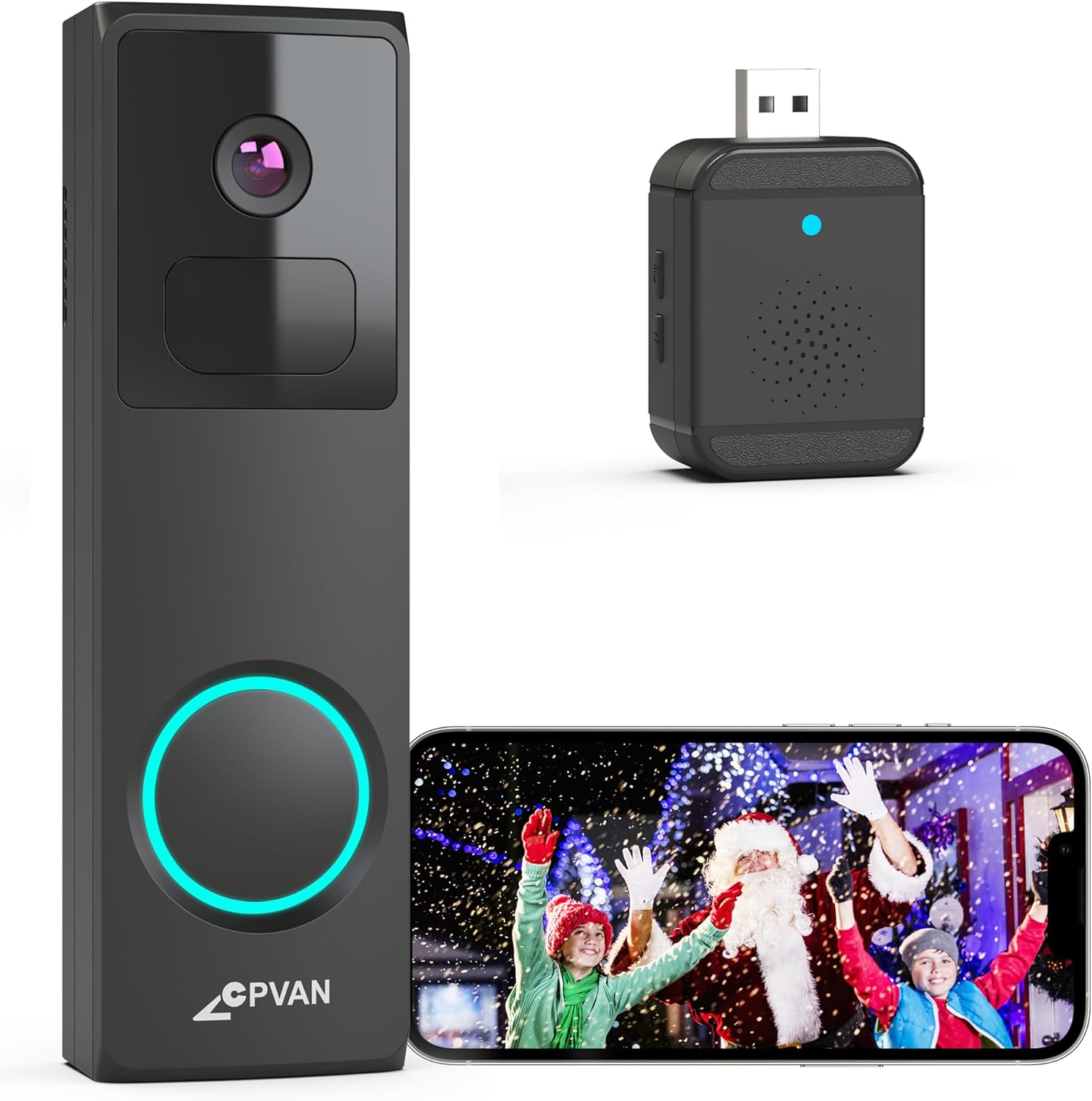
Image: The CPVAN Wireless Video Doorbell Camera, its accompanying wireless chime, and a smartphone displaying the live feed from the doorbell camera.
Садржај пакета
Проверите да ли су све компоненте присутне у вашем пакету:
- CPVAN Wireless Video Doorbell Camera
- Wireless Chime (USB powered)
- Mounting Bracket(s) (e.g., Plain Mount, Corner Mount, Wedge Mount)
- Монтажни вијци и зидни анкери
- УСБ кабл за пуњење
- Кориснички приручник (овај документ)
Упутства за подешавање
1. Charging the Doorbell Camera
Before initial use, fully charge the doorbell camera using the provided USB cable. Connect the cable to the doorbell's charging port and a standard USB power adapter (not included). The charging indicator light will provide status updates.
2. Инсталација апликације и креирање налога
Download the 'Vicohome' app from your smartphone's app store (iOS or Android). Follow the on-screen instructions to create an account and log in.
3. Device Pairing (Doorbell and Chime)
- Упаривање звона на вратима: In the Vicohome app, tap the '+' icon to add a new device. Select the doorbell camera and follow the in-app instructions to connect it to your 2.4GHz Wi-Fi network. (Note: 5GHz Wi-Fi networks are not supported).
- Pairing the Chime: Plug the wireless chime into a USB power source. Within the Vicohome app, navigate to the doorbell settings and select the option to pair the chime. Press the pairing button on the chime as instructed by the app. The chime offers 16 selectable ringtones and adjustable volume levels.

Image: The wireless chime plugged into a wall outlet, indicating its readiness for use.
4. Mounting the Doorbell Camera
Choose a suitable location for your doorbell, typically at eye level near your front door. The package includes various mounting brackets (plain, corner, wedge) to accommodate different installation needs. Use the provided screws and wall anchors to securely attach the chosen bracket, then slide the doorbell camera onto the bracket.

Image: Visual representation of the Plain Mount, Corner Mount, and Wedge Mount options for doorbell installation.

Image: A person demonstrating the installation of the doorbell camera onto a wall.
Упутство за употребу
1. Ливе View
Open the Vicohome app to access the live video feed from your doorbell camera at any time. This allows you to monitor your doorstep in real-time.
2. Двосмерни аудио
When a visitor presses the doorbell, you will receive a direct video call notification on your smartphone. Answer the call through the Vicohome app to engage in two-way audio communication with the visitor. This feature allows you to speak and listen to individuals at your door from any location.

Image: A smartphone screen showing an incoming video call notification from the doorbell, with options to accept or decline.

Image: A delivery person at a doorstep, with speech bubbles indicating two-way communication via the doorbell camera.
3. Motion Detection and AI Analysis
The doorbell features a built-in PIR motion sensor and AI analysis to detect movement and identify objects such as people, vehicles, and pets. When motion is detected, you will receive instant alerts via the Vicohome app. You can customize motion detection zones within the app to focus on specific areas and reduce false alarms.

Image: The doorbell camera's AI recognition feature identifying and outlining a delivery person, a car, and a dog in its field of view.

Image: An overhead diagram illustrating how different motion detection zones (Zone 1, Zone 2, Zone 3) can be configured around a property.
4. Ноћни вид
The doorbell camera is equipped with advanced IR night vision, providing clear and detailed images even in low-light conditions. It automatically switches to infrared mode based on ambient lighting changes.
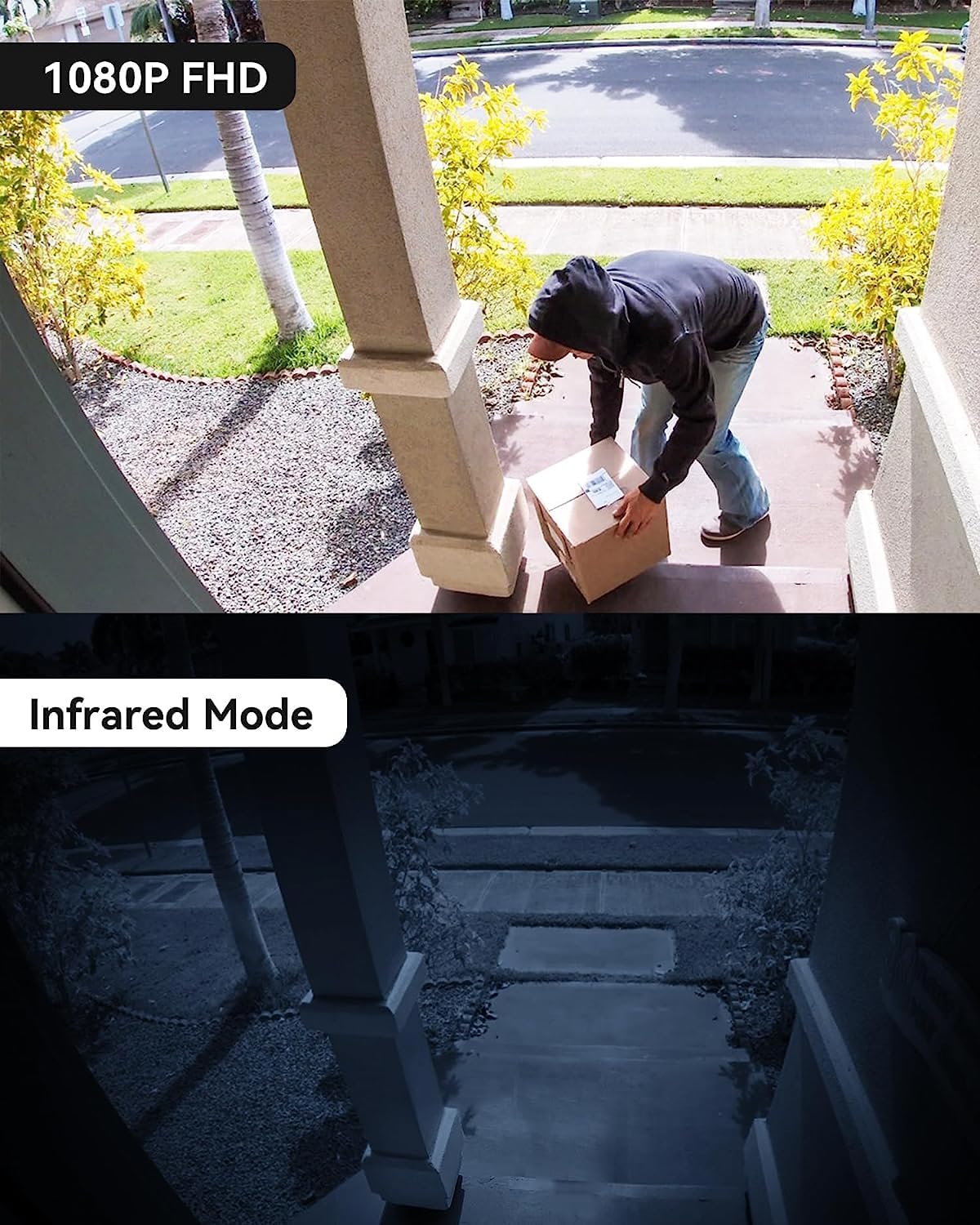
Image: A split image showing the clear 1080P FHD view during the day and the detailed infrared night vision view ноћу.
5. Video Recording and Storage
Recorded videos can be stored either on a Micro SD card (up to 128GB, not included) inserted into the doorbell or via cloud storage accessible through the Vicohome app. The device offers a 3-day free trial for US-based cloud storage.

Image: A visual representation of the Micro SD card slot on the doorbell and the cloud storage interface on a smartphone, highlighting storage options.
6. Дељење приступа
You can share access to your doorbell camera's live feed and recordings with family members through the Vicohome app, allowing multiple users to monitor the property simultaneously.
7. Anti-Theft Feature
The doorbell is designed with an anti-theft mechanism. If an attempt is made to forcibly remove the doorbell from its mount, an alarm will sound, and an alert will be sent to your smartphone.
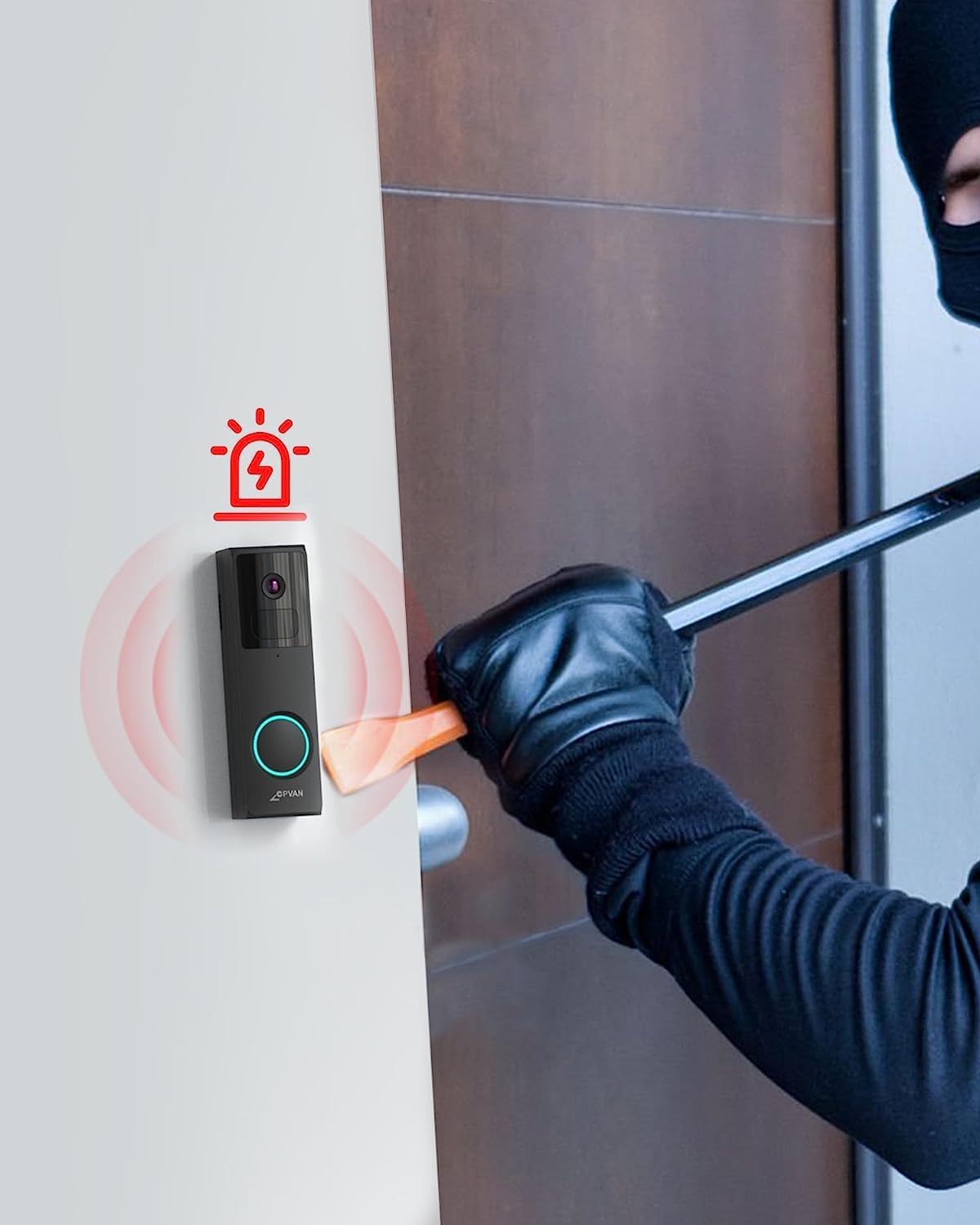
Image: An illustration depicting the doorbell's anti-theft alarm activating as a person attempts to tampер са тим.
Одржавање
1. Пуњење батерије
The doorbell camera is powered by a rechargeable battery. Monitor the battery level through the Vicohome app and recharge it as needed using the provided USB cable. Battery life varies based on usage and motion detection frequency.
2. Чишћење
Periodically clean the camera lens and the doorbell's exterior with a soft, damp cloth to ensure clear video quality and proper sensor function. Avoid using harsh chemicals or abrasive materials.
3. Заштита од временских услова
The CPVAN doorbell is IP65 waterproof, meaning it is protected against dust and low-pressure water jets. While it can withstand various weather conditions, extreme temperatures or prolonged direct exposure to heavy rain or snow may affect performance. Ensure it is securely mounted to prevent water ingress.

Image: The doorbell camera on an exterior wall, with water droplets on its surface, illustrating its IP65 weather resistance.
Решавање проблема
| Проблем | Могући узрок | Решење |
|---|---|---|
| Звоно на вратима се не повезује на Wi-Fi | Incorrect Wi-Fi password; 5GHz network used; weak signal. | Ensure correct 2.4GHz Wi-Fi password. Move doorbell closer to router. Restart router and doorbell. |
| Нема упозорења о детекцији покрета | Motion detection disabled; sensitivity too low; incorrect detection zones. | Check app settings for motion detection. Adjust sensitivity and detection zones. Ensure app notifications are enabled. |
| Лош квалитет видеа | Прљаво сочиво; слаб Wi-Fi сигнал; услови слабог осветљења. | Clean the camera lens. Improve Wi-Fi signal strength. Ensure night vision is active in low light. |
| Кратко трајање батерије | Frequent motion detection; high live view usage; cold weather. | Reduce motion detection sensitivity or frequency. Limit live view sessions. Ensure full charge before deployment. |
| Звоно не звони | Chime not paired; not powered; volume too low. | Re-pair the chime with the doorbell via the app. Ensure chime is plugged into a working USB power source. Adjust chime volume. |
Спецификације
- Модел: B0C6DC2HZ9
- Резолуција снимања видео записа: 1080p, 2K
- Извор напајања: Напаја се батеријама (1 литијум-јонска батерија је укључена)
- Капацитет батерије: 6700 миллиamp_хоурс
- Технологија повезивања: бежични (Ви-Фи)
- Технологија бежичне комуникације: Wi-Fi (само 2.4 GHz)
- Компатибилни уређаји: iOS & Android smartphones
- Тип монтаже: Wall Mount (Plain, Corner, Wedge options)
- Међународни рејтинг заштите: ИПКСНУМКС (водоотпоран)
- Технологија слабог осветљења: Thermal Sensing & Colored (IR Night Vision)
- Тип упозорења: Мотион Онли
- Складиштење: Micro SD Card (up to 128GB, not included), Cloud Storage (3-day free trial)
- Димензије производа: 5.91 к 3.94 к 1.97 инча
- Тежина артикла: 12.8 унци
- УПЦ: 703145053008
Информације о гаранцији
Specific warranty details for the CPVAN Wireless Video Doorbell Camera are not provided in this manual. Please refer to the product packaging or the official CPVAN webсајт за најактуелније информације о гаранцији и регистрацији.
Корисничка подршка
For technical assistance, troubleshooting beyond this manual, or general inquiries, please visit the official CPVAN support webсајт или контактирајте њихову службу за кориснике. Контакт информације се обично могу наћи на паковању производа или на званичном онлајн сајту бренда.
CPVAN Official Store: Visit the CPVAN Store on Amazon