
MONODEAL MD08 pro
MONODEAL Bluetooth Headset User Manual
Model: MD08 pro
Brand: MONODEAL
Увод
Thank you for choosing the MONODEAL Bluetooth Headset. This open-ear headset is designed to provide clear communication and comfortable listening, featuring advanced noise cancellation, Bluetooth 5.1 connectivity, and multipoint connection capabilities. This manual will guide you through the setup, operation, and maintenance of your new headset to ensure optimal performance and longevity.
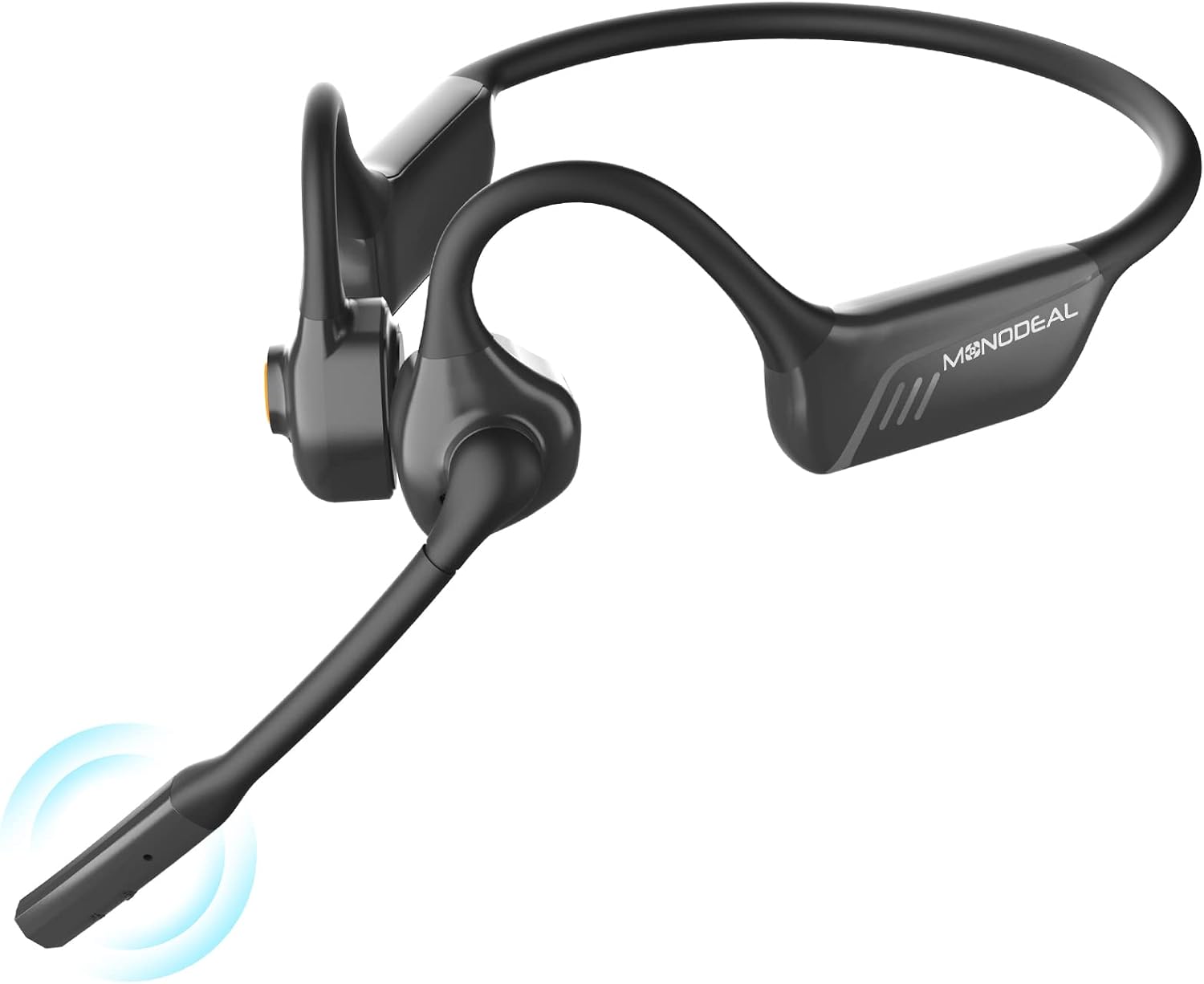
Image: The MONODEAL Bluetooth Headset, showcasinњегов елегантан дизајн и интегрисани микрофон.
Садржај пакета
Пажљиво проверите садржај пакета. Ако неке ставке недостају или су оштећене, обратите се корисничкој подршци.
- MONODEAL Bluetooth Headset (MD08 pro)
- УСБ кабл за пуњење
- Упутство за употребу

Image: Contents of the MONODEAL headset package, including the headset, charging cable, and user manual.
Производ је завршенview
Familiarize yourself with the various components and controls of your MONODEAL Bluetooth Headset.

Image: Diagram highlighting the dual noise-canceling microphone and the one-click mute button on the headset.

Image: Illustration showing the 142-degree rotation capability of the headset's microphone boom.
Кључне карактеристике:
- Noise Cancellation & Mute Function: Advanced ambient noise reduction for clear calls. Easy-to-access mute button on the microphone.
- Improved Air Conduction: Delivers sound without bone conduction vibrations, ensuring comfort during extended wear.
- Bluetooth 5.1 & High-Quality Sound: Faster transmission, stable connection, low latency, and energy efficiency with stereo sound.
- Вишетачка веза: Connects to two devices simultaneously (Android, iOS, Windows compatible).
- Дуг век трајања батерије: Up to 8 hours of talk/music time, 36 hours standby, with Type-C fast charging.
- Дизајн отвореног уха: Lightweight and comfortable, allowing awareness of surroundings while enjoying audio.
Сетуп
1. Пуњење слушалица
Before first use, fully charge the headset. Use the provided USB Type-C cable to connect the headset to a power source (e.g., computer USB port, wall adapter).
- Потпуно пуњење траје око 2 сата.
- ЛЕД индикатор ће приказивати статус пуњења (нпр. црвена за пуњење, плава за потпуно напуњено).
Image: Visual representation of the headset being charged via its USB-C port, indicating fast charging capability.
2. Упаривање са уређајем
The MONODEAL headset supports Bluetooth 5.1 for a stable and efficient connection.
- Укључено: Притисните и држите дугме за напајање док ЛЕД индикатор не почне да трепери плаво и црвено, што указује на режим упаривања.
- Активирајте Блуетоотх: На свом уређају (паметном телефону, таблету, рачунару) омогућите Блутут.
- Изаберите слушалице: In your device's Bluetooth settings, search for "MONODEAL MD08 pro" (or similar) and select it to connect.
- Потврда: Once connected, the headset's LED will flash blue slowly, and you may hear an audible confirmation.

Image: The headset shown connected to a laptop, smartphone, and tablet, illustrating its dual device connection capability across Windows, Android, and iOS platforms.
3. Мултипоинт Цоннецтион
Your headset can connect to two Bluetooth devices simultaneously, allowing seamless switching between them.
- Упарите слушалице са првим уређајем као што је горе описано.
- Онемогућите Блутут на првом уређају.
- Put the headset back into pairing mode and pair it with the second device.
- Поново омогућите Bluetooth на првом уређају. Слушалице би требало аутоматски да се повежу са оба уређаја.
When a call comes in on one device, the headset will automatically switch to that device. When the call ends, it will revert to the previous audio source.
Упутство за употребу
The headset features intuitive controls for managing calls and media playback.

Image: Visual guide to the headset's multi-function button, illustrating controls for play/pause, skipping tracks, managing calls, adjusting volume, and accessing voice assistant.
Укључивање/искључивање:
- Укључено: Притисните и држите дугме за напајање 3 секунде.
- Искључивање: Притисните и држите дугме за напајање 5 секунде.
Управљање позивима:
- Одговори/заврши позив: Притисните вишенаменско дугме једном.
- Одбиј позив: Притисните и држите вишенаменско дугме 2 секунди.
- Искључивање/Укључивање микрофона: Press the dedicated Mute button on the microphone boom.

Слика: Детаљна view of the mute button located on the microphone boom for quick call privacy.
Контрола звука:
- Пусти/паузирај: Притисните вишенаменско дугме једном.
- Следећа нумера: Двапут притисните вишенаменско дугме.
- Претходни запис: Трипут притисните вишенаменско дугме.
- Појачавање звука: Притисните дугме за јачину звука +.
- Смањивање јачине звука: Притисните дугме за јачину звука.
Гласовни асистент:
- Активирање гласовног помоћника: Притисните и држите вишефункционално дугме 2 секунде (када нисте у току позива).
Одржавање
Правилна нега ће продужити век трајања ваших слушалица.
- Чишћење: Обришите слушалице меком, сувом крпом. Не користите абразивна средства за чишћење или раствараче.
- Складиштење: Чувајте слушалице на хладном и сувом месту, даље од директне сунчеве светлости и екстремних температура.
- Отпорност на воду: While designed for daily use, avoid submerging the headset in water.
- Пуњење: Only use the provided charging cable or a certified Type-C cable.
Решавање проблема
Ако наиђете на проблеме, испробајте следећа решења:
| Проблем | Решење |
|---|---|
| Слушалице се неће укључити. | Ensure the headset is fully charged. Connect it to a power source and try again. |
| Упаривање са уређајем није могуће. |
|
| Нема звука или је јачина звука ниска. |
|
| Микрофон не ради. |
|
| Веза често прекида. |
|
Спецификације
| Феатуре | Детаљ |
|---|---|
| Број модела | MD08 pro |
| Бранд | МОНОДЕАЛ |
| Технологија повезивања | Бежично (Bluetooth 5.1) |
| Постављање уха | Отворено ухо |
| Форм Фацтор | Air Conduction (Improved from Bone Conduction) |
| Контрола буке | Noise Shielding (Noise Cancellation) |
| Батерија | 1 Lithium-Metal Battery (included) |
| Battery Life (Talk/Music) | До 8 сати |
| Време приправности | До 36 сати |
| Време пуњења | Approx. 2 hours (Type-C fast charging) |
| Распон преноса | До 10 метара (33 стопе) |
| Укључене компоненте | Кабл |
| Боја | Црно |
Гаранција и подршка
MONODEAL products are designed for reliability and performance. For warranty information and technical support, please refer to the warranty card included in your package or visit the official MONODEAL webсајту.
If you experience any issues not covered in this manual, please contact our customer service team for assistance. Please have your model number (MD08 pro) and purchase details ready.
Ask a question about this manual
Ask about setup, troubleshooting, compatibility, parts, safety, or missing instructions. Manuals+ will review the question and use this page’s manual context to help answer it.