
1. Увод
This manual provides detailed instructions for the proper use and maintenance of your Micool DY20PLUS Bluetooth Earpiece. Please read this manual thoroughly before using the product to ensure safe and efficient operation. The Micool DY20PLUS is a single-ear Bluetooth headset designed for clear communication, featuring noise cancellation and extended talk time.
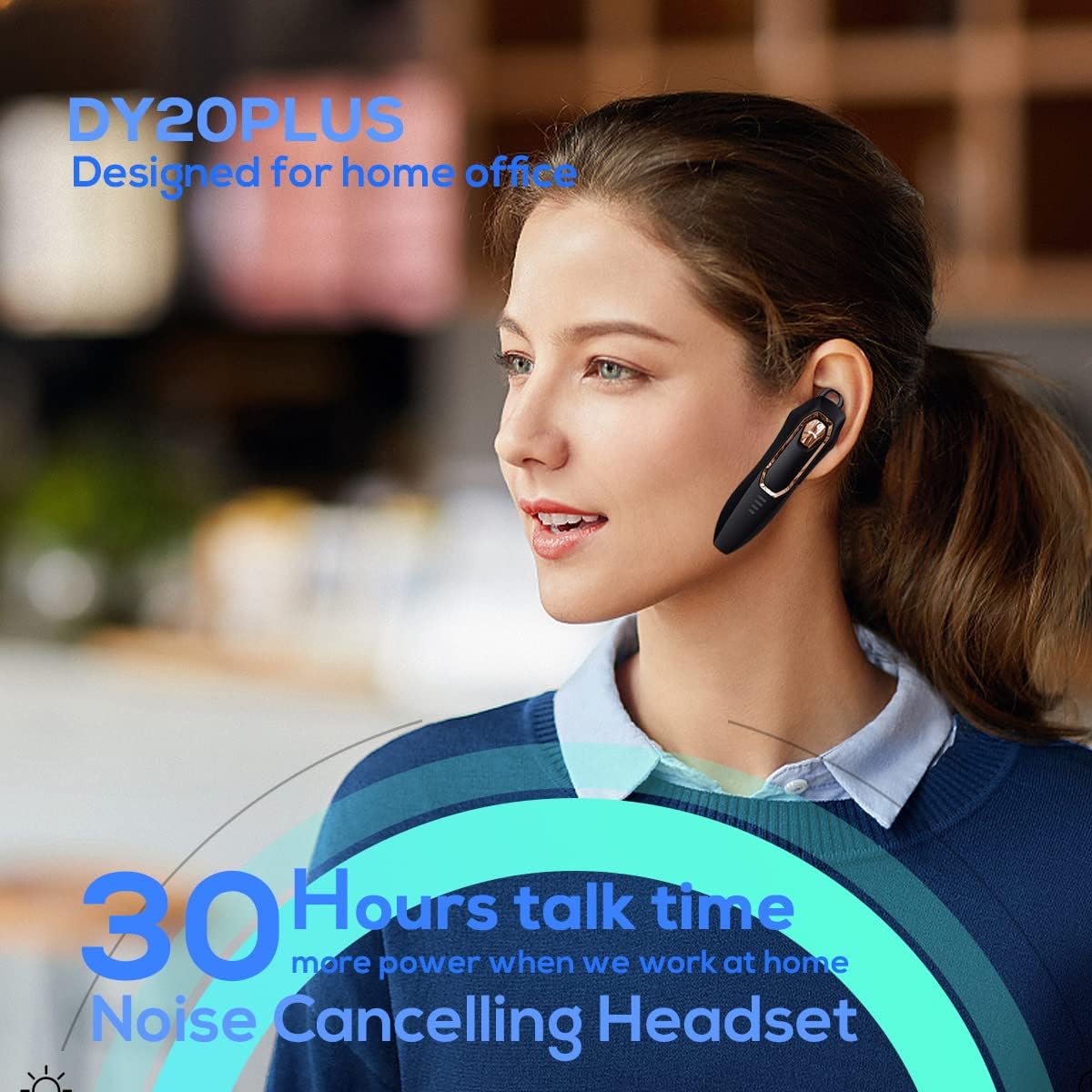
Figure 1: Micool DY20PLUS Bluetooth Earpiece
Видео 1: Крајview of Micool Bluetooth Headset features, including noise cancellation and long battery life.
2. Садржај пакета
Молимо вас да проверите пакет за следеће ставке:
- Micool DY20PLUS Bluetooth Earpiece
- УСБ кабл за пуњење
- Кукице за уши (разних величина)
- Упутство за употребу
3. Производ је готовview
Familiarize yourself with the buttons and indicators on your Micool DY20PLUS earpiece:

Figure 2: Earpiece controls and functions.
- МФБ (вишефункцијски тастер): Укључивање/искључивање, репродукција/пауза, одговарање/прекидање позива.
- Јачина звука (+): Повећај јачину звука, следећа нумера (дуги притисак).
- Утишавање (-): Смањивање јачине звука, претходна нумера (дуги притисак).
- Дугме за утишавање: Mute/unmute microphone during a call.
- ЛЕД индикатор: Приказује статус напајања, упаривања и пуњења.
- Порт за пуњење: УСБ порт за пуњење.
4. Подешавање
4.1 Пуњење слушалице
Before first use, fully charge the earpiece. Connect the provided USB charging cable to the earpiece's charging port and a USB power source. The LED indicator will show charging status and turn off when fully charged. A full charge provides up to 30 hours of talk time.
4.2 Блуетоотх упаривање
To connect your Micool DY20PLUS earpiece to your mobile phone or other Bluetooth-enabled device:
- Ensure the earpiece is turned off.
- Press and hold the MFB until the LED indicator flashes red and blue alternately, indicating pairing mode.
- На свом уређају омогућите Блуетоотх и потражите доступне уређаје.
- Select "DY20PLUS" from the list of devices.
- Када се повеже, ЛЕД индикатор ће полако трептати плаво.
The earpiece supports connecting to two devices simultaneously. After pairing with the first device, disable Bluetooth on it, then pair with the second device. Re-enable Bluetooth on the first device, and both should connect.
Video 2: Demonstrates Bluetooth pairing and setting up the "Speak Caller's Name" function using the RealTTS app.
5. Упутство за употребу
5.1 Укључивање/искључивање
- Укључено: Press and hold the MFB for approximately 3 seconds until the LED indicator flashes blue.
- Искључивање: Press and hold the MFB for approximately 3 seconds until the LED indicator flashes red and then turns off.
5.2 Управљање позивима
- Одговори на позив: Short press the MFB once.
- Заврши позив: Short press the MFB once during a call.
- Одбиј позив: Дуго притисните МФБ у трајању од 2 секунде.
- Искључи/Укључи звук: Short press the dedicated Mute button during a call.
- Switch Call Audio: During a call, you can switch the audio output between the earpiece and your phone. Refer to your phone's call interface for this option.
5.3 Репродукција музике
- Пусти/паузирај: Short press the MFB once.
- Следећа нумера: Дуго притисните дугме за појачавање јачине звука (+).
- Претходни запис: Дуго притисните дугме за смањивање јачине звука (-).
5.4 Контрола јачине звука
- Повећајте јачину звука: Кратко притисните дугме за појачавање јачине звука (+).
- Смањи јачину звука: Кратко притисните дугме за смањивање јачине звука (-).
5.5 Гласовни асистент
Double-tap the MFB to activate your device's voice assistant (Siri, Cortana, Bixby, Google Assistant, etc.). This allows for hands-free control of your connected device.
6. Одржавање
- Keep the earpiece dry. Do not expose it to extreme temperatures.
- Clean the earpiece with a soft, dry cloth. Avoid using harsh chemicals.
- Store the earpiece in a cool, dry place when not in use.
- Avoid dropping or subjecting the earpiece to strong impacts.
КСНУМКС. Решавање проблема
| Проблем | Могући узрок | Решење |
|---|---|---|
| Није могуће укључити | Ниска батерија | Charge the earpiece fully. |
| Упаривање са уређајем није могуће | Earpiece not in pairing mode; Bluetooth off on device; too far apart. | Ensure earpiece is in pairing mode (flashing red/blue). Turn on Bluetooth on your device. Keep devices within 1 meter during pairing. |
| Нема звука или је звук лошег квалитета | Volume too low; earpiece not selected as audio output; interference. | Adjust volume on both earpiece and device. Check device's audio output settings. Move away from sources of interference. |
| Caller's name not announced | RealTTS app not installed or permissions not granted. | Download and install the "RealTTS" app. Ensure Bluetooth and contact access permissions are granted to the app. |
8. Спецификације
| Феатуре | Детаљ |
|---|---|
| Назив модела | DY20PLUS |
| Бранд | Микул |
| Блуетоотх верзија | 5.0 |
| Домет | До 50 метара (150 стопе) |
| Талк Тиме | До 30 сати |
| Контрола буке | Active Noise Cancellation (2 Microphones) |
| Тежина | 12 г (ултра лагано) |
| Компатибилност | Bluetooth-enabled devices (phones, laptops, tablets) |
| Материјал | Пластика |
| УПЦ | 768399519588 |
9. Гаранција и подршка
Micool products come with a standard manufacturer's warranty. For specific warranty details, please refer to the warranty card included in your product packaging or visit the official Micool website. If you encounter any issues or require technical assistance, please contact Micool customer support through their official channels.