
Увод
This manual provides instructions for the setup, operation, maintenance, and troubleshooting of your AWOW AiBook 10 detachable 2-in-1 laptop. The AiBook 10 functions as both a tablet and a laptop, featuring a 10.1-inch touchscreen display and running Windows 11. It is equipped with an Intel Celeron N4120 processor, 8GB RAM, and 256GB SSD storage.
Шта је у кутији
Приликом распакивања, проверите да ли су сви предмети присутни:
- AWOW AiBook 10 Detachable 2-in-1 Laptop
- Одвојива тастатура
- Адаптер за напајање (AC адаптер)
Производ је завршенview
The AWOW AiBook 10 is designed for versatility, allowing seamless transition between tablet and laptop modes. Familiarize yourself with the device's components and ports.

Image: The AWOW AiBook 10 in laptop configuration, showcasing the main unit and attached keyboard.

Слика: Детаљна view of the AiBook 10, highlighting its dimensions and port locations.
Портови и конектори:
- УСБ 3.0 порт: For connecting USB devices such as external storage, mice, or printers.
- Микро HDMI порт: За повезивање са екстерним екранима или пројекторима.
- Слот за ТФ картицу: For expanding storage with a microSD card (up to 512GB).
- Утичница за слушалице (3.5 мм): За повезивање слушалица или екстерних звучника.
- DC 12V/3A Jack: За повезивање адаптера за напајање ради пуњења уређаја.
камере:
- Предња камера: 2.0MP, suitable for video calls.
- Задња камера: 5.0MP, for capturing photos and videos.

Image: Illustration of the 2MP front camera and 5MP rear camera on the AiBook 10.
Сетуп
1. Почетно пуњење
Before first use, fully charge the AiBook 10. Connect the provided power adapter to the DC 12V/3A jack on the device and plug it into a power outlet. The charging indicator will illuminate.
2. Причвршћивање тастатуре
Align the magnetic connector of the detachable keyboard with the corresponding port at the bottom edge of the tablet. The keyboard will snap into place magnetically.

Image: The detachable keyboard being connected to the AiBook 10 tablet.
3. Укључите напајање
Press and hold the power button located on the side of the tablet until the screen illuminates. The device will boot into Windows 11.
4. Почетна инсталација Windows-а
Follow the on-screen prompts to complete the Windows 11 setup process. This includes selecting your language, region, connecting to a Wi-Fi network, and creating a user account.
Оперативни
Switching Between Tablet and Laptop Modes
The AiBook 10 automatically detects the presence of the detachable keyboard. When the keyboard is attached, it functions as a laptop. When detached, it operates as a tablet, and Windows 11 will adjust its interface accordingly.
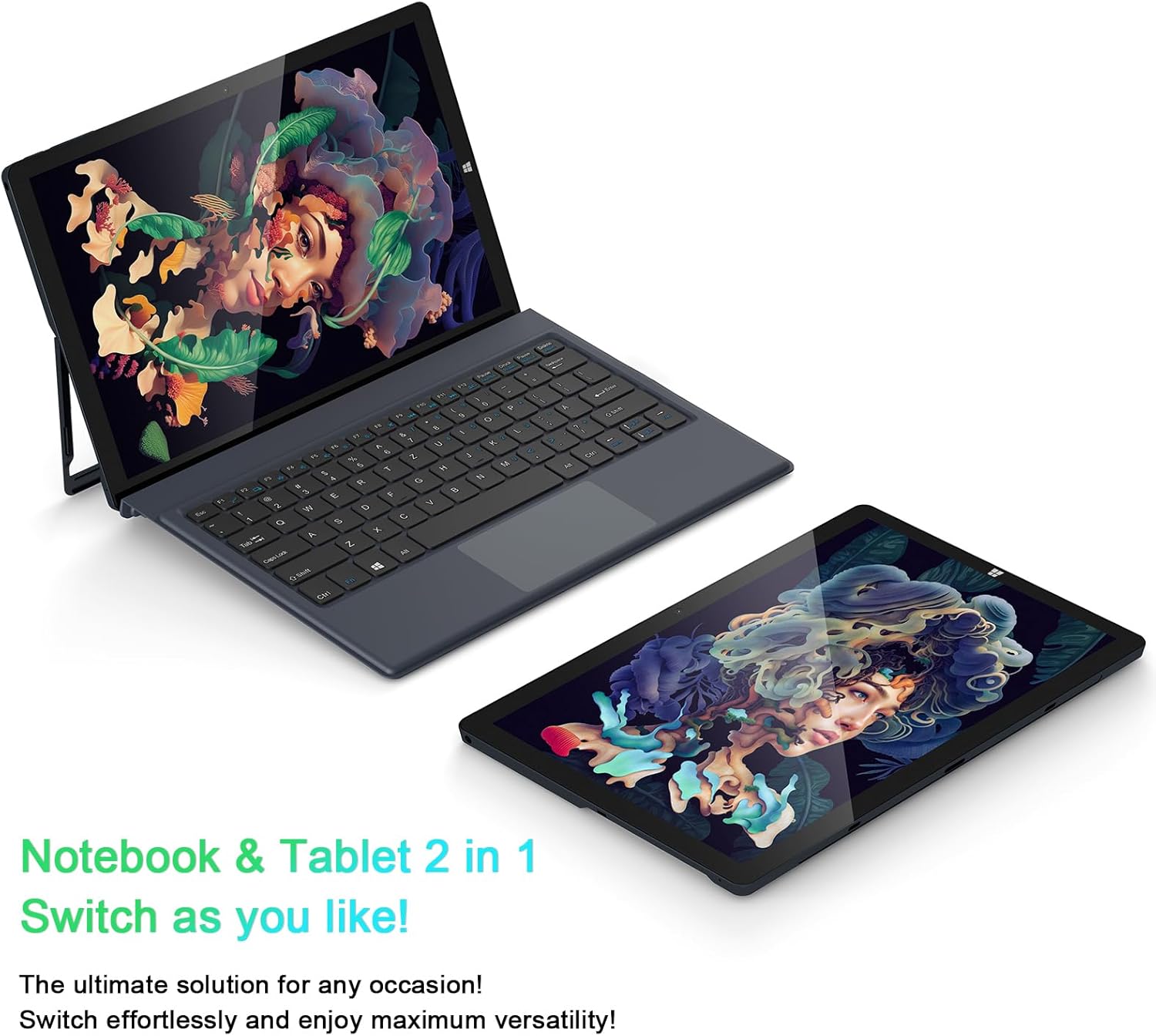
Image: The AiBook 10 displayed in both its laptop and tablet configurations.
Коришћење екрана осетљивог на додир
The 10.1-inch IPS display supports multi-touch gestures. Use your fingers to navigate, tap, swipe, and pinch-to-zoom.
Повезивање периферних уређаја
- Блуетоотх: Enable Bluetooth in Windows settings to pair with compatible devices such as headphones, mice, or keyboards. The device supports Bluetooth 4.2.
- УСБ уређаји: Plug USB devices into the USB 3.0 port.
- Спољашњи екран: Connect an external monitor using the Micro HDMI port. An appropriate adapter or cable may be required.
Подешавање постоља
The integrated stand bracket allows you to adjust the viewing angle of the tablet up to 145 degrees. Carefully extend the stand from the back of the tablet to your desired position.
Одржавање
Чишћење уређаја
Користите меку крпу која не оставља влакна за чишћење екрана и спољашњих површина. За тврдокорне мрље, благо обришитеampОперите крпу водом или раствором за чишћење екрана. Избегавајте јаке хемикалије или абразивне материјале.
Баттери Царе
To prolong battery life, avoid fully discharging the battery frequently. Store the device in a cool, dry place when not in use for extended periods. The device features a 6500mAh Lithium Polymer battery.

Image: Visual representation of the 6500mAh battery capacity.
Ажурирања софтвера
Редовно проверавајте и инсталирајте ажурирања за Windows како бисте осигурали оптималне перформансе и безбедност. Приступите Windows Update-у преко менија Подешавања.
Решавање проблема
This section addresses common issues you might encounter with your AiBook 10.
Уређај се не укључује
- Уверите се да је уређај напуњен. Прикључите адаптер за напајање и сачекајте неколико минута пре него што покушате поново да га укључите.
- Притисните и држите дугме за напајање 10-15 секунди да бисте извршили хард ресетовање.
Screen Flickering or Display Issues
- Поново покрените уређај.
- Check for updated display drivers through Windows Update or the device manufacturer's webсајту.
- If connected to an external display, ensure the cable is securely connected.
Keyboard or Touchpad Not Responding
- Ensure the detachable keyboard is securely attached to the tablet.
- Поново покрените уређај.
- Check Windows settings for keyboard and touchpad functionality.
Wi-Fi or Bluetooth Connectivity Problems
- Уверите се да је Wi-Fi или Bluetooth омогућен у подешавањима система Windows.
- Поново покрените рутер/модем због проблема са Wi-Fi мрежом.
- For Bluetooth, try unpairing and re-pairing the device.
- Check for updated network drivers.
Споро перформансе
- Затворите непотребне апликације које раде у позадини.
- Обезбедите довољно слободног простора на SSD-у.
- Run a disk cleanup and optimize drives in Windows.
- Проверите и инсталирајте све чекајуће надоградње за Windows.
Спецификације
| Бранд | АВОВ |
| Назив модела | AiBook 10 |
| Величина екрана | 10.1 инча |
| Резолуција екрана | 1280 x 800 Pixels (Full HD IPS) |
| Оперативни систем | Виндовс 11 |
| ЦПУ модел | Intel Celeron N4120 (до 2.6 GHz) |
| РАМ меморија | 8 ГБ ЛПДДР4 |
| Величина чврстог диска | 256 ГБ ССД (еММЦ) |
| графичка картица | Интегрисана Интел УХД Грапхицс 600 |
| Повезивање | 2.4G+5G WiFi, Bluetooth 4.2, USB 3.0, Micro HDMI |
| камере | Предња 2.0MP, задња 5.0MP |
| Батерија | Литијум полимер 6500мАх |
| Тежина артикла | 1.4 Pounds (tablet only) |
| Dimensions (L x W x Thickness) | 10.1" x 6.8" x 0.38" (tablet only) |
Гаранција и подршка
Информације о гаранцији
The AWOW AiBook 10 comes with a 1 година ограничене гаранцијеМолимо вас да сачувате доказ о куповини за потребе гаранције. Гаранција покрива производне недостатке у нормалним условима употребе.
Корисничка подршка
For technical assistance, troubleshooting beyond this manual, or warranty inquiries, please contact AWOW customer support. Refer to the product packaging or the official AWOW webсајт за најновије контакт информације.