
1. Увод
This manual provides essential information for the safe and effective operation of your VOLTCRAFT DSO-2202H + AFG Handheld Oscilloscope. This versatile device combines the functions of an oscilloscope, a multimeter, and an arbitrary function generator (AFG) into a single portable unit. Please read this manual thoroughly before using the device to ensure proper handling and to prevent damage or injury.
2. Безбедносне информације
Always observe the following safety precautions to avoid personal injury and prevent damage to the instrument or other equipment.
- Прочитајте сва упутства: Пре него што почнете са радом са уређајем, прочитајте и разумејте сва упутства за безбедност и употребу.
- Use proper probes: Use only probes and accessories rated for the voltage and current of the measurement.
- Избегавајте влажне услове: Немојте користити уређај на влажном или дamp окружења.
- уземљење: Ensure proper grounding when connecting to mains power or high-voltagе кола.
- Не отварајте цasing: Refer all servicing to qualified service personnel. Opening the casinможе вас изложити опасној количини волумatagес.
- Observe all ratings: Do not exceed the maximum input ratings of the device.
3. Производ је готовview
The VOLTCRAFT DSO-2202H + AFG is a compact, multi-functional test instrument designed for various electrical measurement tasks. It features a clear color LCD display and intuitive controls.
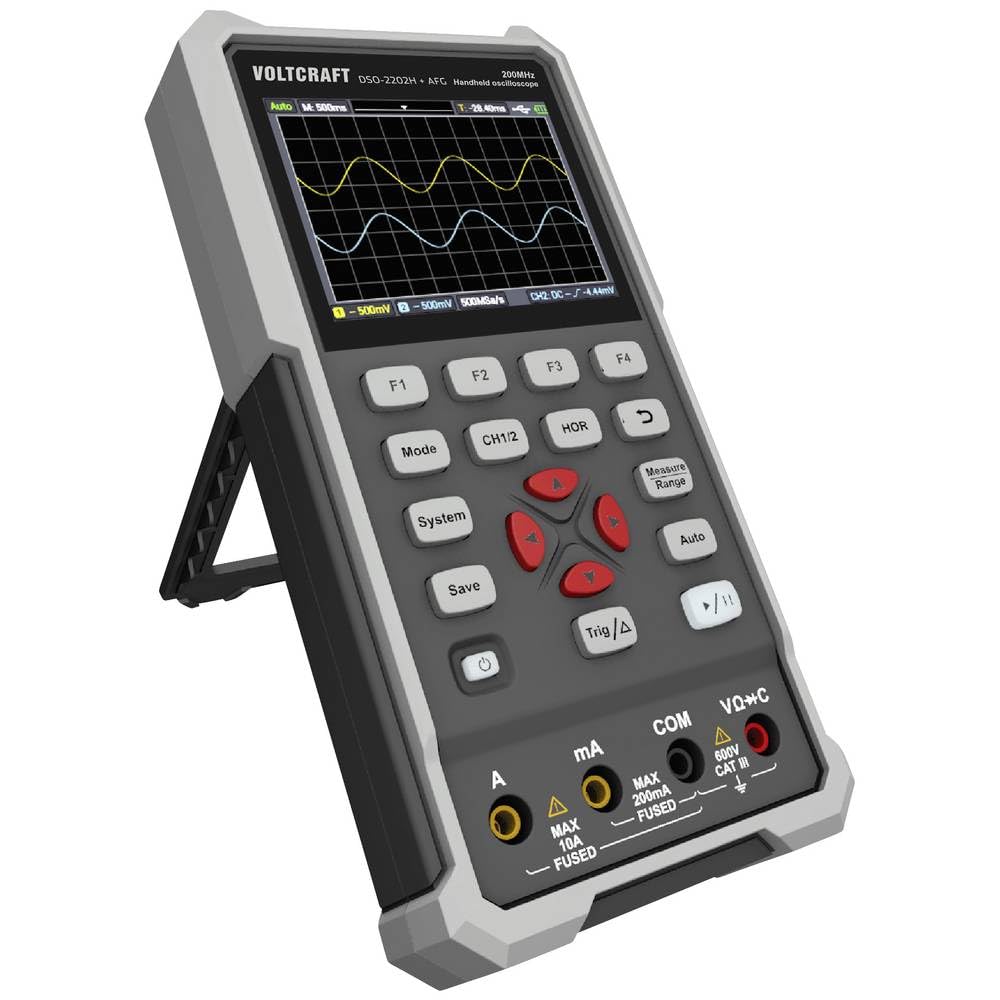
Слика 1: Предња страна view of the VOLTCRAFT DSO-2202H + AFG Handheld Oscilloscope with connected test probes. The display shows a voltage reading, and the control panel with function buttons and navigation keys is visible below.
Кључне карактеристике:
- 3-in-1 Oscilloscope, Multimeter, and Waveform Generator
- 3.5-inch (8.89 cm) Color LCD Screen (320 x 240 pixels)
- USB Type-C Interface for connectivity and data storage
- Durable and robust design
4. Подешавање
Follow these steps for initial setup of your device.
4.1 Укључивање/искључивање
- Да бисте укључили уређај, притисните и држите Повер button located on the side/top panel.
- The color LCD screen will illuminate, displaying the startup sequence.
- За искључивање притисните и држите тастер Повер дугме поново док се уређај не искључи.
4.2 Повезивање сонди
For oscilloscope functions, connect the oscilloscope probes to the BNC connectors. For multimeter functions, connect the test leads to the appropriate input jacks (VΩ+C, mA, A, COM) at the bottom of the device.
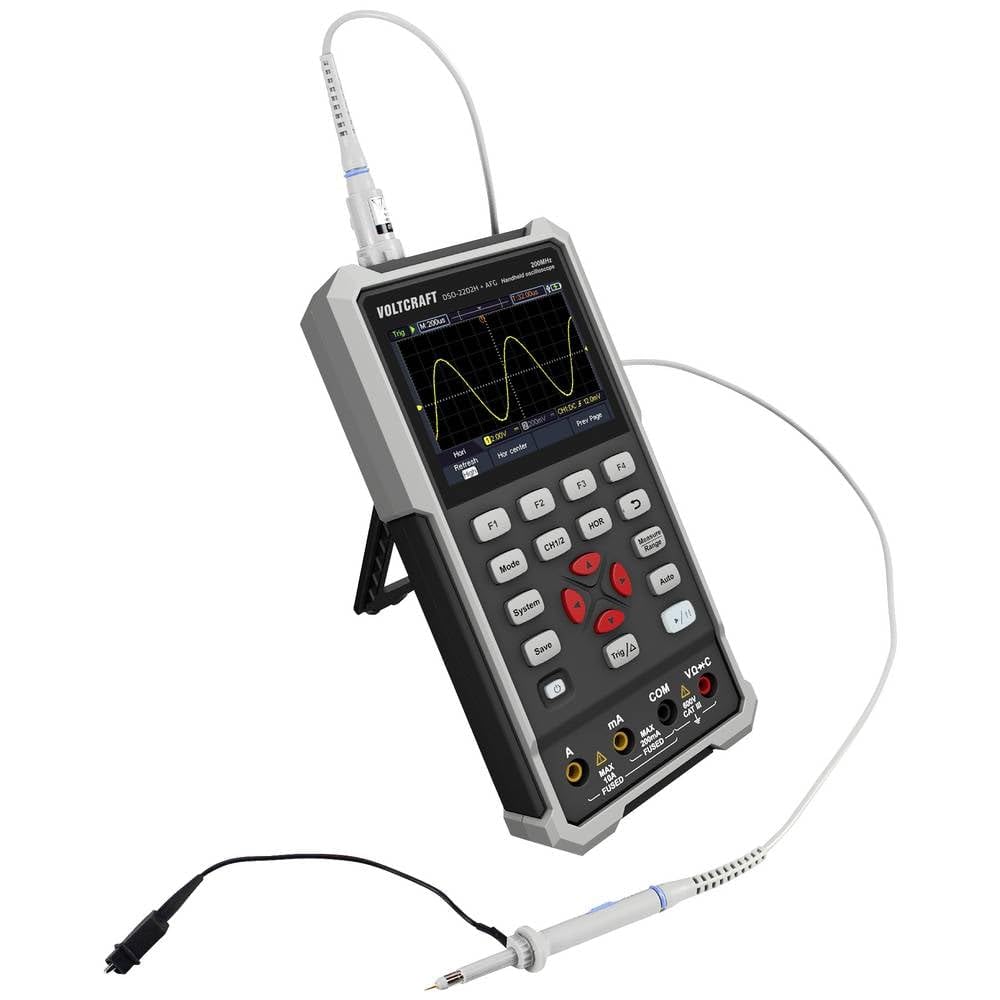
Слика 2: Страна view of the device showing the kickstand extended for desktop use and an oscilloscope probe connected to the BNC input. The multimeter input jacks are visible at the bottom.
5. Упутство за употребу
The DSO-2202H + AFG offers three primary modes of operation: Oscilloscope, Multimeter, and Arbitrary Function Generator.
5.1 Режим осцилоскопа
This mode allows you to visualize and analyze electrical signals. The device features 2 channels and a 200MHz bandwidth.
- Притисните тастер Режим button to select Oscilloscope mode.
- Connect the oscilloscope probe(s) to the circuit under test.
- Користите ЦХ1/2 button to switch between channels or view обоје.
- Adjust the vertical sensitivity (V/div) and horizontal time base (s/div) using the navigation buttons.
- Користите Тригонометрија/Δ button to set trigger conditions for stable waveform display.
- Тхе Ауто button can automatically adjust settings for a stable waveform.

Figure 3: The device displaying a waveform in oscilloscope mode. The screen shows voltage and time divisions, indicating a signal measurement.
5.2 Режим мултиметра
The multimeter function allows for precise measurements of voltage, current, resistance, capacitance, and continuity.
- Притисните тастер Режим button to select Multimeter mode.
- Connect the test leads to the appropriate input jacks (e.g., VΩ+C for voltage/resistance/capacitance, A or mA for current, COM for common).
- Select the desired measurement function (e.g., DC Voltagе, АЦ Волtage, Resistance) using the function buttons (F1-F4) or navigation keys.
- Прочитајте мерну вредност на дисплеју.
5.3 Arbitrary Function Generator (AFG) Mode
The AFG allows you to generate various waveforms for testing circuits.
- Притисните тастер Режим button to select AFG mode.
- Connect the output of the AFG to the circuit requiring a signal input.
- Use the function buttons (F1-F4) and navigation keys to select waveform type (sine, square, triangle, etc.), frequency, ampлитуда и помак.
- Adjust parameters as needed for your application.
5.4 Складиштење података
The USB Type-C port can be used for data storage. Connect the device to a computer using a USB Type-C cable to transfer saved waveforms or measurement data.
6. Одржавање
Proper maintenance ensures the longevity and accuracy of your device.
- Чишћење: Редовно чистите уређај меком, сувом крпом. Не користите абразивна средства за чишћење или раствараче.
- Складиштење: Уређај чувајте на хладном и сувом месту, даље од директне сунчеве светлости и екстремних температура.
- Одржавање батерије: If the device has an internal rechargeable battery, ensure it is charged periodically if stored for long periods to maintain battery health.
- Брига о сонди: Inspect probes and test leads for damage before each use. Replace any damaged accessories immediately.
КСНУМКС. Решавање проблема
If you encounter issues with your device, refer to the following common troubleshooting steps.
- Уређај се не укључује: Ensure the device is charged or connected to a power source. Check the power button for proper engagement.
- Нема приказа: If the device powers on but the screen is blank, try adjusting the display brightness (if available) or restarting the device.
- Нетачна очитавања: Verify that probes and test leads are correctly connected and not damaged. Ensure the correct measurement mode and range are selected. Calibrate the device if necessary (refer to advanced settings or contact support).
- Нестабилан облик таласа: In oscilloscope mode, adjust the trigger level, trigger source, and time base settings. Use the Auto button for initial setup.
For persistent issues, contact VOLTCRAFT customer support or your retailer.
8. Спецификације
| Спецификација | Валуе |
|---|---|
| Произвођач | ВОЛТЦРАФТ |
| Број модела | VC-13438620 (DSO-2202H + AFG) |
| Димензије производа (Д к Ш к В) | 17 к 12 к 40 цм |
| Тежина | 600 грама |
| Материјал | Пластика |
| Пропусни опсег осцилоскопа | 200 МХз |
| Канали | 2-канал |
| Sampле Рате | 1 ГСа/с |
| Дубина меморије | 8 kpts |
| Резолуција | 8 Бит |
| Дисплаи | 3.5-inch (8.89 cm) Color LCD (320 x 240 pixels) |
| Интерфејс | УСБ Типе-Ц |
| Мерни систем | Метриц |
| Батерије укључене | бр |
| Батерије су потребне | бр |
9. Гаранција и подршка
For warranty information, please refer to the documentation provided with your purchase or contact your retailer. For technical support, visit the official VOLTCRAFT webсајту или се обратите њиховом одељењу за корисничку подршку.