
1. Увод
The Inseego MiFi M2000 is a portable 5G and 4G LTE hotspot designed to provide high-speed internet connectivity on the go. Featuring Wi-Fi 6 technology, it allows you to connect up to 30 Wi-Fi enabled devices simultaneously. Its robust 5050mAh battery ensures all-day operation and can also function as a power bank for other mobile devices. This manual will guide you through the setup, operation, maintenance, and troubleshooting of your MiFi M2000 to ensure optimal performance.
2. Садржај пакета
Молимо вас да проверите пакет за следеће ставке:
- Inseego MiFi M2000 Device
- Пуњива батерија (5050мАх)
- УСБ Типе-Ц кабл
- АЦ адаптер
- Алат за избацивање СИМ картице (може да варира у зависности од региона)
- Водич за брзи почетак
3. Девице Оверview
Familiarize yourself with the key components of your Inseego MiFi M2000.

Слика 3.1: Фронт view of the Inseego MiFi M2000, showing the touchscreen display with network status, Wi-Fi status, and menu options.

Слика 3.2: Сиде view of the Inseego MiFi M2000, highlighting the USB Type-C port for charging and tethering.
Кључне компоненте:
- Екран осетљив на додир: Provides information on network status, battery level, Wi-Fi name (SSID), password, and allows access to device settings.
- Дугме за напајање: Used to turn the device on/off and wake/sleep the screen.
- УСБ Типе-Ц порт: For charging the device, connecting to a computer for USB tethering, or using the device as a power bank.
- Слот за СИМ картицу: Located under the battery cover, for inserting your Nano-SIM card.
4. Подешавање
4.1. Инсталација СИМ картице
- Ensure the MiFi M2000 is powered off.
- Уклоните задњи поклопац уређаја.
- Пронађите слот за СИМ картицу.
- Insert a Nano-SIM card into the slot with the gold contacts facing down and the notched corner aligned correctly. Push gently until it clicks into place.
- Вратите задњи поклопац.
4.2. Инсталација батерије
- With the back cover removed, align the battery contacts with the terminals inside the battery compartment.
- Gently press the battery into place.
- Вратите задњу маску безбедно.
4.3. Прво укључивање
- Press and hold the Power button for a few seconds until the Inseego logo appears on the screen.
- The device will boot up and attempt to connect to the cellular network. This may take a few moments.
- Once connected, the screen will display network status, Wi-Fi name (SSID), and password.
5. Руковање уређајем
5.1. Повезивање уређаја путем Wi-Fi мреже
- Ensure your MiFi M2000 is powered on and connected to the cellular network.
- On your Wi-Fi enabled device (laptop, tablet, smartphone), open the Wi-Fi settings.
- Look for the Wi-Fi network name (SSID) displayed on your MiFi M2000's screen. It typically starts with "Inseego" or similar.
- Select the network and enter the Wi-Fi password (also displayed on the MiFi screen) when prompted.
- Ваш уређај би сада требало да буде повезан на интернет.
5.2. Connecting Devices via USB Tethering
You can connect a single device, such as a laptop, directly to the MiFi M2000 using the USB Type-C cable for a secure, wired internet connection.
- Connect one end of the USB Type-C cable to the MiFi M2000's USB port and the other end to your computer.
- On the MiFi M2000's screen, you may be prompted to select the USB mode. Choose "USB Tethering" or "Internet Sharing."
- Your computer should automatically detect the new network connection.
5.3. Пуњење уређаја
To charge your MiFi M2000:
- Connect the USB Type-C cable to the MiFi M2000's USB port.
- Connect the other end of the USB cable to the provided AC power adapter.
- Укључите адаптер за наизменичну струју у зидну утичницу.
- The battery icon on the MiFi screen will indicate charging status.
5.4. Коришћење као преносне батерије
The MiFi M2000's large battery can be used to charge other devices.
- Connect your mobile device (phone, tablet) to the MiFi M2000's USB Type-C port using an appropriate charging cable.
- The MiFi M2000 will begin charging the connected device.
5.5. Управљање поставкама
You can manage various settings directly from the MiFi M2000's touchscreen display or by accessing the web administration interface from a connected device. The web interface typically offers more advanced options.
- екран осетљив на додир: Tap the screen to navigate through menus for basic settings like Wi-Fi name, password, and data usage.
- Web Администраторски интерфејс: Connect a device to the MiFi's Wi-Fi network. Open a web browser and enter the IP address (usually
192.168.1.1or192.168.0.1, check your device screen or documentation) to access the administration portal. You will need the admin password, which is often found on the device itself or in the quick start guide.
6. Одржавање
6.1. Ажурирања софтвера
Periodically check for and install software updates to ensure your device has the latest features, security patches, and performance improvements. Updates can usually be initiated through the device's touchscreen menu or the web административни интерфејс.
6.2. Чишћење
To clean your MiFi M2000:
- Искључите уређај и искључите све каблове.
- Користите меку, суву крпу која не оставља влакна да обришете спољашњост.
- For the touchscreen, use a screen-cleaning solution specifically designed for electronics, applied to the cloth, not directly to the screen.
- Avoid using harsh chemicals, abrasive cleaners, or getting moisture into any openings.
6.3. Брига о батерији
Да бисте продужили век трајања батерије:
- Избегавајте излагање уређаја екстремним температурама.
- Do not fully discharge the battery regularly. Charge it before it drops too low.
- If storing the device for an extended period, charge the battery to about 50% and store it in a cool, dry place.
КСНУМКС. Решавање проблема
If you encounter issues with your MiFi M2000, try the following troubleshooting steps:
7.1. Нема интернет везе
- Проверите јачину сигнала: Ensure the device is in an area with good cellular coverage. The signal indicator on the screen should show bars.
- Verify SIM Card: Уверите се да је СИМ картица правилно уметнута и активна са тарифним планом за пренос података.
- Поново покрените уређај: Power off the MiFi M2000, wait a few seconds, then power it back on.
- Проверите тарифни план: Confirm your data plan is active and has available data.
7.2. Мале брзине
- Јачина сигнала: Move to an area with better signal.
- Повезани уређаји: Reduce the number of devices connected to the hotspot.
- Загушење мреже: Performance can be affected by network congestion in your area.
- сметње: Keep the MiFi away from other electronic devices that might cause interference.
7.3. Battery Not Charging / Device Not Powering On
- Проверите кабл и адаптер: Ensure the USB Type-C cable and AC adapter are securely connected and functioning correctly. Try a different cable or adapter if available.
- Ниво батерије: If the battery is completely drained, it may take a few minutes of charging before the device responds.
- Reinsert Battery: Power off the device, remove and reinsert the battery, then try powering on again.
8. Спецификације
Below are the technical specifications for the Inseego MiFi M2000:
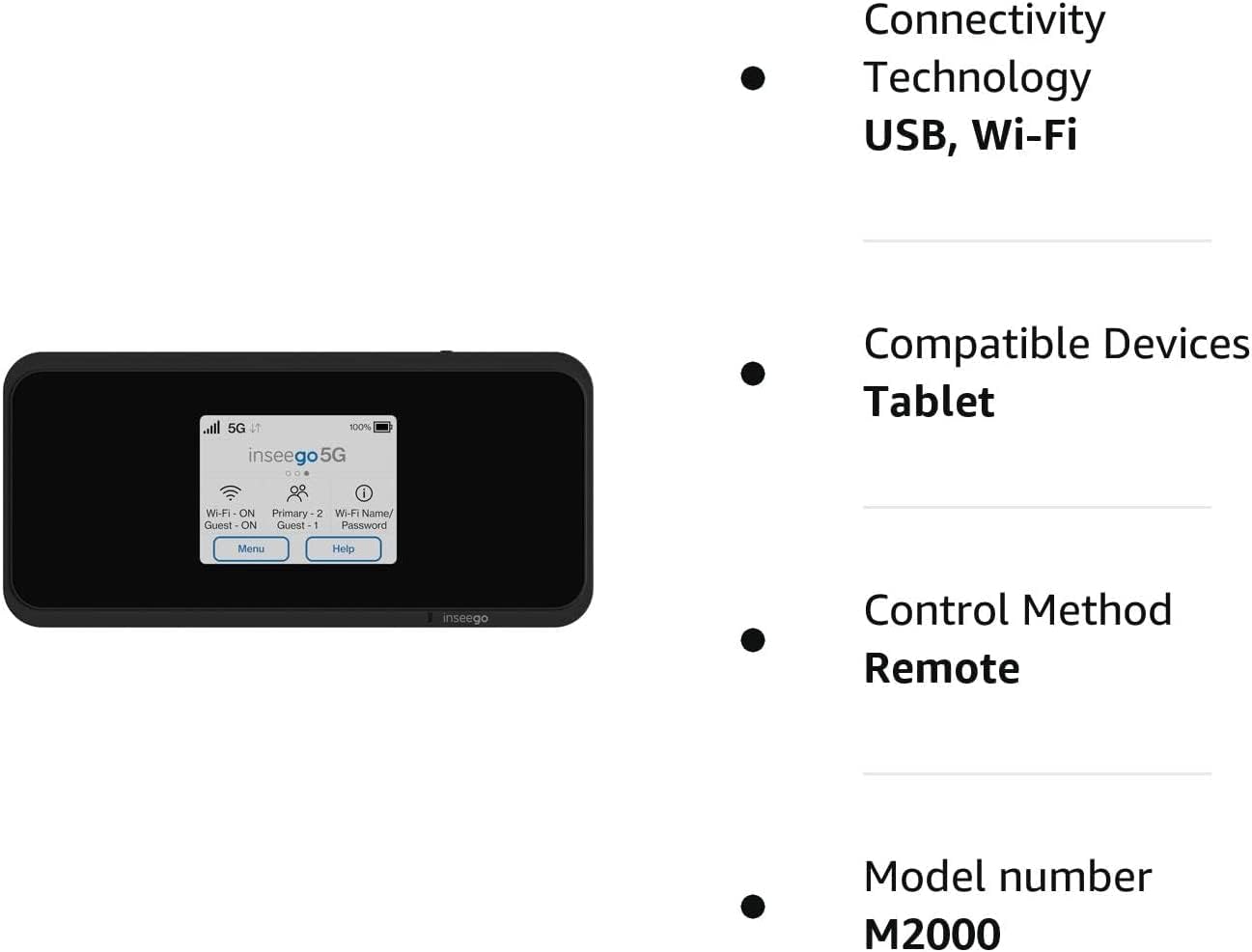
Слика 8.1: Visual representation of key features and specifications for the Inseego MiFi M2000.
| Феатуре | Спецификација |
|---|---|
| Број модела | М2000 |
| Бранд | Инсеего |
| Технологија повезивања | УСБ, Ви-Фи |
| Стандард бежичне комуникације | 802.11ак (Ви-Фи 6) |
| Класа фреквенцијског опсега | Двопојасни (2.4 GHz) |
| Сигурносни протокол | ВПА3 |
| Брзина преноса података | 1 гигабита у секунди |
| Maximum Upstream Data Transfer Rate | 500 мегабита у секунди |
| Број портова | 1 (USB тип C) |
| Број антена | 2 |
| Капацитет батерије | 5050mAh (All Day Battery Life) |
| Компатибилни уређаји | Tablet, up to 30 Wi-Fi enabled devices |
| Контролни метод | Додирните |
| Боја | Црно |
| Оперативни систем | [Proprietary OS] |
| Волtage | 5 волти (ДЦ) |
| Пропусни опсег LAN порта | 1000 Мбпс |
9. Безбедносне информације
Молимо вас да прочитате и следите ова безбедносна упутства како бисте спречили оштећење уређаја или повреде:
- Не излажите уређај екстремним температурама, директној сунчевој светлости или високој влажности.
- Избегавајте испуштање, бушење или растављање уређаја.
- Користите само одобрене пуњаче и додатну опрему.
- Држите уређај даље од воде или других течности.
- Do not operate the device in areas where electronic devices are restricted.
- Одложите батерије и уређај у складу са локалним прописима.
10. Гаранција и подршка
For warranty information, technical support, or service inquiries, please refer to the warranty card included with your product or visit the official Inseego webсајт. Сачувајте доказ о куповини за потребе гаранције.