
DOOMAY 5293B
DOOMAY Digital Alarm Clock Instruction Manual
Модел: 5293Б
Марка: DOOMAY
1. Увод
Thank you for choosing the DOOMAY Digital Alarm Clock. This compact and modern alarm clock is designed for convenience and reliability, featuring an LCD display, adjustable volume, snooze function, weekend mode, and indoor temperature display. This manual provides detailed instructions to help you set up and operate your new alarm clock effectively.

Слика 1: Предња страна view of the DOOMAY Digital Alarm Clock.
2. Садржај пакета
- DOOMAY Digital Alarm Clock (1 unit)
- ААА батерије (2 јединице)
- Упутство за употребу (овај документ)
3. Подешавање
3.1 Инсталација батерије
The DOOMAY Digital Alarm Clock is powered by two AAA batteries. These batteries are included in the package.
- Пронађите поклопац одељка за батерије на задњој страни будилника.
- Померите поклопац надоле да бисте отворили одељак.
- Уметните две ААА батерије, водећи рачуна о исправном поларитету (+ и -) као што је назначено унутар одељка.
- Вратите поклопац одељка за батерију тако што ћете га померити нагоре док не кликне на своје место.

Слика 2: Позади view with battery compartment and control buttons.
Напомена: When the display flashes '8888' and the clock beeps, it indicates that the batteries are low and need to be replaced.
4. Упутство за употребу
The DOOMAY Digital Alarm Clock offers various functions for timekeeping, alarming, and environmental monitoring. Refer to the buttons on the back of the clock for settings.
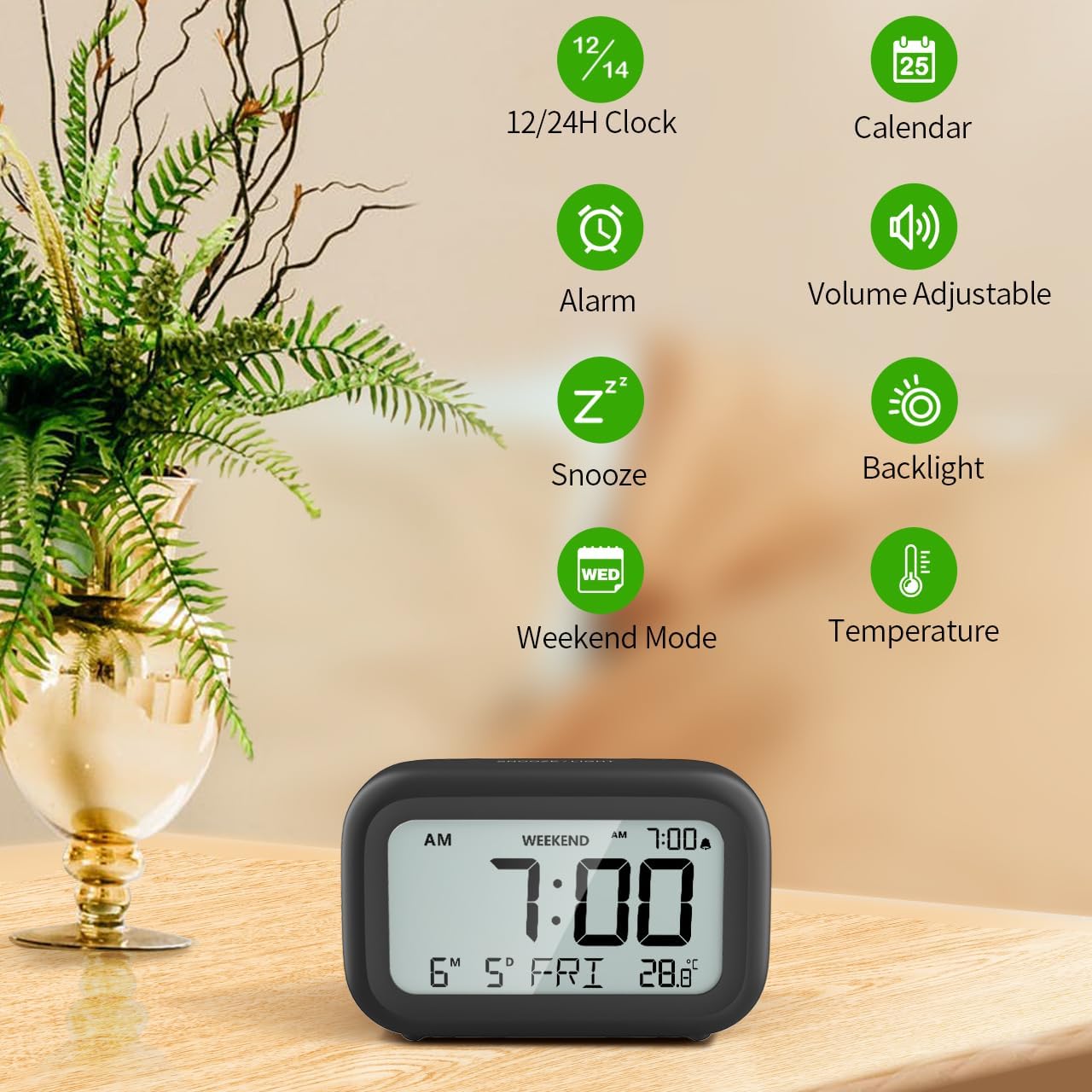
Слика 3: Завршеноview карактеристика сата.
4.1 Подешавање времена и датума
To set the current time and date:
- Притисните и држите СЕТ button (usually represented by a clock icon or '12/24H' button) on the back of the clock until the numbers on the display begin to flash.
- Користите + и - buttons to adjust the flashing value (Year, Month, Day, Hour, Minute).
- Притисните тастер СЕТ button again to confirm the setting and move to the next value.
- Once all values are set, the display will stop flashing. The day of the week will automatically update based on the date.
For a visual guide, refer to the video below, specifically from 0:18 for Date Setting и 0:32 for Time Setting.
4.2 Подешавање аларма
To set your alarm time:
- Притисните тастер АЛАРМ button (bell icon) on the back of the clock. The alarm time will appear and flash.
- Користите + и - buttons to adjust the desired alarm hour and minute.
- Притисните тастер АЛАРМ button again to confirm the alarm setting.
- Да бисте укључили или искључили аларм, једноставно притисните АЛАРМ button once. An alarm icon will appear on the display when the alarm is active.
For a visual guide, refer to the video below, specifically from 0:13 for turning alarm ON/OFF и 0:37 for Alarm Setting.
4.3 Функција одлагања
When the alarm sounds, gently touch the СНООЗЕ / СВЕТЛО button located on the top of the clock. This will activate the snooze function, providing an additional 9 minutes of sleep before the alarm sounds again. You can repeat this process multiple times.

Слика 4: Активирање функције одлагања.
To turn off the alarm completely after it sounds, press any button on the back of the clock.
For a visual guide, refer to the video below, specifically from 0:46 for Snooze function.
4.4 Weekend Mode
The Weekend Mode allows you to set the alarm to only sound from Monday to Friday, preventing it from disturbing you on weekends.
- Притисните тастер ВИКЕНД button (calendar icon) on the back of the clock to toggle Weekend Mode ON or OFF.
- When Weekend Mode is active, 'WEEKEND' will be displayed on the screen, and the alarm will be automatically disabled on Saturday and Sunday.

Figure 5: Weekend Mode and Alarm Volume Levels.
For a visual guide, refer to the video below, specifically from 0:50 for Weekend Mode ON/OFF.
4.5 Функција позадинског осветљења
The clock features a convenient 5-second on-demand backlight for viewпровођење времена у условима слабог осветљења.
- Simply touch the СНООЗЕ / СВЕТЛО button on the top of the clock to activate the backlight.
- The backlight will illuminate for approximately 5 seconds and then automatically turn off to conserve battery life.

Figure 6: Backlight in use.
For a visual guide, refer to the video below, specifically from 0:54 for 5 Seconds Backlight.
4.6 Приказ температуре
The clock displays the indoor temperature. You can switch between Celsius (°C) and Fahrenheit (°F) units.
- Притисните тастер ° Ц/° Ф button on the back of the clock to toggle between Celsius and Fahrenheit.

Figure 7: Indoor Temperature Display.
4.7 12/24 Hour Time Format
You can switch the time display between 12-hour (with AM/PM indicator) and 24-hour formats.
- Притисните тастер 12/24Х button on the back of the clock to switch between the two formats.
For a visual guide, refer to the video below, specifically from 0:58 for 12/24Hr Time Format Switchable.
4.8 Alarm Volume Adjustment
The alarm clock offers two volume levels for the alarm sound: LOW (70dB) and HIGH (85dB).
- While setting the alarm, or when the alarm is sounding, you can cycle through the volume levels by pressing the appropriate button (often the + or - button, or a dedicated volume button if available). Refer to the icons on the back of your clock.
For a visual guide, refer to the video below, specifically from 0:42 for 2 Levels of Volume Adjustable.
Operating Instructions Video Guide
Video 1: Comprehensive guide on setting up and operating the DOOMAY Digital Alarm Clock. This video demonstrates battery installation, setting time and date, alarm functions, snooze, weekend mode, backlight, and volume adjustment.
5. Одржавање
- Чишћење: Обришите сат меком, сувом крпом. Не користите абразивна средства за чишћење или раствараче.
- Замена батерије: Replace batteries when the low battery indicator appears (flashing '8888' and beeping). Always use new AAA batteries.
- Складиштење: Ако складиштите сат дуже време, извадите батерије да бисте спречили цурење.
КСНУМКС. Решавање проблема
| Проблем | Могући узрок | Решење |
|---|---|---|
| Екран сата је празан или туман. | Батерије су истрошене или неправилно постављене. | Замените батерије новим ААА батеријама, водећи рачуна о исправном поларитету. |
| Аларм се не оглашава. | Alarm is not activated or Weekend Mode is ON. | Press the ALARM button to activate. Check if Weekend Mode is active and disable if necessary. |
| Време/датум је нетачан. | Not set correctly or batteries were removed. | Пратите упутства у одељку 4.1 да бисте ресетовали време и датум. |
| Backlight does not stay on. | Ово је нормалан рад. | The backlight is designed to illuminate for 5 seconds to conserve battery life. It is not a continuous backlight. |
7. Спецификације
- Модел: 5293Б
- Тип приказа: Дигитални ЛЦД
- Извор напајања: 2 к ААА батерије (укључене)
- Димензије производа: 4.29" Ш x 2.72" В (приближно 10.9 цм x 6.9 цм)
- Материјал: акрилонитрил бутадиен стирен (АБС)
- Карактеристике: Alarm, Snooze, Weekend Mode, Indoor Temperature (°C/°F), 12/24H Time Format, 5-second Backlight
- Јачина звука аларма: 2 levels (70dB, 85dB)
- Тежина артикла: 4.48 унци (приближно 127 г)
8. Гаранција и подршка
DOOMAY products are manufactured with high-quality materials and craftsmanship. For any questions, concerns, or technical support regarding your DOOMAY Digital Alarm Clock, please contact the seller or refer to the product listing on the platform where it was purchased. Please retain your proof of purchase for warranty claims.
Ask a question about this manual
Ask about setup, troubleshooting, compatibility, parts, safety, or missing instructions. Manuals+ will review the question and use this page’s manual context to help answer it.