
1. Увод
Welcome to the Blackview Tab 16 user manual. This guide provides essential information for setting up, operating, maintaining, and troubleshooting your new Blackview Tab 16 Android tablet. Please read this manual carefully to ensure optimal performance and longevity of your device.

Image: The Blackview Tab 16 tablet, showcasinг његов елегантан дизајн.
2. Шта је у кутији
Verify that all items are present in your Blackview Tab 16 package:
- Црноview Tab 16 Tablet (x1)
- Упутство за употребу (к1)
- Адаптер за напајање (к1)
- УСБ кабл (к1)
- Оловка (x1)
- TPU Protective Case (x1)
3. Производ је готовview
3.1 Физички дизајн
Тхе Блацкview Tab 16 features a slim and lightweight design, making it highly portable for daily use.

Image: The Blackview Tab 16, demonstrating its ultra-thin 7.95mm profile and light 533g weight.
3.2 Дисплеј
Experience immersive visuals on the 11-inch 2K Full View IPS display, offering vibrant colors and wide viewинг углова.

Image: Visual representation of the 11-inch 2K Full View display, emphasizing its large screen for an enhanced viewинг искуство.
3.3 Аудио
The tablet is equipped with Quad-box Smart-K stereo speakers, providing rich and clear audio for all your multimedia needs.

Image: The Blackview Tab 16 showcasing its Quad-box Smart-K speakers, designed for an immersive audio experience.
3.4 Перформансе
Powered by an Octa-core Unisoc T616 processor, the Tab 16 ensures smooth operation and efficient multitasking.

Image: A visual representation of the Unisoc T616 Octa-core processor, highlighting its speed and efficiency.
3.5 Камера
Capture moments with the 13MP AI rear camera and 8MP AI front camera. The integrated Google Smart Lens offers advanced scanning, detection, and translation features.

Image: The Blackview Tab 16's camera system, featuring a 13MP AI camera and Google Smart Lens capabilities.
3.6 Батерија
The 7680mAh battery provides extended usage, supported by 18W fast charging for quick power-ups.

Image: Illustration of the Blackview Tab 16's 7680mAh battery and 18W fast charging capability.
4. Подешавање
4.1 Пуњење уређаја
Before first use, fully charge your Blackview Tab 16 using the provided power adapter and USB cable. Connect the USB cable to the tablet's Type-C port and the adapter to a power outlet. The charging indicator will show the charging status.
4.2 Укључивање/искључивање
- За укључивање: Притисните и држите дугме за напајање док се не упали црноview logo appears on the screen.
- За искључивање: Притисните и држите дугме за напајање док се не појави мени. Изаберите „Искључи“ и потврдите.
- Рестартовати: Притисните и држите дугме за напајање док се не појави мени. Изаберите „Рестарт“ и потврдите.
4.3 Почетно подешавање
Upon first power-on, follow the on-screen instructions to configure your tablet:
- Изаберите жељени језик.
- Повежите се на Ви-Фи мрежу.
- Пријавите се помоћу свог Google налога или креирајте нови.
- Подесите закључавање екрана (ПИН, шаблон, лозинка или препознавање лица).
- Review и прихватите услове и одредбе.
4.4 Инсталација SIM и SD картице
Тхе Блацкview Tab 16 supports Dual SIM and an SD card for expanded storage up to 1TB.
- Пронађите лежиште за SIM/SD картицу са стране таблета.
- Користите приложени алат за избацивање СИМ картице да бисте отворили лежиште.
- Carefully place your Nano-SIM cards and/or microSD card into the designated slots. Ensure correct orientation.
- Пажљиво гурните лежиште назад у таблет док не кликне на своје место.
5. Упутство за употребу
5.1 Основна навигација
Тхе Блацкview Tab 16 uses a touchscreen interface. Common gestures include:
- Додирните: Изаберите ставку или отворите апликацију.
- Превуците: Scroll through pages or content.
- Прстохват: Увећајте или умањите слике и web странице.
- Дуго притисните: Приступите контекстуалним менијима или померите иконе.
5.2 Повезивање
- Ви-Фи: Идите на Подешавања > Мрежа и интернет > Wi-Fi да бисте се повезали са доступним мрежама.
- Мобилни подаци (4G/LTE): Ensure your SIM card is installed and mobile data is enabled in Settings > Network & internet > Mobile network.
- Блуетоотх: Pair with Bluetooth devices (headphones, speakers) via Settings > Connected devices > Bluetooth.
5.3 Употреба камере
Open the Camera app to take photos or record videos. Utilize the Google Smart Lens feature for advanced functions:
- скенирање: Digitize documents or QR codes.
- Открити: Identify objects, plants, or animals.
- Преведи: Translate text in real-time.
5.4 Multimedia and Entertainment
Enjoy movies, music, and games on your Tab 16. The 11-inch 2K display and Quad-box speakers provide an engaging experience. The tablet supports Widevine L1 for high-definition streaming.
5.5 Productivity
Тхе Блацкview Tab 16 is suitable for office work and online learning. It supports external accessories like keyboards and mice for a PC-like experience.
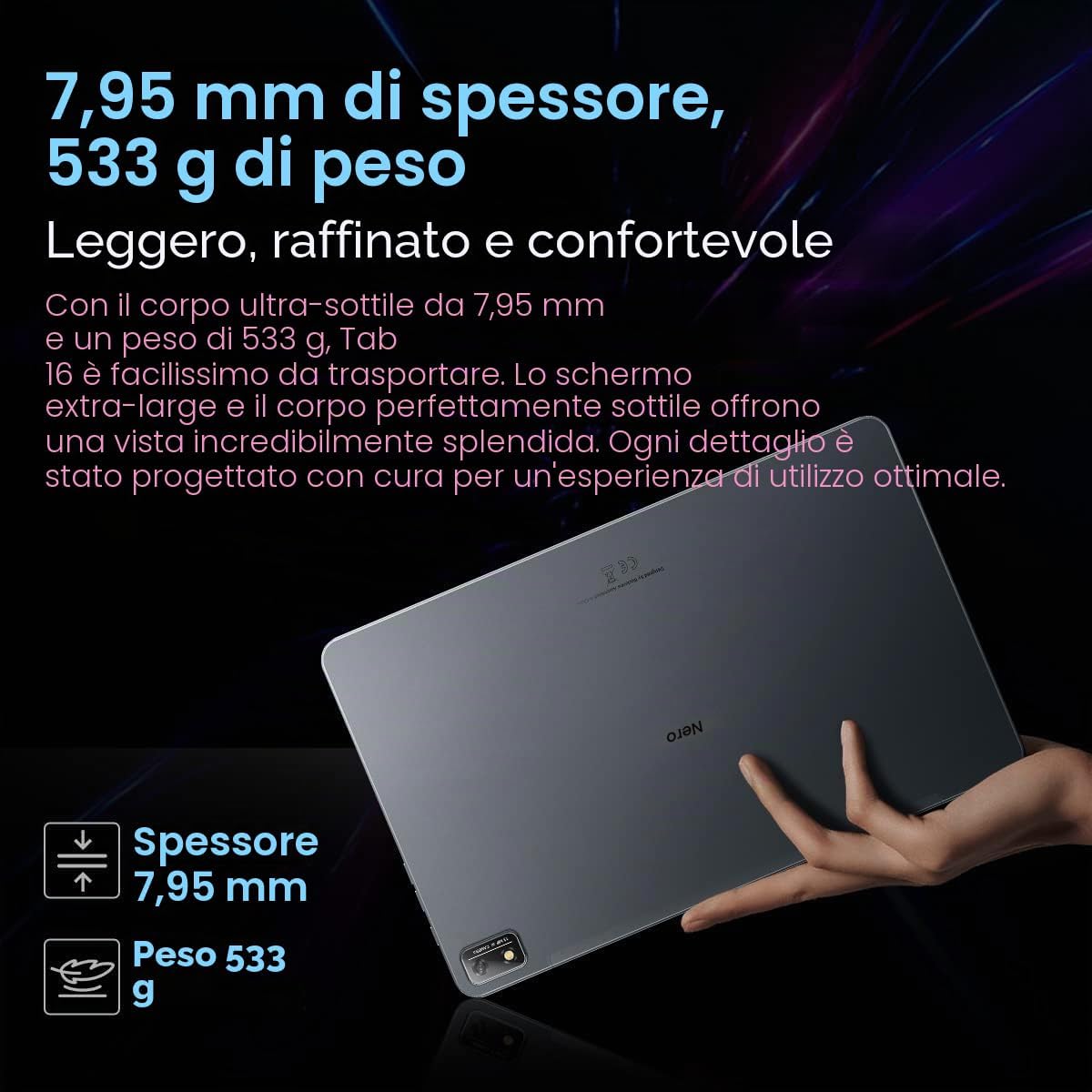
Image: The Blackview Tab 16 paired with a keyboard and mouse, demonstrating its capability for a PC-like productivity experience.
5.6 Reading Modes
To reduce eye strain, the Tab 16 offers three eye protection modes, including a TÜV Rheinland Low Blue Light certified mode and a Dark Mode with 3 levels of darkness. Access these settings in the display options.
6. Одржавање
6.1 Чишћење уређаја
Користите меку крпу која не оставља влакна да бисте очистили екран и кућиште таблета. Избегавајте употребу јаких хемикалија или абразивних материјала који би могли оштетити површину.
6.2 Одржавање батерије
Да бисте продужили век трајања батерије:
- Избегавајте екстремне температуре.
- Не дозволите да се батерија редовно потпуно испразни.
- Користите оригинални пуњач и кабл.
6.3 Ажурирања софтвера
Regularly check for system updates to ensure your tablet has the latest features and security patches. Go to Settings > System > System update.
6.4 Управљање складиштем
Manage your 256GB internal storage and any installed microSD card by regularly deleting unnecessary files and uninstalling unused applications. Go to Settings > Storage.
КСНУМКС. Решавање проблема
If you encounter issues with your Blackview Tab 16, refer to the following common solutions:
| Проблем | Могуће решење |
|---|---|
| Уређај се не укључује | Уверите се да је батерија напуњена. Притисните и држите дугме за напајање најмање 10-15 секунди. |
| Таблет се не пуни | Check the charging cable and adapter for damage. Try a different power outlet. Ensure the charging port is clean. |
| Проблеми са Ви-Фи везом | Restart the tablet and your Wi-Fi router. Forget the network and reconnect. Ensure you are within range. |
| Апликације се руше или замрзавају | Close and reopen the app. Clear the app's cache (Settings > Apps > [App Name] > Storage & cache). Restart the tablet. |
| Споро перформансе | Затворите апликације у позадини. Обришите кеш меморију. Ослободите простор за складиштење. Поново покрените таблет. |
If problems persist, consider performing a factory reset (Settings > System > Reset options > Erase all data), but back up your data first as this will delete all personal information.
8. Спецификације
Key technical specifications for the Blackview Таб 16:
- Назив модела: Таб 16
- Оперативни систем: Андроид 12
- процесор: Unisoc T616 Octa-core (2 GHz)
- РАМ: 8 ГБ
- Интерна меморија: 256 ГБ
- Прошириво складиште: microSD до 1 TB
- Приказ: 11-inch IPS 2K (2000 x 1200), 60 Hz, 16:10 aspect ratio
- Задња камера: 13 МП
- Предња камера: 8 МП
- батерија: 7680 mAh (26 hours average duration)
- Пуњење: 18В брзо пуњење
- Повезивање: Wi-Fi, Bluetooth, 4G/LTE (Dual SIM), GPS
- Портови: УСБ Типе-Ц
- Димензије: 26Д к 16.5Ш к 0.8В цм
- Тежина: 533 г
- Посебне карактеристике: Google Smart Lens, Widevine L1 1080P Support, 3 Reading Modes
9. Гаранција и подршка
Your Blackview Tab 16 is covered by a manufacturer's warranty. Please refer to the warranty card included in your package for specific terms and conditions. For technical support or service inquiries, please visit the official Blackview webсајт или контактирајте њихову службу за кориснике. Сачувајте рачун као доказ о куповини за потребе гаранције.
За више информација, можете посетити Црноview Продавница на Амазону.