
Увод
This manual provides detailed instructions for the safe and effective use of your BORUIT V3 and V7 EDC flashlights. Please read this manual thoroughly before operation to ensure proper functionality and longevity of your devices.
Сетуп
Charging the Flashlights
Both BORUIT V3 and V7 flashlights are equipped with a Type-C charging port. Before first use, or when the battery is low, charge the flashlight using a standard USB-C cable and a compatible power source.
- Connect the Type-C cable to the flashlight's charging port.
- Connect the other end of the cable to a USB power adapter or a computer's USB port.
- For the V7 flashlight, a red light will flash during charging, and a green light will indicate a full charge.
- The V3 flashlight has a battery indicator display that shows charging status.
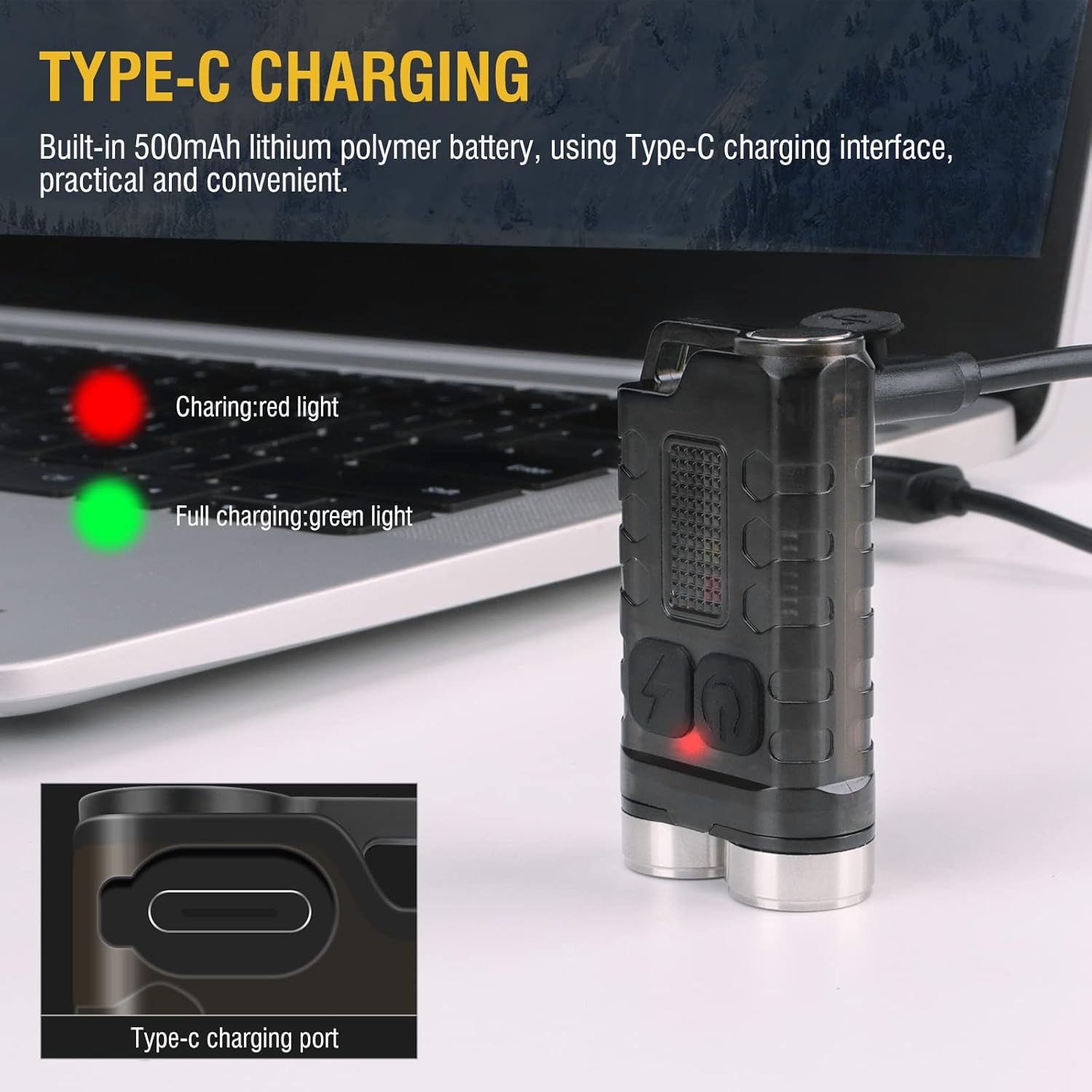
Image: BORUIT V3 flashlight charging via Type-C cable, with a red indicator light visible.

Image: BORUIT V7 flashlight and its Type-C charging cable.
Упутство за употребу
BORUIT V3 Flashlight Operation
The BORUIT V3 flashlight features 12 lighting modes, including 5 main light modes and 7 side light modes.
Главни режими осветљења:
- Супер Бригхт
- Хигх Лигхт
- Средње Бригхт
- Лов Лигхт
- Економски
Режими бочног светла:
- Бела светлост
- УВ светло
- Црвено светло
- Ред Лигхт Фласх
- Red Blue Light Flash
Operating the V3 Main Light:
- Укључи/искључи: Press the main light switch button to turn on. Release to turn off.
- Промена режима: Double-click the main light switch button to cycle through modes.
- Turn Off from Mode: Press and hold the main light switch button to turn off.
Operating the V3 Side Light:
- Бела светлост: Long press the side light switch to turn on the white light. Long press again to turn it off.
- Red-Blue Flash: Click the side light switch three times to activate the red-blue flash.
- Промена режима: Double-click the side light switch to cycle through other side light modes.
- Turn Off from Mode: Press and hold the side light switch to turn off.

Image: BORUIT V3 flashlight lighting modes and operation guide.
BORUIT V7 Flashlight Operation
The BORUIT V7 flashlight features 3 powerful LED lights and multi-color side lights. Specific mode cycling instructions are similar to the V3 model, typically involving single clicks, double clicks, and long presses of the power button to cycle through brightness levels and special modes.
Magnetic Tail and Clip:
The V7 flashlight includes a magnetic tail, allowing it to be attached to metallic surfaces for hands-free operation. A clip on the back enables secure attachment to pockets, straps, or hats.

Image: BORUIT V7 flashlight demonstrating its ultra-light and portable design with clip and keychain.

Image: BORUIT V7 flashlight utilizing its magnetic adsorption feature.
Одржавање
To ensure optimal performance and extend the lifespan of your BORUIT flashlights, follow these maintenance guidelines:
- Чишћење: Обришите кућиште батеријске лампе меком крпомamp тканина. Немојте користити абразивна средства за чишћење или раствараче.
- Отпорност на воду: The V3 is IP65 waterproof, and the V7 is IPX5 waterproof. While resistant to splashes and rain, avoid submerging the flashlights in water for extended periods. Ensure the charging port cover is securely closed to maintain water resistance.
- Складиштење: Store the flashlights in a cool, dry place away from direct sunlight and extreme temperatures. If storing for a long period, ensure the battery is partially charged (around 50%) to prevent deep discharge.
- Одржавање батерије: Редовно пуните батерију, чак и ако је не користите често, како бисте је одржали у добром стању.

Image: BORUIT V3 flashlight demonstrating IP65 outdoor waterproof capability.
Решавање проблема
If you encounter issues with your BORUIT flashlight, refer to the following common troubleshooting steps:
- Батеријска лампа се не укључује:
- Ensure the battery is charged. Connect to a charger and check the indicator light.
- Verify that the power button is being pressed correctly according to the operating instructions (e.g., single press, double-click, long press).
- Излаз пригушеног светла:
- Батерија је можда празна. Напуните батеријску лампу.
- Ensure the flashlight is not in an economic or low-power mode. Cycle through the modes to a brighter setting.
- Проблеми са наплатом:
- Check the charging cable and adapter for damage. Try a different cable or power source.
- Ensure the Type-C cable is fully inserted into the charging port.
Спецификације
BORUIT V3 Flashlight
| Параметар | Детаљ |
|---|---|
| Материјал | PC + 304 Stainless Steel |
| Лумени | 900 ЛМ |
| Извор светлости | ЛЕД |
| Режими осветљења | 12 (5 Main, 7 Side) |
| Лигхт Цолор | UV, White, Red, Blue Light |
| Цхаргинг Типе | ТИПЕ-Ц |
| Ватерпрооф Граде | ИП65 |
| Удаљеност зрачења | 100 метара |
| Величина производа | 15 мм * 31 мм * 56 мм |
BORUIT V7 Flashlight
| Параметар | Детаљ |
|---|---|
| Извор осветљења | 3 * ЛЕД |
| Lamp Luminous (lm) | 1100лм |
| Беам Дистанце | 100 метара (328 стопа) |
| Капацитет батерије | КСНУМКСмАх полимерна литијумска батерија |
| Инпут | 5V |
| Време пуњења | 3 сата |
| Индикатор пуњења | Red light flash (charging), Green light (full) |
| Материјал шкољке | Алуминијумска легура |
| Ватерпрооф Граде | ИПКС5 |
| Режим пуњења | УСБ-Ц |
| Нето тежина | 52г |
| Величина производа | 64 мм * 37.5 мм * 21 мм |
Гаранција и подршка
Your BORUIT V3 and V7 flashlights come with a limited warranty. For specific warranty details, claims, or technical support, please refer to the warranty information provided at the time of purchase or contact BORUIT customer service directly through their official webсајт или овлашћени продавци.
За додатну помоћ, посетите BORUIT Store on Amazon.