
Увод
Thank you for choosing the A4 TECH 2DRUMTEK B25 True Wireless Earbuds. These earbuds feature advanced Bluetooth 5.2 technology for stable connectivity, Hybrid Active Noise Cancelling for an immersive audio experience, and an IPX4 rating for water and dust resistance, making them suitable for active lifestyles. The M.O.C.I (Mycelium of Carbon IT) hybrid diaphragm ensures clear highs, balanced mids, and deep bass. This manual provides detailed instructions for setup, operation, maintenance, and troubleshooting to help you get the most out of your device.
Садржај пакета
- 2DRUMTEK B25 True Wireless Earbuds (Left and Right)
- Футрола за пуњење
- Кабл за пуњење
- Упутство за употребу
Производ је завршенview
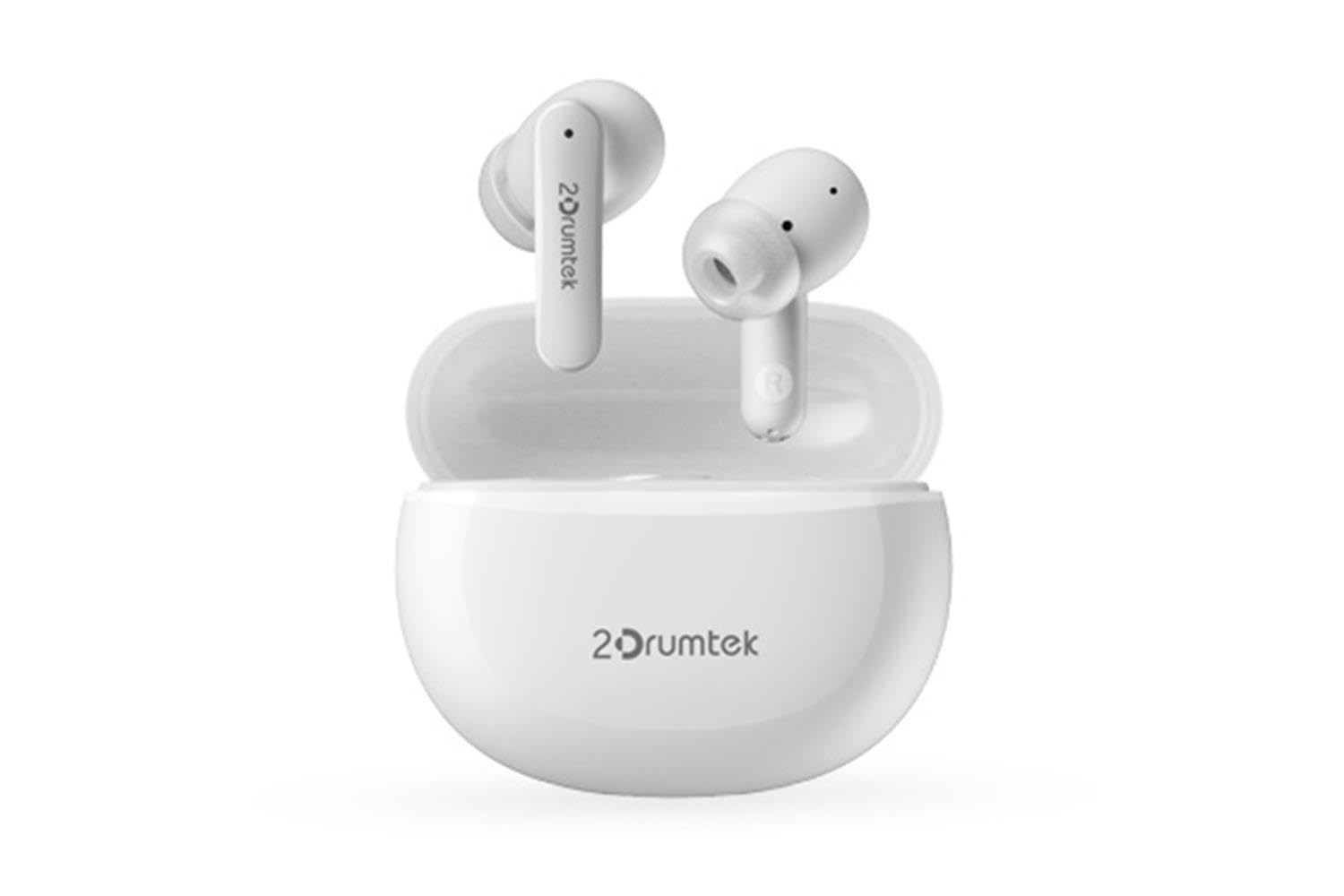
Image: A pair of white A4 TECH 2DRUMTEK B25 True Wireless Earbuds, showing their in-ear design and the '2Drumtek' branding on the stems.
The 2DRUMTEK B25 earbuds feature an ergonomic in-ear design. Each earbud includes a touch control area for various functions, a microphone for calls and voice assistant, and charging contacts at the bottom of the stem. An LED indicator provides status updates for pairing and battery life.
Сетуп
1. Пуњење слушалица и кућишта за пуњење
Before first use, fully charge the earbuds and the charging case. Place the earbuds into the charging case. Connect the charging cable to the case and a USB power source. The LED indicators on the case and earbuds will show charging status. A full charge provides up to 5 hours of playback for the earbuds, with an additional 15 hours from the charging case.
2. Почетно упаривање
- Отворите кућиште за пуњење. Слушалице ће аутоматски ући у режим упаривања.
- На свом уређају (паметном телефону, таблету, рачунару) омогућите Блутут.
- Тражи available Bluetooth devices and select "2DRUMTEK B25".
- Када се повежете, чућете звук потврде, а ЛЕД индикатор на слушалицама ће се променити.
3. Аутоматско поновно повезивање
After the initial pairing, the earbuds will automatically connect to your previously paired device when you open the charging case and take them out, provided Bluetooth is enabled on your device.
Упутство за употребу
1. Укључивање/искључивање
- Укључено: Отворите кућиште за пуњење и слушалице ће се аутоматски укључити.
- Искључивање: Вратите слушалице у кутијицу за пуњење и затворите поклопац. Аутоматски ће се искључити.
2. Music Playback (Touch Control)
- Пусти/паузирај: Један додир на обе слушалице.
- Следећа песма: Двапут додирните десну слушалицу.
- Претходна песма: Двапут додирните леву слушалицу.
3. Call Management (Touch Control)
- Одговори/заврши позив: Један додир на обе слушалице.
- Одбиј позив: Притисните и држите било коју слушалицу 2 секунде.
4. Voice Assistant (Touch Control)
Triple tap on either earbud to activate your device's voice assistant (e.g., Siri, Google Assistant, Amazon Alexa).
5. Активно поништавање буке (АНЦ)
The earbuds feature Hybrid Active Noise Cancelling. Refer to the specific touch control gestures in the quick start guide for activating and deactivating ANC mode, as these can vary.
Одржавање
- Чишћење: Regularly clean the earbuds, especially the ear tips and charging contacts, with a soft, dry cloth. Avoid using harsh chemicals or abrasive materials.
- Складиштење: Када се не користе, чувајте слушалице у њиховој футроли за пуњење како бисте их заштитили од прашине и оштећења.
- Water and Dust Resistance (IPX4): The earbuds are rated IPX4, meaning they are resistant to splashing water and sweat from any direction. They are suitable for workouts and outdoor activities but should not be submerged in water. Ensure the earbuds are dry before placing them back in the charging case to prevent damage.
- Одржавање батерије: To prolong battery life, avoid fully discharging the earbuds frequently. Charge them regularly, even if not in constant use.
Решавање проблема
- Слушалице се не упарују: Ensure both earbuds are charged. Place them back in the case, close the lid, then open it again to re-enter pairing mode. Check your device's Bluetooth settings and try reconnecting.
- Само једна слушалица ради: Ensure both earbuds are charged. Try resetting the earbuds by placing them in the case and then taking them out. Re-pair with your device if necessary.
- Нема звука: Check the volume level on your connected device. Ensure the earbuds are properly paired and connected.
- Проблеми са пуњењем: Уверите се да је кабл за пуњење безбедно повезан и са кућиштем и са извором напајања. Очистите контакте за пуњење на слушалицама и унутар кућишта.
- Лош квалитет звука: Ensure the earbuds are properly seated in your ears. Try different ear tip sizes for a better seal.
Спецификације
| Феатуре | Опис |
|---|---|
| Назив модела | 2DRUMTEK B25 |
| Технологија повезивања | Бежично (Bluetooth 5.2) |
| Поништавање буке | Хибридно активно поништавање буке |
| Ниво отпорности на воду | ИПКС4 (отпоран на воду) |
| Постављање уха | Ин-Еар |
| Тип контроле | Контрола додиром |
| Компатибилни уређаји | PCs, Laptops, Mobile Phones, Tablets, Other Bluetooth Devices |
| Материјал | Plastic, Metal, Carbon Fiber |
| Трајање батерије (слушалице) | До 5 сата по пуњењу |
| Укупно време репродукције (са футролом) | До 20 сати |
Безбедносне информације
- Не растављајте или модификујте производ.
- Држати даље од екстремних температура и директне сунчеве светлости.
- Избегавајте излагање производа ватри или високој температури.
- Не користите слушалице на претерано јаким звукима током дужег временског периода како бисте спречили оштећење слуха.
- Чувати ван домашаја деце и кућних љубимаца.
Гаранција и подршка
This product comes with a standard manufacturer's warranty. For detailed warranty information, please refer to the warranty card included in your package or visit the official A4 TECH website. If you encounter any issues or require technical assistance, please contact A4 TECH customer support through their official channels. Please have your model number (B25) and proof of purchase ready when contacting support.