
1. Увод
This manual provides comprehensive instructions for the installation, operation, and maintenance of your ACASIS NVMe M.2 SSD Enclosure. This external hard drive enclosure is designed to provide high-speed data transfer and reliable storage for your M.2 NVMe SSDs, supporting various sizes and offering broad compatibility with modern computing devices.
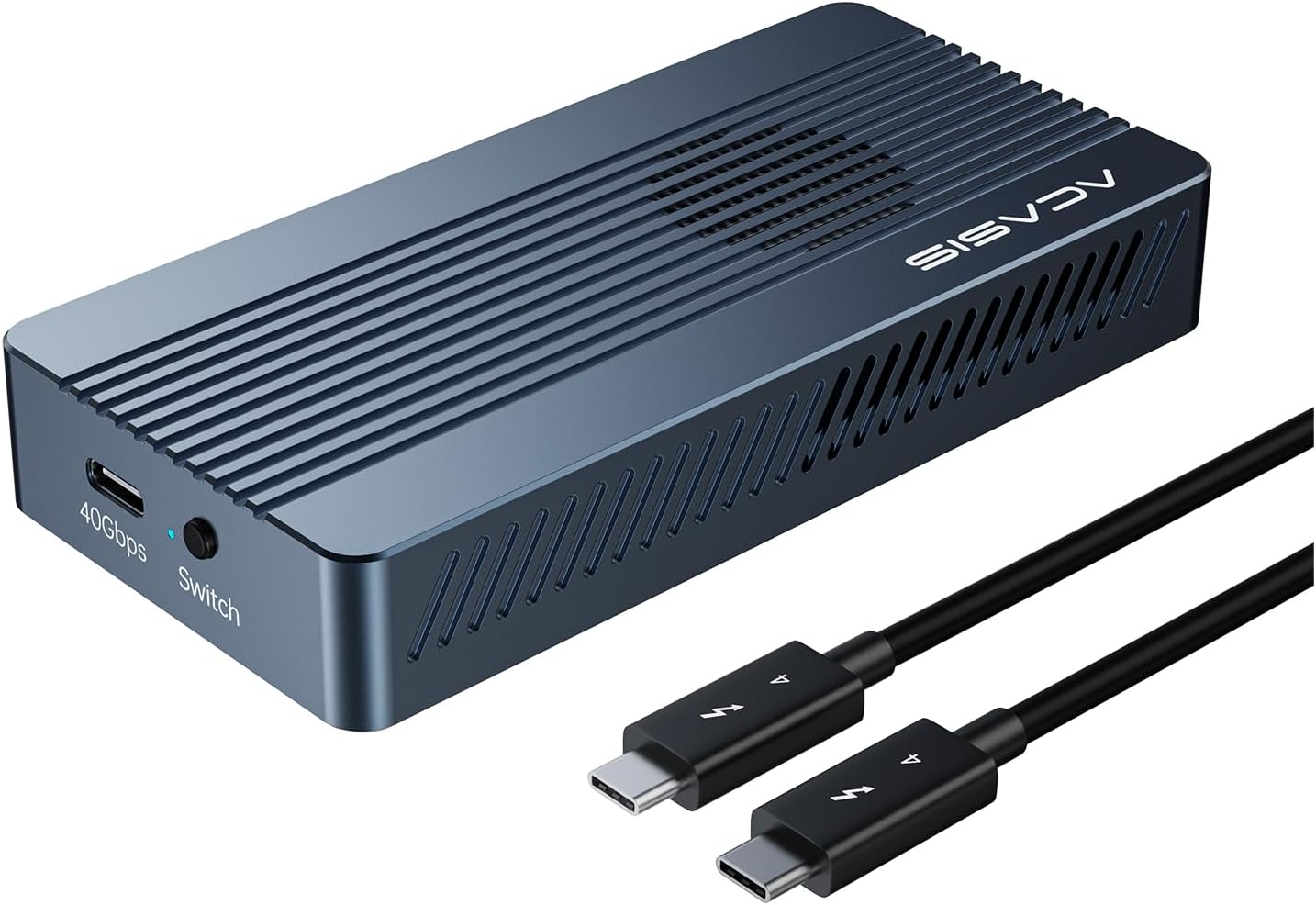
Image 1.1: The ACASIS NVMe M.2 SSD Enclosure, showcasing its compact design and included USB-C cable for connectivity.
2. Производ је готовview
2.1 Кључне карактеристике
- Integrated Cooling Fan (TBU405 PRO): Features an integrated fan and heat dissipation holes within the aluminum alloy casing for enhanced cooling performance. The fan can be activated via a dedicated button.
- JHL7440 Chip: Utilizes a dual-chip control for increased stability, reliability, improved heat dissipation, and full compatibility with Thunderbolt 3/4 and USB 4/3.2/3.1/3.0/2.0.
- Универзална компатибилност: Compatible with Mac M1 Pro/Max and iPad Pro devices, as well as Windows, macOS, and Linux operating systems. Supports USB 4/3.2/3.1/3.0/2.0 at their respective speeds.
- 40 Gbps Blazing Speed: Achieves high transfer speeds, tested up to 2805 MB/s read and 2734 MB/s write with a Samsung 980 EVO Plus on MacBook Pro. Actual performance may vary.
- Компактан и преносив дизајн: Ultra-portable design, suitable for travel and professional use, easily fitting into a pocket or bag.
- ССД подршка: Supports M.2 NVMe SSDs of sizes 2230, 2242, 2260, and 2280, including B+M Key and M-Key types.
- Максимални капацитет: Supports up to 8TB M.2 NVMe SSDs.
2.2 Supported SSD Types and Capacity
The ACASIS enclosure is designed to accommodate M.2 NVMe SSDs. It supports various form factors including 2280, 2260, 2242, and 2230. Ensure your SSD is an NVMe (PCIe) type, as SATA M.2 SSDs are not compatible.

Image 2.1: Illustration of supported M.2 NVMe SSD sizes (2280) and key types (B&M Key and M Key).

Image 2.2: The enclosure supports a maximum SSD capacity of 8TB.
3. Подешавање и инсталација
3.1 Tool-Free SSD Installation
The ACASIS enclosure features a tool-free design for easy and quick SSD installation. Follow these steps:
- Step 1: Open the Bottom Plate. Gently slide or open the bottom plate of the enclosure to reveal the internal slot for the SSD.
- Step 2: Insert the SSD. Align your M.2 NVMe SSD with the slot and insert it firmly. Secure the SSD using the provided fixed rubber stopper to prevent it from falling off. Ensure the SSD is fully seated.
- Корак 3: Затворите поклопац. Close the lower cover of the enclosure until it clicks securely into place.
- Step 4: Connect to Computer. Connect the enclosure to your computer using the provided USB-C cable.
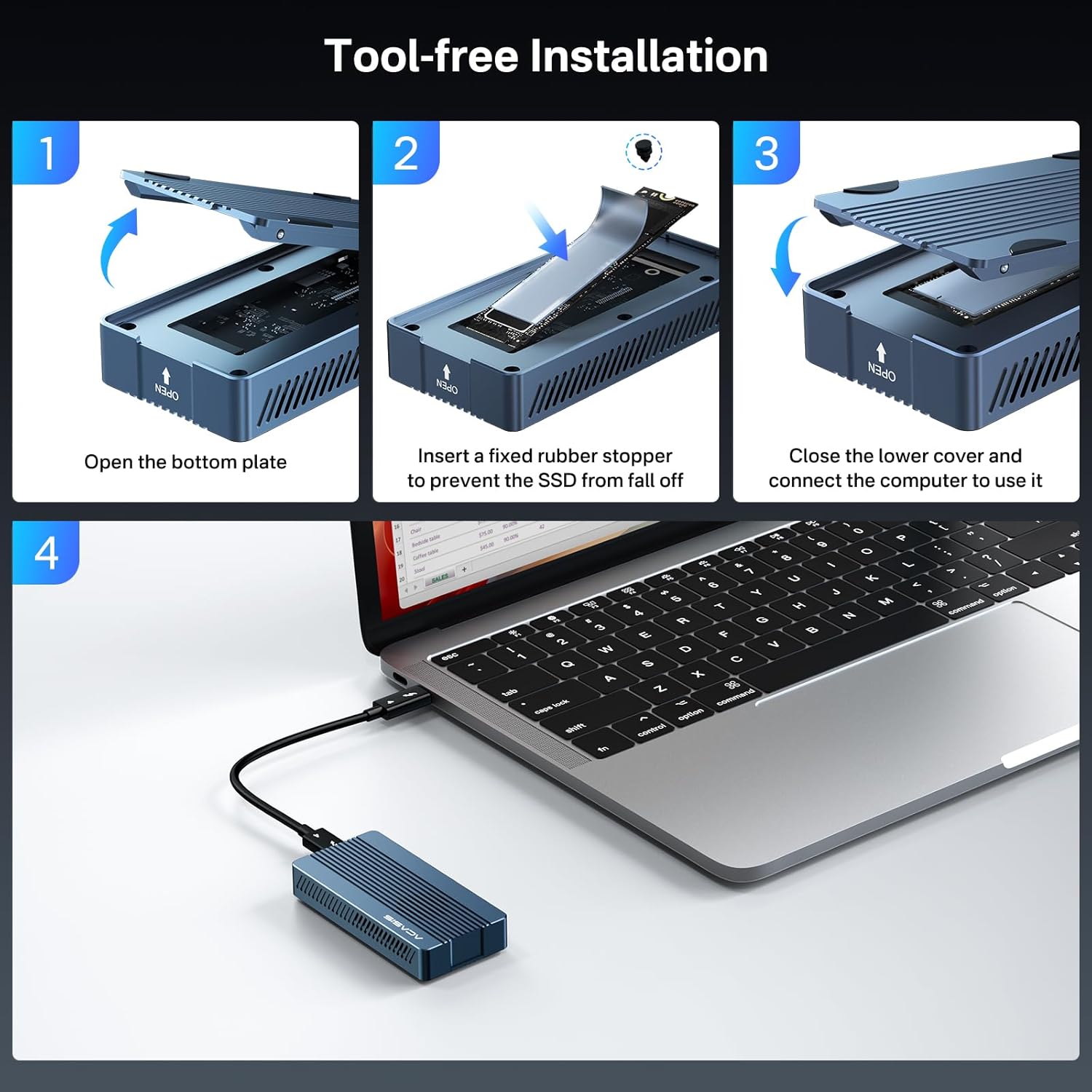
Image 3.1: Visual guide for the tool-free installation process of an M.2 NVMe SSD into the enclosure.
3.2 Повезивање са вашим уређајем
Use the included USB-C to USB-C cable to connect the enclosure to your host device (e.g., laptop, desktop, iPad Pro). The enclosure is compatible with Thunderbolt 3/4 and USB 4/3.2/3.1/3.0/2.0 ports. For optimal performance, connect to a Thunderbolt 3/4 or USB 4 port.
4. Упутство за употребу
4.1 Fan Activation
The ACASIS TBU405 PRO features an integrated cooling fan to maintain optimal operating temperatures for your SSD. To activate the fan, press the dedicated button located on the enclosure. The fan will help dissipate heat, especially during prolonged high-speed data transfers.
4.2 Пренос података
Once connected, your operating system should recognize the SSD enclosure as an external drive. You can then drag and drop fileили користите системски file management tools to transfer data to and from the SSD. For new SSDs, you may need to initialize and format the drive through your operating system's Disk Management utility (Windows) or Disk Utility (macOS) before use.
5. Перформансе
The ACASIS NVMe M.2 SSD Enclosure is engineered for high-speed performance, leveraging the 40 Gbps bandwidth of Thunderbolt 3/4 and USB 4 interfaces. In laboratory tests, the enclosure achieved read speeds of up to 2805 MB/s and write speeds of up to 2734 MB/s when paired with a high-performance NVMe SSD like the Samsung 980 EVO Plus on a MacBook Pro. Actual speeds may vary depending on the host device, operating system, SSD model, and file types being transferred.

Image 5.1: Temperature test results demonstrating the effectiveness of the integrated cooling system in maintaining safer operating temperatures for the SSD.
6. Одржавање
6.1 Чишћење
To ensure longevity and optimal performance, keep the enclosure clean. Use a soft, dry cloth to wipe the exterior. Avoid using liquid cleaners or abrasive materials that could damage the finish or internal components. Ensure the fan vents are free from dust accumulation.
6.2 Складиштење
When not in use, store the enclosure in a cool, dry place away from direct sunlight and extreme temperatures. Protect it from physical shocks or drops.
КСНУМКС. Решавање проблема
- SSD није препознат:
- Ensure the SSD is fully seated in the enclosure.
- Verify that the SSD is an NVMe (PCIe) type, not SATA.
- Try connecting the enclosure to a different USB-C or Thunderbolt port on your computer.
- Check Disk Management (Windows) or Disk Utility (macOS) to see if the drive appears but needs initialization or formatting.
- Fan Not Working:
- Ensure the enclosure is powered on and connected to a host device.
- Press the fan activation button to ensure it is turned on.
- Проверите да ли има препрека у отворима вентилатора.
- Споре брзине преноса:
- Ensure you are connected to a Thunderbolt 3/4 or USB 4 port for maximum speed. Older USB ports (e.g., USB 3.0/3.1/3.2 Gen 1) will operate at lower speeds.
- Verify the performance capabilities of your M.2 NVMe SSD.
- Close other applications that might be consuming system resources or disk I/O.
- Ensure the fan is active to prevent thermal throttling of the SSD.
- Enclosure Gets Hot:
- High-speed NVMe SSDs generate heat, especially during intensive operations. The aluminum casing and integrated fan are designed to dissipate this heat.
- Ensure the fan is activated.
- Осигурајте одговарајућу вентилацију око кућишта.
8. Спецификације
| Феатуре | Детаљ |
|---|---|
| Бранд | Acasis |
| Број модела | TBU405PROM1 |
| Сериес | TBU405Pro M1 |
| Боја | Миднигхт Блуе |
| Хардверска платформа | Виндовс, мацОС, Линук |
| Hard Drive Size Supported | До 8 ТБ |
| Hard Drive Technology | ССД (Солид Стате Дриве) |
| Интерфејс чврстог диска | NVMe (M.2 2230/2242/2260/2280 B+M Key, M-Key) |
| Хардверски интерфејс | USB (Thunderbolt 3/4, USB 4/3.2/3.1/3.0/2.0) |
| Тип конектора | УСБ-Ц |
| Компатибилни уређаји | Desktop, Laptop, iPad Pro (Mac M1 Pro/Max) |
| Димензије артикла (Д к Ш к В) | КСНУМКС к КСНУМКС к КСНУМКС цм (КСНУМКС к КСНУМКС к КСНУМКС инча) |
| Посебне карактеристике | Portable, Integrated Cooling Fan |
| Број портова | 1 (УСБ-Ц) |
| Произвођач | АЦАСИС |
| Земља порекла | Кина |
9. Гаранција и подршка
9.1 Информације о гаранцији
This ACASIS product comes with a 1 година гаранције од датума куповине. Ова гаранција покрива производне недостатке и кварове при нормалној употреби. Не покрива штету насталу услед злоупотребе, несрећа, неовлашћених модификација или природних катастрофа.
9.2 Корисничка подршка
For technical assistance, troubleshooting, or warranty claims, please contact ACASIS customer support. Refer to the product packaging or the official ACASIS webсајт за најновије контакт информације.
When contacting support, please have your product model number (TBU405PROM1) and proof of purchase readily available.