
Увод
The Nonstop NSA2-BK Station A is a versatile bedside companion designed to enhance your daily routine. This device integrates a wireless Bluetooth speaker, an alarm clock, and a multi-functional charging station, providing convenience and relaxation in one compact unit. It features soothing soundscapes for improved sleep and multiple charging options for your devices.

Слика 1: Предња страна view of the Nonstop NSA2-BK Station A, displaying the digital clock, alarm settings, and charging indicators.
Кључне карактеристике
- Wireless Bluetooth Speaker: Enjoy enhanced stereo sound for music, videos, and apps from your Bluetooth-enabled devices.
- Relaxation Soundscapes: Improve sleep quality with built-in soothing sounds, including gentle ocean waves, calming rain, and noise-masking ambient sounds.
- Wireless Qi Charging: Conveniently charge Qi-compatible smartphones by simply placing them on the top surface of the unit.
- Dual USB Universal Charging: Equipped with two USB ports to charge a variety of devices, including smartphones, iPads, Kindles, and wireless headphones.

Figure 2: Illustration of the relaxation sound features, showing icons for Gentle Waves, Soothing Rain, and White Noise.
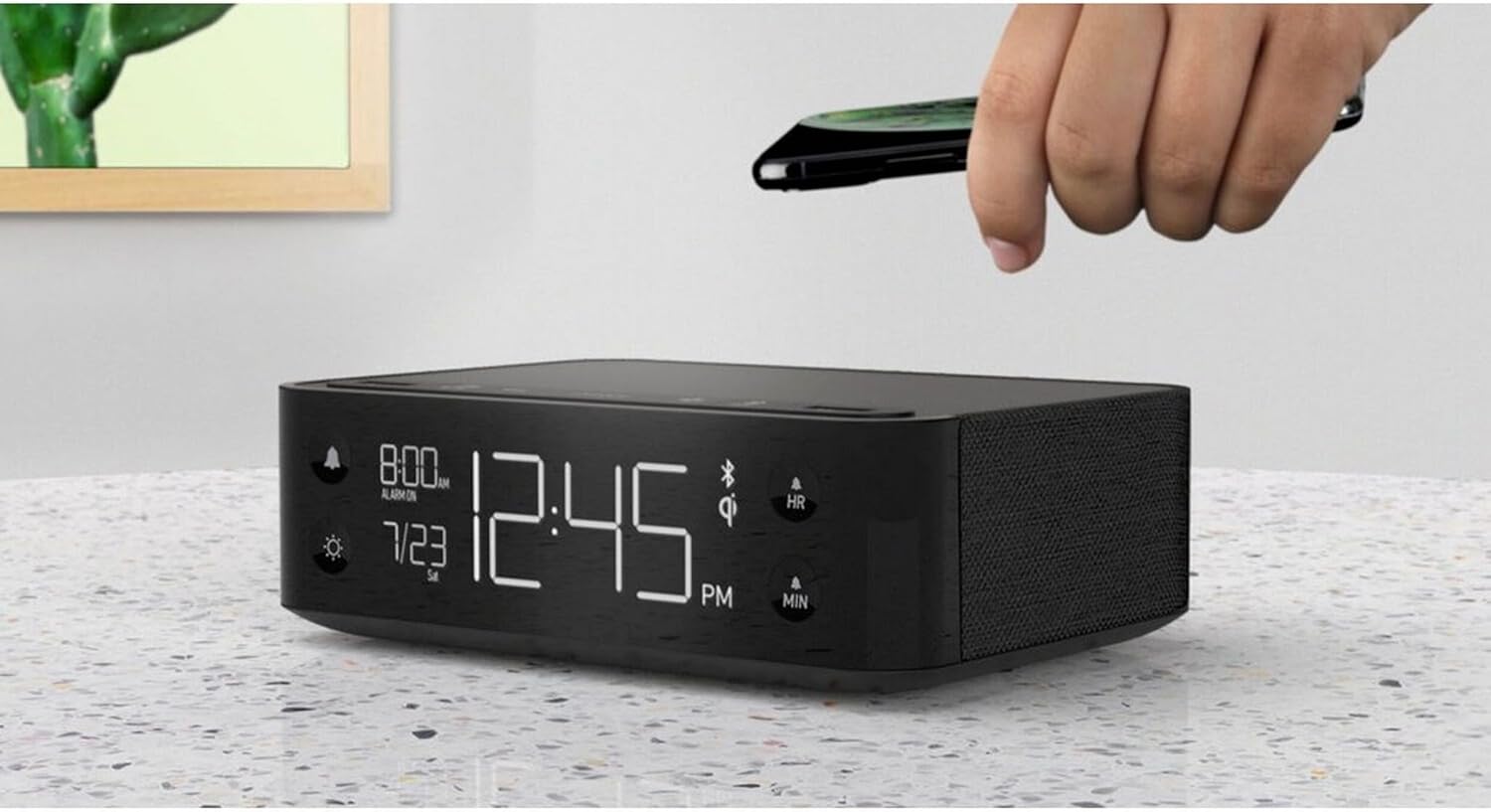
Figure 3: A smartphone being placed on the top surface of the Station A for wireless charging.
Сетуп
1. Прикључак за напајање
- Unpack the Nonstop NSA2-BK unit and all accessories from the packaging.
- Connect the provided power adapter to the DC input port on the back of the unit.
- Plug the power adapter into a standard electrical outlet. The display will illuminate, indicating the unit is powered on.
2. Initial Clock Setting
Upon first power-up, the clock may display a default time. Refer to the "Operating Instructions" section for detailed steps on setting the current time and date.
3. Блуетоотх упаривање
- Уверите се да је Bluetooth омогућен на вашем мобилном уређају (паметном телефону, таблету итд.).
- On the Nonstop NSA2-BK, press the Bluetooth pairing button (refer to button layout in "Operating Instructions" if available, otherwise assume a standard Bluetooth icon button). The Bluetooth indicator on the display will flash.
- On your mobile device, search for available Bluetooth devices. Select "Nonstop NSA2-BK" from the list.
- Once paired, the Bluetooth indicator on the unit will become solid, and you will hear an audible confirmation.
4. Wireless Qi Charging Setup
No specific setup is required for wireless charging beyond connecting the unit to power. Simply place your Qi-compatible device on the designated charging pad on top of the unit. Ensure the device is centered for optimal charging.
Упутство за употребу
Подешавање времена и датума
- Притисните и држите ВРЕМЕНСКИ СКЛОП button (or equivalent, often combined with HR/MIN buttons).
- Користите HR (Сат) и МИН (Минути) дугмад за подешавање времена.
- Притисните тастер ВРЕМЕНСКИ СКЛОП button again to confirm and move to date setting (if applicable).
- Користите HR и МИН buttons to adjust the month and day.
- Притисните ВРЕМЕНСКИ СКЛОП да изађе.
Подешавање и употреба аларма
- Притисните и држите АЛАРМ СЕТ button (bell icon). The alarm time will flash.
- Користите HR и МИН дугмад да бисте подесили жељено време аларма.
- Притисните АЛАРМ СЕТ поново да потврдим.
- Да бисте активирали/деактивирали аларм, притисните дугме АЛАРМ УКЉУЧЕН / ИСКЉУЧЕН button (bell icon). An alarm indicator will appear/disappear on the display.
- Када се огласи аларм, притисните СНООЗЕ button (if available, or any button except alarm off) for a temporary pause. Press the АЛАРМ УКЉУЧЕН / ИСКЉУЧЕН дугме да бисте потпуно искључили аларм.
Using Bluetooth Speaker
- Ensure the unit is paired with your device (see "Bluetooth Pairing" in Setup).
- Play audio from your paired device. Sound will be output through the NSA2-BK speaker.
- Adjust volume using the volume controls on your paired device or on the NSA2-BK unit (if available).
Playing Relaxation Sounds
- Притисните тастер ЗВУК button (or similar, possibly a wave/rain icon).
- Press repeatedly to cycle through available soundscapes (Ocean Waves, Rain, Ambient Sounds).
- Притисните и држите ЗВУК button to turn off the soundscape.
Using Charging Functions
- Wireless Qi Charging: Place your Qi-compatible smartphone centrally on the top charging pad. A charging indicator on the display will illuminate.
- УСБ пуњење: Connect your device's USB charging cable to one of the two USB ports on the back or side of the unit. Charging will begin automatically.
Подешавање осветљености екрана
- Притисните тастер ДИММЕР button (sun icon).
- Press repeatedly to cycle through different brightness levels for the display.
Одржавање
- Чишћење: Disconnect the power before cleaning. Use a soft, dry cloth to wipe the exterior of the unit. Do not use liquid cleaners or abrasive materials.
- Складиштење: Ако складиштите уређај дуже време, искључите га из струје и чувајте га на хладном и сувом месту.
- Избегавајте течности: Држите уређај даље од воде или прекомерне влаге.
- вентилација: Обезбедите одговарајућу вентилацију око уређаја како бисте спречили прегревање. Не блокирајте вентилационе отворе.
Решавање проблема
| Проблем | Могући узрок | Решење |
|---|---|---|
| Јединица се не укључује. | Адаптер за напајање није повезан или утичница није активна. | Ensure power adapter is securely plugged into the unit and a working electrical outlet. |
| Блутут уређај не може да се упари. | Unit is not in pairing mode; device is too far; another device is already connected. | Ensure the NSA2-BK is in pairing mode. Move device closer. Disconnect any previously paired devices. |
| Бежично пуњење не ради. | Device is not Qi-compatible; device not centered; foreign objects on pad; thick phone case. | Verify device supports Qi wireless charging. Re-position device centrally. Remove foreign objects or thick phone cases. |
| Пуњење преко USB-а не ради. | Cable is faulty; device is not compatible; unit is overloaded. | Try a different USB cable. Ensure device is compatible. Avoid charging too many high-power devices simultaneously. |
| Аларм се не оглашава. | Аларм није активиран; јачина звука је прениска. | Ensure the alarm is set and activated (alarm indicator visible). Increase the unit's volume. |
Спецификације
- Бренд: Нон-стоп
- Модел: NSA2-BK
- Боја: Black, Ocean
- Тежина артикла: 3 фунти
- Хардверски интерфејс: УСБ
- Компатибилни уређаји: iPad, Smartphones, Kindle, Wireless Headphones (via USB/Qi)
- Укупан број УСБ портова: 2
- Ватtage: 10 watts (for charging)
- УПЦ: 840148709171
- ASIN: B0C8LDWF57
- Прво доступно: 29. јул 2024
Гаранција и подршка
Specific warranty details for the Nonstop NSA2-BK are typically provided with the product packaging or on the manufacturer's official webсајт. Молимо погледајте ове изворе за свеобухватне информације о гаранцији.
For technical support, troubleshooting assistance beyond this manual, or inquiries regarding parts and service, please contact Nonstop customer support through their official website or the contact information provided in your product's original documentation.
Напомена: Увек сачувајте доказ о куповини за потребе гаранције.