
1. Увод и крајview
The Buffbee Sound Machine & Alarm Clock is a versatile 2-in-1 device designed to enhance your sleep and wake-up experience. It combines a high-quality sound machine with a precise digital alarm clock, offering a range of features to create a peaceful environment and ensure timely waking.

Image 1.1: The Buffbee device highlighting its dual functionality as a sound machine and an alarm clock.
Кључне карактеристике:
- 2-у-1 функционалност: Combines a sound machine and a digital alarm clock in one compact unit.
- 18 умирујућих звукова: Includes 5 white noises, 3 fan sounds, and 10 nature sounds (ocean, lullaby, waves, rain, thunderstorm, stream, croaks, bird chirps, summer night, campfire) to aid sleep and relaxation.
- Подесиви осветљеност екрана: Clock face brightness can be dimmed from 0% to 100% to suit your preference.
- Прецизна контрола јачине звука: Offers 30 levels of volume adjustment for optimal sound output.
- Мерач спавања: Set the sound machine to automatically turn off after 15, 30, 60, 90, or 120 minutes, or allow continuous play.
- Ноћно светло у 7 боја: Features a soothing colored light at the base with 7 color options and ON/OFF functionality.
- Висококвалитетни звучник: Equipped with a 5W speaker for rich, detailed sound.

Слика 1.2: Предња страна view of the Buffbee Sound Machine & Alarm Clock, displaying the time and the top control panel.
2. Подешавање
2.1 Распакивање и садржај
Carefully remove the Buffbee Sound Machine & Alarm Clock from its packaging. Verify that all components are present:
- Buffbee Sound Machine & Alarm Clock unit
- Power Adapter (USB cable and wall adapter)
- Кориснички приручник (овај документ)
2.2 Прикључак за напајање
The device is powered by an electrical cable.
- Insert the small end of the USB power cable into the DC IN port on the back of the Buffbee unit.
- Plug the larger end of the USB cable into the provided wall adapter.
- Plug the wall adapter into a standard electrical outlet.
The device will power on automatically, and the digital display will illuminate.
2.3 Подешавање времена
Upon initial power-on or after a power outage, you may need to set the correct time.
- Притисните и држите Тиме Сет button (usually indicated by a clock icon) on the top panel until the hour digits begin to flash.
- Користите +/- buttons (or arrow buttons) to adjust the hour.
- Притисните тастер Тиме Сет поново притисните дугме да бисте прешли на подешавање минута.
- Користите +/- дугмад за подешавање минута.
- Притисните тастер Тиме Сет притисните дугме још једном да бисте потврдили и изашли из режима подешавања времена.
3. Упутство за употребу
3.1 Sound Machine Function
The Buffbee Sound Machine offers 18 soothing sounds to help you relax and sleep.

Слика 3.1: Унутрашњи view illustrating the upward-firing speaker for enhanced sound quality.
Репродукција звукова:
- Притисните тастер Режим звука button (often a music note icon) to cycle through the available sound categories (White Noise, Fan Sounds, Nature Sounds).
- Користите Next/Previous Sound buttons (arrow icons) to select a specific sound within the chosen category.
- The sound will begin playing automatically.
Подешавање јачине звука:
The device features 30 levels of precise volume control.
- Притисните тастер Јачина звука (+) or Смањивање јачине звука (-) buttons to increase or decrease the sound volume.

Image 3.2: Illustration of the auto-off timer and 30-level precise volume control features.
Подешавање тајмера за спавање:
The sleep timer allows the sound machine to turn off automatically after a set duration.
- Притисните тастер Тајмер button (often an hourglass icon) repeatedly to cycle through the available timer options: 15 minutes, 30 minutes, 60 minutes, 90 minutes, 120 minutes, or continuous play (indicated by 'ON' or no timer display).
- The selected timer duration will be displayed briefly on the screen.
3.2 Функција будилника
The Buffbee device functions as a digital alarm clock with customizable wake-up sounds.
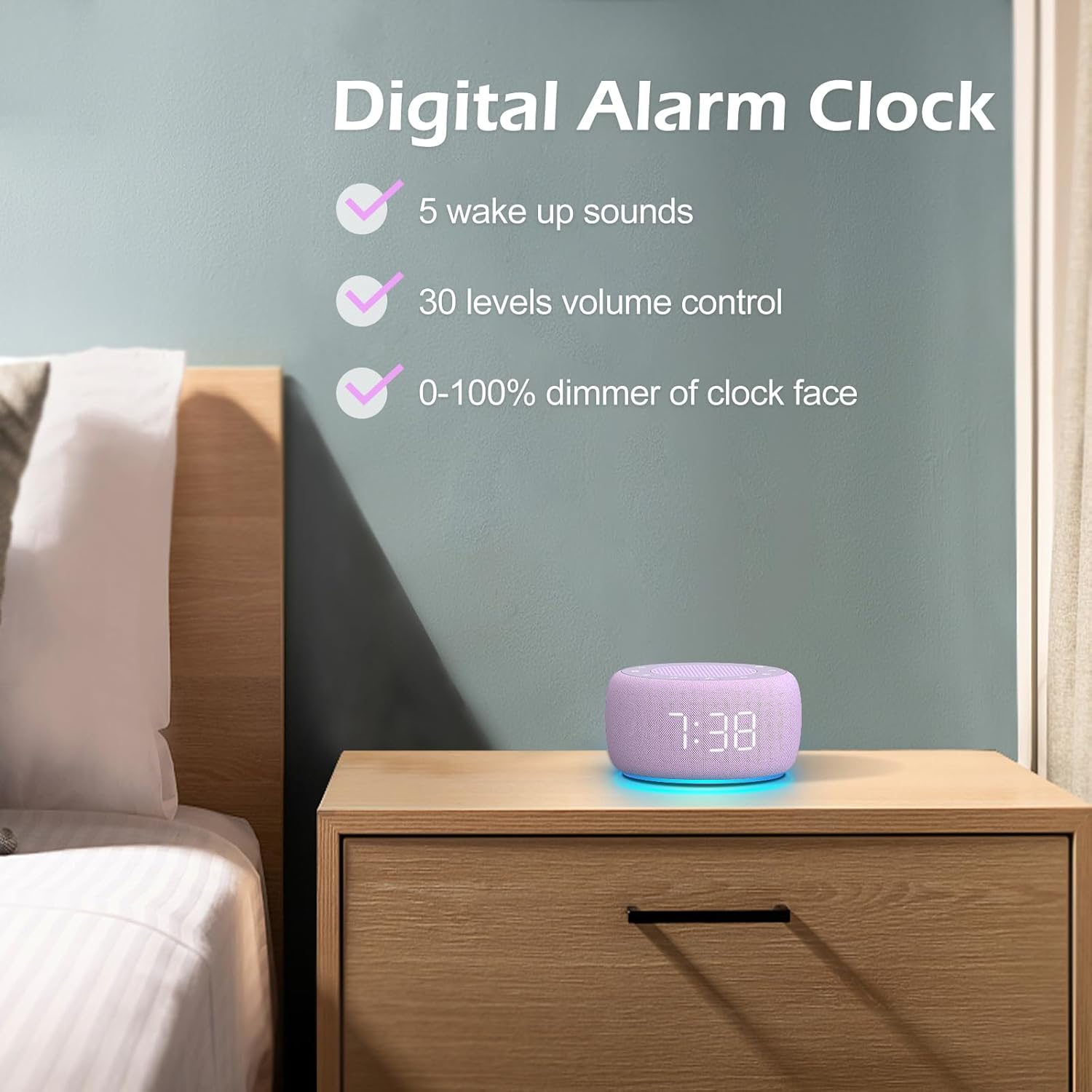
Слика 3.3: Готовоview of the digital alarm clock features, including wake-up sounds, volume control, and display dimmer.
Подешавање аларма:
- Притисните и држите Аларм Сет button (often an alarm clock icon) until the alarm hour digits begin to flash.
- Користите +/- дугмад за подешавање сата аларма.
- Притисните тастер Аларм Сет поново притисните дугме да бисте прешли на подешавање минута.
- Користите +/- дугмад за подешавање минута аларма.
- Притисните тастер Аларм Сет button one more time to confirm the alarm time.
- After setting the time, you can select the wake-up sound by pressing the Изаберите звук button (if available, or use +/- buttons while alarm sound is flashing). There are 5 wake-up sounds available.
- Притисните тастер Аларм Сет button again to activate the alarm. An alarm icon will appear on the display.
Одгода функција:
Када се огласи аларм, притисните Одложи button (usually a large button on top or a dedicated snooze icon) to temporarily silence the alarm for a few minutes (typically 9 minutes). The alarm will sound again after the snooze period.
Искључивање аларма:
Да бисте потпуно искључили аларм, притисните дугме Аларм укључен/искључен button (often the same as the Alarm Set button, or a dedicated toggle). The alarm icon will disappear from the display.
3.3 Display & Light Functions
Подешавање осветљености екрана:
The digital display brightness can be adjusted from 0% (completely dark) to 100% (brightest).

Image 3.4: Demonstration of the 0-100% display dimmer feature, showing various brightness levels.
- Притисните тастер Диммер button (often a sun icon) repeatedly to cycle through different brightness levels.
- Држите Диммер button to smoothly adjust the brightness from 0% to 100% and vice versa. Release the button at your desired brightness.
Коришћење ноћног светла:
The device features a colored night light at its base with 7 color options.

Image 3.5: The Buffbee device showcasing its 7-color night light feature in a bedroom setting.
- Притисните тастер Светлост button (often a light bulb icon) to turn the night light ON.
- Притисните тастер Светлост button repeatedly to cycle through the 7 available colors.
- Притисните тастер Светлост button one more time after cycling through all colors to turn the night light OFF.
4. Одржавање
4.1 Чишћење
To maintain the appearance and functionality of your Buffbee device:
- Увек искључите уређај из утичнице пре чишћења.
- Use a soft, dry, lint-free cloth to wipe down the exterior surfaces.
- Do not use abrasive cleaners, waxes, or solvents, as these may damage the finish.
- Избегавајте улазак влаге у било какве отворе.
4.2 Складиштење
Када се уређај не користи дуже време, чувајте га на хладном и сувом месту, даље од директне сунчеве светлости и екстремних температура.
4.3 Безбедносна упозорења
Молимо придржавајте се следећих мера предострожности:
- Овај производ није играчка. Чувати ван домашаја деце.
- Handle with care to avoid electric shock. Do not expose the device to water or excessive moisture.
- Use within recommended noise exposure limits to prevent hearing damage.
- Не покушавајте сами да растављате или поправљате уређај. Све сервисирање препустите квалификованом особљу.
КСНУМКС. Решавање проблема
If you encounter issues with your Buffbee Sound Machine & Alarm Clock, please refer to the following common problems and solutions:
| Проблем | Могући узрок | Решење |
|---|---|---|
| Уређај се не укључује. | Нема прикључка за напајање или је адаптер неисправан. | Ensure the power cable is securely plugged into the device and the wall outlet. Try a different outlet. |
| Нема звука из звучника. | Volume is too low or muted. Incorrect sound selected. | Повећајте јачину звука помоћу Јачина звука (+) button. Ensure a sound is selected and not paused. |
| Аларм се не оглашава. | Alarm is not set or not activated. Alarm volume is too low. | Verify that the alarm time is set correctly and the alarm icon is displayed. Increase the alarm volume (if separate from main volume). |
| Екран је превише таман или превише светао. | Display dimmer setting is incorrect. | Притисните или држите Диммер button to adjust the brightness to your preference. |
| Ноћно светло не ради. | Night light is turned off. | Притисните тастер Светлост button to turn on and cycle through colors. |
6. Спецификације
Detailed technical specifications for the Buffbee Sound Machine & Alarm Clock (Model BK11):
| Феатуре | Спецификација |
|---|---|
| Бранд | БУФФБЕЕ |
| Број модела | БК11 |
| Боја | Виолет |
| Материјал | Пластика |
| Извор напајања | Цордед Елецтриц |
| Димензије производа | КСНУМКС к КСНУМКС к КСНУМКС цм (КСНУМКС к КСНУМКС к КСНУМКС инча) |
| Тежина артикла | 322 грама |
| Излаз звучника | 5W |
| Опције звука | 18 Soothing Sounds (5 White Noise, 3 Fan, 10 Nature) |
| Волуме Левелс | 30 Precise Levels |
| Дисплаи Диммер | 0-100% Adjustable Brightness |
| Нигхт Лигхт Цолорс | 7 боје |
| Опције тајмера за спавање | 15, 30, 60, 90, 120 minutes, or Continuous Play |
| Wake-up Sounds | 5 Alarm Sounds |
7. Гаранција и подршка
7.1 Информације о гаранцији
Овај производ долази са стандардном гаранцијом произвођача. Молимо погледајте паковање производа или гаранцију продавца. webсајт за конкретне услове и одредбе гаранције, укључујући детаље о трајању и покрићу.
7.2 Корисничка подршка
For any questions, technical assistance, or warranty claims, please contact Buffbee customer support through the retailer's platform or the official Buffbee website. Have your product model number (BK11) and purchase details ready when contacting support.