
1. Увод
This manual provides detailed instructions for the installation, operation, and programming of the TAXNELE THC30A Digital Programmable Timer Switch. This device is designed for automatic control of various electrical appliances based on user-defined daily and weekly schedules.

Figure 1: TAXNELE THC30A Digital Programmable Timer Switch
2. Кључне карактеристике
- 7-Day Digital Programmable Timer: Supports daily and weekly programs with a full time range from 1 minute to 168 hours.
- Multiple ON/OFF Settings: Up to 20 ON and 20 OFF settings for precise control.
- аутоматска контрола: Automatically switches power to connected devices according to programmed schedules.
- Интерфејс прилагођен кориснику: Large LCD screen and clear buttons (D+, H+, M+) for easy operation.
- Висока прецизност: Equipped with an industrial-grade chip for accurate timing.
- Меморија за искључење: Built-in high-performance battery retains timing, display, and data for up to 3 years during power outagес.
- Висока носивост: Features a 30A relay for handling significant electrical loads.
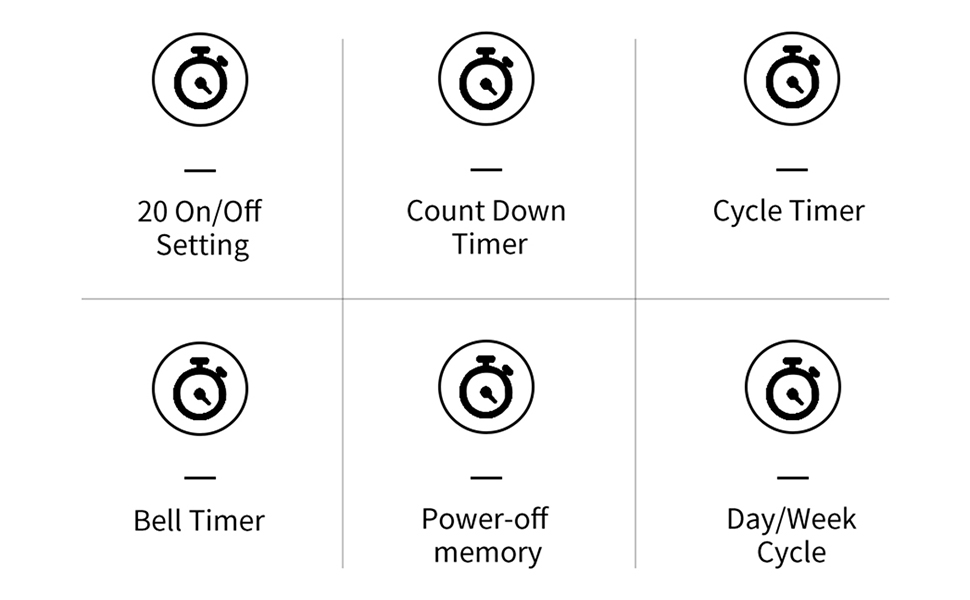
Слика 2: Завршеноview of THC30A Timer Switch Features
3. Спецификације
| Модел | ТХЦ30А |
| Волtage | 230ВАЦ |
| Капацитет оптерећења | 30А |
| Временски опсег | 1 минут до 168 сата |
| Програми | 20 ON/20 OFF settings |
| Меморија при искључивању | Yes, with built-in CR2032 battery (up to 3 years) |
| Инсталација | 35mm DIN Rail Mounted |
| Димензије | Прибл. 87 мм (В) к 36 мм (Ш) к 65 мм (Д) |

Figure 3: THC30A Timer Switch Dimensions
4. Инсталација
4.1 Мере предострожности
- Ensure power is disconnected before installation to prevent electric shock.
- Инсталацију треба да изврши квалификовани електричар или стручна особа.
- Проверите волtage and current ratings of your circuit match the timer's specifications.
4.2 Монтажа
The THC30A timer switch is designed for 35mm DIN rail mounting. Securely attach the timer to the DIN rail in your electrical panel or enclosure.

Figure 4: THC30A Mounted on a DIN Rail
4.3 Дијаграм ожичења
Connect the timer according to the wiring diagram below. Ensure correct polarity for input (IN) and output (OUT) terminals. The input terminals are typically labeled 'N' (Neutral) and 'L' (Live), and the output terminals are also 'N' and 'L' for connecting to the load.

Figure 5: Simplified Wiring Diagram for THC30A
Connect the incoming power supply to the 'IN' terminals (N and L). Connect the device to be controlled to the 'OUT' terminals (N and L).
5. Упутство за употребу
5.1 Почетно подешавање и ресетовање
Upon first use or after a prolonged power-off, the display may be blank. Press the Ресетуј button (often recessed, may require a pointed object) to initialize the timer. The LCD will display the current time (e.g., 0:00) and "AUTO".

Figure 6: Front Panel with Buttons and LCD Screen
- Радни индикатор: LED light indicating operation status.
- ЛЦД екран: Приказује време, дан и статус програма.
- Дугме тајмера: Used to enter programming mode.
- Дугме сата: Used to set current time and day.
- D+ Button: Adjusts the day of the week.
- H+ Button: Adjusts the hour.
- M+ Button: Adjusts the minute.
- ON/AUTO/OFF Button (Manual): Cycles through ON, AUTO, and OFF modes.
- Дугме за ресетовање: Clears all settings and resets the timer.
5.2 Подешавање тренутног времена и дана
- Притисните и држите Сат дугме.
- Док држи Сат, притисните D+ to set the current day of the week (MON, TUE, WED, THU, FRI, SAT, SUN).
- Док држи Сат, притисните H+ to set the current hour (0-23).
- Док држи Сат, притисните M+ to set the current minute (0-59).
- Отпустите Сат дугме. Тренутно време и дан су сада подешени.
5.3 Manual Override (ON/AUTO/OFF)
Притисните тастер Мануал button (often labeled ON/AUTO/OFF) to cycle through the following modes:
- НА: The timer output is continuously ON, overriding all programmed schedules.
- ВАН: The timer output is continuously OFF, overriding all programmed schedules.
- АУТО: The timer operates according to the programmed ON/OFF schedules. This is the standard operating mode for automatic control.
6. Програмирање распореда укључивања/искључивања
The THC30A supports up to 20 ON and 20 OFF programs. Follow these steps to set your desired schedules:
- Притисните тастер Тајмер button once. The display will show "1 ON" (or the next available program number).
- Притисните D+ to select the day(s) for this "ON" program. You can choose individual days, weekdays, weekends, or all 7 days.
- Притисните H+ to set the hour for the "ON" time.
- Притисните M+ to set the minute for the "ON" time.
- Притисните тастер Тајмер поново притисните дугме. На дисплеју ће се приказати „1 ИСКЉУЧЕНО“.
- Repeat steps 2-4 to set the day(s), hour, and minute for the corresponding "OFF" time.
- Наставите да притискате тастер Тајмер button to cycle through "2 ON", "2 OFF", and so on, up to "20 ON" and "20 OFF". Repeat steps 2-6 for each program.
- Након подешавања свих жељених програма, притисните дугме Сат button to exit programming mode and return to the current time display. Ensure the timer is in АУТО mode for programs to execute.
To clear a specific program, navigate to that program (e.g., "5 ON") and press the Ресетуј button. This will clear both the ON and OFF times for that program number.
7. Одржавање
The THC30A timer switch requires minimal maintenance.
- Чишћење: Обришите спољашњост меком, сувом крпом. Не користите абразивна средства за чишћење или раствараче.
- батерија: The internal CR2032 battery provides power-off memory. If the timer frequently loses settings during power outagе, батерију ће можда требати заменити. Ово обично захтева стручну услугу.
- Окружење: Ensure the timer is installed in a dry, well-ventilated area, away from direct sunlight, extreme temperatures, and corrosive environments.

Figure 7: Power-Off Memory Function with Internal Battery
КСНУМКС. Решавање проблема
| Проблем | Могући узрок | Решење |
|---|---|---|
| Екран је празан. | No power supply; Timer needs initialization. | Check power connections. Press the Ресетуј дугме. |
| Timer does not switch ON/OFF at programmed times. | Timer is not in AUTO mode; Incorrect program settings; Overlapping programs. | Притисните Мануал until "AUTO" is displayed. Review and correct program settings. Ensure ON/OFF times do not conflict. |
| Подешавања се губе након нестанка струјеtage. | Internal battery is low or depleted. | The internal battery may need replacement. Contact customer support if this issue persists. |
| Output is always ON or always OFF. | Тајмер је у ручном режиму УКЉУЧЕНО или ИСКЉУЧЕНО. | Притисните Мануал until "AUTO" is displayed. |
9. Гаранција и подршка
This product comes with a standard manufacturer's warranty. For specific warranty details, please refer to the product packaging or contact your retailer. For technical support or inquiries, please reach out to TAXNELE customer service through your purchase platform or the official TAXNELE webсајту.