
1. Увод
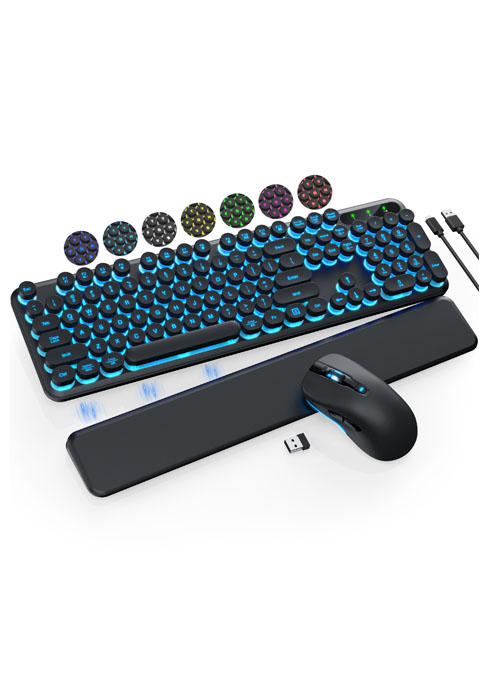
Thank you for choosing the Trueque Wireless Keyboard and Mouse Combo. This full-sized ergonomic combo is designed for comfort and efficiency, featuring a wrist rest, phone holder, silent keys, and reliable 2.4GHz wireless connectivity. This manual provides detailed instructions for setup, operation, maintenance, and troubleshooting to ensure optimal performance and longevity of your device.

Figure 1: Trueque Wireless Keyboard and Mouse Combo
2. Садржај пакета
Пажљиво проверите пакет како бисте били сигурни да су сви састојци присутни:
- Бежична тастатура к 1
- Wireless Mouse x 1
- УСБ пријемник к 1
- Упутство за употребу к 1

Figure 2: What's included in the box
3. Водич за подешавање
3.1 Инсталација батерије
The keyboard and mouse require batteries (not included) for operation.
- тастатура: Requires 2 x AAA batteries. Locate the battery compartment on the underside of the keyboard, open the cover, insert the batteries according to the polarity indicators, and close the cover.
- миш: Requires 1 x AA battery. Locate the battery compartment on the underside of the mouse, open the cover, insert the battery according to the polarity indicators, and close the cover.

Слика 3: Инсталација батерије
3.2 Повезивање USB пријемника
The Trueque Wireless Keyboard and Mouse Combo uses a single USB receiver for both devices, offering a convenient plug-and-play experience.
- Locate the USB receiver, typically stored in the mouse's battery compartment or a dedicated slot.
- Plug the USB receiver into an available USB port on your computer, laptop, or compatible device.
- Turn on the keyboard and mouse using their respective ON/OFF switches. The devices should automatically connect to the receiver.
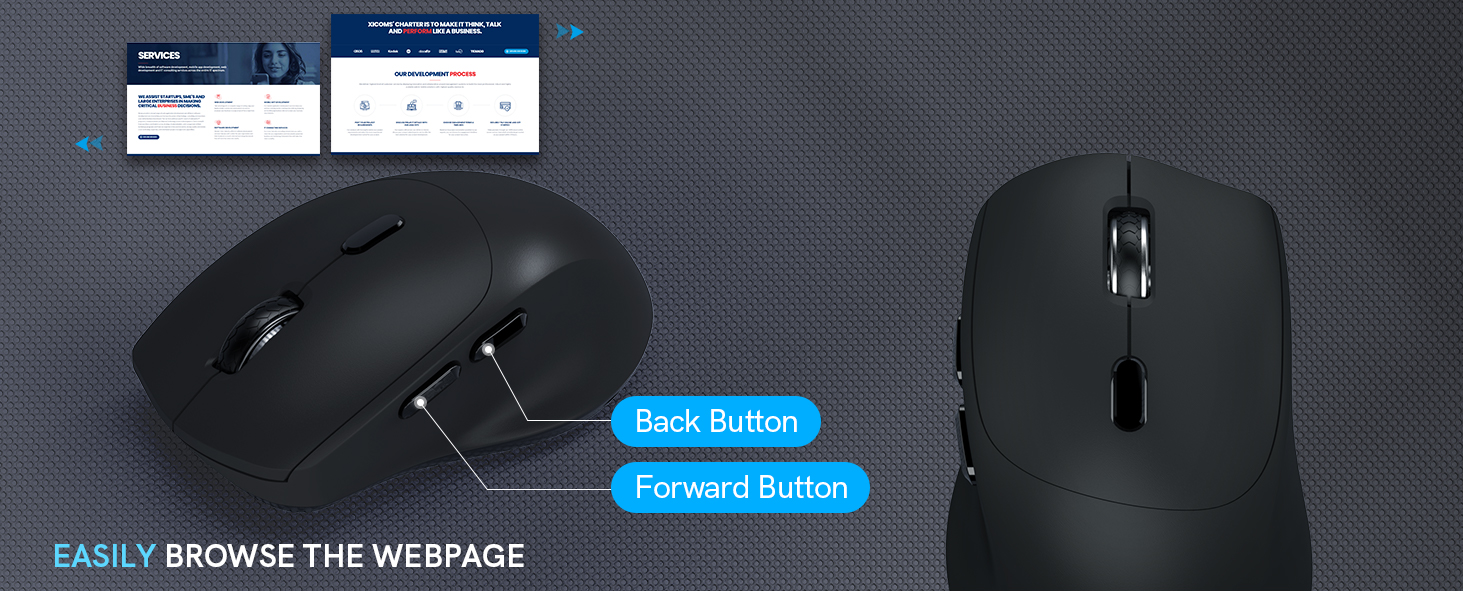
Figure 4: USB Receiver Connection
4. Упутство за употребу
4.1 Ergonomic Design and Comfort Features
The keyboard is designed with a generous palm rest and tilt legs to provide a comfortable typing position, reducing wrist pressure. The mouse features a contoured grip for a natural handshake angle, ensuring comfort during extended use.


Figure 5: Ergonomic Keyboard and Mouse Design
4.2 Built-in Phone and Tablet Holder
The keyboard includes a built-in cradle that can prop up your phone or tablet (under 11.9 inches) at an optimal angle for reading or watching videos, allowing you to stay connected without interrupting your workflow.

Figure 6: Integrated Phone/Tablet Holder
4.3 Quiet Typing and Silent Clicks
The keyboard features soft membrane keys for quiet and smooth typing. The wireless mouse is designed to produce 95% less noise, ensuring a quiet working environment.

Слика 7: Тихи рад
4.4 Smart Power Management
To conserve battery life, both the keyboard and mouse feature a smart sleep mode. The keyboard will enter sleep mode after 15 minutes of inactivity, and the mouse after 10 minutes. Press any button or key to wake them up.

Figure 8: Smart Sleep Mode
4.5 Hotkeys and Mouse Buttons
The keyboard includes 6 commonly used hotkeys for quick access to functions like browsing and calculator. The 6-button mouse features forward/backward functions for faster web навигација.


Figure 9: Keyboard Hotkeys and Mouse Buttons
4.6 Широка компатибилност
This combo is compatible with various operating systems, including Windows, Chrome OS, and Mac OS, making it versatile for different devices such as PCs, laptops, and desktops.

Слика 10: Компатибилност уређаја
5. Одржавање
- Чишћење: Use a soft, dry cloth to clean the surface of the keyboard and mouse. For stubborn dirt, a slightly damp Може се користити крпа са благим сапуном, водећи рачуна да течност не уђе у уређај.
- Замена батерије: When the power indicator light on the keyboard blinks, or if the mouse performance degrades, it's time to replace the batteries. Follow the battery installation steps in Section 3.1.
- Складиштење: If not in use for an extended period, turn off the devices to conserve battery life and store them in a cool, dry place.
КСНУМКС. Решавање проблема
If you encounter issues with your Trueque Wireless Keyboard and Mouse Combo, please refer to the following common solutions:
| Проблем | Могући узрок | Решење |
|---|---|---|
| Тастатура/миш не реагује | Low battery; Devices are off; USB receiver not properly connected; Interference. | Replace batteries; Ensure ON/OFF switches are on; Re-plug the USB receiver; Try a different USB port; Move devices closer to the receiver; Avoid strong electromagnetic interference. |
| Кашњење или одложени одговор | Distance from receiver; Interference; Low battery. | Reduce distance between devices and receiver (max 33ft); Minimize interference from other wireless devices; Replace batteries. |
| Одређени тастери не раде | Dust/debris under key; Software issue. | Gently clean around the key; Test on another computer to rule out software issues. |
If the issue persists, please contact Trueque customer support as detailed in the Warranty and Support section.
7. Спецификације
| Феатуре | Детаљ |
|---|---|
| Број модела | КЦ213 |
| Технологија повезивања | Бежични USB од 2.4 GHz |
| Домет | До 33 стопе (10 метара) |
| Батерија за тастатуру | 2 к ААА батерије (нису укључене) |
| Батерија за миш | 1 к АА батерија (није укључена) |
| Димензије тастатуре | Приближно 17.36 к 11.22 к 1.93 инча |
| Тежина артикла | 2.16 фунти |
| Компатибилни уређаји | Chromebook, Laptop, Personal Computer (Windows, Chrome OS, Mac OS) |
| Посебне карактеристике | Ergonomic design, Wrist Rest, Phone Holder, Silent Keys, Smart Sleep Mode, Hotkeys |
8. Гаранција и подршка
Trueque is committed to providing excellent customer service and product quality. Your Trueque Wireless Keyboard and Mouse Combo comes with comprehensive support:
- гаранција: 12-Month Free Warranty.
- Служба за кориснике: 24-hour online response.
- Brand Service: 360 Days Brand Service.
- Услуге подршке: Pre-sales Q&A, Troubleshooting, Accessories Reissue, Returns and Exchanges.
For any inquiries or support, please contact us:
- Подршка путем е-поште: труекуесервице@оутлоок.цом
- Позовите нас: 1-866-608-6766 (САД)
- Радно време: Mon-Fri, 9am-1pm, 2pm-6pm (PST)

Figure 11: Trueque After-Sales Support