
Увод
Thank you for choosing the XtremeMac Wireless 5000 mAh Power Bank. This compact and powerful portable charger is designed to provide convenient wireless and wired charging for your compatible devices, especially optimized for iPhone models with MagSafe technology. Please read this manual thoroughly before using the product to ensure safe and optimal performance.
Садржај пакета
- XtremeMac Wireless 5000 mAh Power Bank (Model: XWH-PMS2-13)
- УСБ-Ц кабл за пуњење
- Кориснички приручник (овај документ)
Производ је завршенview
Familiarize yourself with the components of your XtremeMac Wireless Power Bank.

Слика 1: XtremeMac Wireless Power Bank - Front, Back, and Side Views. This image illustrates the device's compact design, the magnetic charging area on the front, the USB-C port, and the power button on the side.
- Magnetic Charging Surface: For wireless charging of compatible devices.
- УСБ-Ц порт: For charging the power bank and for wired output charging.
- Дугме за напајање: Активира бежично пуњење и проверава ниво батерије.
- ЛЕД индикатори: Приказује ниво батерије и статус пуњења.
Сетуп
1. Почетно пуњење преносне батерије
Before first use, fully charge your XtremeMac Wireless Power Bank.
- Повежите приложени USB-C кабл са USB-C портом на преносном пуњачу.
- Повежите други крај USB-C кабла са компатибилним USB адаптером за напајање (није укључен).
- The LED indicators will illuminate to show the charging progress. All LEDs will be solid when fully charged.
2. Attaching to Your iPhone (MagSafe)
The power bank is designed for seamless magnetic attachment to MagSafe-compatible iPhones (iPhone 12, 13, 14, and 15 series).

Слика 2: Magnetic Attachment for iPhone. This image demonstrates how the power bank securely clicks onto the back of a compatible iPhone for wireless charging.
- Align the power bank with the back of your MagSafe-compatible iPhone.
- The magnets will automatically snap the power bank into place, ensuring proper alignment for wireless charging.
Упутство за употребу
1. Wireless Charging (MagSafe)
To charge your iPhone wirelessly:

Слика 3: Wireless Charging in Progress. This image shows an iPhone receiving a wireless charge from the power bank, indicated by the charging animation on the phone screen.
- Attach the power bank to the back of your MagSafe-compatible iPhone.
- Press the power button on the side of the power bank. Wireless charging will begin within 5 seconds.
- The LED indicators on the power bank will show its remaining charge. Your iPhone screen will also indicate charging.
- To stop charging, simply detach the power bank or press the power button again.
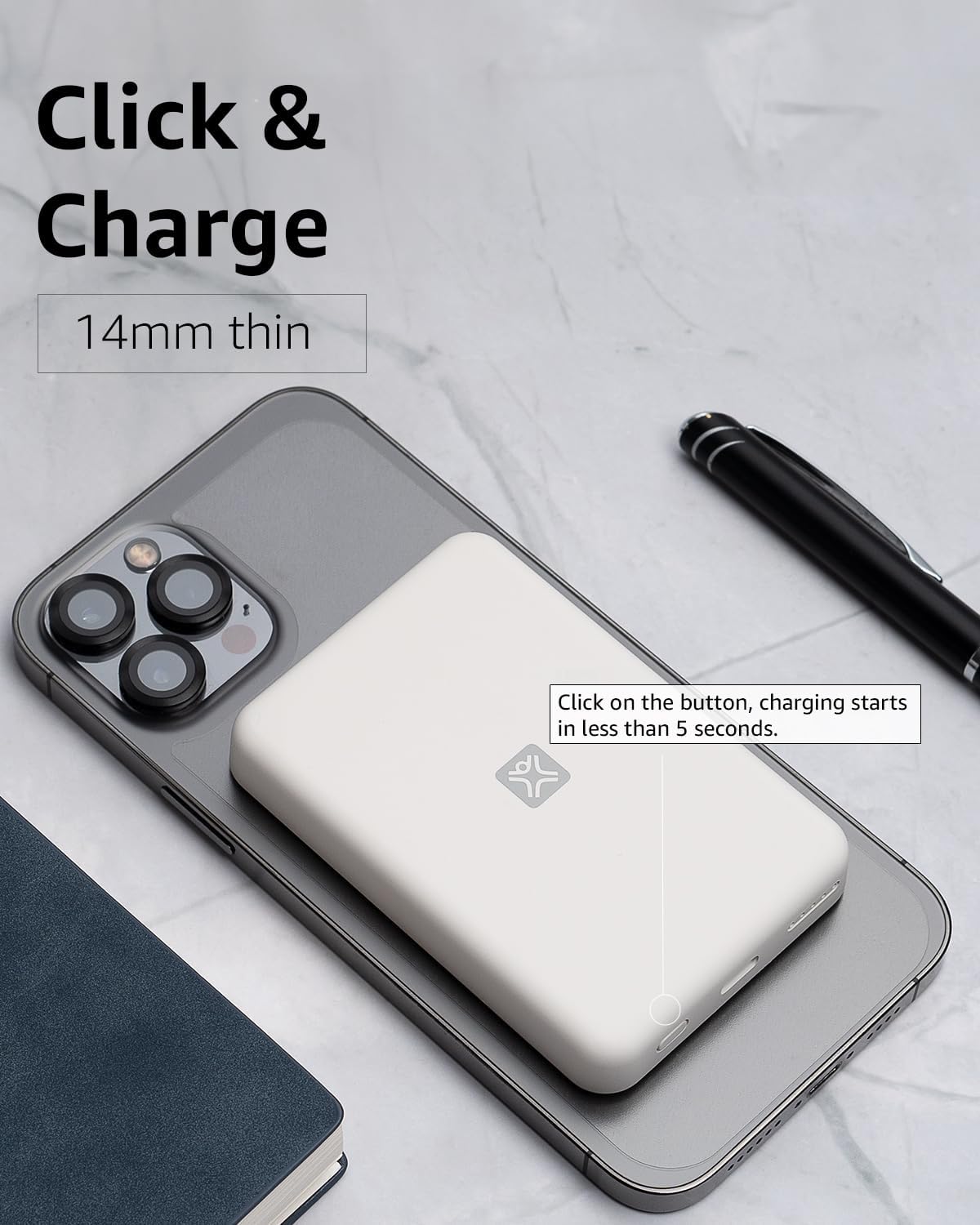
Слика 4: Activating Wireless Charge. This image highlights the power button and the quick activation of wireless charging.
2. Wired Charging (USB-C PD)
For faster charging or to charge non-wireless devices, use the USB-C port.

Слика 5: Wired Charging via USB-C. This image shows the power bank connected to a phone using a USB-C cable, demonstrating its faster wired charging capability.
- Connect one end of a USB-C cable (or a compatible cable for your device) to the USB-C port on the power bank.
- Connect the other end to your device's charging port.
- Charging will typically begin automatically. If not, press the power button on the power bank.
3. Провера нивоа батерије
Press the power button once to check the remaining battery level indicated by the LED lights.
Одржавање
- Чишћење: Користите меку, суву крпу за чишћење површине преносног пуњача. Не користите течна средства за чишћење или аеросоле.
- Складиштење: Чувајте преносни пуњач на хладном и сувом месту, даље од директне сунчеве светлости и екстремних температура.
- Одржавање батерије: To prolong battery life, fully charge the power bank at least once every three months if not in regular use.
Решавање проблема
| Проблем | Могући узрок | Решење |
|---|---|---|
| Повер банк се не пуни. | Кабл није правилно повезан; неисправан кабл/адаптер; преносни пуњач је потпуно напуњен. | Ensure cable is securely connected. Try a different USB-C cable and power adapter. Check LED indicators; if all are solid, it's fully charged. |
| Уређај се не пуни бежично. | Device not MagSafe compatible; misaligned; power bank low on charge; power button not pressed. | Ensure your device is MagSafe compatible (iPhone 12/13/14/15 series). Realign the power bank. Recharge the power bank. Press the power button to activate. |
| Device not charging via cable. | Cable not connected properly; faulty cable/device; power bank low on charge. | Ensure cable is securely connected. Try a different cable. Recharge the power bank. |
| Споро пуњење. | Using a non-PD charger/cable; device case interfering with wireless charging. | For wired charging, ensure you are using a USB-C PD compatible charger and cable. For wireless, remove thick or metallic phone cases. |
Спецификације
| Феатуре | Детаљ |
|---|---|
| Број модела | XWH-PMS2-13 |
| Капацитет батерије | 5000 мАх |
| Бежични излаз | Up to 7.5W (MagSafe compatible) |
| Wired Output/Input | USB-C (Power Delivery compatible) |
| Димензије | Приближно 17.1 к 8.9 к 2.2 цм (6.7 к 3.5 к 0.9 инча) |
| Тежина | Приближно 85 г (3 оз) |
| Тип батерије | Литхиум Ион |
| Компатибилност | MagSafe compatible iPhones (12, 13, 14, 15 series) for wireless charging; USB-C devices for wired charging. |

Слика 6: 5000 mAh Capacity and Charge Estimates. This image provides an overview of the power bank's capacity and estimated number of full charges for various iPhone models.
Безбедносне информације
- Не излажите преносни пуњач екстремним температурама, директној сунчевој светлости или високој влажности.
- Не растављајте, модификујте или покушавајте да поправите уређај.
- Чувати ван домашаја деце.
- Избегавајте испуштање или излагање повер банк јаким ударцима.
- Не користите ако је преносни пуњач оштећен или натечен.
- Одложите производ одговорно у складу са локалним прописима.
Гаранција и подршка
For warranty information, technical support, or customer service inquiries, please refer to the official XtremeMac webсајт или директно контактирајте њихову корисничку подршку. Сачувајте рачун као доказ о куповини.