
1. Увод
This manual provides detailed instructions for setting up, operating, and maintaining your Beelink EQ13 Mini PC. The Beelink EQ13 is a compact and efficient mini PC powered by an Intel N100 processor, designed for various applications including office work, multimedia playback, and light computing tasks. Please read this manual thoroughly before using the device.
2. Садржај пакета
Проверите да ли су све ставке наведене у наставку укључене у ваш пакет:
- 1 x Beelink EQ13 N100 Mini PC
- 1 x AC Cable
- 1 к Упутство за употребу
- 1 к 100 цм ХДМИ кабл
- 1 к кутија за пакет
3. Производ је готовview
3.1 Front and Rear Panel Layout
Familiarize yourself with the ports and connectors on your Beelink EQ13 Mini PC.

Image: Front panel with USB-C and USB 3.2 ports, power button. Rear panel with dual HDMI, dual LAN, USB 3.2, and USB 2.0 ports.
- Предњи панел: 1x USB-C Port (10Gbps), 1x USB 3.2 Port (10Gbps), Power Button.
- Задња плоча: 2x HDMI Ports (4K@60Hz), 2x 1000Mbps LAN Ports, 2x USB 3.2 Ports (10Gbps), 1x USB 2.0 Port (480Mbps), Power Input.
3.2 Built-in Power Supply
The Beelink EQ13 features a built-in power supply, simplifying cable management. Only one AC cable is required to power the device.

Image: The Beelink EQ13 Mini PC connected to an AC power outlet, demonstrating its built-in power supply design.
3.3 Унутрашње компоненте
The Beelink EQ13 is equipped with 16GB DDR4 3200MHz memory and a 500GB M.2 2280 PCIe 3.0 SSD.

Слика: Интерна view of the Beelink EQ13 Mini PC, highlighting the 16GB DDR4 RAM module and the 500GB M.2 PCIe 3.0 SSD.
4. Упутства за подешавање
4.1 Повезивање периферних уређаја
- Повежи екран: Use the provided HDMI cable to connect your monitor(s) to the HDMI ports on the rear panel of the Mini PC. The EQ13 supports dual 4K@60Hz displays.
- Повежите тастатуру и миш: Plug your USB keyboard and mouse into the available USB ports on the front or rear panel.
- Повежи мрежу (опционо): For a wired connection, connect an Ethernet cable from your router or modem to one of the 1000Mbps LAN ports on the rear panel. For wireless, the device supports WiFi 6.
4.2 Укључивање
- Прикључите напајање: Plug the AC power cable into the power input on the rear of the Mini PC, then connect the other end to a wall outlet.
- Покренути: Press the power button located on the front panel. The power indicator light will illuminate.
- Почетно подешавање: Follow the on-screen instructions to complete the operating system setup (e.g., Windows 11).
5. Упутство за употребу
5.1 Основни рад
- Укључивање/искључивање: Press the power button to turn on. To turn off, use the operating system's shutdown function or press and hold the power button for 5 seconds.
- Поново покрени: Користите функцију поновног покретања оперативног система.
5.2 Мрежна повезаност
- Жични ЛАН: Connect an Ethernet cable to one of the two 1000Mbps LAN ports for a stable wired network connection.
- Wireless (WiFi 6): The Mini PC supports WiFi 6 (802.11ax). Access network settings in your operating system to connect to available wireless networks.

Слика: Позади view of the Beelink EQ13 Mini PC highlighting the two 1000Mbps LAN ports with Ethernet cables connected.
5.3 Bluetooth повезивање
The Beelink EQ13 includes Bluetooth 5.2 (AX101) for connecting wireless devices.
- Омогућите Bluetooth у подешавањима оперативног система.
- Pair with compatible devices such as keyboards, mice, speakers, or headphones.
5.4 Dual Display Setup
The Mini PC supports dual 4K@60Hz displays via its two HDMI ports, enhancing productivity.
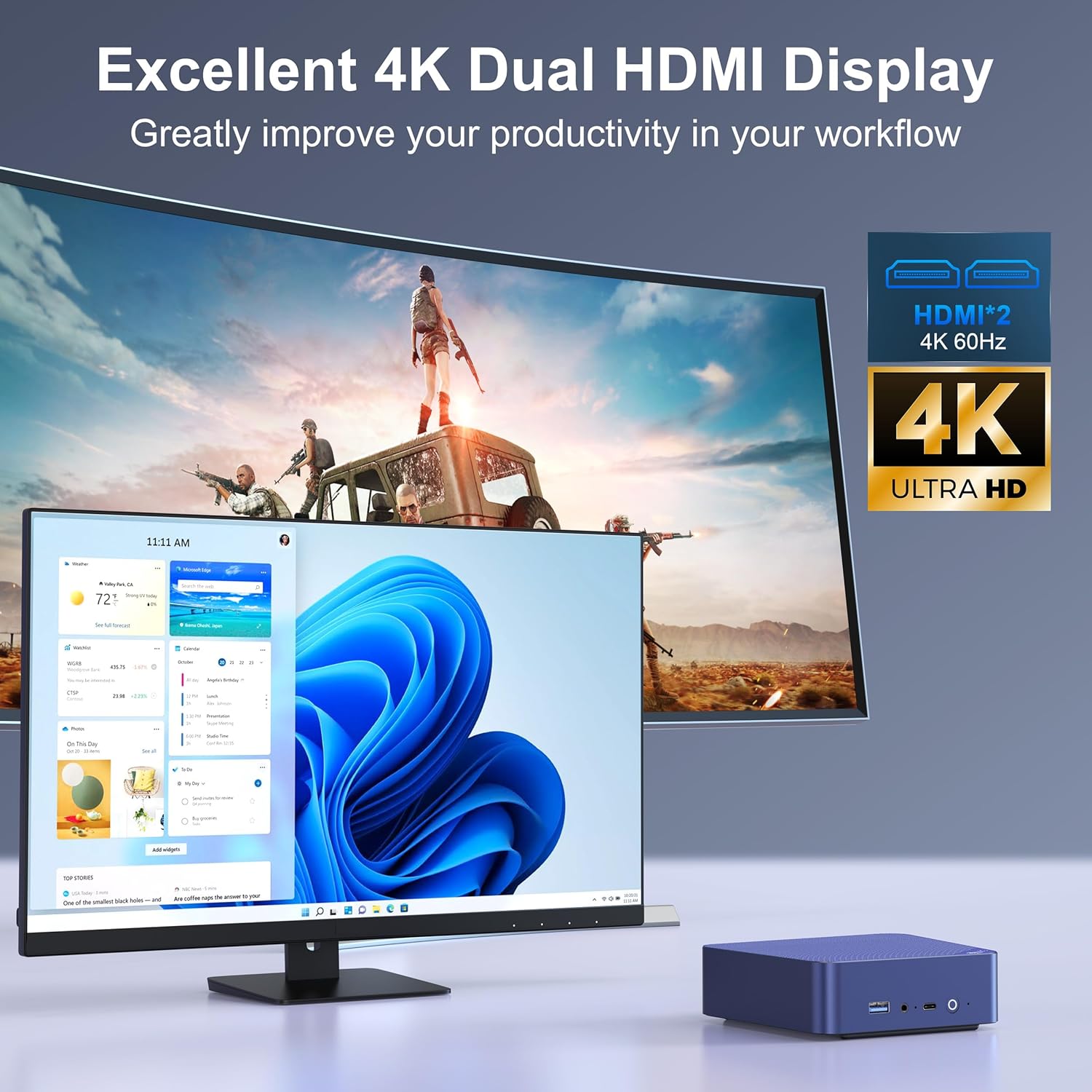
Image: The Beelink EQ13 Mini PC connected to two monitors, demonstrating its dual 4K HDMI display capability.
5.5 Перформансе и употреба
Equipped with an Intel N100 processor, 16GB DDR4 RAM, and a 500GB PCIe 3.0 SSD, the EQ13 is suitable for various tasks:
- Канцеларијски посао: Efficiently handle documents, spreadsheets, and presentations.
- Мултимедијална репродукција: Enjoy 4K video streaming and other media content.
- Web Прегледање: Smooth internet browsing experience.
- Virtual Machines/NAS: Capable for light virtualization or network-attached storage applications.

Image: A visual representation of the Beelink EQ13 Mini PC's versatility, showing it handling web browsing, 4K video, multimedia playback, and office applications simultaneously.
6. Одржавање
6.1 Систем хлађења
The Beelink EQ13 incorporates an MSC2.0 Cooling System with a new airflow design and dustproof filter at the bottom. This design ensures stable operation and near-silent performance.
- Ensure the bottom air intake vents are not obstructed to maintain optimal airflow.
- Periodically clean the dust filter to prevent dust accumulation.

Image: An illustration depicting the silent operation of the Beelink EQ13 Mini PC, emphasizing its new cooling system design.
6.2 Проширење складишног простора
The 500GB M.2 2280 SSD can be expanded up to 2TB. Refer to the internal components image in Section 3.3 for the location of the SSD slot. For storage upgrades, it is recommended to consult a qualified technician or refer to specific upgrade guides provided by Beelink.
КСНУМКС. Решавање проблема
- Нема напајања: Ensure the AC cable is securely connected to both the Mini PC and the power outlet. Try a different power outlet.
- Без приказа: Check HDMI cable connections to both the Mini PC and the monitor. Ensure the monitor is powered on and set to the correct input source.
- Нема мрежне везе: For wired connections, verify the Ethernet cable is properly connected. For wireless, check WiFi settings in the operating system and ensure the router is functioning.
- Проблеми са периферним уређајима: If a keyboard or mouse is not responding, try connecting it to a different USB port. Ensure Bluetooth devices are properly paired.
- Систем не реагује: If the system freezes, press and hold the power button for 5-10 seconds to force a shutdown, then restart the device.
8. Спецификације
| Феатуре | Детаљ |
|---|---|
| Бранд | Беелинк |
| Назив модела | EQ13 N100 |
| ЦПУ модел | Intel Processor N100 (4C/4T, up to 3.4GHz) |
| Грапхицс Цопроцессор | Интел Ирис Плус графика |
| РАМ меморија | 16GB DDR4 3200MHz SODIMM |
| Складиштење | 500GB M.2 2280 PCIe 3.0 SSD (Expandable up to 2TB) |
| Оперативни систем | OS (Pre-installed Windows 11 mentioned in product description) |
| Видео Оутпут | 2x HDMI (Max 4K@60Hz Dual Display) |
| ЛАН | Dual 1000Mbps Ethernet Ports |
| Бежично повезивање | WiFi 6 (802.11ax), Bluetooth 5.2 (AX101) |
| УСБ портови | 1x Front USB-C (10Gbps), 3x USB 3.2 (10Gbps), 1x USB 2.0 (480Mbps) |
| Потрошња енергије | 25 Watts (TDP) |
| Метод хлађења | Air (MSC2.0 Cooling System) |
| Боја | Нави Блуе |
9. Гаранција и подршка
The Beelink EQ13 Mini PC comes with a 1 година гаранције.
For technical support, warranty claims, or further assistance, please contact the manufacturer, Shenzhen AZW Technology Co., Ltd., or visit the official Beelink support channels.
Manufacturer: Shenzhen AZW Technology Co., Ltd.
За више информација, можете посетити Beelink Store on Amazon.