
Увод
The Altec Lansing Kid Safe 2-in-1 Wireless Bluetooth Headphones (Model MZX4410) are designed to provide a safe and enjoyable audio experience for children. These headphones feature volume-limiting technology to protect delicate hearing, comfortable ear cushions, and versatile connectivity options. This manual provides instructions for setup, operation, and maintenance to ensure optimal performance and longevity of your headphones.
Шта је у кутији
- Altec Lansing Kid Safe 2-in-1 Wireless Bluetooth Headphones
- УСБ-Ц кабл за пуњење
- 3.5 мм аудио кабл
- Протецтиве Цасе
- Кориснички приручник (овај документ)
Карактеристике производа
- Кристално чист звук: High-quality audio with enhanced bass for an immersive listening experience.
- Safe Volume Limiting: Integrated technology limits maximum volume to 85dB to protect children's hearing.
- 2-у-1 повезивање: Supports both wireless Bluetooth and wired 3.5mm audio connections.
- Домет бежичне мреже: Up to 30 feet of Bluetooth wireless range for unrestricted movement.
- Удобан дизајн: Soft ear cushions and an adjustable, cushioned headband ensure a comfortable fit for extended wear.
- Склопиви и преносиви: Convenient foldable design for easy storage and transport.
- Издржљива конструкција: Built to withstand active use.
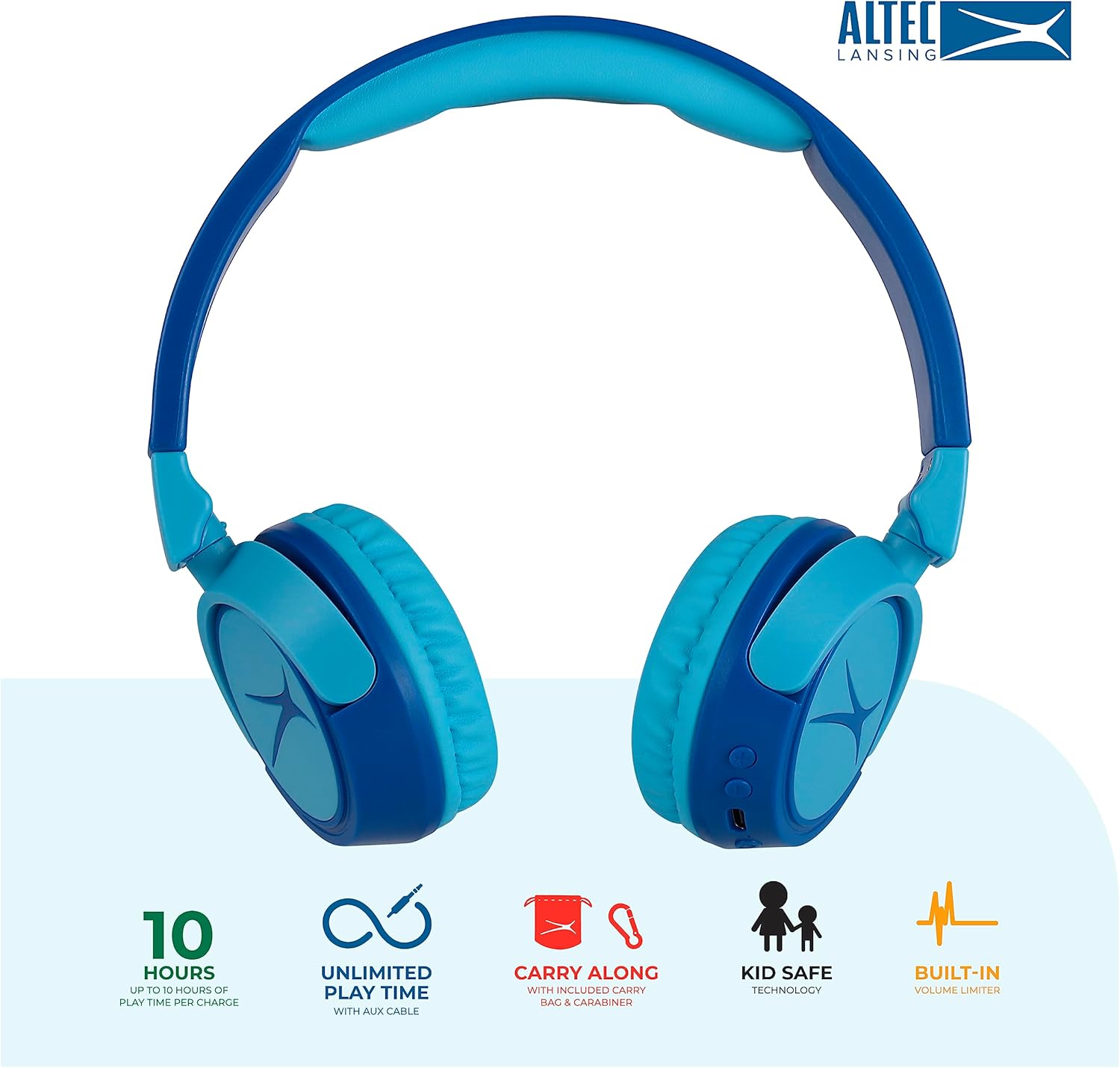
Image: Key features of the Altec Lansing Kid Safe Headphones, including battery life, wired option, portability, and safety features.

Image: Visual representation of the 85dB volume limiting technology for safe listening.
Упутства за подешавање
1. Пуњење слушалица
- Locate the USB-C charging port on the headphone earcup.
- Connect the provided USB-C charging cable to the port on the headphones.
- Plug the other end of the USB-C cable into a compatible USB power source (e.g., computer, wall adapter).
- ЛЕД индикатор ће светлети током пуњења и мењати боју или се искључити када се потпуно напуни.
- Потпуно пуњење обезбеђује приближно 10 сати репродукције.
2. Блуетоотх упаривање
- Уверите се да су слушалице напуњене.
- Press and hold the Power button on the headphone earcup until the LED indicator flashes blue and red, indicating pairing mode.
- На свом уређају (паметном телефону, таблету, рачунару) идите на подешавања Bluetooth-а и омогућите Bluetooth.
- Select "Altec Lansing MZX4410" from the list of available devices.
- Once connected, the LED indicator will show a solid blue light.
- The headphones will automatically reconnect to the last paired device when powered on, if within range.
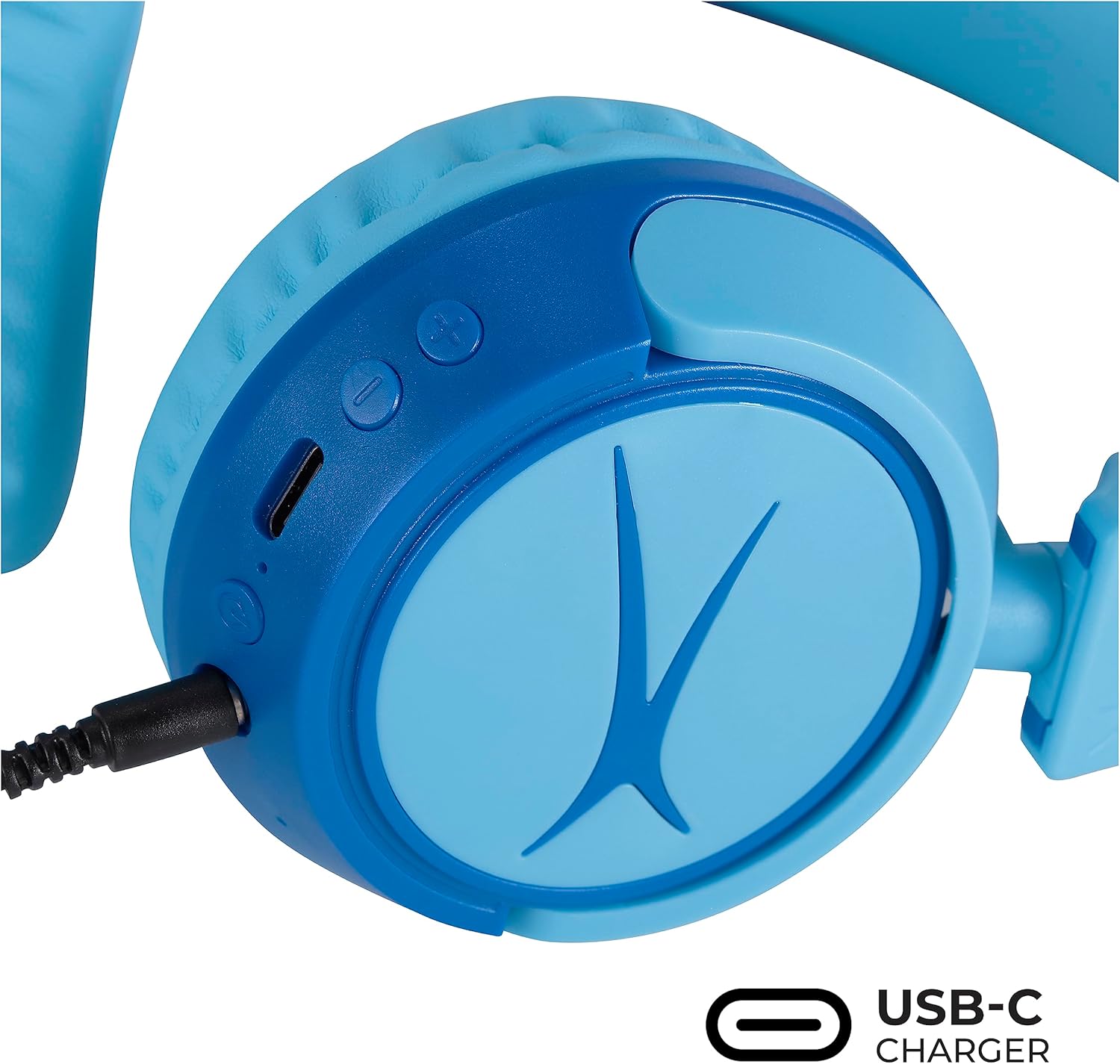
Image: Detail of the headphone controls and ports for charging and wired connection.
Упутство за употребу
Укључивање/искључивање
- Да бисте укључили напајање, притисните и држите дугме за напајање док се ЛЕД индикатор не упали.
- Да бисте искључили напајање, притисните и држите дугме за напајање док се ЛЕД индикатор не угаси.
Контрола јачине звука
- Use the '+' button to increase volume.
- Use the '-' button to decrease volume.
- The volume is limited to 85dB for hearing protection.
Контрола медија
- Притисните дугме Репродукуј/Паузирај једном да бисте репродуковали или паузирали звук.
- Притисните и држите дугме „+“ да бисте прешли на следећу нумеру.
- Притисните и држите дугме '-' да бисте прешли на претходну нумеру.
Жична веза (опционо)
For unlimited playtime or when Bluetooth is not available, use the provided 3.5mm audio cable:
- Plug one end of the 3.5mm audio cable into the audio jack on the headphone earcup.
- Укључите други крај у 3.5 мм аудио излаз вашег уређаја.
- Слушалице ће се аутоматски пребацити у жични режим.

Image: The headphones are compatible with multiple devices via Bluetooth or wired connection.
Video: An official product video demonstrating the Altec Lansing Kid Safe Bluetooth Headphones.
Одржавање
Чишћење
- Обришите слушалице меком, сувом крпом.
- Немојте користити јаке хемикалије или абразивне материјале.
- Ensure no moisture enters the ports.
Складиштење
- Fold the headphones for compact storage.
- Store them in the provided protective case when not in use to prevent damage.
- Чувати на хладном и сувом месту даље од екстремних температура.

Image: Features highlighting the adjustable and cushioned design for comfort.
Решавање проблема
- Нема напајања: Уверите се да су слушалице потпуно напуњене. Повежите их са извором напајања помоћу USB-C кабла.
- Не могу да упарим преко Bluetooth-а: Make sure the headphones are in pairing mode (flashing blue/red LED). Check that Bluetooth is enabled on your device and that the headphones are within the 30-foot range. Try restarting both the headphones and your device.
- No Sound in Wireless Mode: Verify that the headphones are successfully paired and connected to your device. Check the volume levels on both the headphones and your device.
- No Sound in Wired Mode: Ensure the 3.5mm audio cable is securely plugged into both the headphones and your device. Check the volume levels on your device.
- Sound is Too Low: The headphones feature a built-in volume limiter at 85dB for safety. This is a design feature and not a malfunction.
Спецификације
| Феатуре | Детаљ |
|---|---|
| Назив модела | МЗКС4410 |
| Технологија повезивања | Бежично (Блутут), Жично (3.5 мм прикључак) |
| Бежична комуникациона технологија | Блуетоотх |
| Блуетоотх домет | 30 стопа |
| Трајање батерије | 10 сата |
| Волуме Лимит | 85dB (Kid Safe) |
| Тип контроле | Контрола медија, додир |
| Посебне карактеристике | Adjustable Headband, Detachable Cable, Foldable, Lightweight, Wireless |
| Материјал | Пластика |
| Тежина артикла | 8.8 унци (0.25 килограма) |
| Произвођач | Алтек Лансинг Технолоџиз |
| УПЦ | 021331082107 |
Гаранција и подршка
For warranty information and customer support, please refer to the official Altec Lansing website or contact their customer service directly. Details can typically be found on the product packaging or the Altec Lansing support portal.