
1. Увод
Thank you for choosing the SILENTWARE Air 1000 Black ATX Midi Tower PC Case. This manual provides essential information for the proper installation, operation, and maintenance of your new PC case. Please read this manual thoroughly before beginning the assembly process to ensure a smooth and successful build.
2. Безбедносне информације
- Always disconnect the power supply from the wall outlet before installing or removing any components inside the PC case.
- Handle components with care to avoid damage from electrostatic discharge (ESD). Consider using an anti-static wrist strap.
- Be cautious of sharp edges inside the case.
- Do not attempt to modify the case or its components, as this may void your warranty and pose safety risks.
- Држите кућиште даље од воде, влаге и екстремних температура.
3. Садржај пакета
Молимо вас да проверите да ли су све ставке присутне у вашем пакету:
- SILENTWARE Air 1000 Black ATX Midi Tower PC Case
- Pre-installed 4x 120mm ARGB Fans
- Accessory box (screws, cable ties, standoffs, etc.)
- Кориснички приручник (овај документ)
4. Производ је готовview
The SILENTWARE Air 1000 is an ATX Midi Tower PC case designed for optimal airflow and component compatibility. It features a mesh front panel for maximum ventilation and a tempered glass side panel to showcase your build.


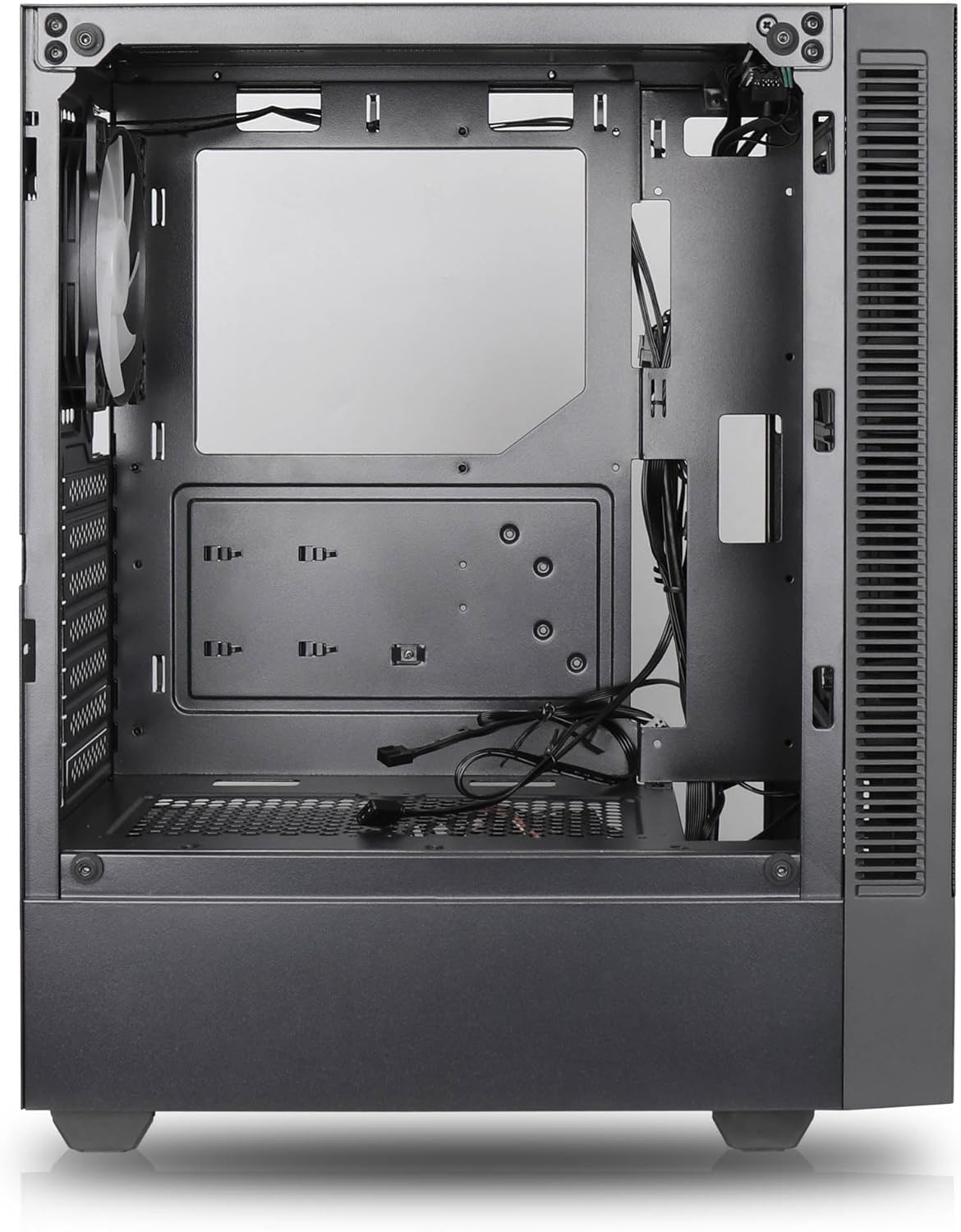

Кључне карактеристике:
- Максимални проток ваздуха: Large mesh front panel and four pre-installed 140mm A-RGB fans with hydraulic bearings ensure excellent ventilation.
- Easy PC Building: Thoughtful design with daisy-chain connections simplifies installation, eliminating the need for additional adapters or controllers.
- Дизајн високог квалитета: Genuine tempered glass side panel showcases installed components and provides a minimalist, premium aesthetic.
- Flexible Lighting and Control: 3-pin A-RGB fans and 4-pin fan control allow for impressive lighting effects and easy adjustment of fan speed and curves directly from the motherboard.
- Powerful Component Compatibility: Supports GPUs up to 400mm long, radiators up to 360mm (front and top) and 140mm (rear), and space for up to 4 fans.
- Compact Case with Ampле Спаце: Midi tower format accommodates E-ATX, ATX, mATX, and ITX motherboards, up to two 2.5" SSDs, two 3.5" HDDs, and ATX power supplies.
5. Водич за инсталацију
Follow these steps for component installation. Refer to your individual component manuals for specific instructions.
5.1. Припрема случаја
- Поставите кућиште на равну, стабилну површину.
- Carefully remove the tempered glass side panel by unscrewing the thumb screws and gently pulling it away. Set it aside on a soft, non-abrasive surface.
- Remove the solid right side panel by unscrewing the thumb screws and sliding it backward.
5.2. Инсталација матичне плоче
- Инсталирајте И/О штит у задњи отвор кућишта.
- Ensure the correct standoffs are installed for your motherboard form factor (E-ATX, ATX, mATX, ITX). Adjust or add standoffs as needed.
- Пажљиво поставите матичну плочу на одстојнике, поравнавајући рупе за вијке.
- Причврстите матичну плочу приложеним завртњима. Немојте превише затезати.
5.3. Инсталација јединице за напајање (PSU)
- Position the PSU in the dedicated compartment at the bottom rear of the case.
- Ensure the PSU fan faces downwards (if the case has a bottom vent) or upwards, depending on your cooling preference.
- Причврстите напајање на кућиште помоћу приложених завртња са задње стране.
5.4. Инсталација уређаја за складиштење података
2.5" SSD дискови:
- Locate the 2.5" drive mounts (typically behind the motherboard tray).
- Secure the SSDs using the provided screws.
3.5" HDD-ови:
- Locate the 3.5" drive cages (usually near the PSU shroud).
- Slide the HDDs into the drive trays and secure them with screws or tool-less mechanisms if available.
5.5. Инсталација графичке картице (GPU)
- Уклоните потребне поклопце PCIe слотова са задње стране кућишта.
- Align your GPU with the PCIe slot on the motherboard and press firmly until it clicks into place.
- Secure the GPU to the case with screws.
5.6. Менаџмент каблова
Користите изрезе за усмеравање каблова и тачке за везивање иза лежишта матичне плоче да бисте управљали кабловима. Ово побољшава проток ваздуха и естетику.
6. Операција
6.1. Укључивање
After all components are installed and cables are connected, reattach the side panels. Connect the power cable to the PSU and a wall outlet, then press the power button on the top I/O panel of the case.
6.2. ARGB контрола вентилатора
The pre-installed ARGB fans feature 3-pin ARGB connectors for lighting control and 4-pin connectors for fan speed control. These can be connected directly to compatible headers on your motherboard. Use your motherboard's software or BIOS settings to customize lighting effects and fan curves.
7. Одржавање
7.1. Чишћење
- Regularly clean dust filters (if present) to maintain optimal airflow.
- Use a can of compressed air to remove dust from inside the case and components.
- Обришите спољашње површине меком, дamp тканина. Избегавајте јаке хемикалије.
- For the tempered glass panel, use a glass cleaner and a microfiber cloth.
КСНУМКС. Решавање проблема
- PC not powering on: Check all power connections, including the 24-pin motherboard power, 8-pin CPU power, and GPU power cables. Ensure the PSU switch is in the 'ON' position.
- Fans not spinning/RGB not working: Verify that fan and ARGB headers are correctly connected to the motherboard. Check motherboard software for fan speed and lighting control settings.
- прегревање: Ensure proper airflow by checking fan orientation and cleaning dust filters. Verify CPU cooler and GPU cooler are properly seated.
- Нема приказа: Confirm the monitor cable is connected to the graphics card (not the motherboard integrated graphics, unless you are using integrated graphics). Reseat the graphics card and RAM modules.
9. Спецификације
| Феатуре | Спецификација |
|---|---|
| Бранд | SILENTWARE |
| Назив модела | Silentware Flow 100 ARGB |
| Број модела ставке | ФЛОВ100 |
| ASIN | B0CB8CZ5GF |
| Боја | Црно |
| Тип случаја | Мид Товер |
| Материјал | Каљено стакло |
| Компатибилност матичне плоче | ATX, Micro ATX, Mini ITX |
| Компатибилни уређаји | ATX, mATX, ITX motherboards, GPUs up to 325mm, radiators up to 360mm, 2.5" and 3.5" storage drives |
| Препоручена употреба | Гаминг |
| Метод хлађења | Ваздух |
| Унапред инсталирани вентилатори | 4x 120mm ARGB Fans |
| Величина вентилатора | 140 Millimeters (Note: Product description mentions 140mm fans, while pre-installed are 120mm. Please verify with product packaging.) |
| Тип монтаже напајања | Боттом Моунт |
| Максимална дужина ГПУ-а | 400мм |
| Radiator Support (Front/Top) | До 360 мм |
| Носач хладњака (задњи) | До 140 мм |
| Лежишта за дискове од 2.5 инча | До 2 |
| Лежишта за дискове од 3.5 инча | До 2 |
10. Гаранција и подршка
For warranty information and technical support, please refer to the official SILENTWARE website or contact your retailer. Specific details regarding spare parts availability and software updates are not available in the provided product information.