
AZATOM AZSPTLSBK1
Spitalfields 2 Portable DAB/DAB+ Digital FM Radio User Manual
Model: AZSPTLSBK1 | Brand: AZATOM
Увод
Хвала вам на куповиниasing the AZATOM Spitalfields 2 Portable DAB/DAB+ Digital FM Radio. This manual provides essential information for setting up, operating, and maintaining your new radio. Please read this manual thoroughly before use to ensure proper functionality and to maximize your listening experience.
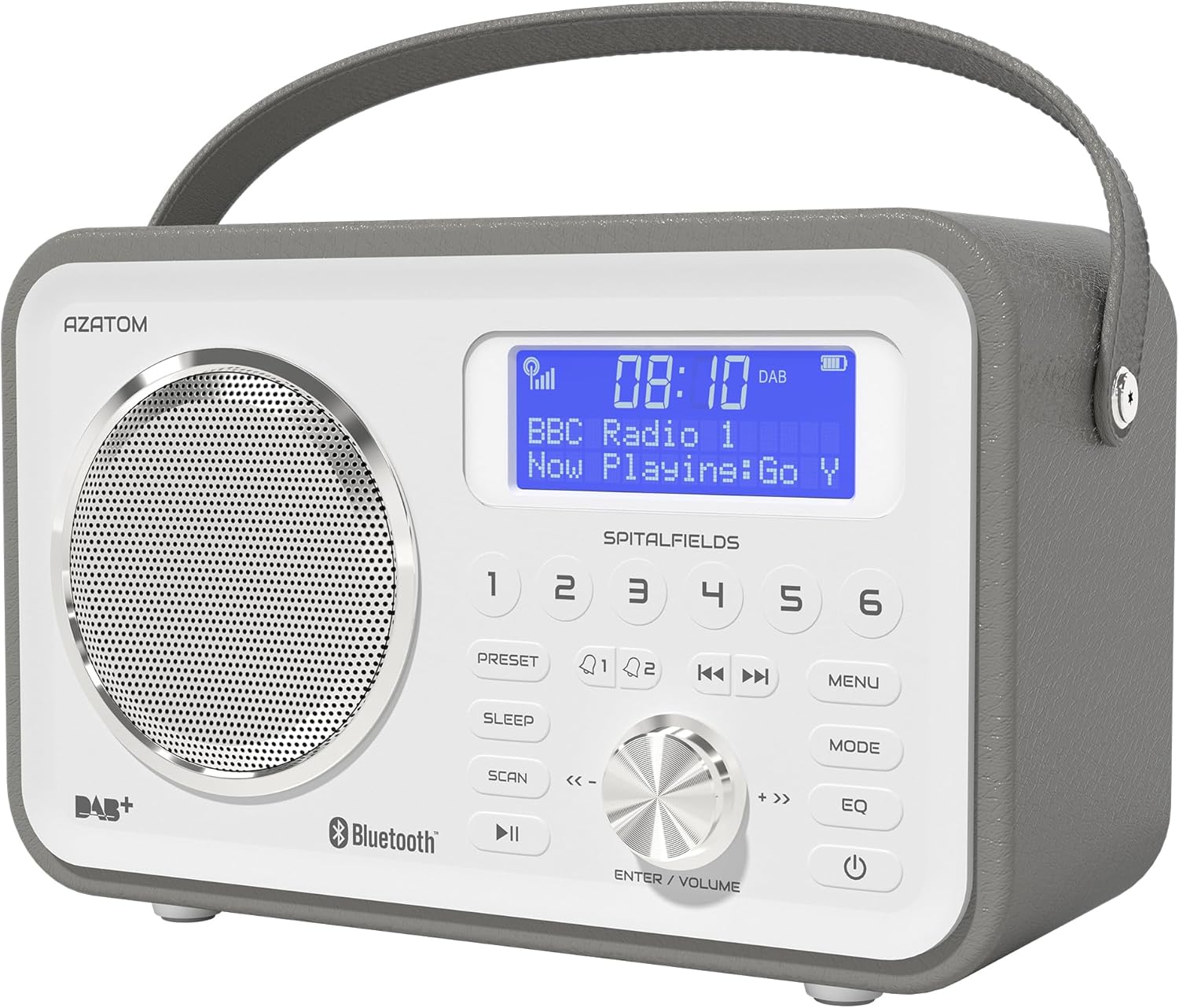
The AZATOM Spitalfields 2 radio features a classic retro design with a modern digital display and intuitive controls.
Важна безбедносна упутства
Always follow these basic safety precautions when using your radio:
- Не излажите уређај киши, влази или екстремним температурама.
- Не растављајте нити модификујте уређај. Сва сервисирања препустите квалификованом особљу.
- Осигурајте одговарајућу вентилацију око јединице како бисте спречили прегревање.
- Користите само струјни адаптер који је испоручен са јединицом.
- Држите уређај даље од јаких магнетних поља.
- Избегавајте слушање музике на претерано јаким гласноћама током дужег временског периода како бисте спречили оштећење слуха.
Кључне карактеристике
- DAB/DAB+ и FM радио: Enjoy a wide range of digital and analog radio stations.
- Блуетоотх 5.0 повезивање: Wirelessly stream audio from your compatible devices.
- Функција будилника: Set multiple alarms with snooze and sleep timer features.
- Пуњива батерија: Уграђена батерија за преносиву употребу.
- Унапред подешене станице: Сачувајте своје омиљене DAB и FM станице за брз приступ.
- даљински управљач: Conveniently operate the radio from a distance.
- Quality Stereo Sound: Enhanced audio experience with a built-in subwoofer.
DAB/DAB+/FM Radio

Experience crystal-clear digital radio with DAB/DAB+ or tune into traditional FM broadcasts.
Блуетоотх 5.0 Повезивање

Effortlessly stream music from your smartphone, tablet, or other Bluetooth-enabled devices.
Alarm Clock & Sleep Timer

Wake up to your favorite station or a buzzer with the integrated alarm clock, and drift off to sleep with the adjustable sleep timer.
Pre-set Stations

Quickly access your preferred radio stations by saving them to the dedicated preset buttons.
Пуњива батерија

The built-in rechargeable battery allows for convenient portable use, perfect for any room or on the go.
Premier Control with Remote
Control all functions of your radio from the comfort of your couch using the included remote control.
Садржај пакета
Молимо вас да проверите да ли су све ставке присутне:
- AZATOM Spitalfields 2 DAB/DAB+ Digital FM Radio
- Повер Адаптер
- Ремоте Цонтрол
- Кориснички приручник (овај документ)
Производ је завршенview
Familiarize yourself with the controls and display of your Spitalfields 2 radio.
The front panel features a clear display, speaker, and various control buttons.
Контроле предњег панела
- Екран: Приказује време, информације о станици и опције менија.
- Унапред подешена дугмад (1-6): Store and recall your favorite stations.
- Дугме ПРЕСЕТ: Access preset memory.
- СЛЕЕП дугме: Подесите тајмер за спавање.
- Дугме СЦАН: Automatically scan for stations.
- Дугме ПЛАИ/ПАУСЕ: Play/pause in Bluetooth mode.
- Дугме МЕНУ: Приступ поставкама система.
- Дугме МОДЕ: Пребацујте се између DAB, FM и Bluetooth режима.
- ЕК тастер: Подесите подешавања еквилајзера.
- Дугме за укључивање: Укључите / искључите уређај.
- ENTER/VOLUME Knob: Rotate to adjust volume or navigate menus; press to confirm selection.
- SKIP Buttons (<<, >>): Navigate tracks in Bluetooth mode or stations in radio mode.
Сетуп
Поверинг Он
- Потпуно извуците телескопску антену за оптималан пријем.
- Connect the supplied power adapter to the DC IN port on the back of the radio and plug it into a wall outlet. The internal battery will begin charging.
- Притисните тастер ПОВЕР дугме за укључивање радија.
Initial Scan (DAB/FM)
Upon first power-on, the radio will automatically perform a full scan for DAB stations. This may take a few minutes. Once complete, the radio will tune to the first available station.
- To manually initiate a scan in DAB mode, press the СЦАН дугме.
- У ФМ режиму притисните и држите СЦАН button to auto-scan for the next available station.
Подешавање времена и датума
The time and date are usually automatically set via DAB signal. If not, or if you wish to adjust manually:
- Притисните тастер МЕНУ дугме.
- Ротирајте ENTER/VOLUME knob to navigate to 'System Settings' and press the knob to confirm.
- Navigate to 'Time/Date' and press to confirm.
- Select 'Set Time/Date' or 'Auto Update' as desired and follow the on-screen prompts.
Упутство за употребу
Radio Modes (DAB, FM)
Притисните тастер МОДЕ button to switch between DAB and FM radio modes.
ДАБ режим
- Ротирајте ENTER/VOLUME knob to browse available DAB stations. Press the knob to select a station.
- Притисните СЦАН to perform a full scan for new stations.
ФМ режим
- Ротирајте ENTER/VOLUME knob to fine-tune the frequency.
- Притисните и држите СЦАН button to automatically tune to the next strong station.
Блуетоотх Оператион
- Притисните тастер МОДЕ button until 'Bluetooth' is displayed. The radio will enter pairing mode.
- On your Bluetooth-enabled device (e.g., smartphone), search for 'Spitalfields 2' in the Bluetooth settings and select it to pair.
- Once paired, you can stream audio from your device to the radio. Use the ПЛАИ/ПАУСЕ и СКИП buttons on the radio or remote to control playback.
Функција будилника
- Притисните тастер МЕНУ button and navigate to 'Alarms'.
- Select 'Alarm 1' or 'Alarm 2' to configure.
- Set the alarm time, duration, source (Buzzer, DAB, FM), and frequency (Daily, Once, Weekdays, Weekends).
- Ensure the alarm is set to 'On'.
- Када се огласи аларм, притисните дугме ПОВЕР button to snooze, or press any other button to turn off the alarm.
Слееп Тимер
Тајмер за спавање омогућава да се радио аутоматски искључи након подешеног периода.
- Притисните тастер СЛЕЕП button repeatedly to cycle through sleep timer options (e.g., 15, 30, 45, 60, 90, 120 minutes, Off).
- The selected time will be displayed briefly.
Пресетс
Чување унапред подешеног
- Подесите жељену DAB или FM станицу.
- Press and hold one of the numbered ПРЕСЕТ buttons (1-6) until 'Preset Stored' appears on the display.
Позивање унапред подешеног
- Briefly press the corresponding numbered ПРЕСЕТ button (1-6) to recall a stored station.
Подешавања звука (еквилизатор)
Подесите звучни професионалацfile по вашој жељи.
- Притисните тастер EQ button repeatedly to cycle through equalizer presets (e.g., Normal, Flat, Jazz, Rock, Classical, Pop, News, My EQ).
- If 'My EQ' is selected, you can customize bass and treble settings via the menu.
Коришћење даљинског управљача
The remote control provides full functionality of the radio from a distance. Ensure the remote has working batteries and is pointed towards the front of the radio.
- All buttons on the remote correspond to functions available on the radio's front panel.
- Use the numeric buttons (0-9) to directly enter preset numbers or navigate menus.
Одржавање и њега
- Чишћење: Обришите радио меком, сувом крпом. Не користите абразивна средства за чишћење или раствараче.
- Одржавање батерије: For optimal battery life, avoid fully discharging the battery frequently. If storing the radio for an extended period, charge it fully every few months.
- Антена: Handle the telescopic antenna with care to prevent damage.
- Складиштење: Чувајте радио на хладном и сувом месту, даље од директне сунчеве светлости и екстремних температура.
Решавање проблема
| Проблем | Могући узрок | Решење |
|---|---|---|
| Нема струје | Power adapter not connected; battery depleted. | Ensure power adapter is securely connected and plugged in. Charge the battery. |
| Нема звука / Лош квалитет звука | Volume too low; poor signal; incorrect mode. | Increase volume. Extend antenna fully. Re-scan for stations. Ensure correct mode (DAB/FM/Bluetooth). |
| DAB станице нису пронађене | Weak DAB signal; no full scan performed. | Ensure antenna is fully extended. Perform a full DAB scan. Try repositioning the radio. |
| Блуетоотх се не упарује | Radio not in Bluetooth mode; device too far; previously paired. | Switch radio to Bluetooth mode. Ensure device is within range. Forget 'Spitalfields 2' on your device and try pairing again. |
| Даљински управљач не ради | Batteries depleted; obstruction; not pointed correctly. | Replace remote control batteries. Ensure no obstruction between remote and radio. Point remote directly at the radio's front panel. |
Спецификације
| Феатуре | Детаљ |
|---|---|
| Бранд | АЗАТОМ |
| Број модела | AZSPTLSBK1 |
| Тежина | 750 грама |
| Хардверски интерфејс | 3.5 mm Audio, Bluetooth, Headphones |
| Максимална излазна снага звучника | 30 Ваттс |
| УПЦ | 718157745964 |
Информације о гаранцији
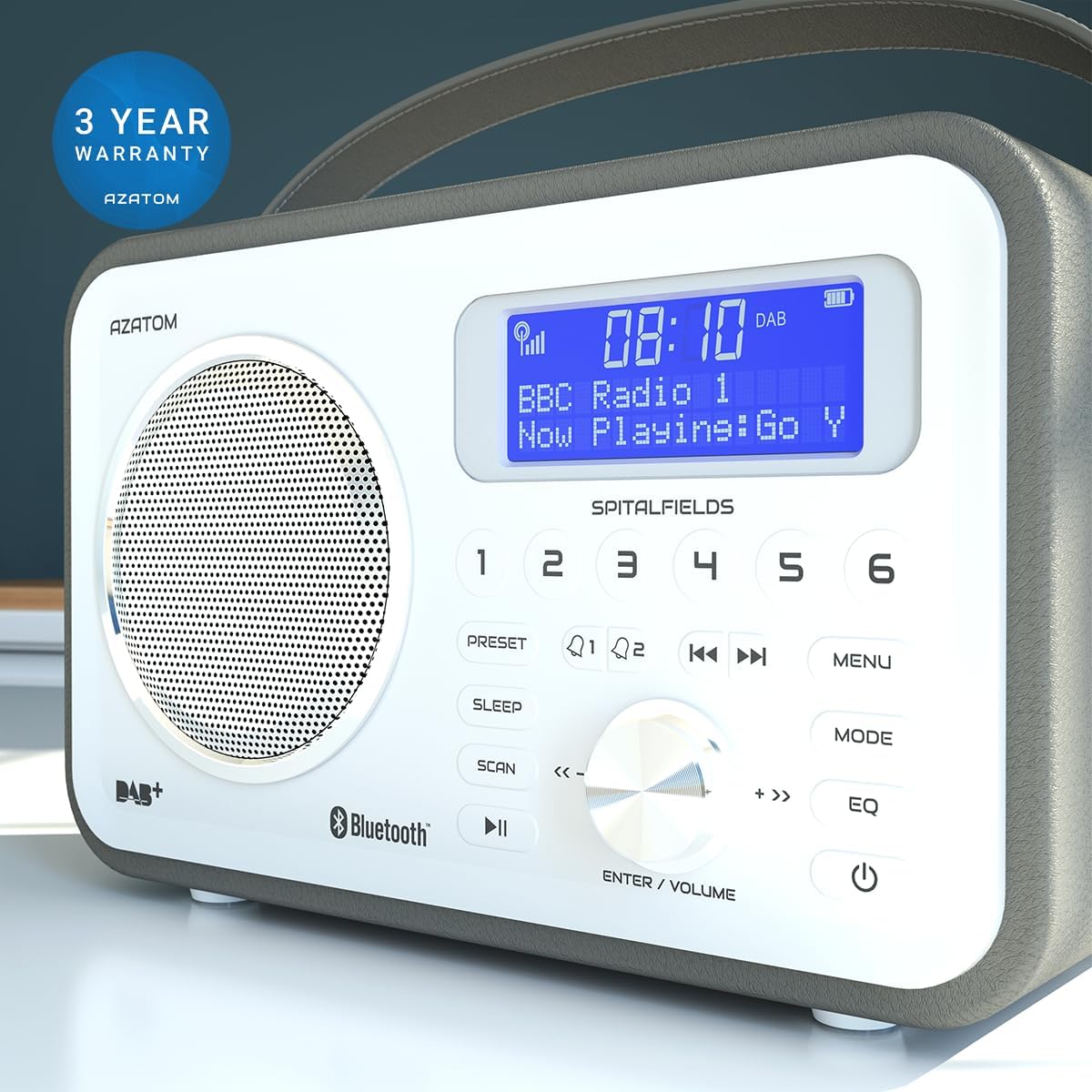
The AZATOM Spitalfields 2 radio comes with a 3-годишња гаранција from the date of purchase. This warranty covers manufacturing defects and faulty workmanship under normal use. Please retain your proof of purchase for warranty claims.
The product is backed by a 3-year warranty, ensuring peace of mind.
The warranty does not cover damage caused by misuse, accident, unauthorized modification, or normal wear and tear. For full terms and conditions, please refer to the AZATOM official webсајту или контактирајте корисничку подршку.
Корисничка подршка
If you encounter any issues not covered in this manual or require further assistance, please visit the official AZATOM webсајт за ресурсе подршке, честа питања и контакт информације.
Webсајт: ввв.азатом.цом
Please have your model number (AZSPTLSBK1) and purchase details ready when contacting support.
Ask a question about this manual
Ask about setup, troubleshooting, compatibility, parts, safety, or missing instructions. Manuals+ will review the question and use this page’s manual context to help answer it.