
1. Увод
The AUSDOM Airkey84 is a compact 75% mechanical keyboard designed for versatility and comfort. It features an 84-key layout, retaining essential arrow and function keys while saving desktop space. This keyboard offers triple connectivity modes: USB-C wired, Bluetooth 3.0/5.0, and 2.4GHz wireless, allowing connection to up to four devices. Equipped with low-profile brown switches, it provides a tactile typing experience suitable for both office work and gaming. The keyboard also includes 14 white LED backlight modes and is compatible with both Mac OS and Windows operating systems.
2. Шта је у кутији
- 1 к Лов-проfile Мецханицал Кеибоард
- 1 к УСБ кабл
- КСНУМКС к УСБ пријемник
- 1 к Упутство за употребу
- 3 x Extra Keycaps for Windows
3. Подешавање
3.1 Режими повезивања
The AUSDOM Airkey84 supports three connection methods: Bluetooth, 2.4GHz wireless, and USB-C wired. It can connect to up to four devices simultaneously and switch between them.

Image: The keyboard supports 2.4G, Bluetooth, and Wired connections, enabling multi-device pairing.
3.1.1 Bluetooth Connection Mode
- Turn the power button on the keyboard to ON.
- Притисните и држите Fn + BT1 keycaps for 3-5 seconds. The keyboard will enter pairing mode, and the keys' backlight indicator will flash rapidly.
- On your device (e.g., computer, tablet, smartphone), turn on its Bluetooth function. Тражи and select "AUSDOM Airkey84" to pair.
- Repeat steps 2 and 3 for BT2 and BT3 to connect up to three Bluetooth devices.
3.1.2 2.4GHz USB Connection Mode
- Turn the power button on the keyboard to ON.
- Притисните тастер Фн + КСНУМКС key once to switch to 2.4GHz USB connection mode.
- Plug the USB receiver into your device's USB port. The keyboard should connect automatically.
3.1.3 Жични режим USB-C
- Turn the power button on the keyboard to ОФФ.
- Повежите тастатуру са уређајем помоћу приложеног USB-C кабла. Тастатура ће се аутоматски пребацити у жични режим.

Image: The keyboard connected via USB-C cable, also showing its rechargeable capability.
3.2 Компатибилност
The keyboard is compatible with both Mac OS and Windows operating systems. Three extra keycaps are provided for Windows users to customize their layout.
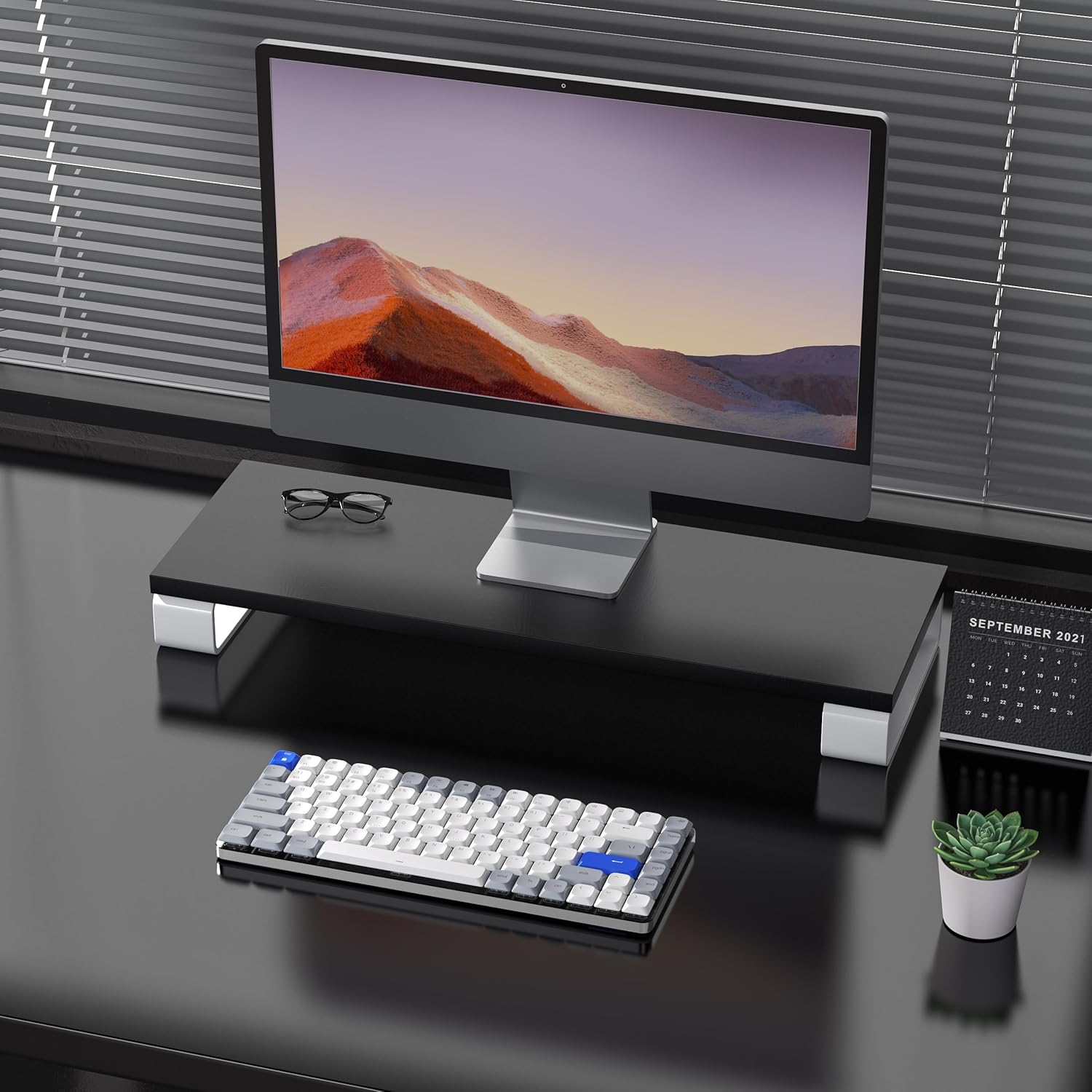
Image: The keyboard is compatible with both Mac and Windows systems, and includes extra keycaps for Windows users.
4. Упутство за употребу
4.1 Контрола позадинског осветљења
The keyboard features 14 different white LED backlight modes. To cycle through these modes, press the dedicated lightbulb button located in the top right corner of the keyboard. The keycaps are laser-engraved to ensure clear visibility of characters with the backlight on.

Image: The keyboard displaying its white backlight with 14 different lighting options.
4.2 подесивих постоља
The keyboard is equipped with two adjustable stands on the back. These stands allow you to set the keyboard at a comfortable typing angle (e.g., 3 or 6 degrees) to reduce wrist strain during extended use.

Image: The keyboard's ultra-slim aluminum frame and ergonomic design with adjustable feet.
4.3 Лов-Проfile Brown Switches
The keyboard utilizes low-profile brown switches, which offer a tactile bump without a loud click. This design provides a comfortable and responsive typing experience, ideal for both fast typing and gaming.

Image: A close-up of the low-profile brown switches, highlighting their design for comfortable and effortless typing.
5. Одржавање
5.1 Чишћење
- To clean the keyboard, power it off and disconnect any cables.
- Користите меку крпу која не оставља длачицеampводом или благим раствором за чишћење да бисте обрисали капице тастера и површину.
- За прашину и остатке између тастера користите компримовани ваздух.
- Избегавајте употребу јаких хемикалија или абразивних материјала, јер они могу оштетити завршну обраду тастатуре или натписе на тастатури.
5.2 Одржавање батерије
- The keyboard has a built-in 2000 mAh rechargeable battery.
- Пуните тастатуру помоћу приложеног USB-C кабла.
- Да бисте продужили век трајања батерије, избегавајте често потпуно пражњење батерије.
- If storing the keyboard for an extended period, charge it to approximately 50% before storage.
КСНУМКС. Решавање проблема
6.1 Проблеми са повезивањем
- Тастатура се не повезује преко Bluetooth-а: Ensure the keyboard is in Bluetooth pairing mode (flashing backlight). Check your device's Bluetooth settings and ensure it's discoverable. Try forgetting the device and re-pairing.
- 2.4GHz wireless not working: Ensure the USB receiver is securely plugged into a working USB port. Confirm the keyboard is switched to 2.4GHz mode (Fn + 4). Try a different USB port.
- Wired connection issues: Ensure the USB-C cable is fully inserted into both the keyboard and the device. Try a different USB-C cable or port. Ensure the keyboard's power switch is in the OFF position for wired mode.
6.2 Позадинско осветљење не ради
- Уверите се да је батерија тастатуре довољно напуњена.
- Press the backlight control button (lightbulb icon) to cycle through modes or turn the backlight on/off.
6.3 Тастери не реагују
- Check the connection mode and ensure it's properly established.
- Напуните тастатуру ако је батерија празна.
- Try connecting the keyboard via USB-C wired mode to rule out wireless interference or battery issues.
- If specific keys are not responding, gently remove the keycap and check for any obstructions or debris around the switch.
7. Спецификације
| Феатуре | Детаљ |
|---|---|
| Број модела | Airkey84 |
| Димензије производа | 12.13 к 183070.97 к 0.94 инча |
| Тежина артикла | 1.03 фунти |
| Произвођач | АУСДОМ |
| Батерије | Потребна је 1 литијум-полимерска батерија (укључена) |
| Компатибилни уређаји | Лаптоп, рачунар, паметни телефон, таблет |
| Технологија повезивања | Блутут, бежични 2.4 GHz, жичани USB-C |
| Опис тастатуре | Механички, Лов Проfile, 75% Layout |
| Посебна карактеристика | Позадинско осветљење, ниско-професионалноfile Key, Rechargeable |
| Позадинско осветљење тастатуре | White LED, Single Color, 14 Modes |
| Материјал | Acrylonitrile Butadiene Styrene, Aluminum, Silicone |
8. Гаранција и подршка
For warranty information, technical support, or any product-related inquiries, please contact AUSDOM customer service through the official AUSDOM store or the platform where the product was purchased. Please refer to your purchase documentation for specific warranty terms and conditions.
You can visit the official AUSDOM store for more information: AUSDOM Store