
1. Увод
This manual provides essential information for the installation, operation, and maintenance of your Phillips MX7053 Digital Deadbolt PCD-360. Please read these instructions carefully before installation and use to ensure proper function and longevity of the product.
The Phillips MX7053 Digital Deadbolt is designed for interior wood or metal doors, offering secure keyless entry via a numeric keypad or traditional key access. It features a light indicator for status updates and supports up to 50 unique user codes.
2. Карактеристике производа
- Једноставна инсталација: Designed for straightforward installation using basic tools.
- Свестрано монтирање: Features an interior mounting plate that can be screwed or welded.
- Нумеричка тастатура: Exterior keypad supports 4 to 10-digit codes for up to 50 users.
- Индикатор статуса: Integrated light indicator shows lock/unlock status and alerts for incorrect code entries.
- Dual Access: Keyless entry via keypad or traditional high-security key access.
- Ради на батерије: Requires 4 AA batteries (not included), eliminating the need for electrical wiring.
3. Садржај пакета
Пре почетка инсталације проверите да ли су све компоненте присутне:
- Phillips MX7053 Digital Deadbolt (Exterior Keypad Unit)
- Interior Thumb Turn Unit
- Монтажна плоча
- High-Security Keys (Quantity may vary)
- Монтажни вијци и хардвер
- Упутство за употребу (овај документ)

Слика 3.1: Packaging of the Phillips MX7053 Digital Deadbolt, illustrating the included components and highlighting the 1-year warranty.
4. Спецификације
| Произвођач | Пхиллипс |
| Број модела | МКС7053 |
| Боја | Црно |
| Заврши | Брусхед |
| Материјал | Метал, Пластика |
| Тип закључавања | Деадболт |
| Посебне карактеристике | Touch keypad, Keyless entry |
| Извор напајања | 4 АА батерија (нису укључене) |
| Тежина | 1.12 килограма |
| Димензије (Д к Ш к В) | 21.01 к 11 к 23.01 цм |
5. Безбедносне информације
- Do not expose the lock to extreme temperatures or direct moisture.
- Користите само наведене алкалне батерије типа АА. Не мешајте старе и нове батерије или различите типове батерија.
- Keep keys in a secure location away from the lock.
- Regularly check battery levels and replace batteries when indicated to prevent lock-out.
- Избегавајте употребу абразивних средстава за чишћење или растварача на површини браве.
6. Инсталација
The Phillips MX7053 Digital Deadbolt is designed for surface-mount installation on interior wood or metal doors. It is compatible with both left and right-opening doors.
6.1 Потребан алат
- Одвијач (препоручује се крстасти одвијач)
- Drill (if new holes are required)
- Мерна трака или лењир
- Оловка
6.2 Кораци инсталације
- Припремите врата: Ensure the door is clean and free of obstructions. If replacing an existing lock, remove it.
- Инсталирајте затварач за затварање: Insert the deadbolt latch into the door edge. Ensure the latch is oriented correctly for your door's handing (left or right).
- Mount the Exterior Keypad: Position the exterior keypad unit on the outside of the door, aligning it with the deadbolt latch.
- Инсталирајте унутрашњу монтажну плочу: On the inside of the door, attach the interior mounting plate. Secure it with the provided screws. This plate can be screwed directly or welded for added security.
- Connect the Interior Unit: Connect the cable from the exterior keypad to the interior thumb turn unit. Carefully tuck any excess cable into the door cavity.
- Secure the Interior Unit: Attach the interior thumb turn unit to the mounting plate using the remaining screws. Ensure it is flush against the door.
- Пробни рад: Before closing the door, test the deadbolt's operation using both the thumb turn and the key. Ensure the deadbolt extends and retracts smoothly.
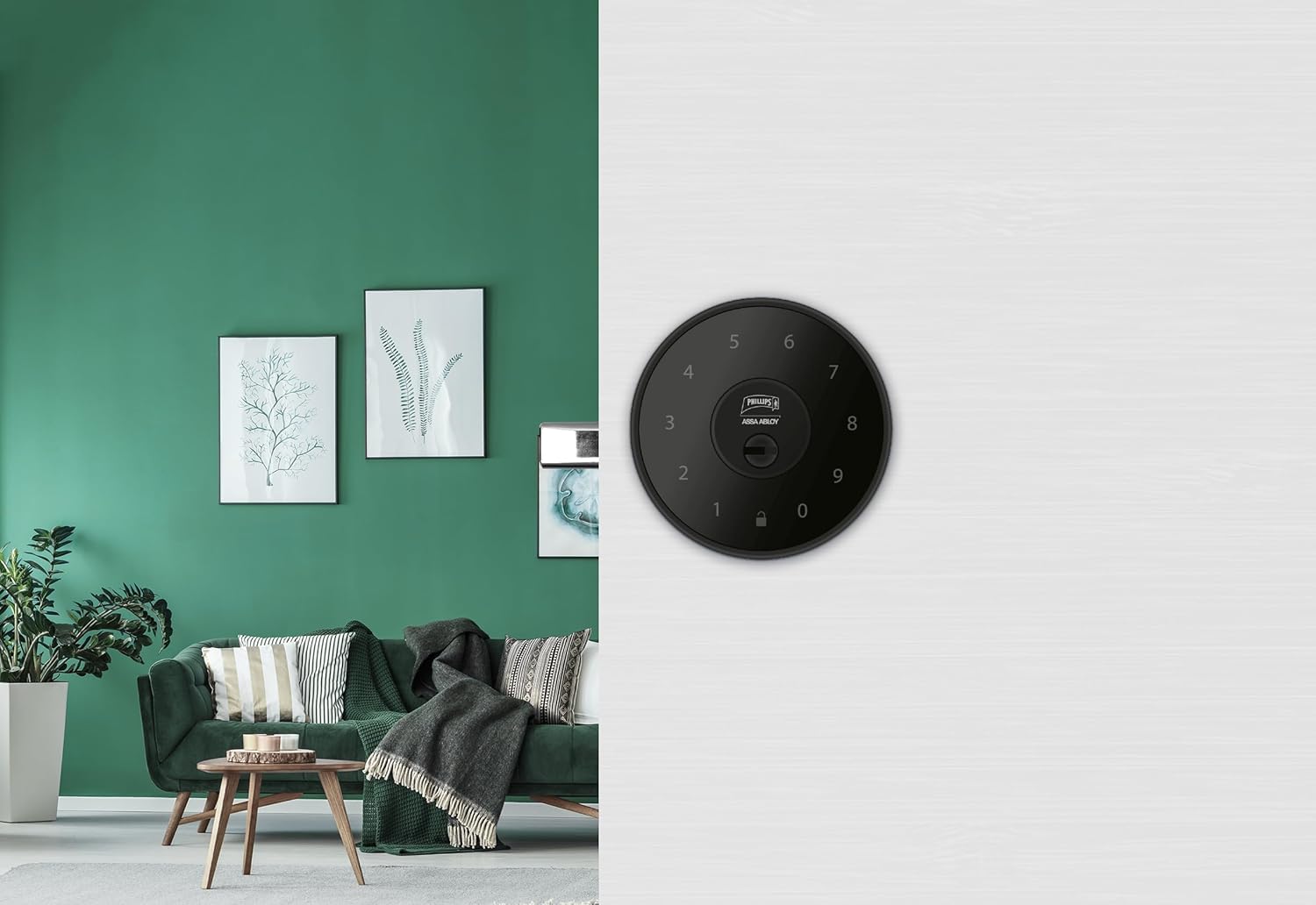
Слика 6.1: An installed Phillips MX7053 Digital Deadbolt, showcasing its exterior keypad on a door.

Слика 6.2: Крупни план напред view of the exterior keypad, highlighting the numeric interface and keyhole.
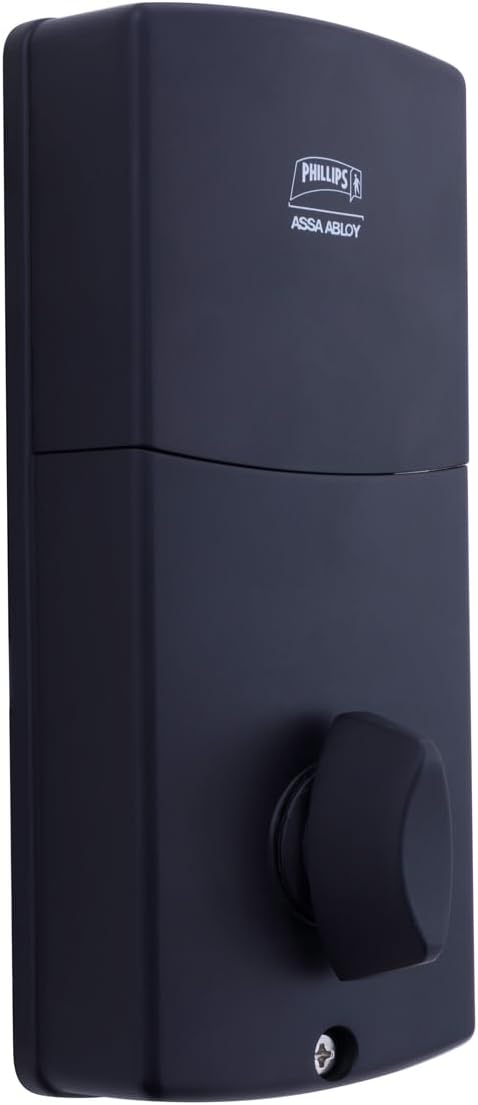
Слика 6.3: Позади view of the interior unit, which houses the battery compartment and the thumb turn for manual locking/unlocking.
7. Инсталација и замена батерије
The Phillips MX7053 Digital Deadbolt requires 4 AA alkaline batteries for operation. Batteries are not included.
- Приступ одељку за батерију: Locate the battery cover on the interior thumb turn unit. Slide or unclip the cover to open the compartment.
- Уметните батерије: Insert 4 new AA alkaline batteries, ensuring correct polarity (+/-) as indicated inside the compartment.
- Затвори одељак: Replace the battery cover, ensuring it is securely closed.
- Тест: After installing batteries, the lock should emit a beep and the keypad lights may illuminate briefly, indicating power.
Напомена: Replace all four batteries simultaneously. Do not mix old and new batteries or different battery types. Low battery indication will typically be a series of beeps or a specific light pattern when operating the lock.
8. Операција
8.1 Откључавање врата
- Коришћење кода: Enter your 4 to 10-digit user code on the exterior keypad. The light indicator will confirm successful entry, and the deadbolt will retract.
- Коришћење кључа: Insert the high-security key into the keyhole on the exterior keypad and turn it to unlock the deadbolt.
- Изнутра: Turn the thumb turn on the interior unit to retract the deadbolt.
8.2 Закључавање врата
- Споља: Press any key on the keypad or simply wait for the auto-lock feature (if enabled) to engage the deadbolt.
- Коришћење кључа: Insert the high-security key into the keyhole on the exterior keypad and turn it to extend the deadbolt.
- Изнутра: Turn the thumb turn on the interior unit to extend the deadbolt.
9. Програмирање корисничких кодова
The lock supports up to 50 unique user codes, each 4 to 10 digits long. Refer to the specific programming instructions included with your lock for detailed steps on adding, deleting, or modifying user codes. Generally, this involves entering a master code followed by a sequence of commands and the desired user code.
Важно: Keep your master code confidential and do not share it. It is essential for managing all other user codes.
10. Одржавање
- Чишћење: Обришите површину браве меком крпомamp тканина. Немојте користити јаке хемикалије или абразивна средства за чишћење.
- Провера батерије: Одмах замените батерије када се појави индикатор празне батерије.
- Механичка провера: Periodically check that all screws are tight and the lock operates smoothly. Lubricate the deadbolt mechanism with a silicone-based lubricant if necessary.
КСНУМКС. Решавање проблема
- Брава не реагује: Check battery installation and replace batteries if necessary. Ensure the keypad is clean and free of debris.
- Deadbolt Not Extending/Retracting: Проверите да ли је затварач оквира врата правилно поравнат са засуном. Проверите да ли има препрека у довратнику.
- Нетачан унос кода: If the light indicator flashes or beeps after entering a code, re-enter the code carefully. Ensure you are using a valid, programmed user code.
- Тастатура се не пали: This may indicate very low batteries or a power issue. Replace batteries.
12. Гаранција и подршка
The Phillips MX7053 Digital Deadbolt PCD-360 comes with a 1 година гаранције од датума куповине, покривајући производне недостатке. Молимо вас да сачувате доказ о куповини за потребе гаранције.
For technical assistance, troubleshooting beyond this manual, or warranty inquiries, please contact Phillips customer support. Refer to the contact information provided on the product packaging or Phillips' official webсајту.
Additional protection plans may be available from third-party providers for extended coverage.