
1. Производ је готовview
This manual provides essential information for the safe and efficient use of your EU-SOURCING 65W USB-C Laptop Charger. This high-quality power adapter is designed to provide reliable charging for a wide range of compatible devices, including laptops, tablets, and smartphones that utilize a USB-C port.

Image 1.1: The EU-SOURCING 65W USB-C Laptop Charger, showcasinњегов компактни дизајн и интегрисани УСБ-Ц кабл.
The charger features auto-adjustable voltage output, supporting 5V/3A, 9V/3A, 15V/3A, and 20V/3.25A, delivering up to 65W of power. It is an authentic Delta Electronics product, ensuring high quality and performance.
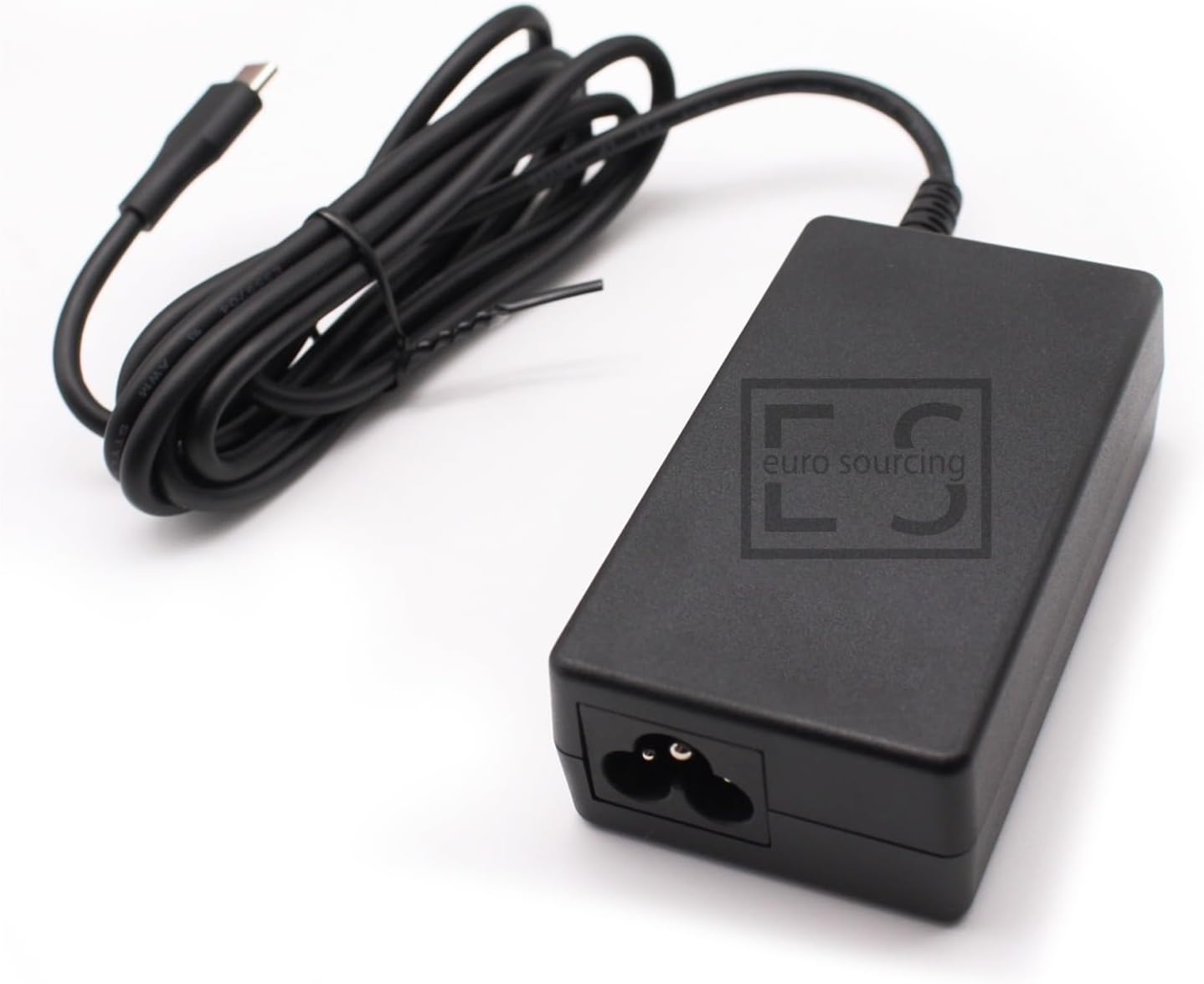
Слика 1.2: Врх view of the charger, featuring the EU-SOURCING brand logo.
2. Безбедносне информације
Please read and understand all safety instructions before using this product. Failure to follow these instructions may result in electric shock, fire, or damage to the charger or your device.
- Use only the provided power cord and ensure it is fully inserted into the charger and the wall outlet.
- Не излажите пуњач води, влази или екстремним температурама.
- Избегавајте испуштање или излагање пуњача јаким ударцима.
- Не покушавајте да растављате или модификујете пуњач. Сво сервисирање препустите квалификованом особљу.
- Always verify the compatibility of the charger with your device's power requirements before connecting. While this charger is auto-adjustable, ensure your device supports USB Power Delivery (PD) via its USB-C port.

Image 2.1: This image highlights the safety certifications of genuine Delta Electronics adapters (CE, UKCA, UL, EAC, Safety Mark) compared to uncertified replacements. Always prioritize certified products for safety.
3. Подешавање
Follow these steps to set up your EU-SOURCING 65W USB-C Laptop Charger:
- Повежите кабл за напајање: Take the included power cord and connect its figure-8 end firmly into the AC input port on the charger block.
- Укључите у зидну утичницу: Insert the other end of the power cord (the wall plug) into a standard electrical wall outlet.
- Повежите се са уређајем: Plug the USB-C connector from the charger's integrated cable into the USB-C charging port of your laptop, tablet, or smartphone.

Image 3.1: The detachable power cord, which connects the charger to the wall outlet.
Пре употребе проверите да ли су све везе сигурне.
4. Упутство за употребу
Once properly connected, the charger will automatically detect your device's power requirements and deliver the appropriate voltage and current (5V/3A, 9V/3A, 15V/3A, or 20V/3.25A) up to 65W. The charger is equipped with a charge indicator to show its operational status.
- Пуњење: When connected to a compatible device and a power source, the charger will begin charging your device. The charge indicator light will illuminate to confirm power delivery.
- Прекидање везе: To disconnect, first unplug the USB-C connector from your device, then unplug the power cord from the wall outlet.
5. Одржавање
Правилно одржавање осигурава дуготрајност и оптималне перформансе вашег пуњача:
- Чишћење: Disconnect the charger from all power sources and devices before cleaning. Use a soft, dry cloth to wipe the surface. Do not use liquid cleaners or aerosols.
- Складиштење: Store the charger in a cool, dry place away from direct sunlight and extreme temperatures. When storing, coil the cables loosely to prevent damage.
- Руковање: Avoid bending or crimping the cables excessively, especially near the connectors, as this can damage internal wires.
КСНУМКС. Решавање проблема
Ако наиђете на проблеме са пуњачем, погледајте следеће уобичајене проблеме и решења:
| Проблем | Могући узрок | Решење |
|---|---|---|
| Charger not powering on / No charge indicator light | Loose connection, faulty outlet, damaged charger/cable | Ensure power cord is securely connected to charger and wall outlet. Try a different wall outlet. Inspect charger and cables for visible damage. |
| Уређај се не пуни или се пуни споро | Incompatible device, device drawing too much power, faulty device port, cable issue | Verify device compatibility with 65W USB-C PD. Ensure device's USB-C port is clean and undamaged. Try restarting your device. |
| Charger feels hot during use | Normal operation under load, poor ventilation, excessive load | It is normal for chargers to warm up during use. Ensure adequate ventilation around the charger. If excessively hot, disconnect and allow to cool. Ensure device is compatible and not drawing more than 65W. |
Ако проблем и даље постоји након што сте испробали ова решења, обратите се корисничкој подршци.
7. Спецификације
Detailed technical specifications for the EU-SOURCING 65W USB-C Laptop Charger:

Image 7.1: The underside of the charger, displaying the model number (ADP-65KE B, which is similar to ADP-65SD B, and 60GQ42704BV) and detailed electrical input/output specifications.

Image 7.2: A magnified view of the charger's label, clearly showing the input and output voltagе/тренутни рејтинги.
| Феатуре | Детаљ |
|---|---|
| Број модела | ADP-65SD B |
| Бранд | EU-SOURCING (Delta Electronics) |
| Инпут | 100-240V ~ 1.7A, 50-60Hz |
| Излаз | 5.0V/3.0A, 9.0V/3.0A, 12.0V/3.0A, 15.0V/3.0A, 20.0V/3.25A (Auto-adjustable) |
| Максимална излазна снага | 65В |
| Тип конектора | УСБ-Ц (тип-Ц) |
| Посебне карактеристике | Charge Indicator, Portable |
| Компатибилни уређаји | Samsung Galaxy Book Pro 360 (NP950QDB-KB2US, NP950QDB-KA2US), HP Chromebook X360 series (e.g., 11-AE, 14-CA), HP Google Chromebook series (e.g., 11 G1 EE, 14 G5), HP Spectre X360 series (e.g., X2 12-A000), and other laptops, tablets, and smartphones supporting USB-C Power Delivery (18W-65W). |
8. Гаранција и подршка
Your EU-SOURCING 65W USB-C Laptop Charger comes with a comprehensive warranty and dedicated support.
- гаранција: Овај производ је покривен а 12-месечна гаранција from the date of purchase. This warranty is applicable only for products sold by EU-SOURCING. Please retain your proof of purchase for warranty claims.
- Подршка: For technical assistance, troubleshooting, or warranty inquiries, please contact EU-SOURCING customer support through the platform where you purchased the product.