
Увод
This instruction manual provides detailed guidance for the proper setup, operation, maintenance, and troubleshooting of your UBeesize 12'' RGB Selfie Ring Light. Please read this manual thoroughly before using the product to ensure optimal performance and safety. This device is designed to provide versatile lighting solutions for video recording, live streaming, photography, and other content creation needs, compatible with various phones, cameras, and webцамс.

Figure 1: UBeesize 12-inch RGB Selfie Ring Light with 62-inch Tripod Stand, showing the ring light, phone holder, and adjustable tripod.
Безбедносне информације
- Do not expose the ring light to water or excessive moisture.
- Avoid direct eye exposure to the LED light, especially at high brightness settings.
- Ensure the tripod is stable on a flat surface before attaching devices to prevent tipping.
- Do not attempt to disassemble or modify the product. Repairs should only be performed by authorized personnel.
- Чувати ван домашаја деце.
- Use only the provided USB cable for power.
- Искључите уређај из извора напајања када га не користите или пре чишћења.
Садржај пакета
Молимо вас да проверите да ли су све ставке присутне у пакету:
- 1 x 12-inch RGB Ring Light
- 1 x 62-inch Adjustable Tripod Stand
- 1 x Universal Phone Holder
- 1 к Блуетоотх даљински окидач
- КСНУМКС к УСБ напојни кабл
- 1 x Упутство за употребу (овај документ)
Упутства за подешавање
- Tripod Stand Assembly:
Unfold the tripod legs and extend them to a stable position. Adjust the height by loosening the locking clips on each section of the stand, extending the pole to the desired height (from 18 to 62 inches), and then securely tightening the clips. Ensure all clips are firmly locked to prevent collapse.

Figure 2: The tripod stand extended to its maximum height, demonstrating its adjustable feature.
- Attaching the Ring Light:
Locate the 1/4-inch screw on top of the tripod stand. Align the ring light's mounting hole with this screw and rotate the ring light clockwise until it is securely fastened. Do not overtighten.
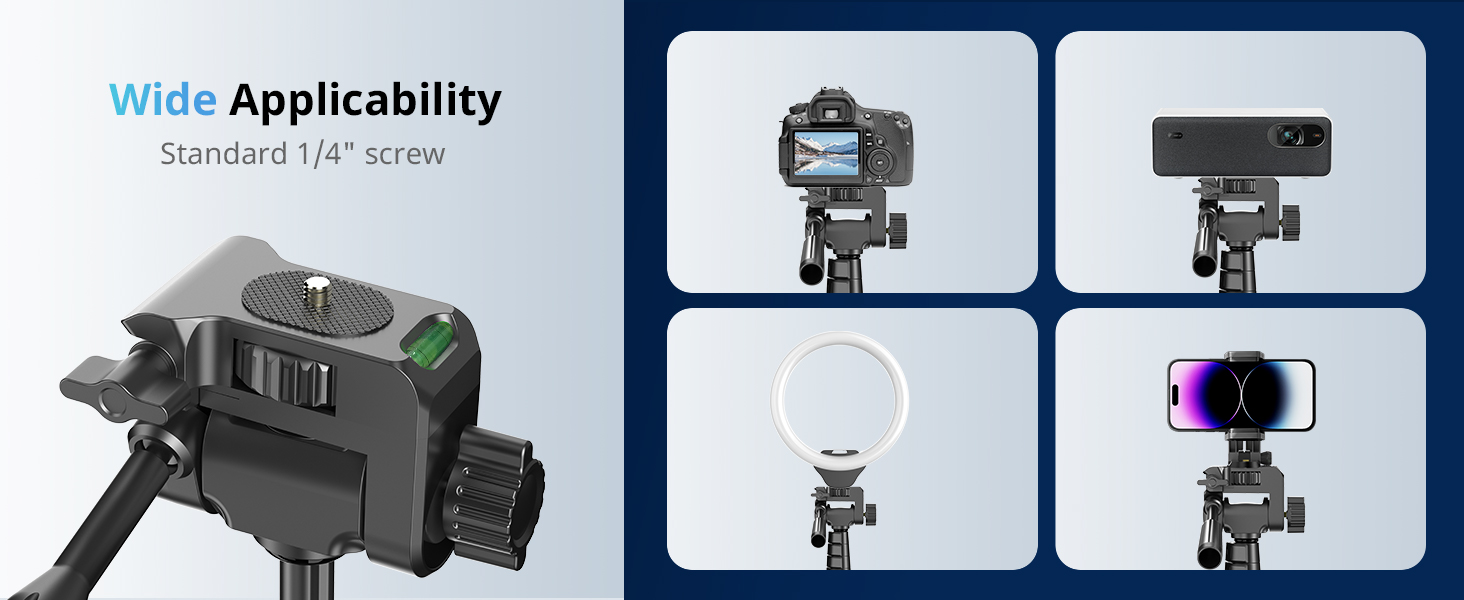
Слика 3: Крупни план view of the 1/4-inch screw attachment point on the tripod head, illustrating compatibility with various devices.
- Installing the Phone Holder:
The universal phone holder can be attached to the center of the ring light. Securely screw the phone holder into the designated slot on the ring light. The holder fits screen sizes up to 5 inches and can be rotated 180°.
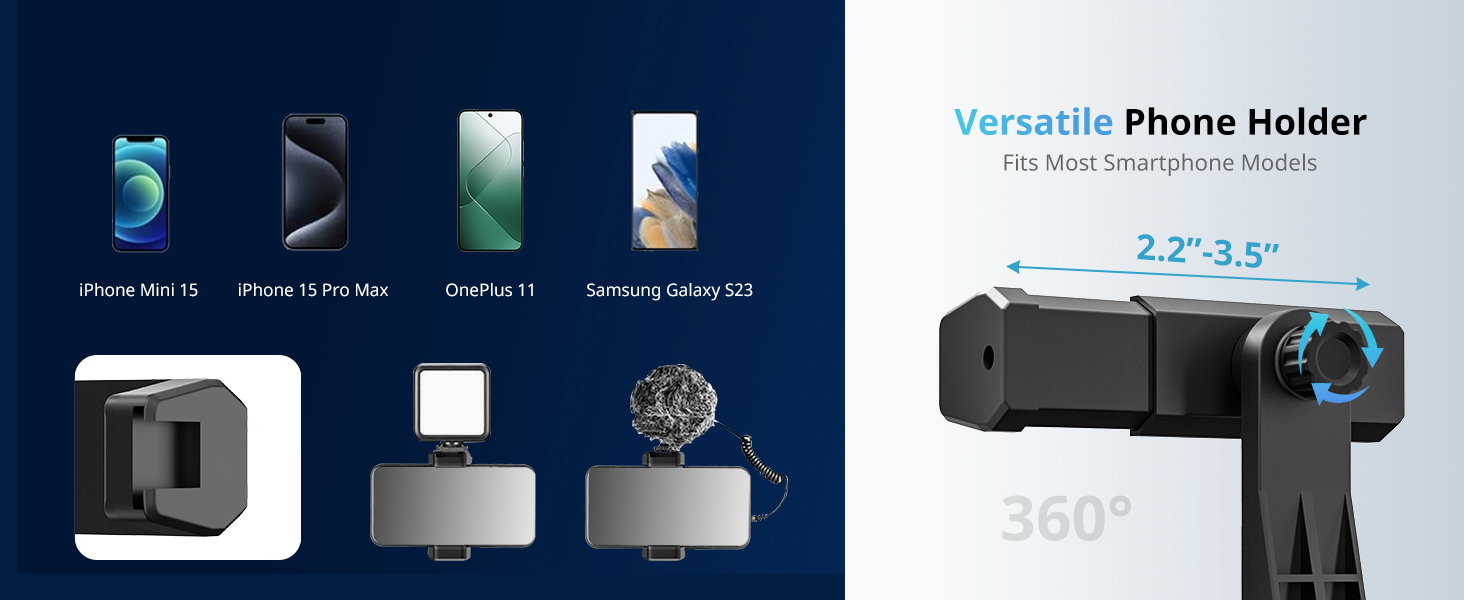
Figure 4: The versatile phone holder, showing its adjustable width (2.2"-3.5") and 360° rotation capability, compatible with various smartphone models.
- Прикључак за напајање:
Connect the USB power cable from the ring light to a standard USB port (e.g., laptop, PC, power bank, USB charger, AC adapter). The ring light is powered by USB.
Упутство за употребу
Ring Light Control (Touch Pad)
The ring light features an intelligent touchpad for easy control. The touchpad has four buttons:
- Дугме за укључивање/искључивање: Притисните да бисте укључили или искључили светло.
- Дугме за пребацивање режима: Cycles through different lighting modes (white light modes and RGB color modes).
- Brightness Up Button (+): Increases the brightness level.
- Brightness Down Button (-): Decreases the brightness level.

Figure 5: Close-up of the ring light's touch control panel, showing the power, mode, and brightness adjustment buttons.
Режими белог светла
There are 3 white light modes available, each with 10 adjustable brightness levels:
- Топло светло: Пружа мекан, топао сјај.
- Хладно светло: Offers a bright, cool white illumination.
- Природно светло: A balanced blend of warm and cool light.
Press the Mode Switch button to cycle through these white light modes. Use the '+' and '-' buttons to adjust the brightness to your preference.
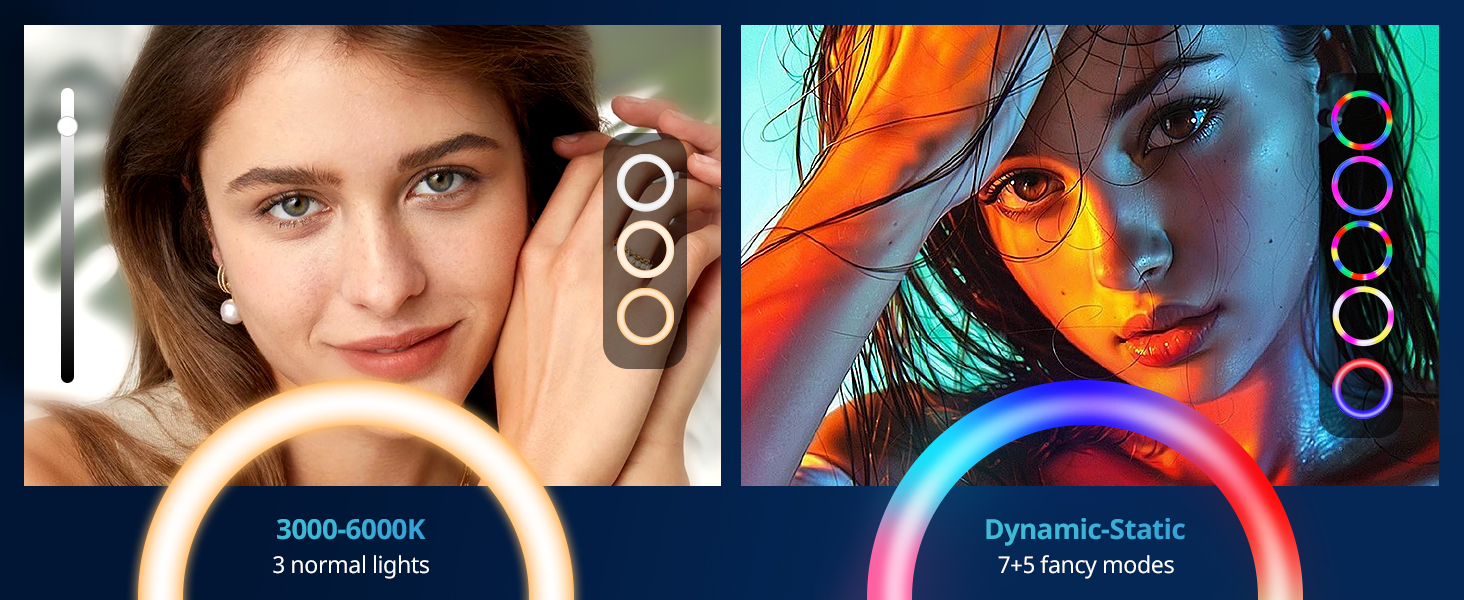
Figure 6: Visual representation of the three white light modes (3000K-6000K) and various RGB color effects.
RGB Color Effect Modes
Beyond the white light modes, the ring light offers 12 playful RGB color effect modes, including:
- 7 Monochromatic Modes: Red, Yellow, Green, Blue, Sky-blue, Purple, Pink.
- Динамички режими: Various dynamic effects such as Rainbow Rotation and Flash.
Continue pressing the Mode Switch button to access these RGB modes. These modes are ideal for creating specific moods or enhancing your content for platforms like TikTok.

Figure 7: Display of the 7 monochromatic RGB colors and an auto-cycle feature, demonstrating the vibrant lighting options.
Блуетоотх даљински окидач
The included Bluetooth remote shutter allows for convenient photo and video recording from a distance (up to 30ft/10m).
- Упаривање: Turn on the remote shutter. On your phone, go to Bluetooth settings and search for "UBeesize" or a similar device name. Select it to pair.
- Употреба: Once paired, open your camera or video recording app. Press the corresponding button on the remote (iOS or Android) to trigger the shutter or start/stop recording.

Figure 8: A user operating the ring light with the Bluetooth remote shutter, highlighting its convenience for selfies and video recording.
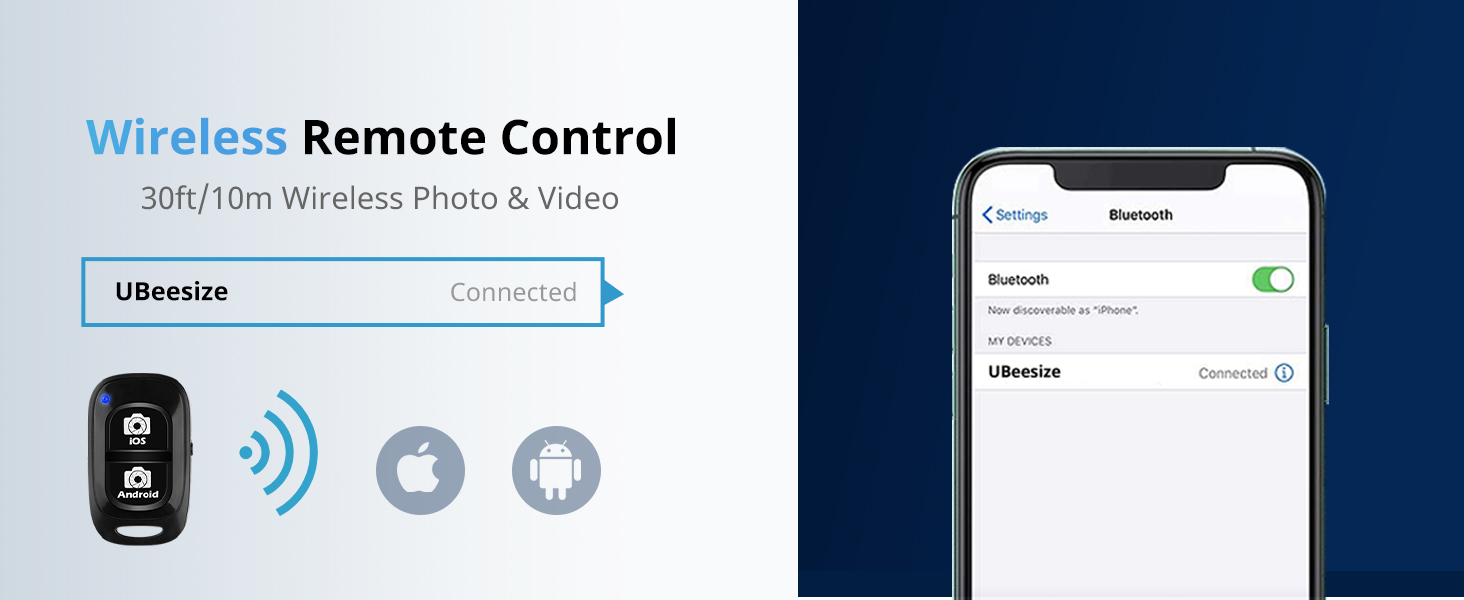
Figure 9: Visual guide for connecting the wireless remote control via Bluetooth, showing the "UBeesize" device name in phone settings.
Adjusting Shooting Angles
The tripod and ring light assembly allow for multiple shooting angles to enhance your content:
- Пејзажни режим: Standard horizontal orientation.
- Портретни режим: Vertical orientation for phone.
- Low Angle Shot: Position the tripod low to the ground.
- High Angle Shot: Extend the tripod to its maximum height.
- 360° Panoramic Shooting: The ring light and phone holder can be rotated 360 degrees horizontally and 180 degrees vertically to capture wide or dynamic shots. Loosen the adjustment knobs on the tripod head and ring light to achieve desired angles, then tighten securely.

Figure 10: The ring light demonstrating its 180-degree vertical tilt and 360-degree horizontal rotation capabilities for flexible angle adjustments.
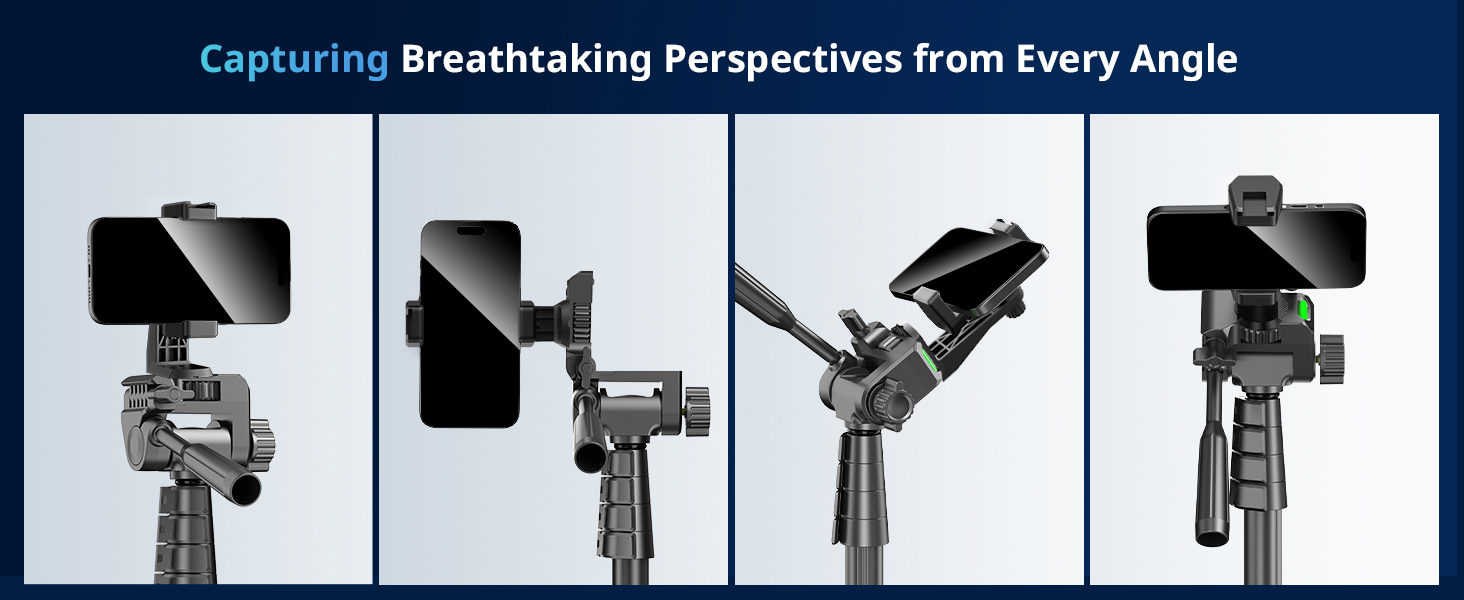
Слика 11: Прamples of various shooting perspectives, including landscape, portrait, and angled shots, achievable with the adjustable tripod and phone holder.
Одржавање
- Чишћење: Use a soft, dry cloth to wipe down the ring light and tripod. Do not use abrasive cleaners or solvents.
- Складиштење: When not in use, collapse the tripod to its minimum size and store the ring light and accessories in a dry, cool place, away from direct sunlight and extreme temperatures.
- Нега каблова: Avoid bending or crimping the USB power cable excessively. Always grasp the plug, not the cable, when disconnecting.
Решавање проблема
| Проблем | Могући узрок | Решење |
|---|---|---|
| Ring light does not turn on. | Нема напајања, лабава веза, неисправан УСБ порт. |
|
| Светло трепери или је нестабилно. | Insufficient power, loose connection, internal issue. |
|
| Tripod or ring light feels wobbly. | Loose locking clips, improper assembly, uneven surface. |
|
| Bluetooth remote does not pair or function. | Remote battery low, not in pairing mode, Bluetooth interference. |
|
Спецификације
| Феатуре | Детаљ |
|---|---|
| Број модела | ТБЦ001 |
| Пречник светла прстена | 12 инча |
| Распон висине статива | 18 до 62 инча |
| Светлосни режими | 3 White Light Modes (Warm, Cool, Natural), 12 RGB Color Effect Modes (7 Monochromatic, Dynamic) |
| Бригхтнесс Левелс | 10 levels per white light mode |
| Повезивање | УСБ Поверед |
| Компатибилност држача телефона | Fits screen sizes up to 5 inches |
| Remote Shutter Range | Up to 30ft / 10m (Bluetooth) |
| Тежина артикла | 2.94 фунти |
| Димензије пакета | 14.76 к 12.71 к 4.49 инча |
Гаранција и подршка
Информације о гаранцији
UBeesize products are manufactured with high-quality standards. For specific warranty terms and conditions applicable to your UBeesize 12'' RGB Selfie Ring Light (Model TBC001), please refer to the warranty card included with your purchase or visit the official UBeesize webсајт. Гаранција се обично односи на производне недостатке и недостатке материјала при нормалној употреби.
Корисничка подршка
If you encounter any issues not covered in the troubleshooting section, or require further assistance, please contact UBeesize customer support. Contact details can usually be found on the product packaging, the official UBeesize webсајту или путем ваше платформе за куповину.
When contacting support, please have your product model number (TBC001) and purchase information ready to facilitate faster service.