
Увод
This manual provides detailed instructions for the INFILAND Multi-Angle Stand Case, designed to protect and enhance the functionality of your Samsung Galaxy Tab S10 Ultra, S9 Ultra, or S8 Ultra 14.6-inch tablet. This case offers robust protection, versatile viewing angles, and smart features for an improved user experience.

Image: Compatibility information for the INFILAND case. Please verify your tablet model number (SM-X920, SM-X926B, SM-X910B, SM-X916B, SM-X900, SM-X906) to ensure proper fit.
Подешавање: Водич за инсталацију
Follow these steps to correctly install your Samsung Galaxy Tab into the INFILAND case:
- Припремите свој таблет: Ensure your tablet is clean and free of dust or debris.
- Поравнајте таблет: Gently align your tablet with the case's protective tray. Start by inserting one side of the tablet into the corresponding edge of the case.
- Secure the Tablet: Apply gentle pressure around the edges of the tablet until it snaps securely into the tray. Ensure all corners are properly seated and the tablet is flush with the case.
- Check Ports and Buttons: Verify that all ports, buttons, and camera cutouts are accessible and unobstructed.
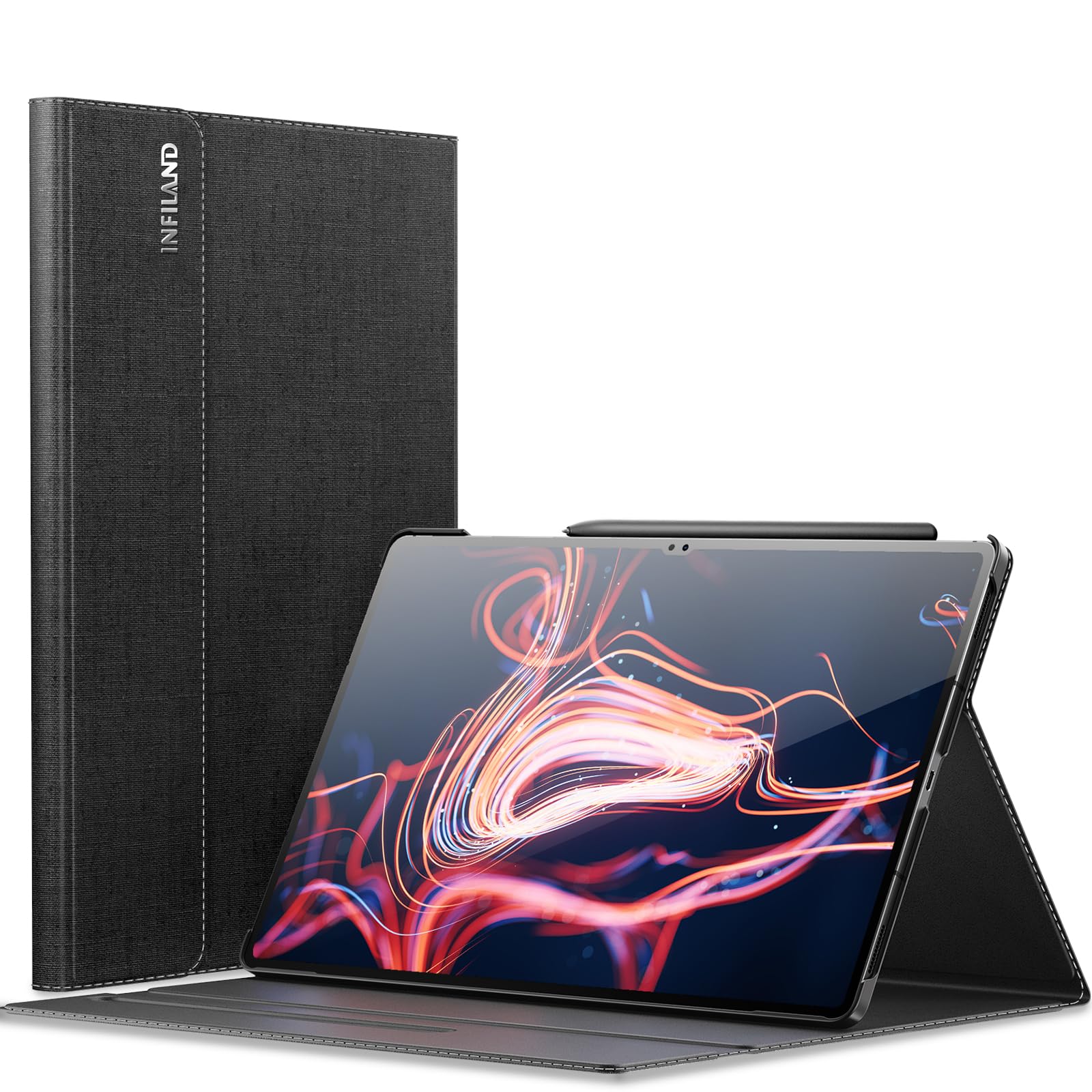
Image: Samsung Galaxy Tab securely installed in the INFILAND case.
Operating: Key Features and Functions
Multi-Angle Stand
The INFILAND case features a multi-angle stand design, allowing you to adjust your tablet to various viewing positions. This is ideal for typing, watching videos, or making video calls.
- To Engage the Stand: Fold the front cover backward and align the tablet's edge with one of the grooves on the inner lining of the cover.
- Подесите Viewугао угла: Experiment with different grooves to find the most comfortable viewing or typing angle for your activity.
Image: The case supports multiple viewing angles for versatility.
Magnetic Closure Buckle
The case is equipped with a magnetic closure buckle that secures the front cover when closed, protecting your tablet and any stored S Pen.
- Automatic Closure: When you close the front cover, the magnetic buckle will automatically engage, keeping the case securely shut.
- S Pen Protection: The magnetic flap also covers the S Pen slot, preventing the S Pen from accidentally falling out while on the go.

Image: The magnetic closure buckle ensures the case remains securely closed.

Image: The magnetic closure provides added security for your S Pen.
Функција аутоматског буђења/спавања
The built-in smart sensor supports your tablet's auto wake/sleep feature, conserving battery life.
- буђење: Opening the front cover will automatically wake your tablet.
- спавање: Closing the front cover will automatically put your tablet to sleep.

Image: Smart sleep design for power saving.
Видео о производу
Video: An official product video demonstrating the features and usage of the INFILAND Galaxy Tab S9 Ultra / S8 Ultra Case.
Одржавање: Нега и чишћење
To ensure the longevity and appearance of your INFILAND case, follow these maintenance guidelines:
- Чишћење екстеријера: The premium PU leather exterior is designed for easy cleaning. Use a soft, damp cloth to wipe away dust or light smudges. Avoid harsh chemicals or abrasive cleaners.
- Чишћење унутрашњости: The anti-slip microfiber interior can be gently wiped with a dry, soft cloth to remove any dust or lint.
- Избегавајте прекомерну влагу: Do not submerge the case in water. If it gets wet, pat it dry immediately with a soft cloth.
- Складиштење: Чувајте кућиште на хладном и сувом месту, даље од директне сунчеве светлости и екстремних температура када се не користи.

Image: The PU leather exterior offers a comfortable texture and is easy to clean.

Image: The case features three layers of protection for your tablet.
Решавање проблема
If you encounter any issues with your INFILAND case, refer to the following common solutions:
- Tablet Does Not Fit Properly:
решење: Ensure your tablet is one of the compatible models (Samsung Galaxy Tab S10 Ultra, S9 Ultra, or S8 Ultra 14.6-inch, models SM-X920, SM-X926B, SM-X910B, SM-X916B, SM-X900, SM-X906). Double-check that the tablet is aligned correctly and gently pressed into all corners of the protective tray. - Auto Wake/Sleep Function Not Working:
решење: Verify that the tablet's auto wake/sleep feature is enabled in its settings. Ensure the case cover is fully closed and making proper contact with the tablet screen. - Magnetic Closure Feels Weak:
решење: Ensure no foreign objects are lodged between the cover and the tablet that might interfere with the magnetic connection. The magnetic closure is designed to keep the cover securely closed during normal handling. - Case Appears Dirty or Stained:
решење: Refer to the 'Care and Maintenance' section for proper cleaning instructions using a soft, damp тканина.
Спецификације производа
| Бранд | INFILAND |
| Број модела | 202307USA0575D4-A |
| Компатибилни уређаји | Samsung Galaxy Tab S10 Ultra/S9 Ultra/S8 Ultra 14.6-inch (SM-X920/SM-X926B/SM-X910B/SM-X916B/ SM-X900/X906) |
| Материјал | Faux Leather (Exterior), Microfiber (Interior) |
| Форм Фацтор | Случај |
| Посебне карактеристике | Multi-Angle Stand, Magnetic Closure, Auto Wake/Sleep, Anti-Slip |
| Тежина артикла | 0.61 килограма |
| Боја | Црно |
Информације о гаранцији
INFILAND stands behind the quality of its products. This case is covered by a lifetime free return policy for manufacturing defects. For specific warranty details and terms, please refer to the product packaging or contact customer support.
Корисничка подршка
For further assistance, questions, or concerns regarding your INFILAND Multi-Angle Stand Case, please contact our customer support team. You can typically find contact information on the product packaging or through the retailer where the product was purchased.